> ## Documentation Index
> Fetch the complete documentation index at: https://docs.myfundingmachine.com/llms.txt
> Use this file to discover all available pages before exploring further.
# Partner Highlights
> Open one partner's record to review their stats, referral links, commissions, leads, customers, and payouts.
# Partner Highlights
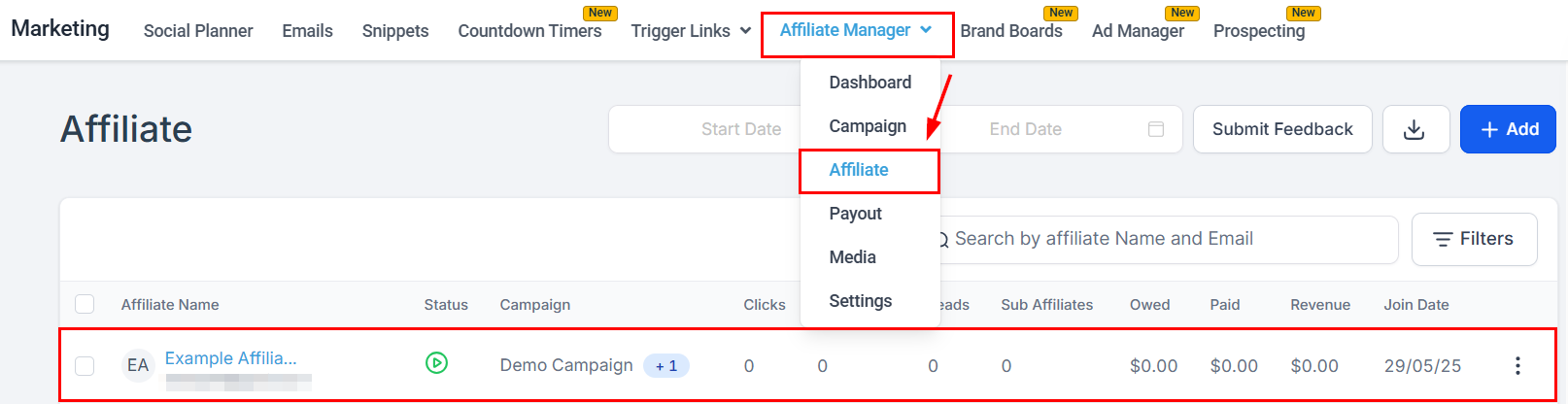
Partner Highlights is a single partner's record — their stats, campaigns, referral links, commissions, leads, customers, and payouts. Open it from the **Affiliate** section by selecting a partner from the list.
 ## Edit Affiliate
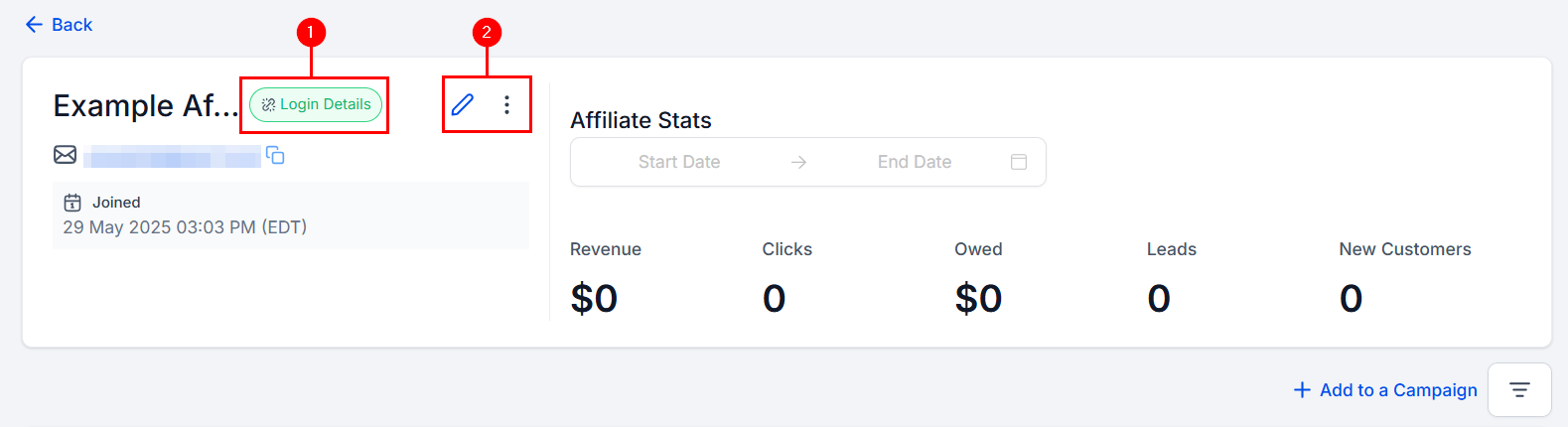
The header shows the partner's name, email, and first enrollment date. Click the Login Details icon (1) to generate their magic link for sharing. **Edit Affiliate details** updates their profile; the three vertical dots (2) hold other actions.
## Edit Affiliate
The header shows the partner's name, email, and first enrollment date. Click the Login Details icon (1) to generate their magic link for sharing. **Edit Affiliate details** updates their profile; the three vertical dots (2) hold other actions.
 ## Partner Stats
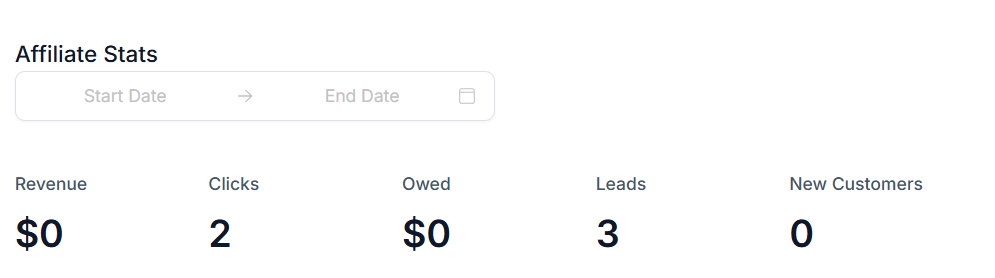
The Statistics dashboard shows, for the date range you pick: **Revenue** the partner generated, **Clicks** on their referral links, the payout **Owed** to them, **Leads** they brought in, and **New Customers** who registered with their unique ID.
## Partner Stats
The Statistics dashboard shows, for the date range you pick: **Revenue** the partner generated, **Clicks** on their referral links, the payout **Owed** to them, **Leads** they brought in, and **New Customers** who registered with their unique ID.
 ## Campaign summary
**All Campaign** summarizes every campaign the partner is enrolled in: commissions by status (Pending, Denied, Approved) with the total unpaid, and payouts by status with the total paid.
## Campaign summary
**All Campaign** summarizes every campaign the partner is enrolled in: commissions by status (Pending, Denied, Approved) with the total unpaid, and payouts by status with the total paid.
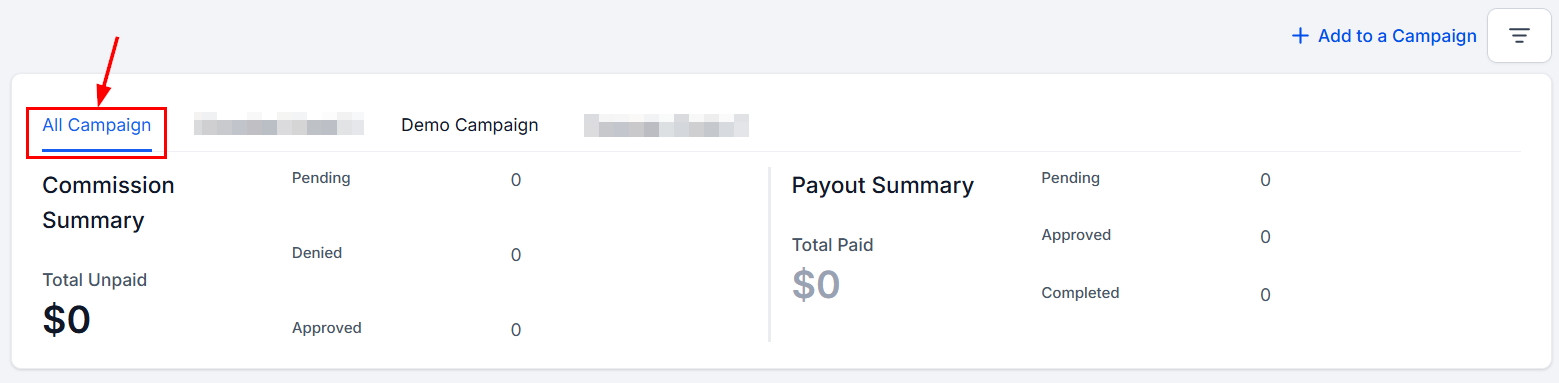 Each enrolled campaign also gets its own tab for a per-campaign view.
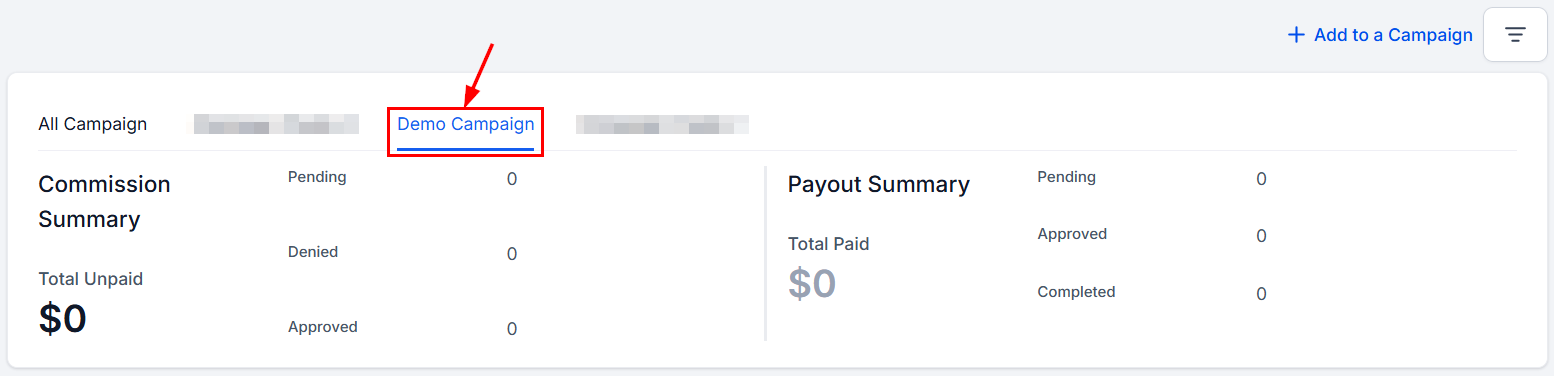 **Add to a Campaign** enrolls the partner in another campaign.
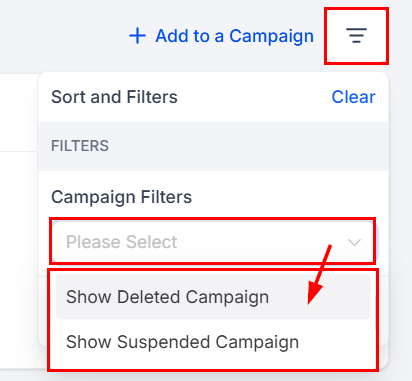
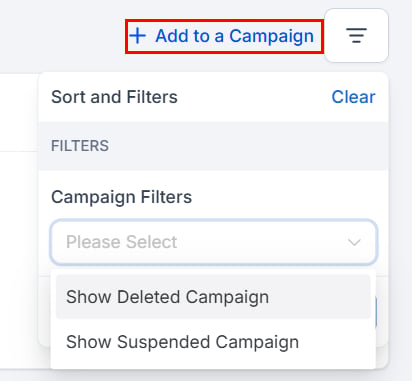 The filters control whether deleted and suspended campaigns appear.
 ## Referral links and commissions
In the All Campaigns view, active referral links are listed below the summary. **Customize** updates the referral ID or adds a coupon code; copy the link to share it.
## Referral links and commissions
In the All Campaigns view, active referral links are listed below the summary. **Customize** updates the referral ID or adds a coupon code; copy the link to share it.
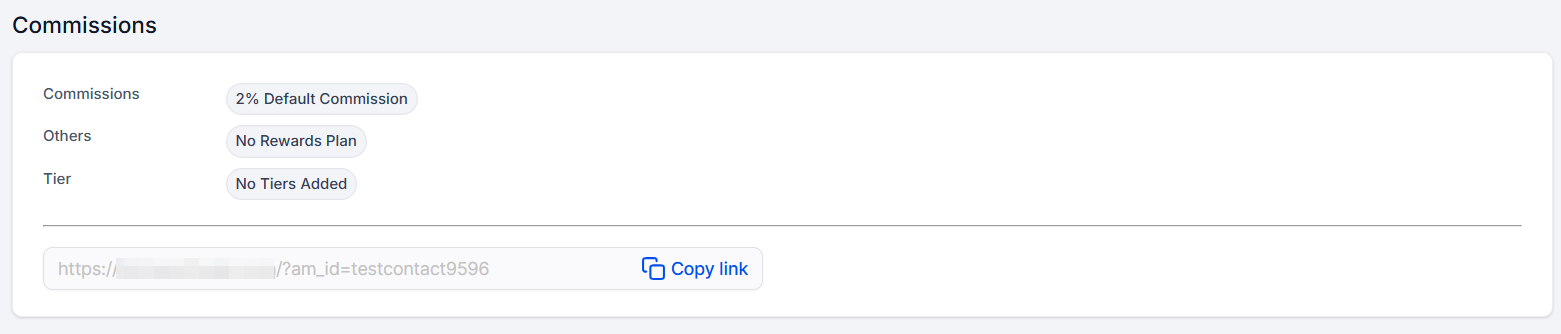
 With a single campaign selected, a preview of that campaign's commission structure appears instead, with the referral link alongside.
 ## Partner Table
The tabs in the partner table show all activity for the partner. Activity appears only while the linked campaigns are live.
### Commission
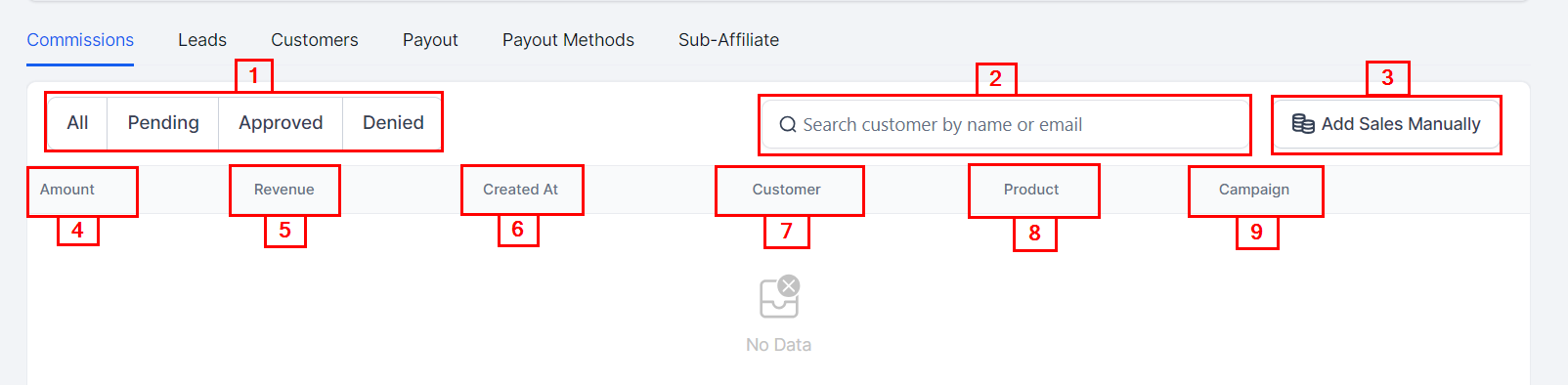
Commissions the partner earned from each customer. Filter by status (**All, Pending, Approved, Denied**), search by customer name or email, or click **Add Sales Manually** to [record a commission yourself](/operators/affiliates/manually-adding-sales-to-an-affiliate). Columns show the commission amount, the revenue from the customer, when the commission was created, the customer, the product, and the campaign.
## Partner Table
The tabs in the partner table show all activity for the partner. Activity appears only while the linked campaigns are live.
### Commission
Commissions the partner earned from each customer. Filter by status (**All, Pending, Approved, Denied**), search by customer name or email, or click **Add Sales Manually** to [record a commission yourself](/operators/affiliates/manually-adding-sales-to-an-affiliate). Columns show the commission amount, the revenue from the customer, when the commission was created, the customer, the product, and the campaign.
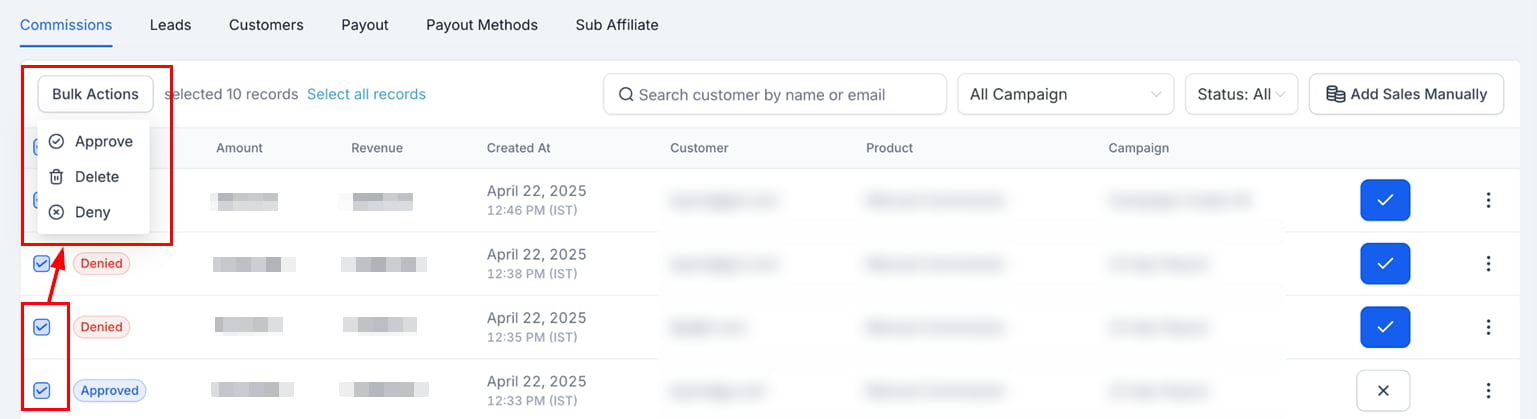
 Select commissions (or use the header checkbox for all) to approve, deny, or delete them in bulk.
 ### Leads
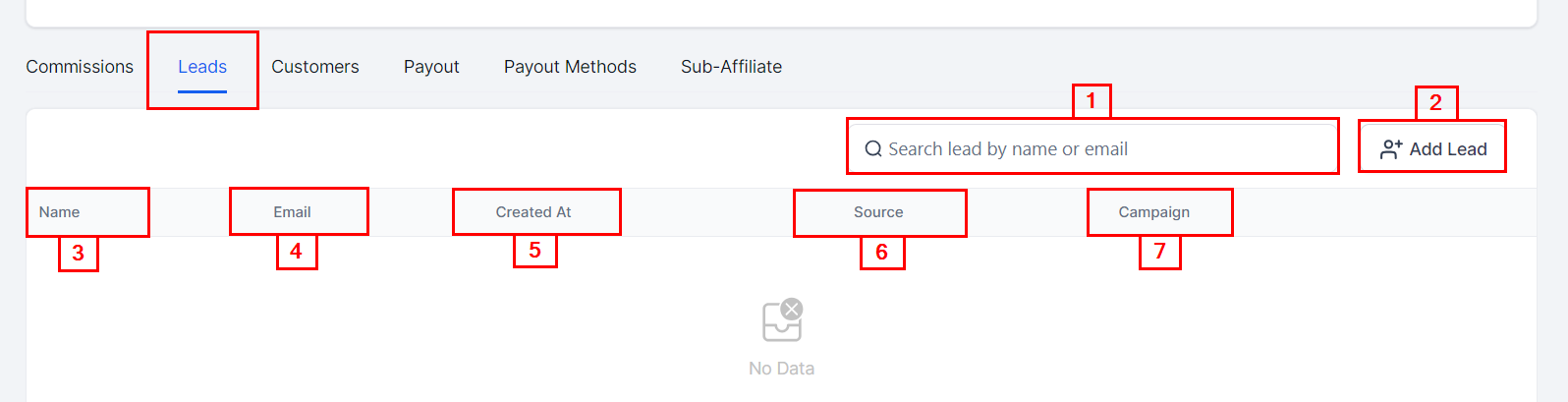
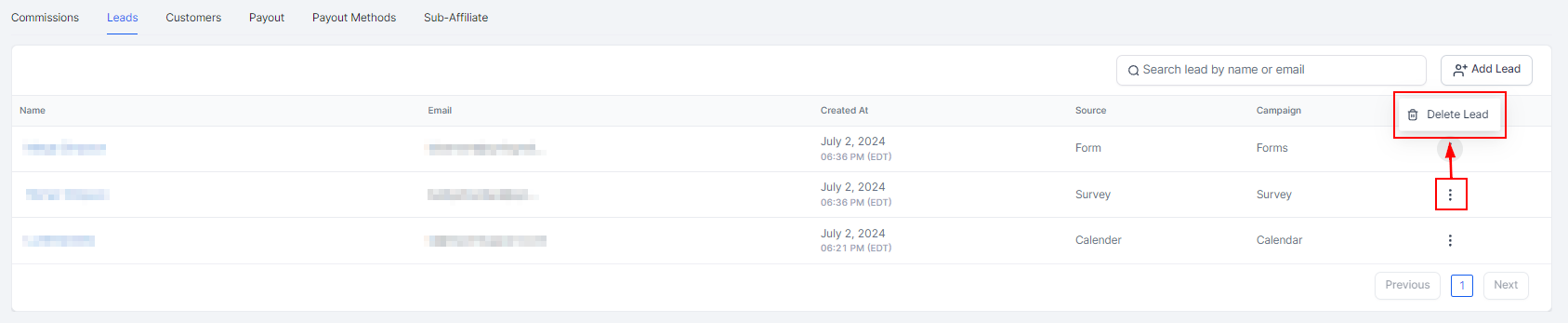
Leads attributed to the partner. Search by name or email, or click **Add Lead** to add leads manually or import from contacts. Columns show **Name**, **Email**, **Created At**, **Source**, and **Campaign**.
### Leads
Leads attributed to the partner. Search by name or email, or click **Add Lead** to add leads manually or import from contacts. Columns show **Name**, **Email**, **Created At**, **Source**, and **Campaign**.
 To remove a lead from a partner, click the three dots next to the campaign and select **Delete Lead**.
 ### Customers
Customers assigned to the partner, searchable by name or email. Columns show **Name**, **Email**, **Created At**, **Campaign**, **Status** (new, active, pending, or inactive), and **Revenue** generated by each customer.
### Customers
Customers assigned to the partner, searchable by name or email. Columns show **Name**, **Email**, **Created At**, **Campaign**, **Status** (new, active, pending, or inactive), and **Revenue** generated by each customer.
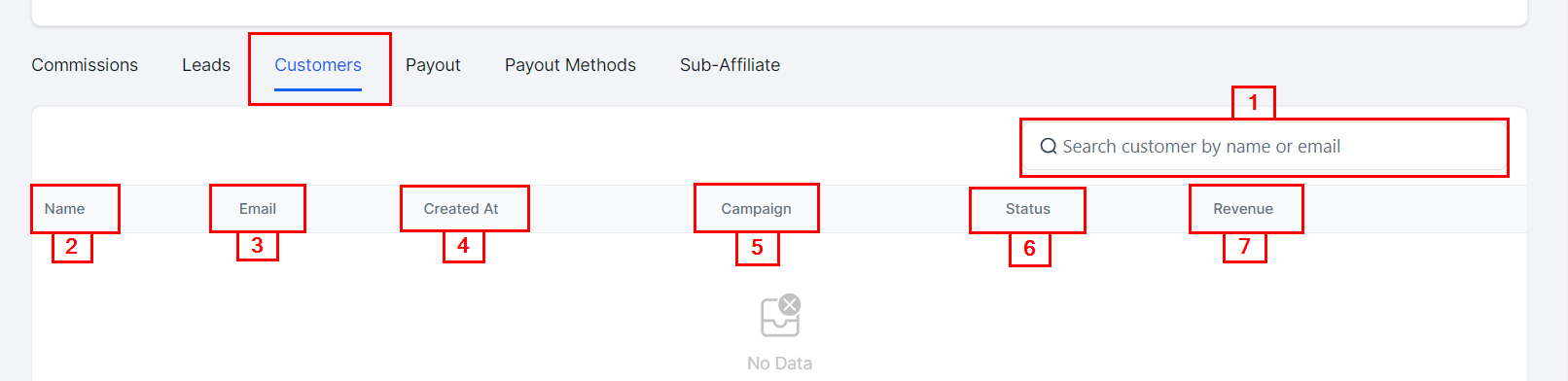 Click the three dots next to a customer to manually add commissions, view previous commissions, or delete or disable the customer.
**Disable** stops tracking a customer's sales so they generate no further commissions — useful for fraudulent sign-ups. **Delete** removes their association with the partner entirely.
Click the three dots next to a customer to manually add commissions, view previous commissions, or delete or disable the customer.
**Disable** stops tracking a customer's sales so they generate no further commissions — useful for fraudulent sign-ups. **Delete** removes their association with the partner entirely.
 ### Payout
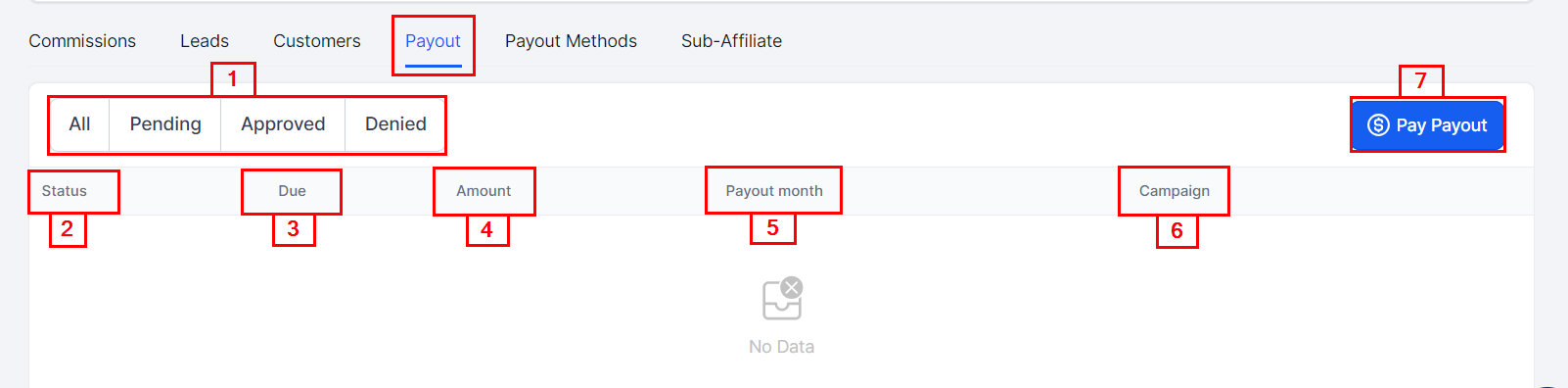
Payouts owed to the partner, filterable by status. Columns show **Status** (pending or completed), **Due**, **Amount**, **Payout Month**, and **Campaign**. **Pay Payout** pays out the commissions the partner has already earned.
### Payout
Payouts owed to the partner, filterable by status. Columns show **Status** (pending or completed), **Due**, **Amount**, **Payout Month**, and **Campaign**. **Pay Payout** pays out the commissions the partner has already earned.
 ### Payout Methods
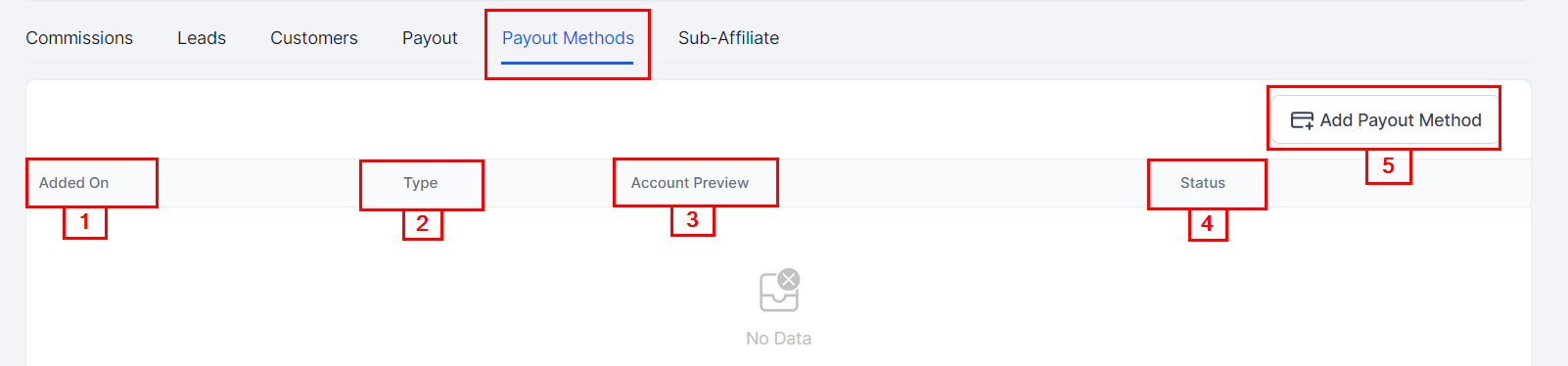
The partner's payment accounts (currently PayPal only). Columns show **Added On**, **Type** (the payment provider), **Account Preview** (the account email), and **Status** (a check mark when the method is live). **Add Payout Method** attaches the partner's PayPal account.
### Payout Methods
The partner's payment accounts (currently PayPal only). Columns show **Added On**, **Type** (the payment provider), **Account Preview** (the account email), and **Status** (a check mark when the method is live). **Add Payout Method** attaches the partner's PayPal account.
 ### Sub-Affiliate
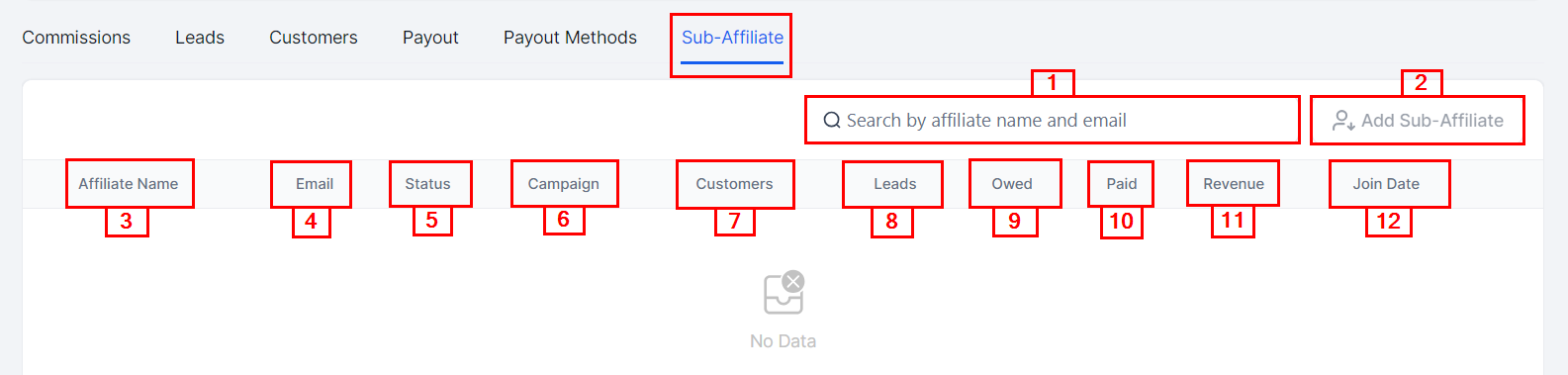
Sub-affiliates recruited by this partner in multi-tier campaigns. Search by name or email, or click **Add Sub-Affiliate** to [add one directly](/operators/affiliates/how-to-add-a-sub-affiliate-under-an-existing-affiliate). Columns show each sub-affiliate's name, email, status, campaigns, customers, leads, owed and paid amounts, revenue, and join date.
### Sub-Affiliate
Sub-affiliates recruited by this partner in multi-tier campaigns. Search by name or email, or click **Add Sub-Affiliate** to [add one directly](/operators/affiliates/how-to-add-a-sub-affiliate-under-an-existing-affiliate). Columns show each sub-affiliate's name, email, status, campaigns, customers, leads, owed and paid amounts, revenue, and join date.