> ## Documentation Index
> Fetch the complete documentation index at: https://docs.myfundingmachine.com/llms.txt
> Use this file to discover all available pages before exploring further.
# How to Automate Partner Payouts with PayPal
> Connect PayPal and pay approved partner commissions automatically instead of exporting and paying by hand.
# How to Automate Partner Payouts with PayPal
Pay approved partner commissions directly through PayPal instead of exporting a CSV and paying by hand. Your PayPal account must be connected first — check **Payments → Integrations**; a connected account shows a **Manage** option.
## Initiate and confirm payouts
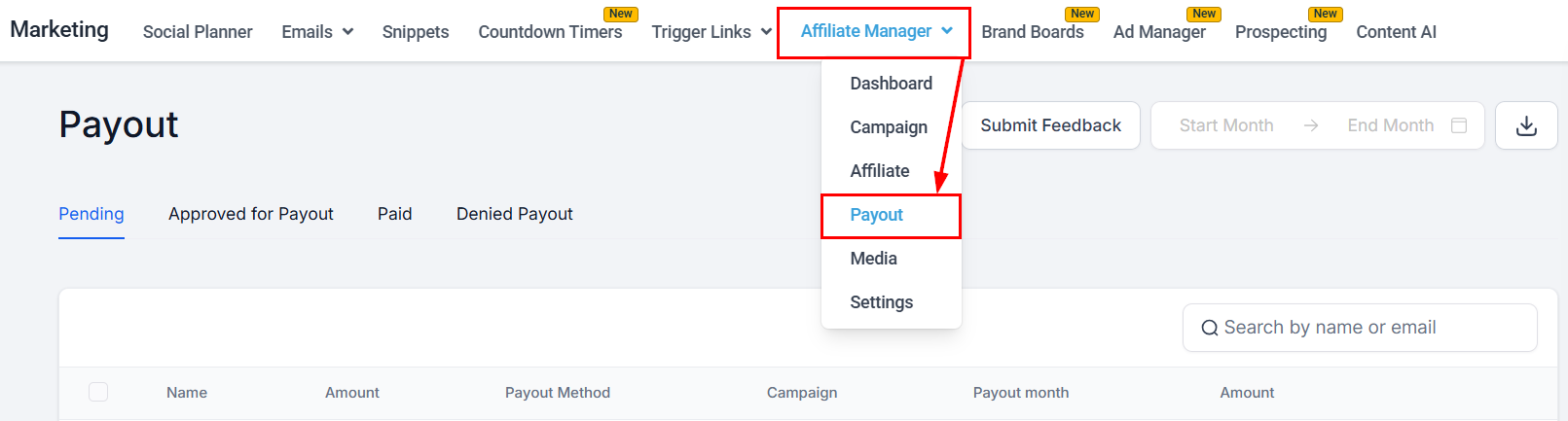
1. In the marketing section, open the **Payout** section of your Affiliate Manager.
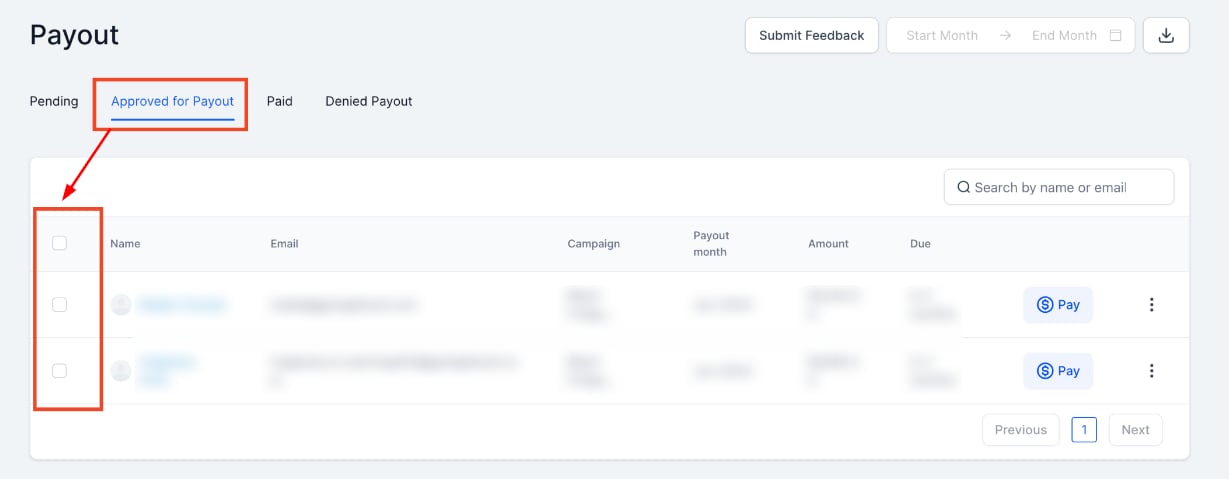
 2. In the **Approved for Payout** tab, check the box next to each partner to pay.
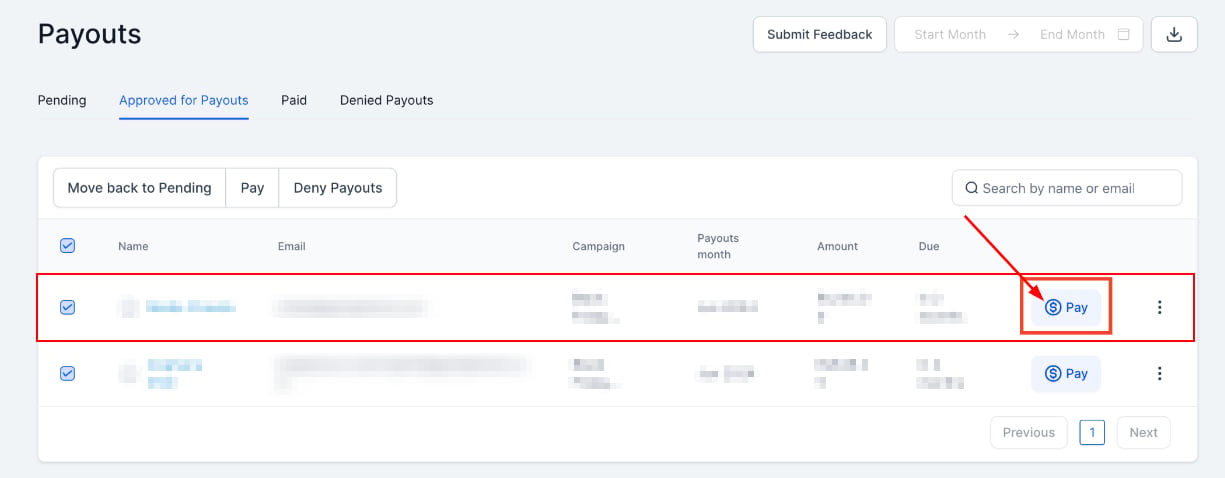
 3. For a single partner, click the **\$Pay** button on their row.
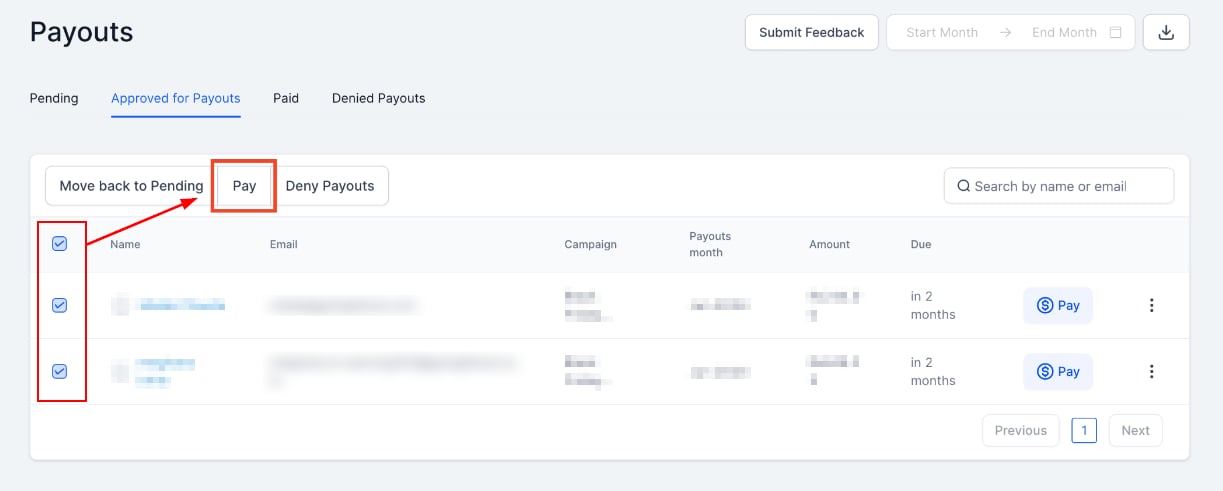
 For multiple partners, click the **Pay** button at the top — it covers everyone you selected.
 4. Review the payout details and click **Pay Now**.
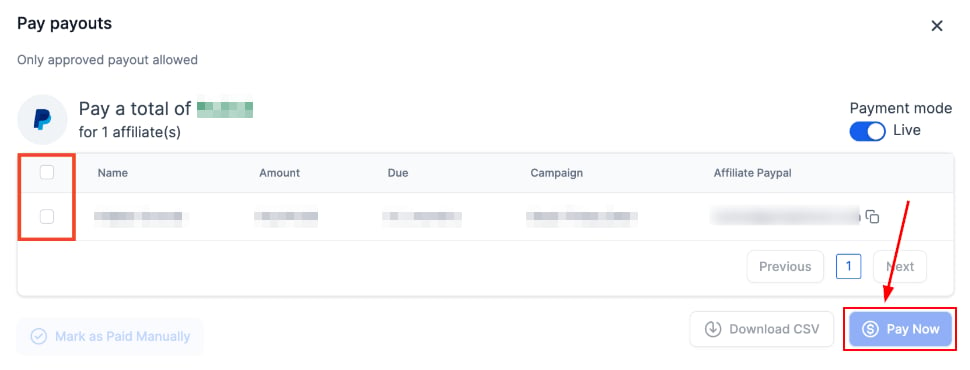 5. If a partner has no PayPal account on file, click **Add Account**, add it, then click **Pay Now**.
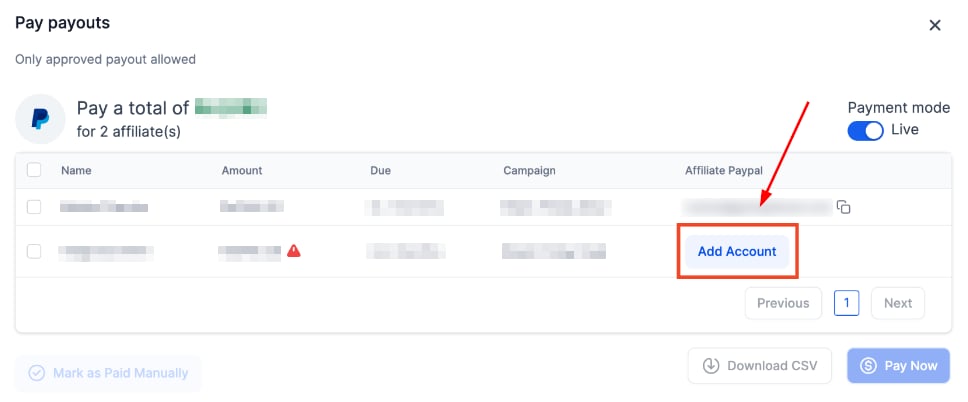 Partners can add their own payout information in the Commissions section of their [Affiliate Portal](/operators/affiliates/how-to-use-the-affiliate-portal) once you enable the option in [Settings](/operators/affiliates/affiliate-manager-settings).
## Completed payments
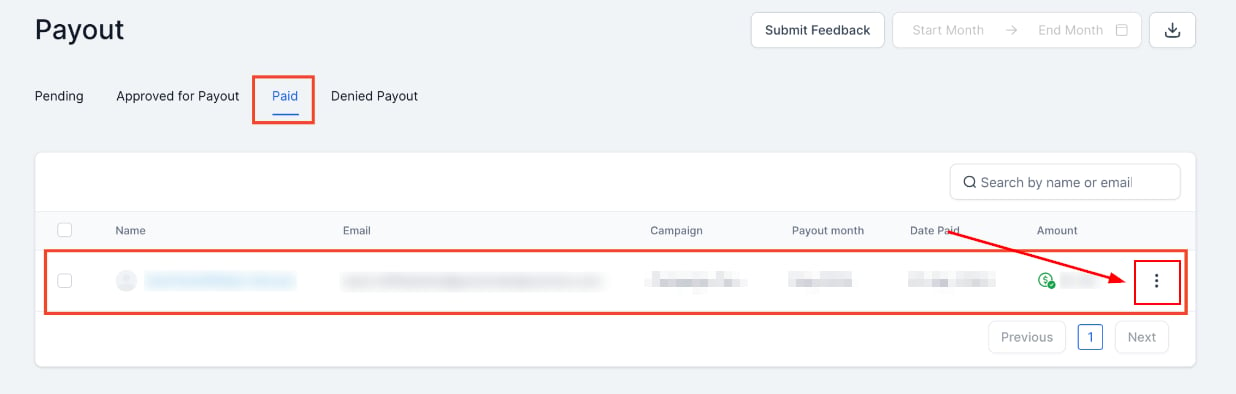
Successful payments appear under the **Paid** tab; click the three dots on a payment for details.
Partners can add their own payout information in the Commissions section of their [Affiliate Portal](/operators/affiliates/how-to-use-the-affiliate-portal) once you enable the option in [Settings](/operators/affiliates/affiliate-manager-settings).
## Completed payments
Successful payments appear under the **Paid** tab; click the three dots on a payment for details.
 The detail view shows the payment date, amount, and status.
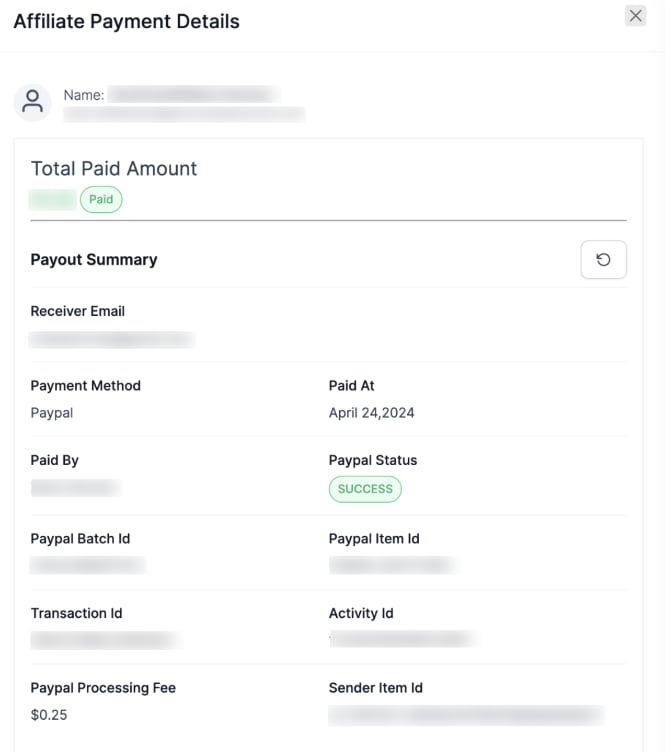 PayPal can take time to process payments, so a transaction may show "Pending" temporarily. Click the refresh icon for the latest status; partners see real-time updates in their Commissions section.