> ## Documentation Index
> Fetch the complete documentation index at: https://docs.myfundingmachine.com/llms.txt
> Use this file to discover all available pages before exploring further.

# How to Customize Affiliate Manager Labels

> Rename Affiliate Manager labels to match your brand and industry terminology, and revert to the defaults at any time.

# How to Customize Affiliate Manager Labels

Rename the Affiliate Manager tab labels to match your brand or industry terminology — for example, calling affiliates "partners" throughout the UI.

## Steps

1. In the **Marketing** tab, click **Settings** in the Affiliate Manager dropdown and find the **Customizations** menu.
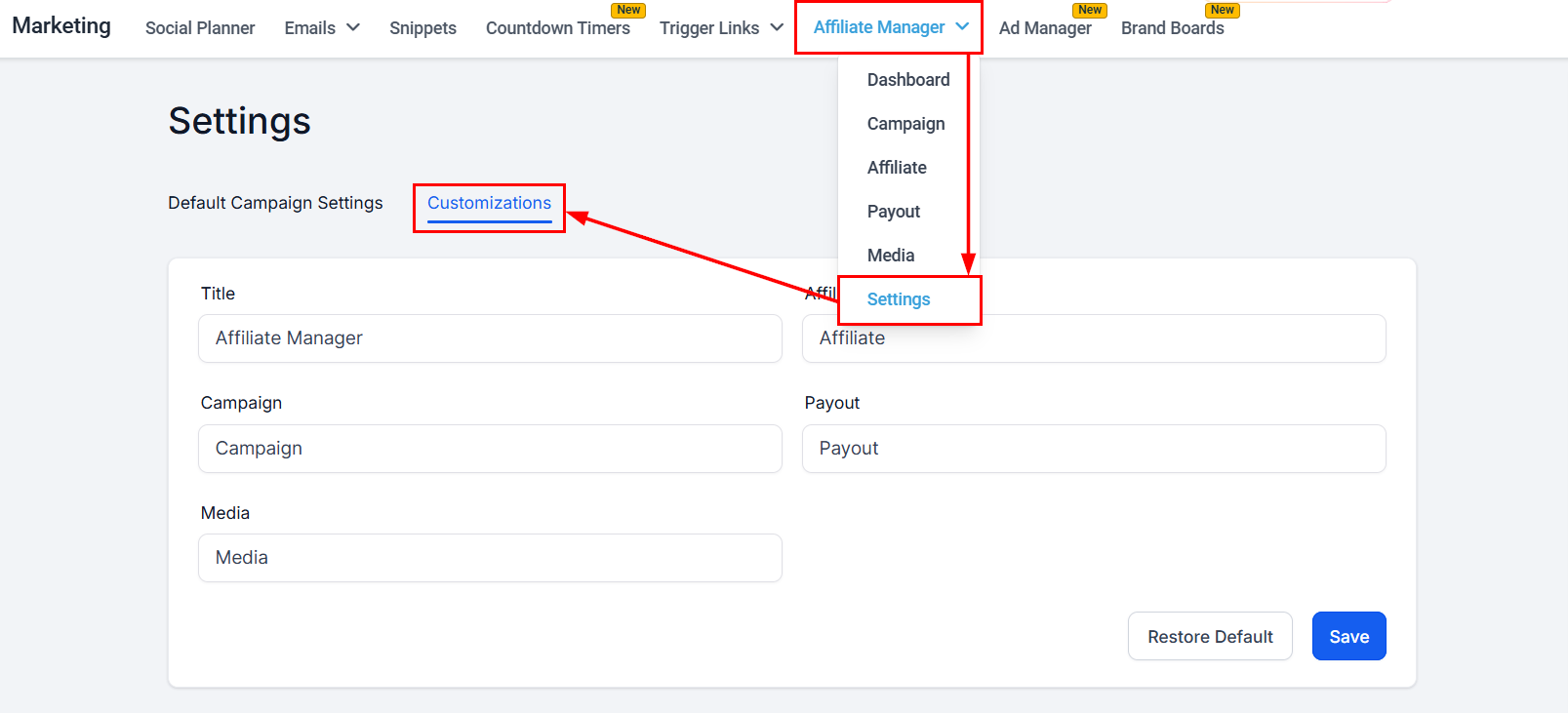
<Frame>
  <img src="https://mintcdn.com/fundingmachine-b7281907/HVlxENosbv4ELwno/images/affiliate-manager/customizing-affiliate-manager-labels-for-better-user-engagement-and-brand-alignment/01.png?fit=max&auto=format&n=HVlxENosbv4ELwno&q=85&s=1b0bd4d691854f848882fed97298cb41" alt="Navigate to Customizations in the Affiliate Manager" width="1607" height="731" data-path="images/affiliate-manager/customizing-affiliate-manager-labels-for-better-user-engagement-and-brand-alignment/01.png" />
</Frame>

2. Rename each tab as needed. The default label is shown above each field so you know what you're changing.
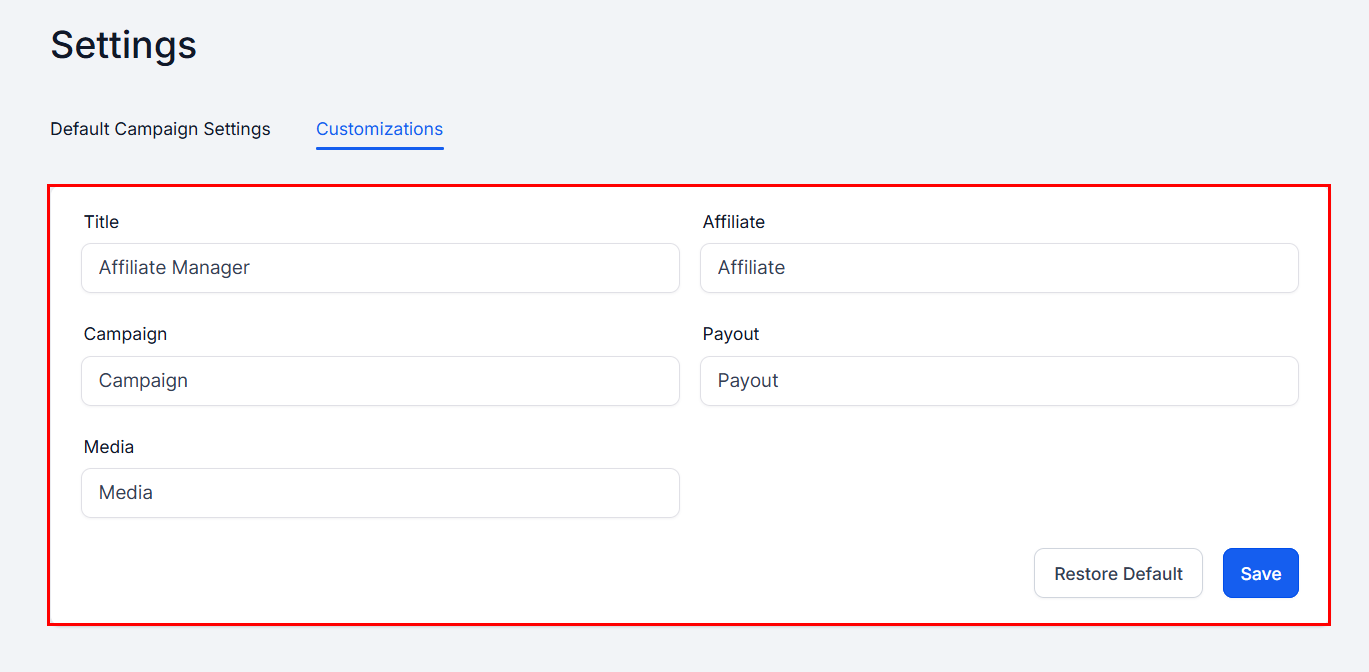
<Frame>
  <img src="https://mintcdn.com/fundingmachine-b7281907/HVlxENosbv4ELwno/images/affiliate-manager/customizing-affiliate-manager-labels-for-better-user-engagement-and-brand-alignment/02.png?fit=max&auto=format&n=HVlxENosbv4ELwno&q=85&s=a42d08164d09fdcd08a8ff03e18be53b" alt="Choose Your Labels in the Affiliate Manager" width="1369" height="672" data-path="images/affiliate-manager/customizing-affiliate-manager-labels-for-better-user-engagement-and-brand-alignment/02.png" />
</Frame>

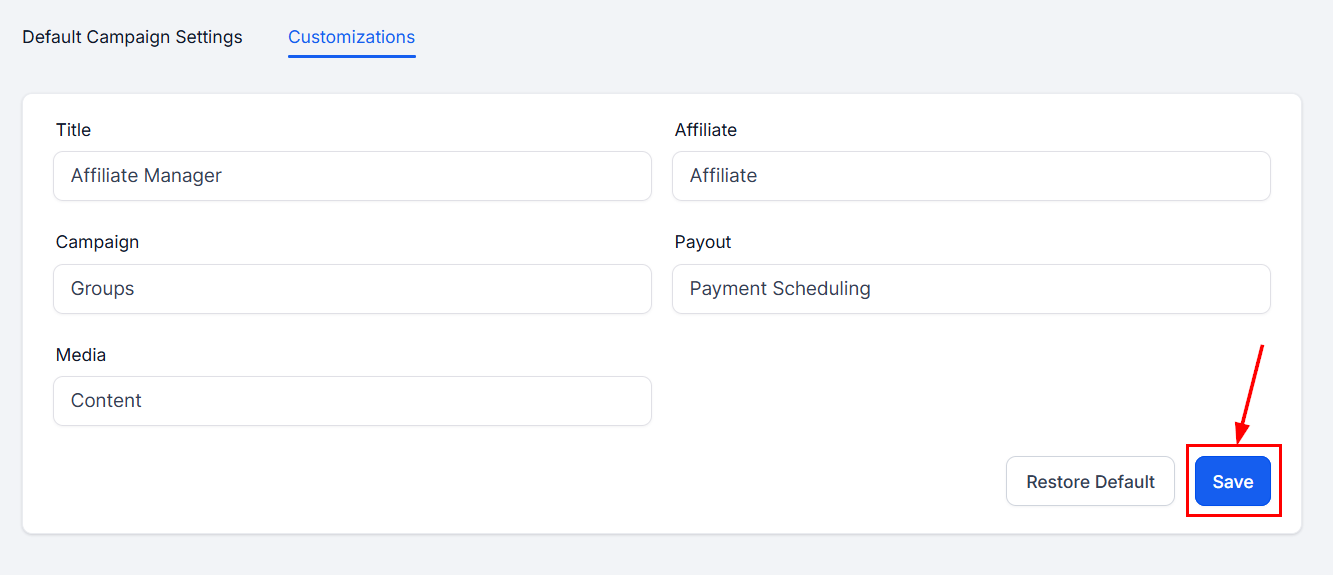
3. Save your changes.

<Frame>
  <img src="https://mintcdn.com/fundingmachine-b7281907/HVlxENosbv4ELwno/images/affiliate-manager/customizing-affiliate-manager-labels-for-better-user-engagement-and-brand-alignment/03.png?fit=max&auto=format&n=HVlxENosbv4ELwno&q=85&s=3257c55cc5844800473272cc50f54867" alt="Save Your Changes in the Affiliate Manager" width="1333" height="575" data-path="images/affiliate-manager/customizing-affiliate-manager-labels-for-better-user-engagement-and-brand-alignment/03.png" />
</Frame>

The platform reloads, and the new labels appear in the Affiliate Manager dropdown and in the left-hand corner of each section.
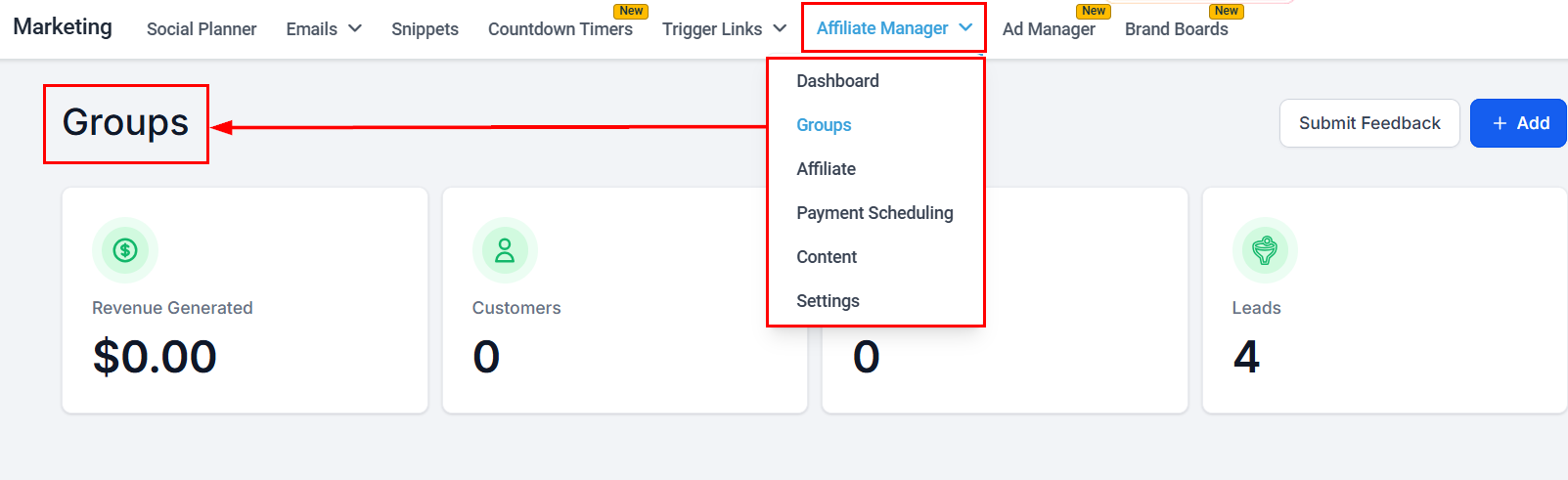
<Frame>
  <img src="https://mintcdn.com/fundingmachine-b7281907/HVlxENosbv4ELwno/images/affiliate-manager/customizing-affiliate-manager-labels-for-better-user-engagement-and-brand-alignment/04.png?fit=max&auto=format&n=HVlxENosbv4ELwno&q=85&s=eb315c1bd71424078e7487eca3c29957" alt="Save Your Changes in the Affiliate Manager (2)" width="1603" height="491" data-path="images/affiliate-manager/customizing-affiliate-manager-labels-for-better-user-engagement-and-brand-alignment/04.png" />
</Frame>

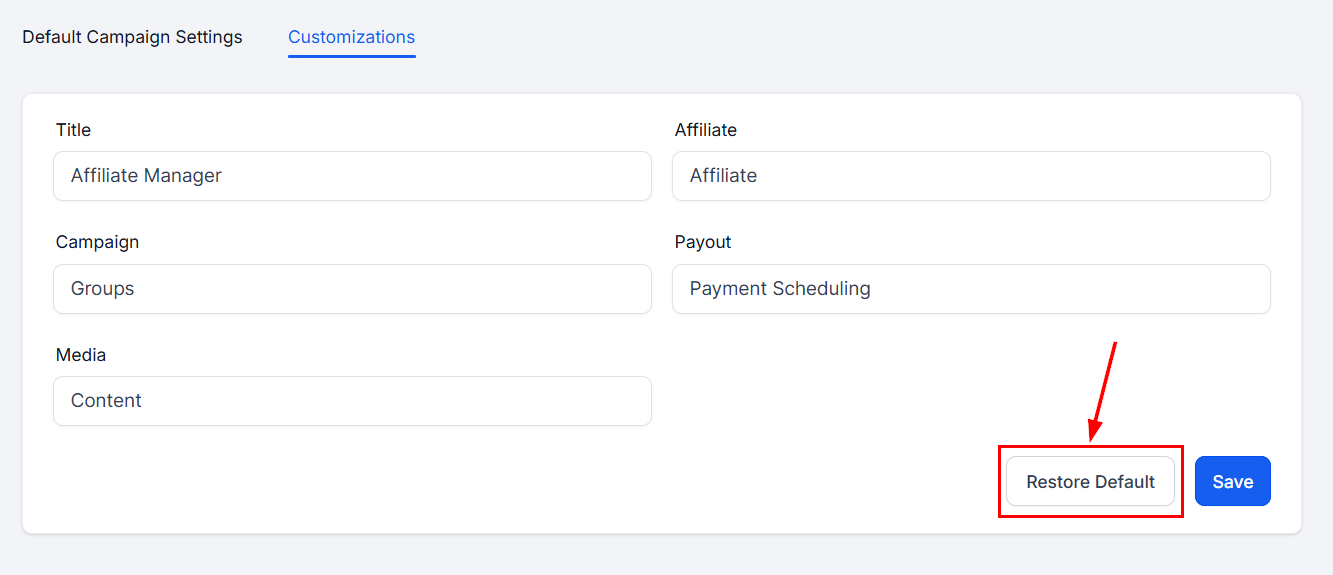
## Revert changes

Click **Restore Default** in the Customizations section to bring back the default labels.
<Frame>
  <img src="https://mintcdn.com/fundingmachine-b7281907/HVlxENosbv4ELwno/images/affiliate-manager/customizing-affiliate-manager-labels-for-better-user-engagement-and-brand-alignment/05.png?fit=max&auto=format&n=HVlxENosbv4ELwno&q=85&s=e300c6be1c9033f0dbe28c2d18d63264" alt="Revert Changes in the Affiliate Manager" width="1333" height="575" data-path="images/affiliate-manager/customizing-affiliate-manager-labels-for-better-user-engagement-and-brand-alignment/05.png" />
</Frame>

## FAQ

**How often can I change the labels?** As often as you like.

**Does changing a label affect existing data?** No — it only changes how the information is displayed.