> ## Documentation Index
> Fetch the complete documentation index at: https://docs.myfundingmachine.com/llms.txt
> Use this file to discover all available pages before exploring further.
# How to Add a Sub-Affiliate Under an Existing Partner
> Attribute a new partner's sales to a parent partner by adding them from the parent's Sub-Affiliate tab.
# How to Add a Sub-Affiliate Under an Existing Partner
In a multi-tier campaign, a sub-affiliate's sales are attributed to their parent partner, so both earn on the commission structure. This guide adds a sub-affiliate under an existing partner.
This feature is only available to affiliate campaigns with 2 or more commission tiers.
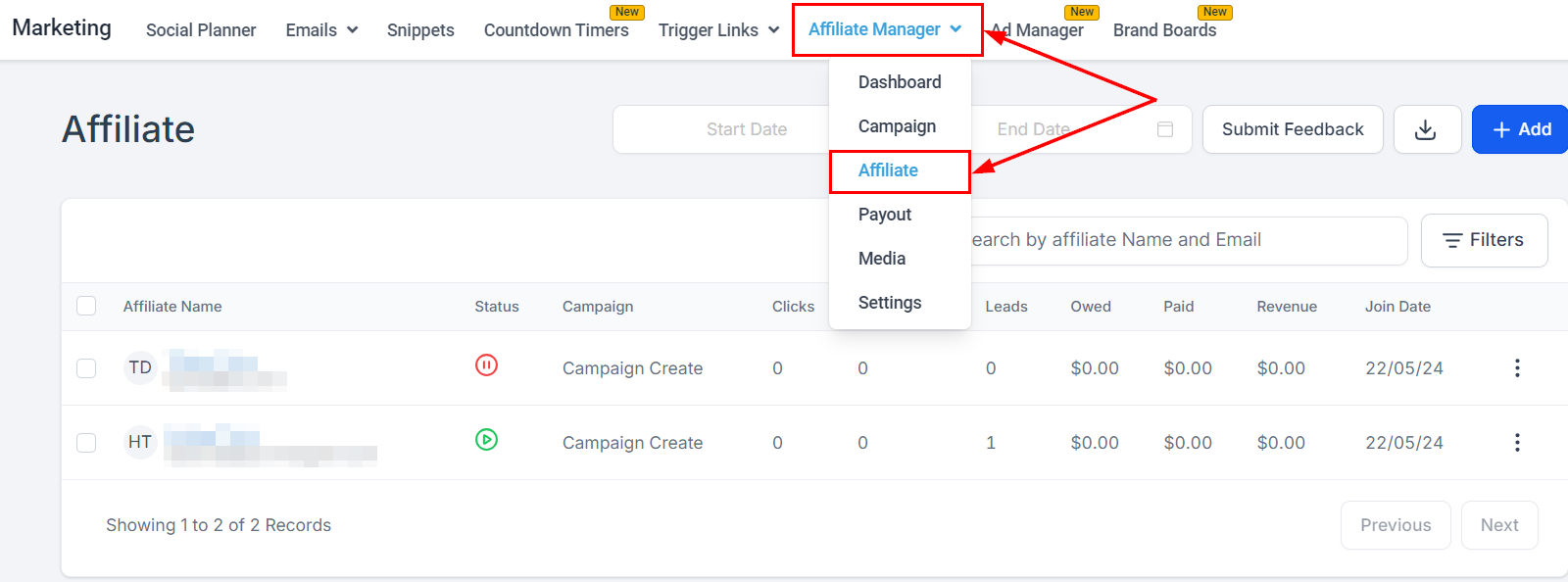
1. Go to the Affiliate page under **Marketing → Affiliate Manager**.
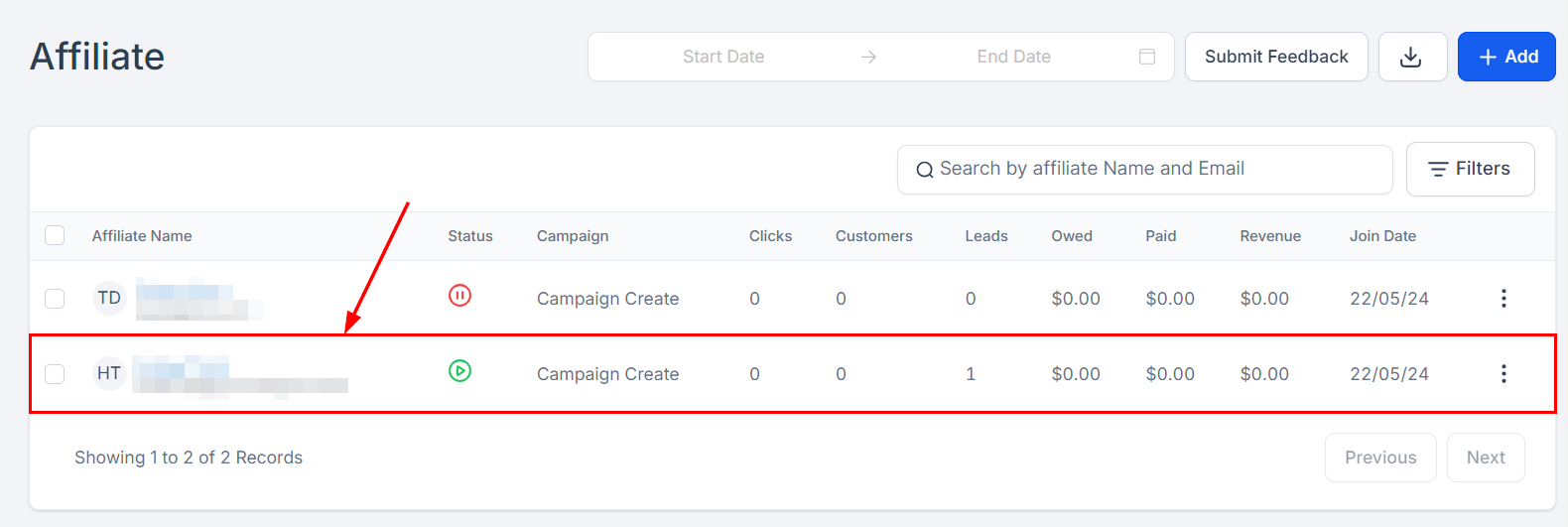
 2. Open the profile of the parent partner. The partner must be active.
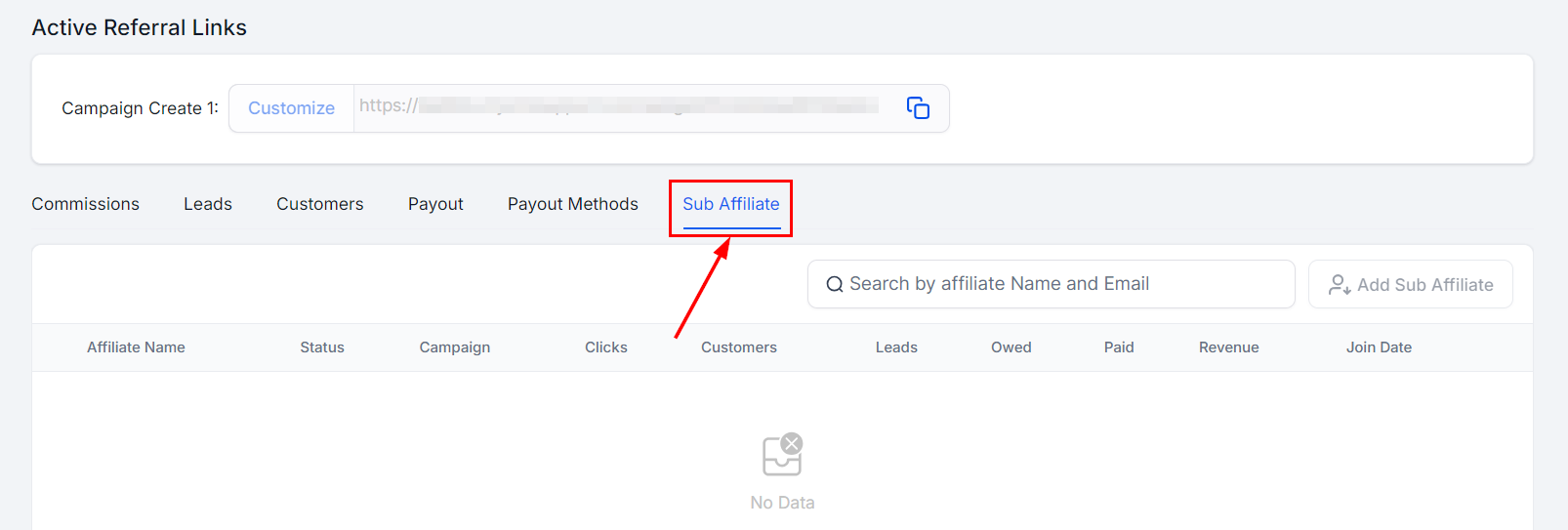
 3. Scroll to the **Sub-Affiliate** tab at the bottom of the page. It lists all sub-affiliates already under this parent.
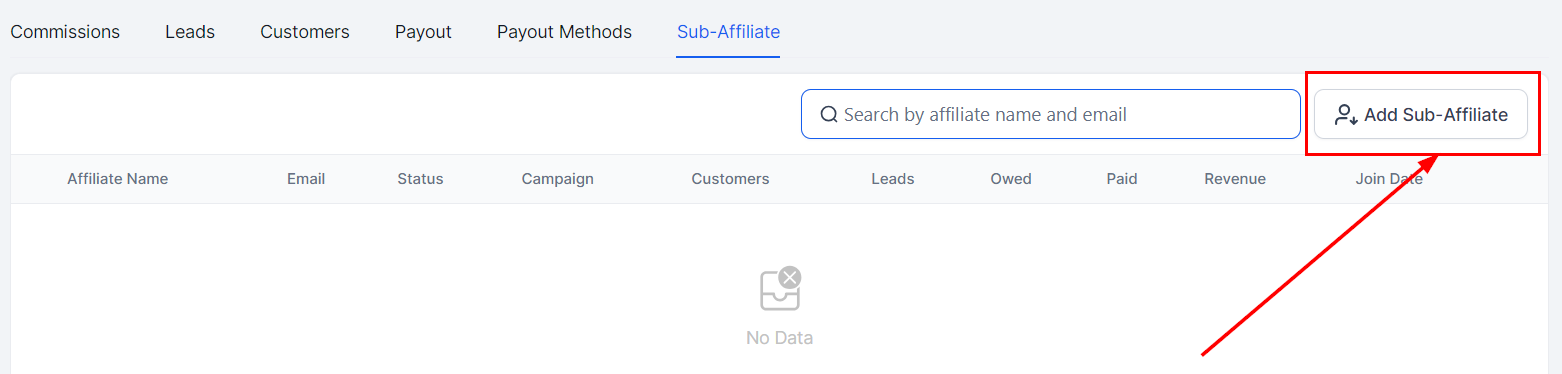
 4. Click the button on the right side of the screen to open the add pop-up.
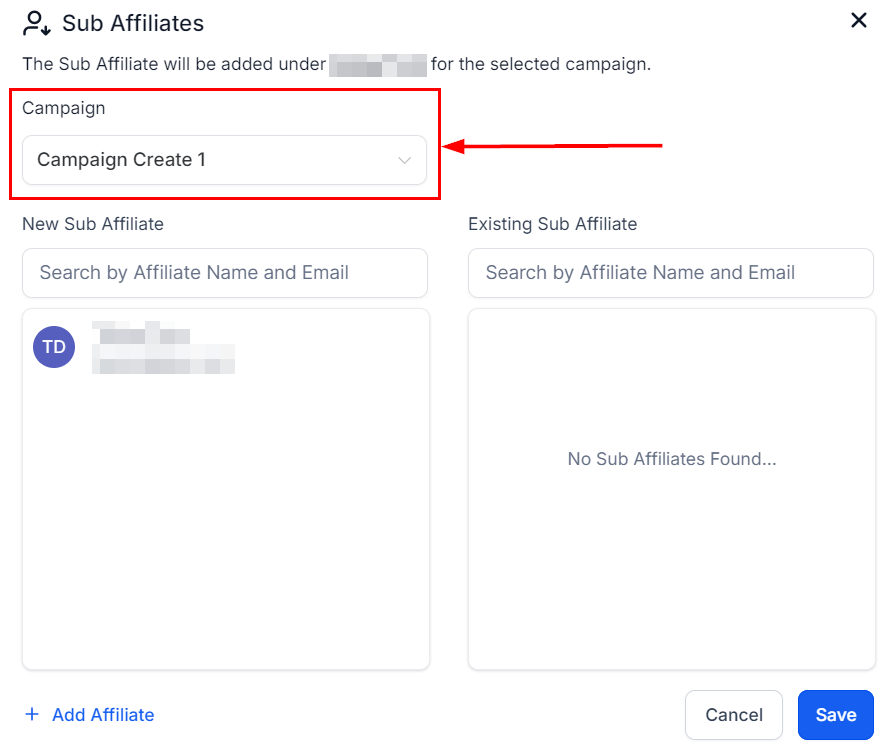
 5. Choose the campaign for the sub-affiliate. It defaults to the first campaign the parent was added to.
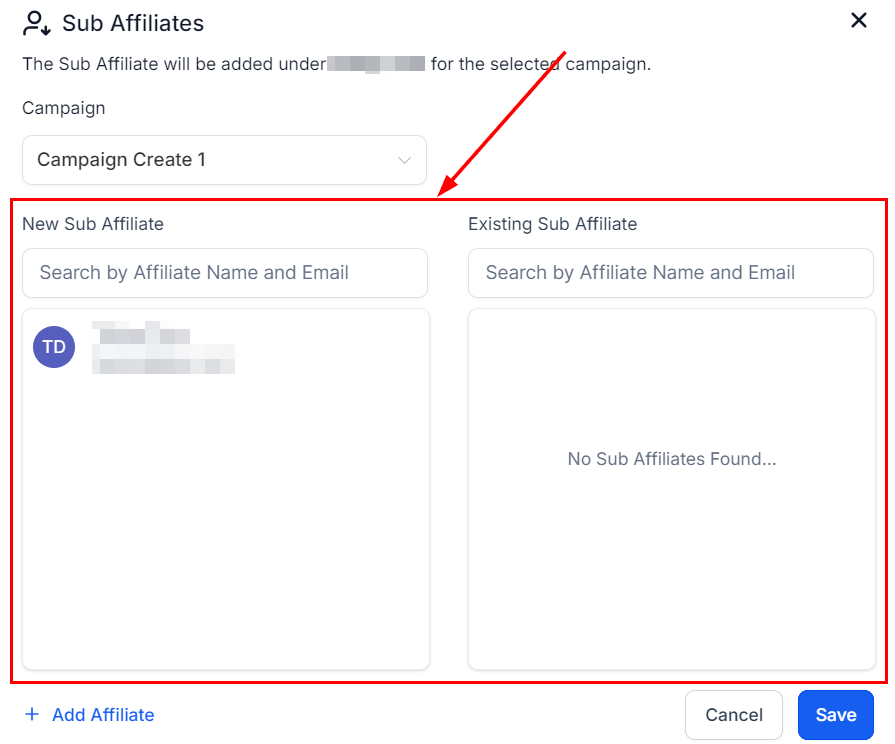
 6. Pick from the two lists: partners already in the system, and existing sub-affiliates under this parent. Search by name or email and click a profile to add it.
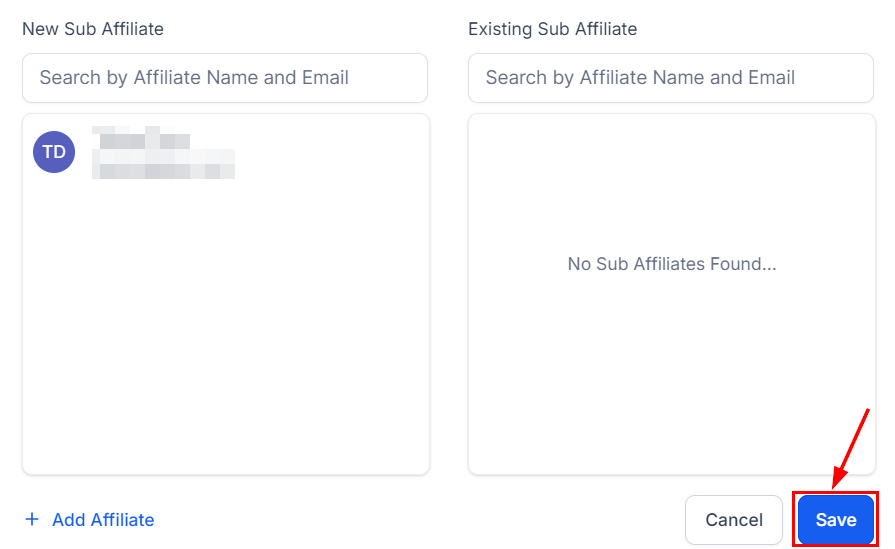
 7. Click **Save**.
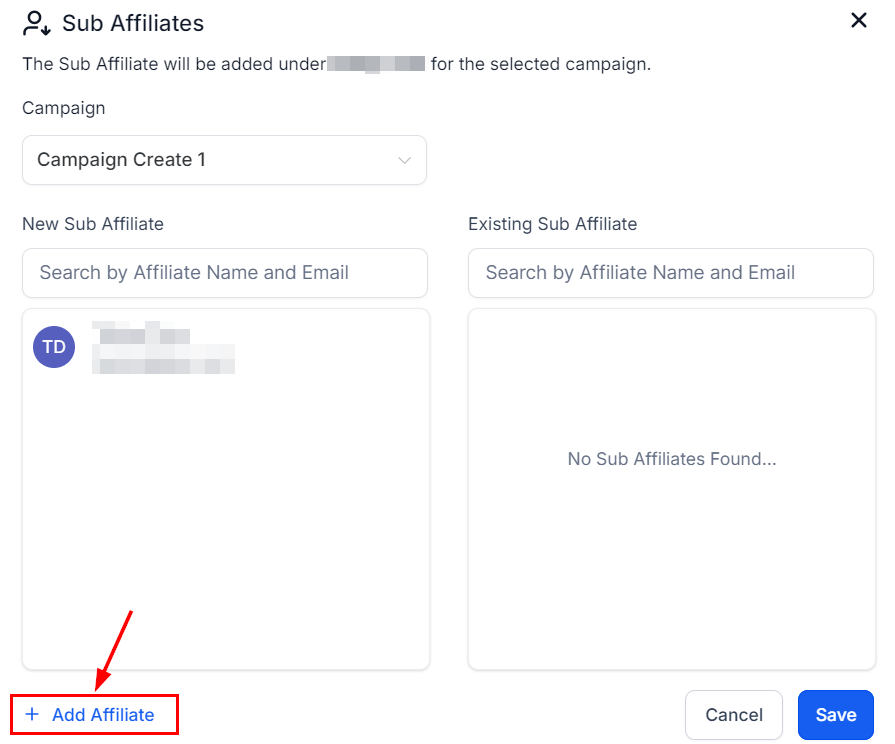
 If the person isn't on the platform yet, click **Add Affiliate** in the same flow, enter their information, and save.
 ## FAQ
**The Save button doesn't work.** Check that all required fields are filled and your connection is stable; refresh the page or contact support if it persists.
**Can I add multiple sub-affiliates at once?** Yes, sub-affiliates can be added in bulk.
**How do I remove a sub-affiliate?** Click their profile in the **Sub-Affiliate** tab and save your changes.
## FAQ
**The Save button doesn't work.** Check that all required fields are filled and your connection is stable; refresh the page or contact support if it persists.
**Can I add multiple sub-affiliates at once?** Yes, sub-affiliates can be added in bulk.
**How do I remove a sub-affiliate?** Click their profile in the **Sub-Affiliate** tab and save your changes.