> ## Documentation Index
> Fetch the complete documentation index at: https://docs.myfundingmachine.com/llms.txt
> Use this file to discover all available pages before exploring further.

# How to Add a Partner

> Add partners one at a time, upload a list in bulk, or import them straight from your existing contacts.

# How to Add a Partner

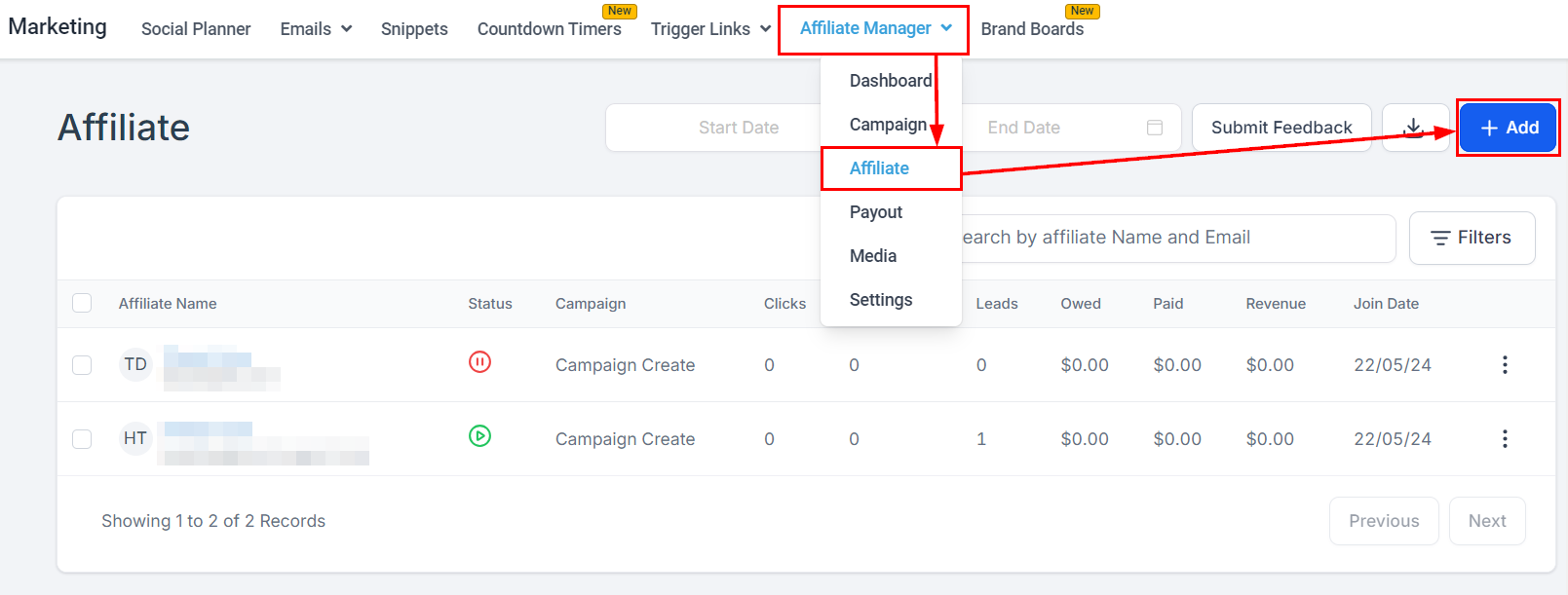
Add partners three ways: one at a time, in bulk from a CSV, or by importing existing contacts. All three start from the **Add** button in the top right of the Affiliate page.
<Frame>
  <img src="https://mintcdn.com/fundingmachine-b7281907/HVlxENosbv4ELwno/images/affiliate-manager/how-to-add-an-affiliate/01.png?fit=max&auto=format&n=HVlxENosbv4ELwno&q=85&s=96144f9e9ec64a169d6471f4f6b17e89" alt="How to Add an Affiliate in the Affiliate Manager" width="1609" height="611" data-path="images/affiliate-manager/how-to-add-an-affiliate/01.png" />
</Frame>

## Add a partner individually

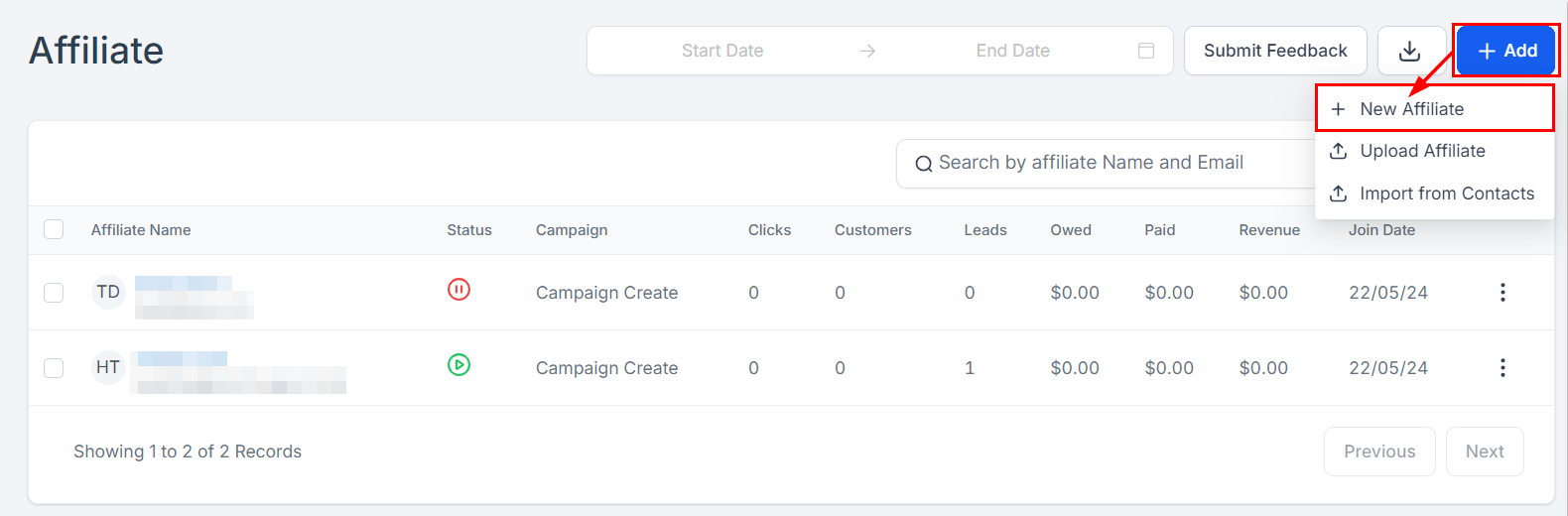
1. Select **+ New Affiliate**.
<Frame>
  <img src="https://mintcdn.com/fundingmachine-b7281907/HVlxENosbv4ELwno/images/affiliate-manager/how-to-add-an-affiliate/02.png?fit=max&auto=format&n=HVlxENosbv4ELwno&q=85&s=92f2cf8484d5eef08bbeebd65cf8b81c" alt="Adding an Affiliate Individually in the Affiliate Manager" width="1580" height="520" data-path="images/affiliate-manager/how-to-add-an-affiliate/02.png" />
</Frame>

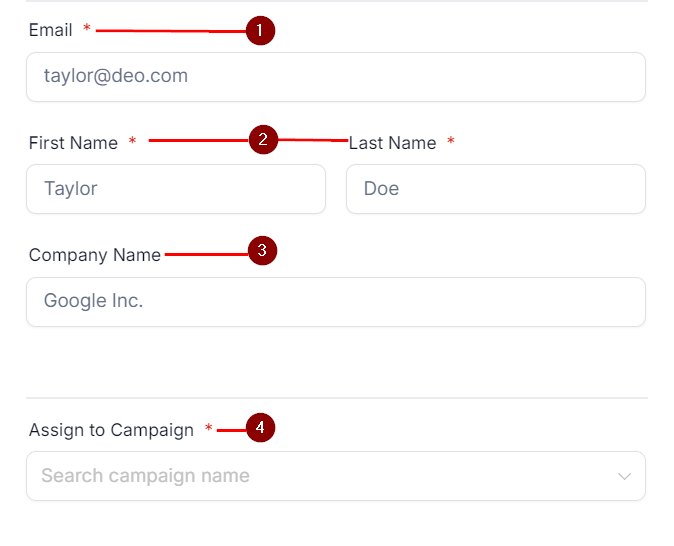
2. Fill in the form: **Email** (their unique referral link is sent here), **First and Last Name**, **Company Name** (optional), and **Assign to Campaign** — only one campaign can be selected at this step.
<Frame>
  <img src="https://mintcdn.com/fundingmachine-b7281907/HVlxENosbv4ELwno/images/affiliate-manager/how-to-add-an-affiliate/03.png?fit=max&auto=format&n=HVlxENosbv4ELwno&q=85&s=2967da2e6d52427483e84a4de66b867f" alt="Adding an Affiliate Individually in the Affiliate Manager (2)" width="674" height="546" data-path="images/affiliate-manager/how-to-add-an-affiliate/03.png" />
</Frame>

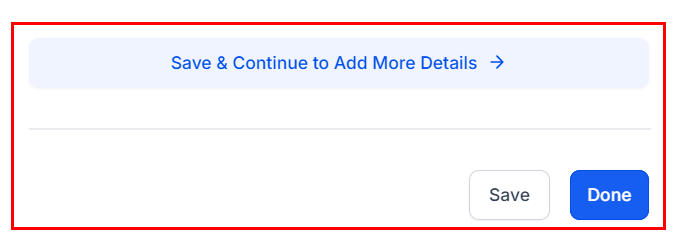
3. Click **Done** to add the partner, or **Save and Continue** for advanced settings.
<Frame>
  <img src="https://mintcdn.com/fundingmachine-b7281907/HVlxENosbv4ELwno/images/affiliate-manager/how-to-add-an-affiliate/04.png?fit=max&auto=format&n=HVlxENosbv4ELwno&q=85&s=386e07f6da7c547f9a27879df9be351d" alt="Adding an Affiliate Individually in the Affiliate Manager (3)" width="676" height="237" data-path="images/affiliate-manager/how-to-add-an-affiliate/04.png" />
</Frame>

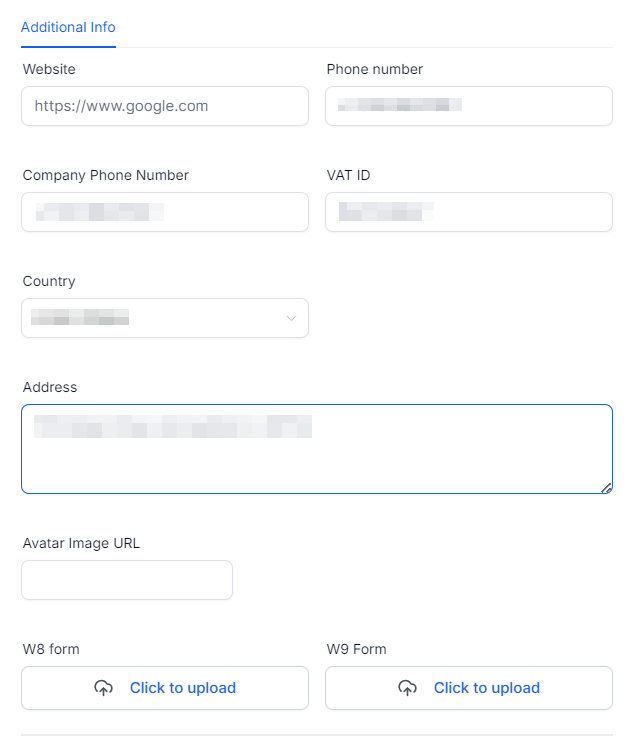
4. The advanced form adds phone number, VAT ID, address, and social media links, and lets you customize the referral link or add a [coupon code](/operators/affiliates/how-to-create-affiliate-coupon-codes).
<Frame>
  <img src="https://mintcdn.com/fundingmachine-b7281907/HVlxENosbv4ELwno/images/affiliate-manager/how-to-add-an-affiliate/05.png?fit=max&auto=format&n=HVlxENosbv4ELwno&q=85&s=74aa26c0ddbbc31f6b6bf12c5849ce92" alt="Adding an Affiliate Individually in the Affiliate Manager (4)" width="631" height="741" data-path="images/affiliate-manager/how-to-add-an-affiliate/05.png" />
</Frame>

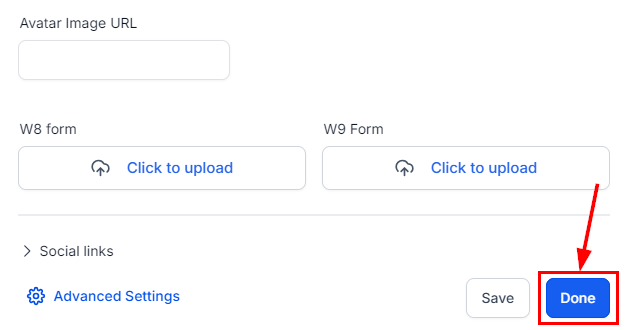
5. Click **Done** to finish.

<Frame>
  <img src="https://mintcdn.com/fundingmachine-b7281907/HVlxENosbv4ELwno/images/affiliate-manager/how-to-add-an-affiliate/06.png?fit=max&auto=format&n=HVlxENosbv4ELwno&q=85&s=571d80aab5010562a591294f5cb73fb4" alt="Adding an Affiliate Individually in the Affiliate Manager (5)" width="625" height="330" data-path="images/affiliate-manager/how-to-add-an-affiliate/06.png" />
</Frame>

## Upload a partner list

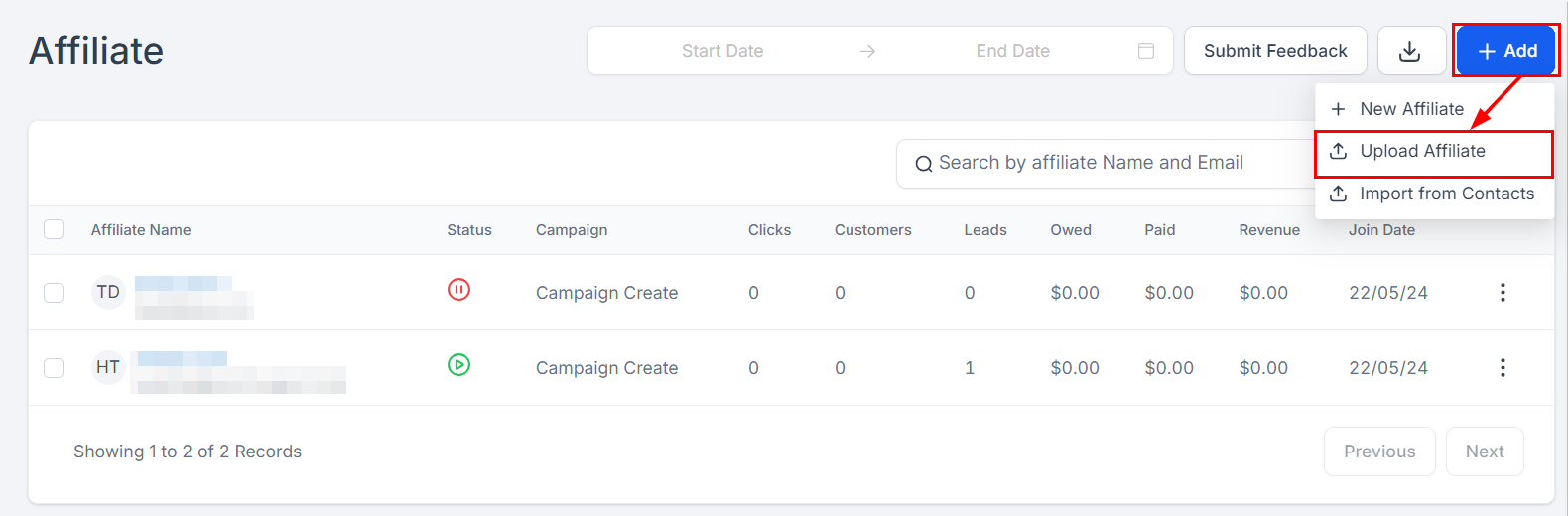
1. Click **Add**, then **Upload Affiliate**.
<Frame>
  <img src="https://mintcdn.com/fundingmachine-b7281907/HVlxENosbv4ELwno/images/affiliate-manager/how-to-add-an-affiliate/07.png?fit=max&auto=format&n=HVlxENosbv4ELwno&q=85&s=6f2bf440b58799e076695569e85d4349" alt="Uploading an Affiliate List in the Affiliate Manager" width="1580" height="520" data-path="images/affiliate-manager/how-to-add-an-affiliate/07.png" />
</Frame>

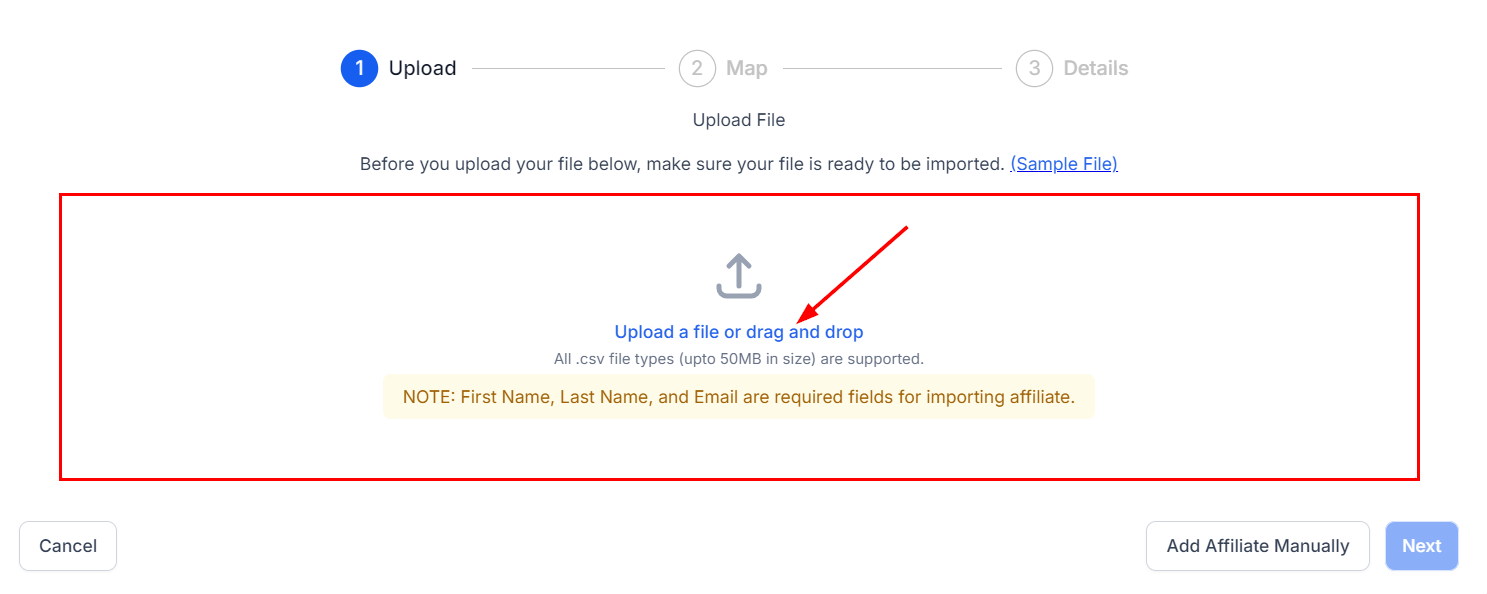
2. Upload a CSV with at least First Name, Last Name, and Email (max 50MB — a sample document is available). Click **Next**.
<Frame>
  <img src="https://mintcdn.com/fundingmachine-b7281907/HVlxENosbv4ELwno/images/affiliate-manager/how-to-add-an-affiliate/08.png?fit=max&auto=format&n=HVlxENosbv4ELwno&q=85&s=74ed15c4e87ca662e4bf077938ac97ea" alt="Uploading an Affiliate List in the Affiliate Manager (2)" width="1487" height="594" data-path="images/affiliate-manager/how-to-add-an-affiliate/08.png" />
</Frame>

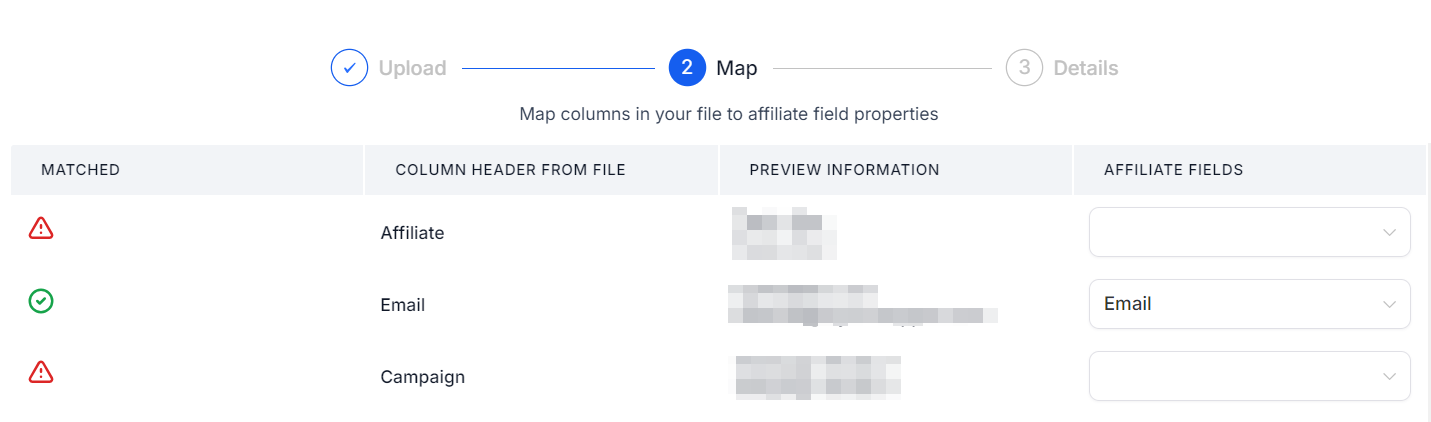
3. Map your file's columns to the partner table. Auto-matched fields show green; unmatched show red.
<Frame>
  <img src="https://mintcdn.com/fundingmachine-b7281907/HVlxENosbv4ELwno/images/affiliate-manager/how-to-add-an-affiliate/09.png?fit=max&auto=format&n=HVlxENosbv4ELwno&q=85&s=c3e121b4259e810861a14a1e17060520" alt="Uploading an Affiliate List in the Affiliate Manager (3)" width="1431" height="422" data-path="images/affiliate-manager/how-to-add-an-affiliate/09.png" />
</Frame>

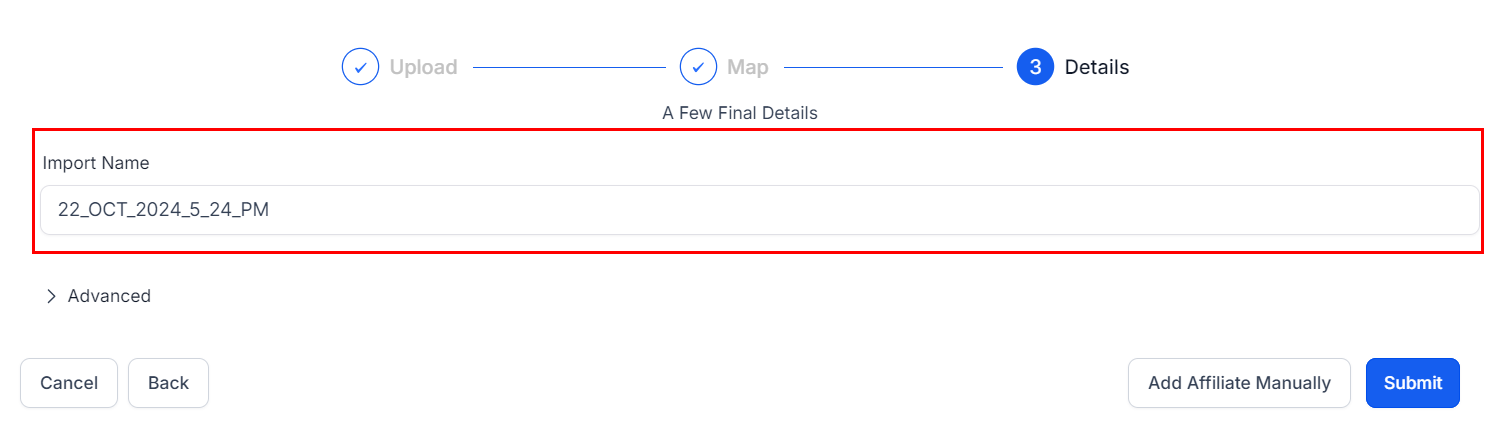
4. Name the file (defaults to the date and time).
<Frame>
  <img src="https://mintcdn.com/fundingmachine-b7281907/HVlxENosbv4ELwno/images/affiliate-manager/how-to-add-an-affiliate/10.png?fit=max&auto=format&n=HVlxENosbv4ELwno&q=85&s=e445f6537e1d81b0889bbbff05901087" alt="Uploading an Affiliate List in the Affiliate Manager (4)" width="1485" height="429" data-path="images/affiliate-manager/how-to-add-an-affiliate/10.png" />
</Frame>

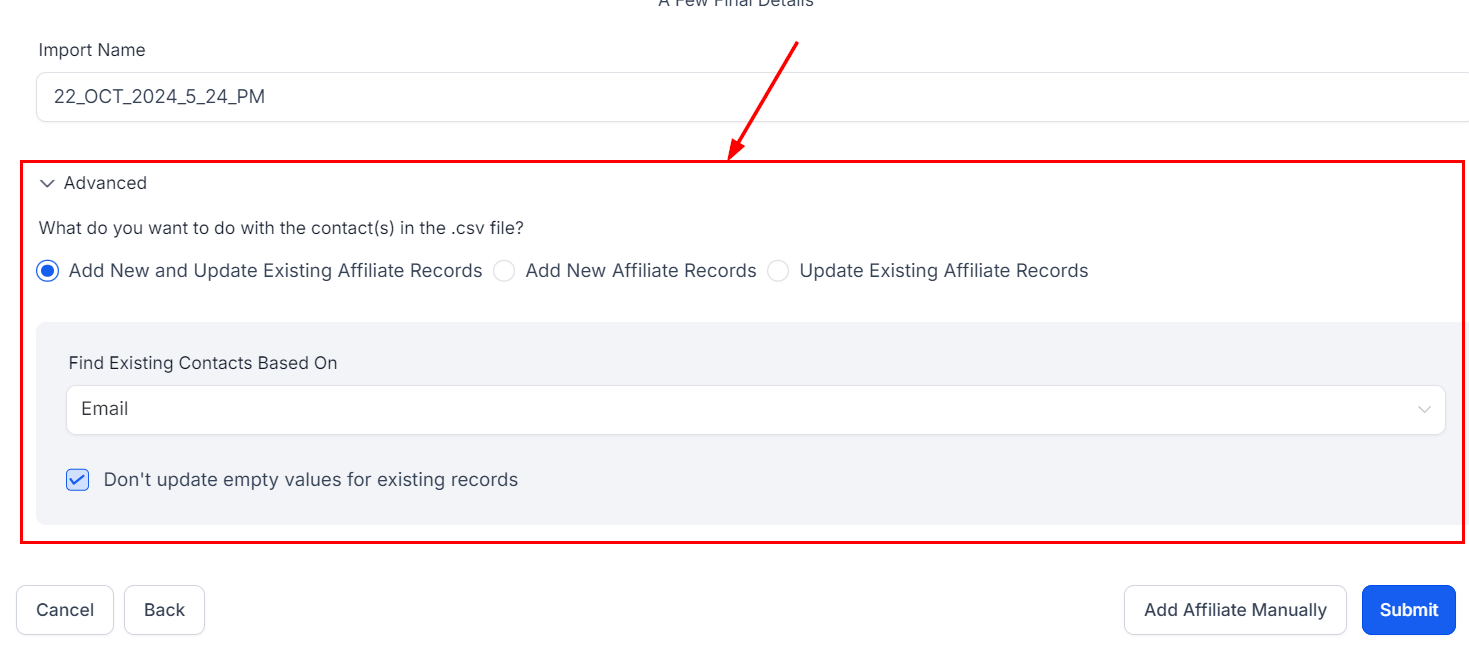
5. In **Advanced**, choose whether to add new records, update existing ones, or both, and how to handle empty values in the CSV. Click **Submit**.
<Frame>
  <img src="https://mintcdn.com/fundingmachine-b7281907/HVlxENosbv4ELwno/images/affiliate-manager/how-to-add-an-affiliate/11.png?fit=max&auto=format&n=HVlxENosbv4ELwno&q=85&s=4fe93ce4e5da76c6d96d8b6b3799a02b" alt="Uploading an Affiliate List in the Affiliate Manager (5)" width="1469" height="655" data-path="images/affiliate-manager/how-to-add-an-affiliate/11.png" />
</Frame>

## Import partners from contacts

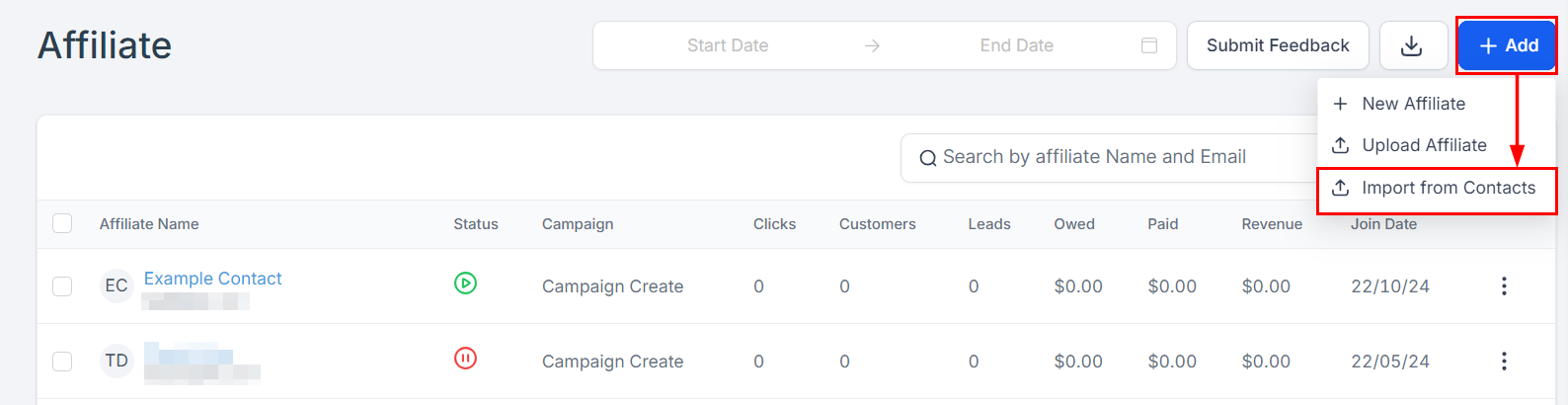
1. Click **Add**, then **Import from Contacts**.
<Frame>
  <img src="https://mintcdn.com/fundingmachine-b7281907/HVlxENosbv4ELwno/images/affiliate-manager/how-to-add-an-affiliate/12.png?fit=max&auto=format&n=HVlxENosbv4ELwno&q=85&s=dcb31ac9709fa0d41fa1098a507b5a84" alt="Importing Affiliates from Contacts in the Affiliate Manager" width="1588" height="410" data-path="images/affiliate-manager/how-to-add-an-affiliate/12.png" />
</Frame>

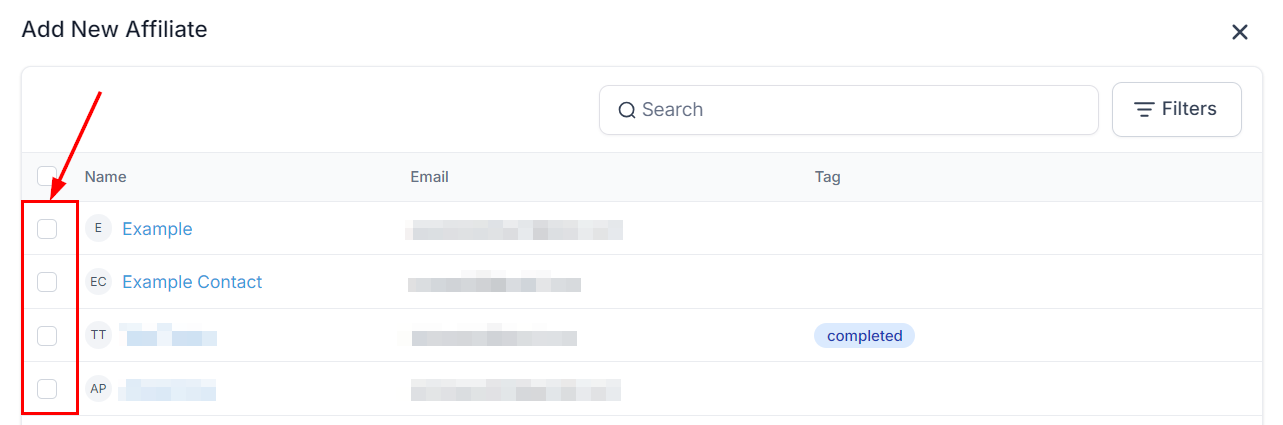
2. Check the contacts to import and click **Import** in the lower right of the modal.
<Frame>
  <img src="https://mintcdn.com/fundingmachine-b7281907/HVlxENosbv4ELwno/images/affiliate-manager/how-to-add-an-affiliate/13.png?fit=max&auto=format&n=HVlxENosbv4ELwno&q=85&s=12d239d0eab18e488d1ed3fc9937320f" alt="Importing Affiliates from Contacts in the Affiliate Manager (2)" width="1283" height="425" data-path="images/affiliate-manager/how-to-add-an-affiliate/13.png" />
</Frame>

Imported partners can take a few minutes to appear; they are listed at the top once done.