> ## Documentation Index
> Fetch the complete documentation index at: https://docs.myfundingmachine.com/llms.txt
> Use this file to discover all available pages before exploring further.
# How to Create Partner Coupon Codes
> Assign a unique coupon code to a partner from the Affiliate list or their profile so referrals get an exclusive discount.
# How to Create Partner Coupon Codes
Assign a partner a unique coupon code so their referrals get an exclusive discount and every redemption is attributed to that partner. You can create a coupon from the Affiliate list or from the partner's profile.
## From the Affiliate List
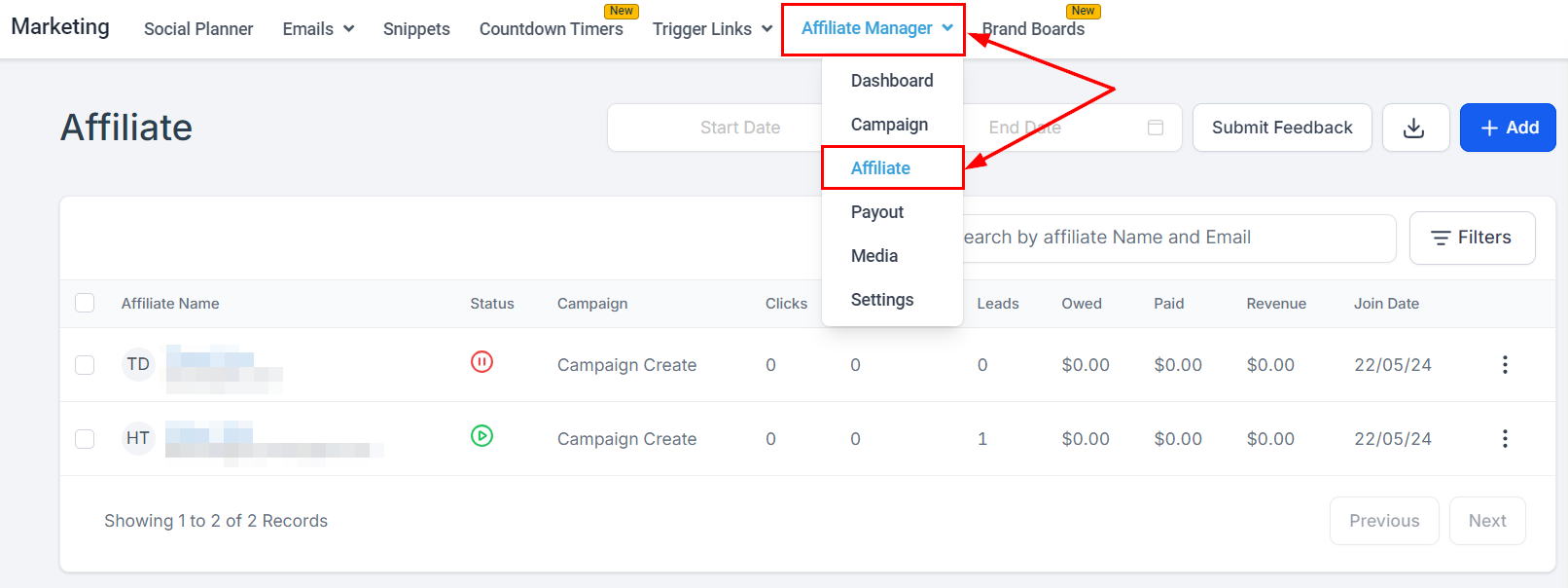
1. In **Marketing → Affiliate Manager**, select **Affiliate** from the dropdown.
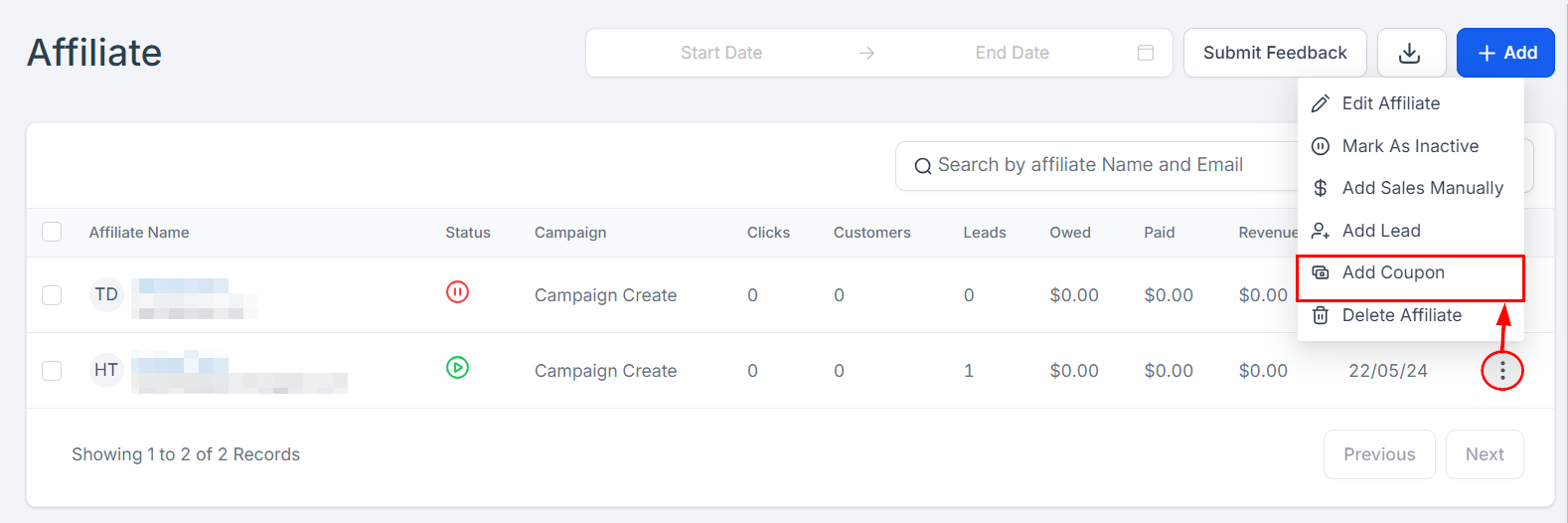
 2. Find the partner's row, open the action dropdown on the far right, and select **Add Coupon**.
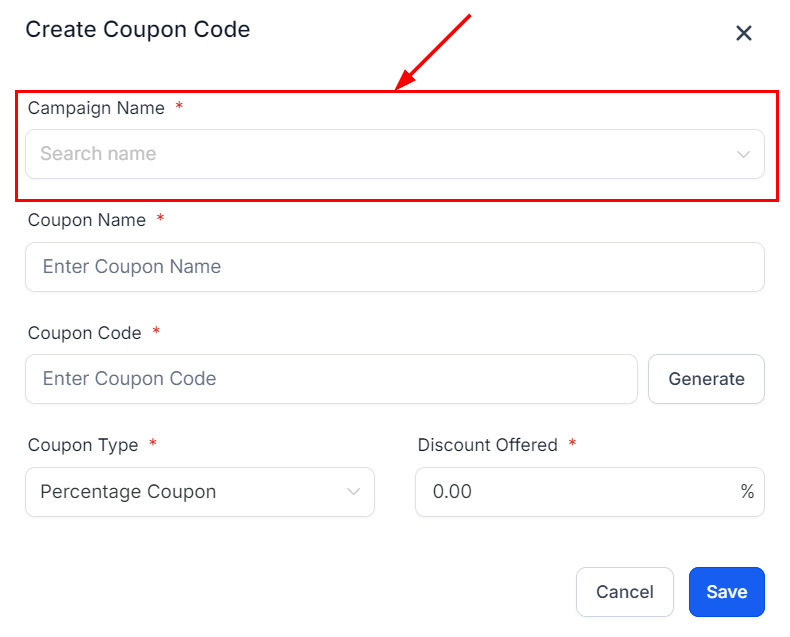
 3. From the **Campaign Name** dropdown, pick the campaign the partner is in. The coupon is linked to that campaign so sales are tracked and attributed correctly.
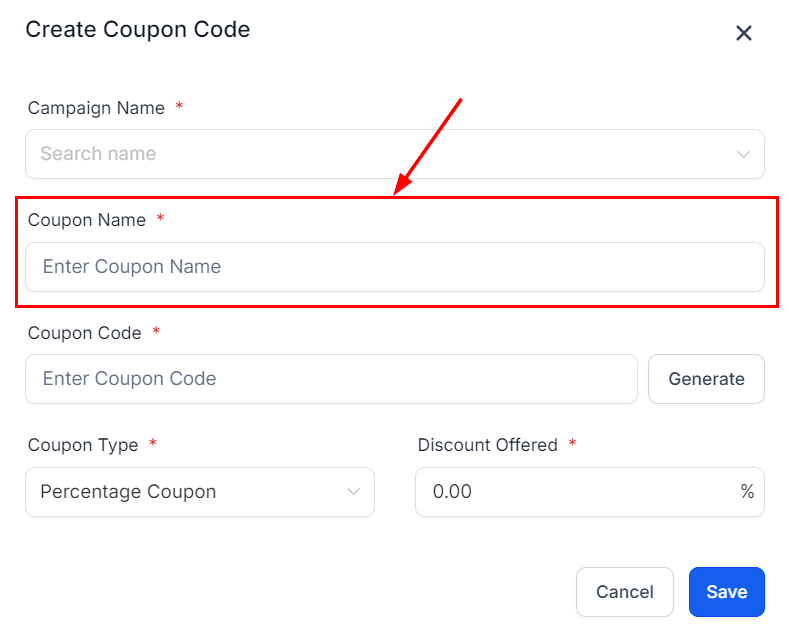
 4. In the **Coupon Name** field, give the coupon a descriptive name — it identifies the coupon for you and the partner.
 5. Type a custom coupon code, or click **Generate** for a random unique one.
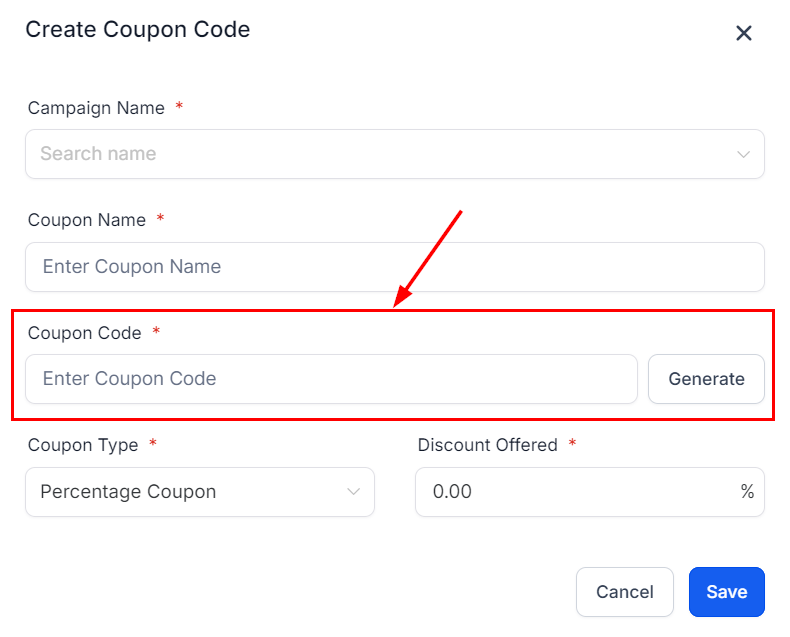 6. In the **Coupon Type** dropdown, choose a percentage discount (e.g., 10% off) or a fixed amount (e.g., \$20 off).
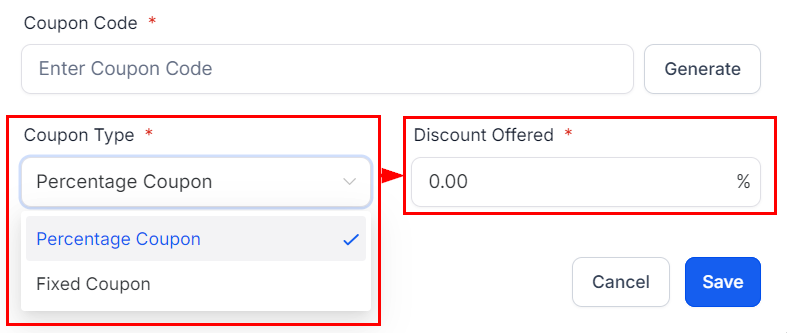 7. Click **Save**.
## From the Partner Profile
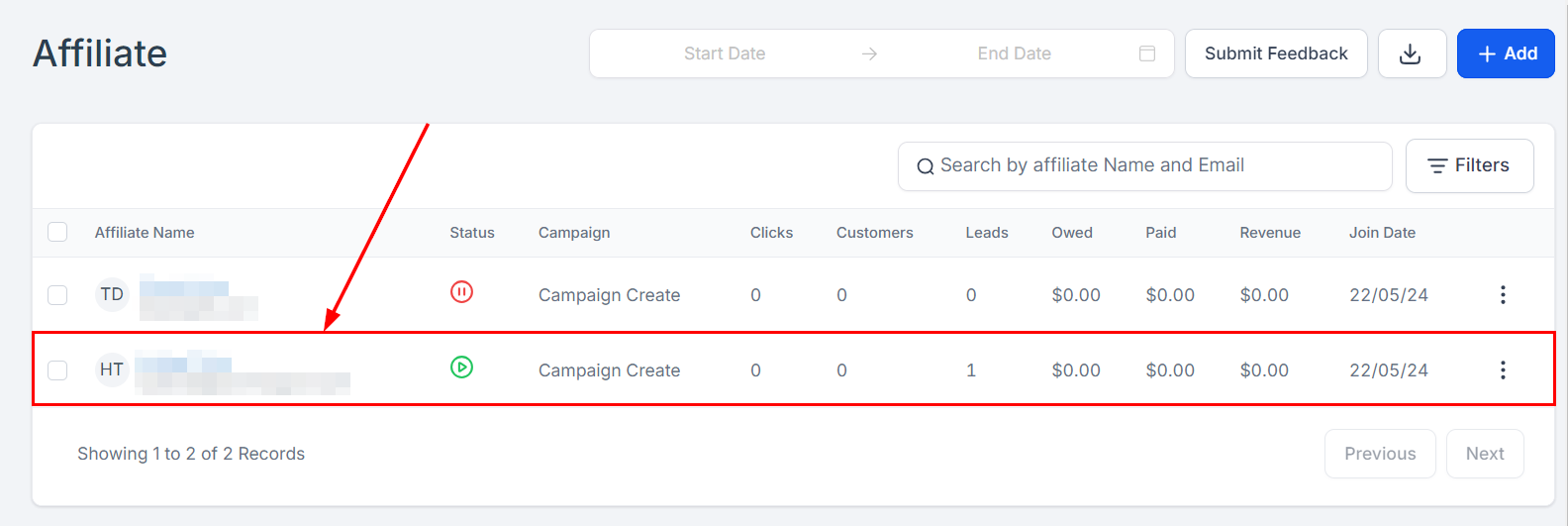
1. On the Affiliate page, select the partner's name.
7. Click **Save**.
## From the Partner Profile
1. On the Affiliate page, select the partner's name.
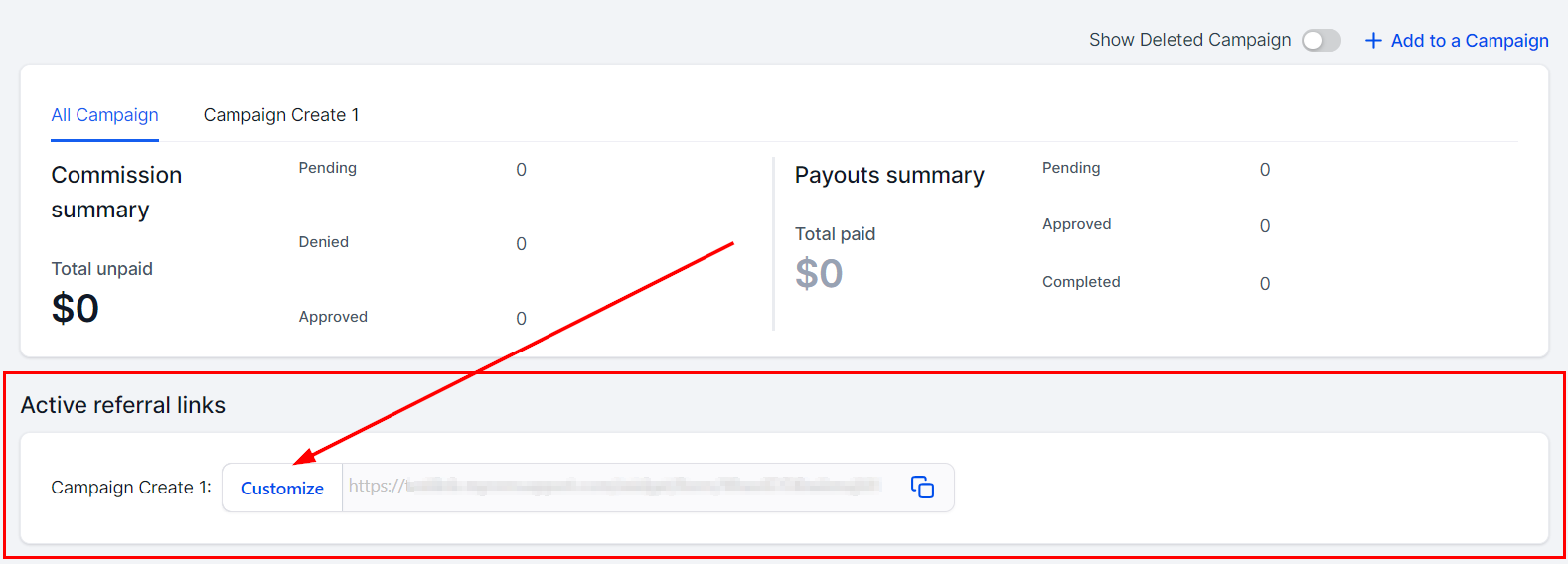
 2. Scroll to the active referral links section and click **Customize** beside the campaign you want the coupon on.
 3. In the **Coupon Code** section, name the coupon, enter or generate a code, and set the discount. If the product has recurring payments, you can enable the coupon for recurring charges.
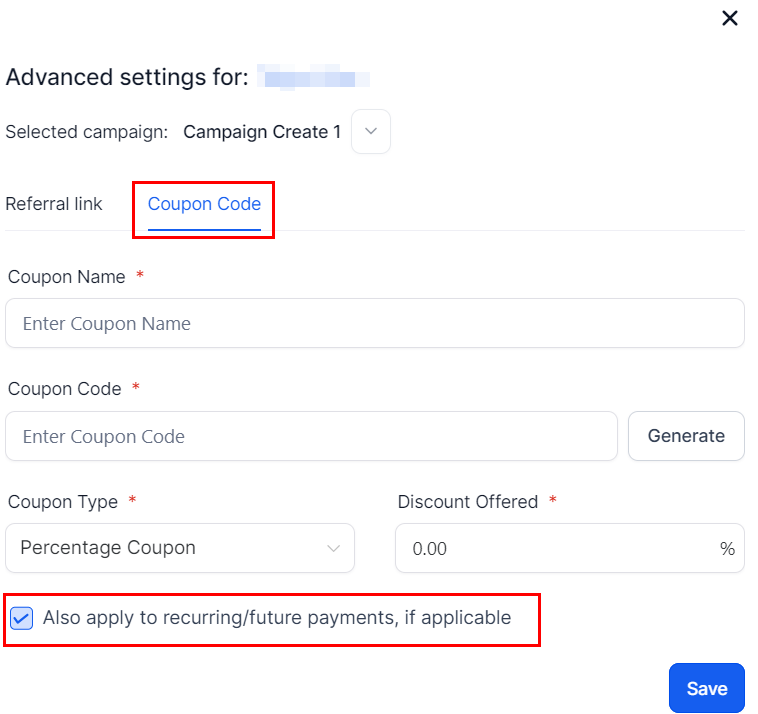 4. Save to activate. You can manage or edit the coupon here later — and share the code with the partner so they can promote it.
## FAQ
**The coupon code doesn't work.** Check the code was entered correctly and that no restrictions prevent its use.
**Can one partner have multiple coupons?** Yes — just name them clearly so they stay easy to manage.
4. Save to activate. You can manage or edit the coupon here later — and share the code with the partner so they can promote it.
## FAQ
**The coupon code doesn't work.** Check the code was entered correctly and that no restrictions prevent its use.
**Can one partner have multiple coupons?** Yes — just name them clearly so they stay easy to manage.