> ## Documentation Index
> Fetch the complete documentation index at: https://docs.myfundingmachine.com/llms.txt
> Use this file to discover all available pages before exploring further.
# How to Pay Partners for Lead Generation Using Pay-Per-Sale
> Pay partners when a referred contact completes a qualifying purchase inside the campaign's tracking window.
# How to Pay Partners for Lead Generation Using Pay-Per-Sale
Pay Per Sale pays a partner only when a contact they referred completes a qualifying purchase within the campaign's tracking window. The contact enters tracking through a partner-promoted source — a form, survey, or calendar booking — and the commission is tied directly to revenue.
## Pay Per Lead vs. Pay Per Sale
| Model | Partner earns when | Use it for |
| -------------------------------------------------------------------------------------------------- | --------------------------------------------------------------------------------- | -------------------------------- |
| [Pay Per Lead](/operators/affiliates/how-to-pay-affiliates-for-lead-generation-using-pay-per-lead) | Someone completes a tracked action (form, survey, booking) — no purchase required | Generating leads or appointments |
| Pay Per Sale | A referred contact completes a qualifying purchase in the tracking window | Rewarding actual sales |
A campaign can use either Pay Per Lead or Pay Per Sale, but not both.
## Set up a Pay-Per-Sale campaign
1. Go to **Marketing → Affiliate Manager**.
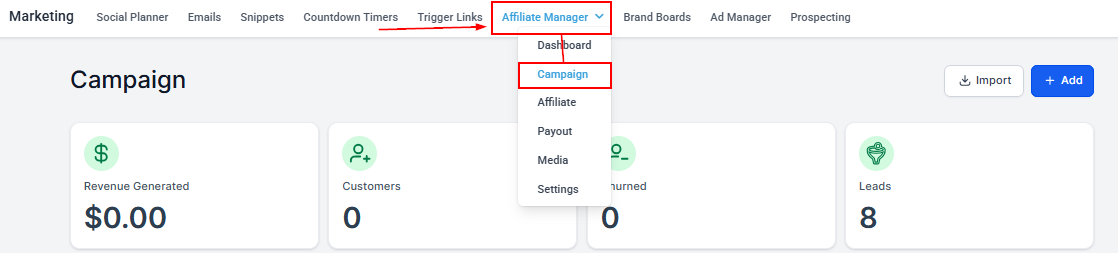 2. Open the **Campaigns** section and create a new campaign or edit an existing one.
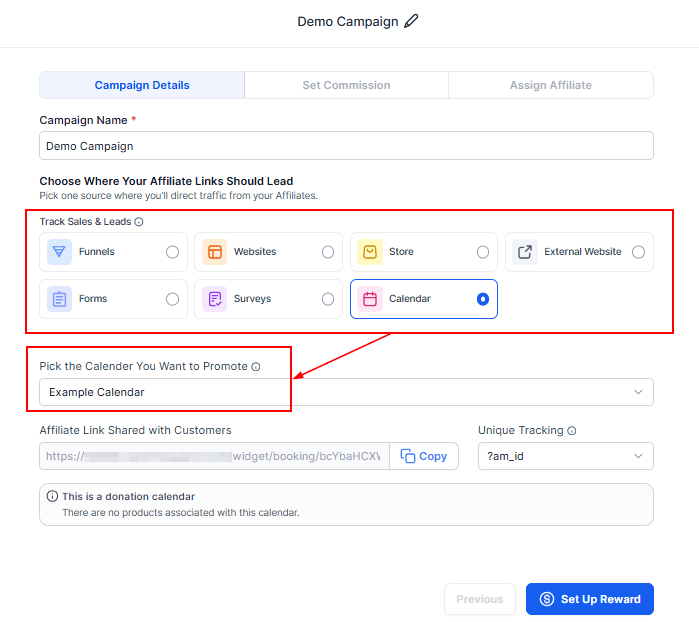
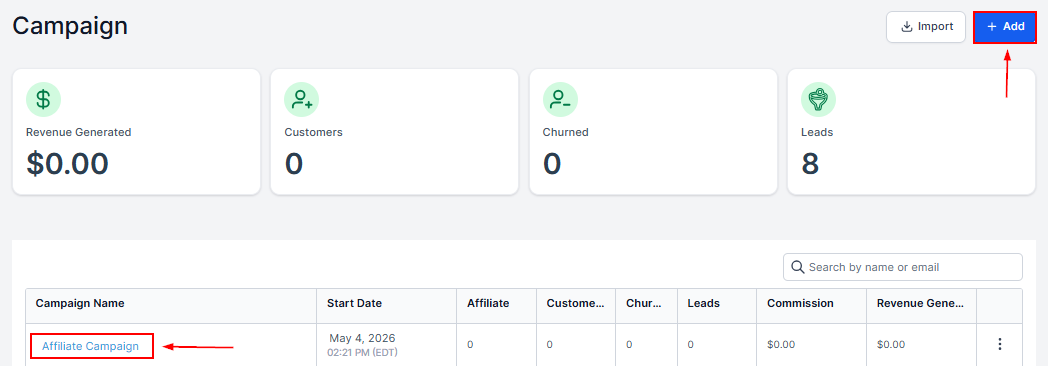 3. Choose the source partners will promote — Forms, Surveys, or Calendars — then the specific asset.
 4. In the commission settings, select **Pay Per Sale**.
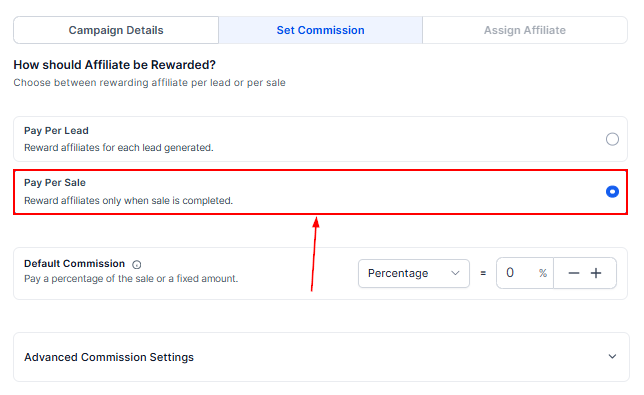 5. Pick a commission type: **Flat Amount (\$)** works when products have similar prices; **Percentage (%)** fits varied product values.
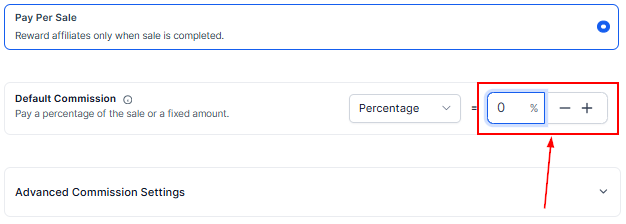
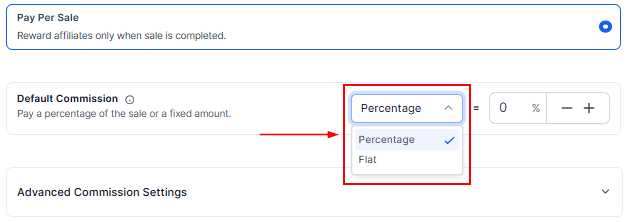 6. Set how much partners earn per qualifying sale.
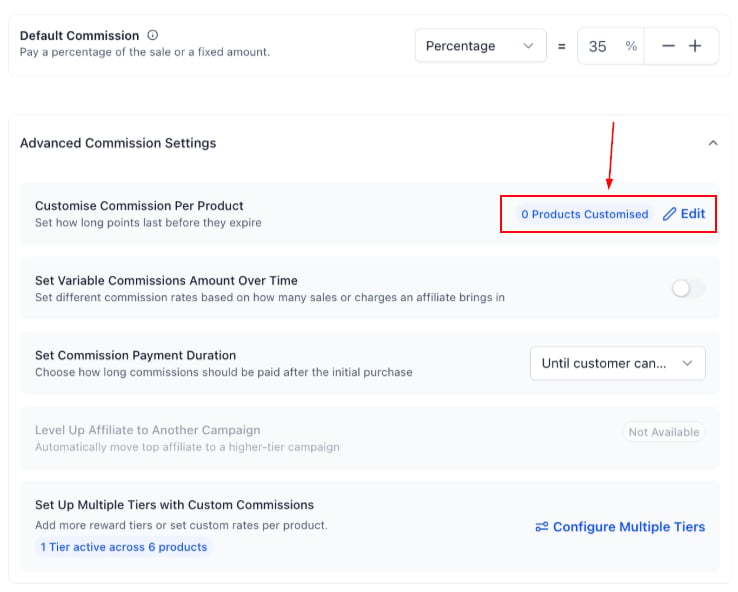
 7. Optionally associate products. When a campaign has associated products, only those products earn commissions — other purchases are ignored for Pay Per Sale tracking.
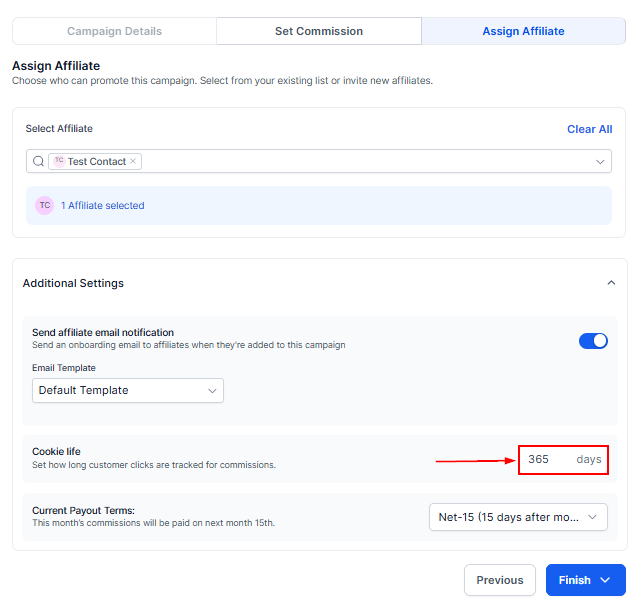
 8. Review the tracking window — it sets how long referrals stay eligible for commission.
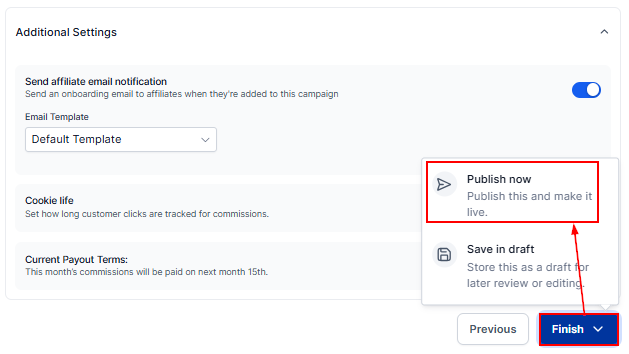
 9. Save and publish the campaign.
 ## Attribution rules
* **Forms and surveys embedded in funnels or websites:** funnel- or website-level products take priority for commission tracking. If none are configured there, form-level products are not automatically used for Pay Per Sale attribution.
* **Calendar bookings:** qualify only when payment is enabled on the calendar. Without payment, the booking can still be tracked as a lead, but earns no Pay Per Sale commission.
## FAQ
**When does a partner earn a commission?** When a referred contact completes a qualifying purchase within the campaign's tracking window.
**Does Pay Per Sale improve lead quality?** It tends to — partners are only rewarded when a sale occurs, which encourages higher-quality referrals.
## Attribution rules
* **Forms and surveys embedded in funnels or websites:** funnel- or website-level products take priority for commission tracking. If none are configured there, form-level products are not automatically used for Pay Per Sale attribution.
* **Calendar bookings:** qualify only when payment is enabled on the calendar. Without payment, the booking can still be tracked as a lead, but earns no Pay Per Sale commission.
## FAQ
**When does a partner earn a commission?** When a referred contact completes a qualifying purchase within the campaign's tracking window.
**Does Pay Per Sale improve lead quality?** It tends to — partners are only rewarded when a sale occurs, which encourages higher-quality referrals.