> ## Documentation Index
> Fetch the complete documentation index at: https://docs.myfundingmachine.com/llms.txt
> Use this file to discover all available pages before exploring further.
# Build Your Funding Website with AI Studio
> Use AI Studio to generate a branded funding website and A2P opt-in funnel page with copy-and-paste prompts.
# Build Your Funding Website with AI Studio
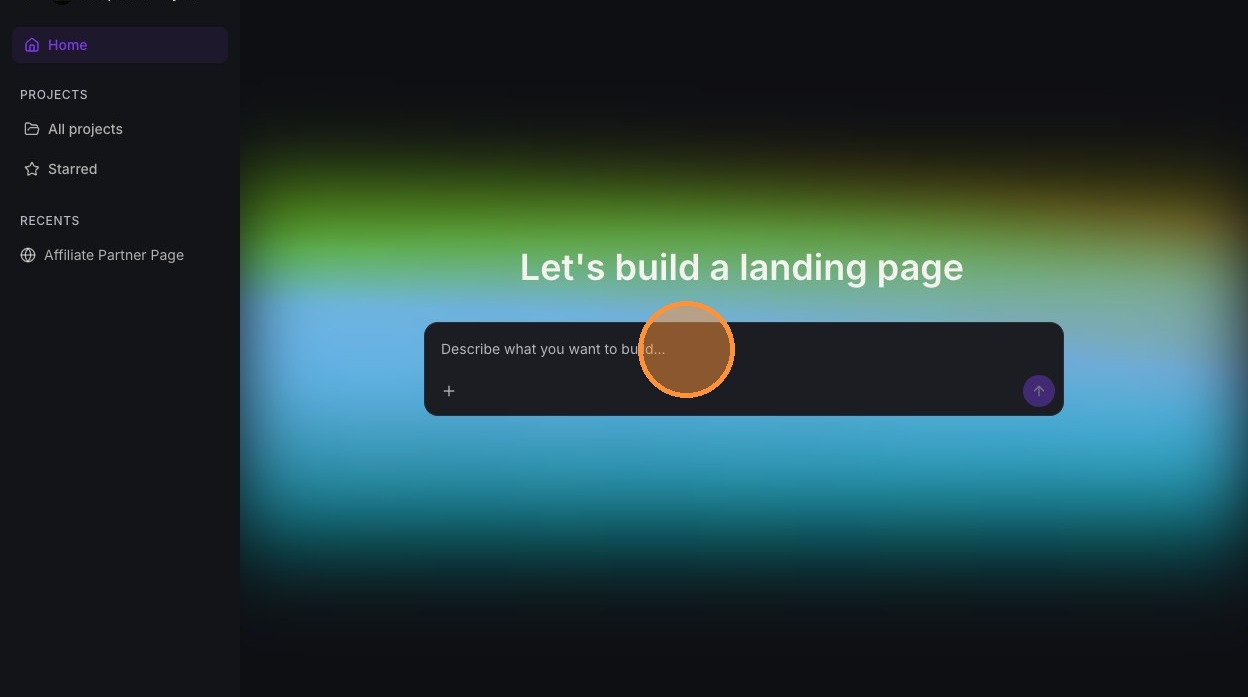
You don't need a designer or a developer to launch a clean, conversion-focused funding website. **AI Studio** is the CRM's built-in AI website builder. You describe what you want in plain English, and it generates the site for you.
This guide gives you two copy-and-paste prompts:
* **Prompt 1 — Main Website:** your branded marketing site that drives visitors to apply.
* **Prompt 2 — A2P 10DLC Funnel Page:** a lean, no-forms, chat-only page you submit as your opt-in URL during A2P 10DLC SMS campaign registration.
AI Studio is currently in **Beta** and is enabled through **Labs**. If you don't see AI Studio in your account, turn it on under Labs first.
## Generating a Website Using AI Studio
[Made by Brock Jeppesen with Scribe](https://scribehow.com/o/OJ2OpQyATAaweitLdohTcg/viewer/Generating_a_Website_Using_AI_Studio__axWRjbZMTBuBbaJWLwKhDA)
Learn how to use AI Studio to quickly generate a custom website based on your business name. This guide streamlines the onboarding process by showing you how to copy your specific requirements and input them directly into the AI tool.
### Website Builder Access
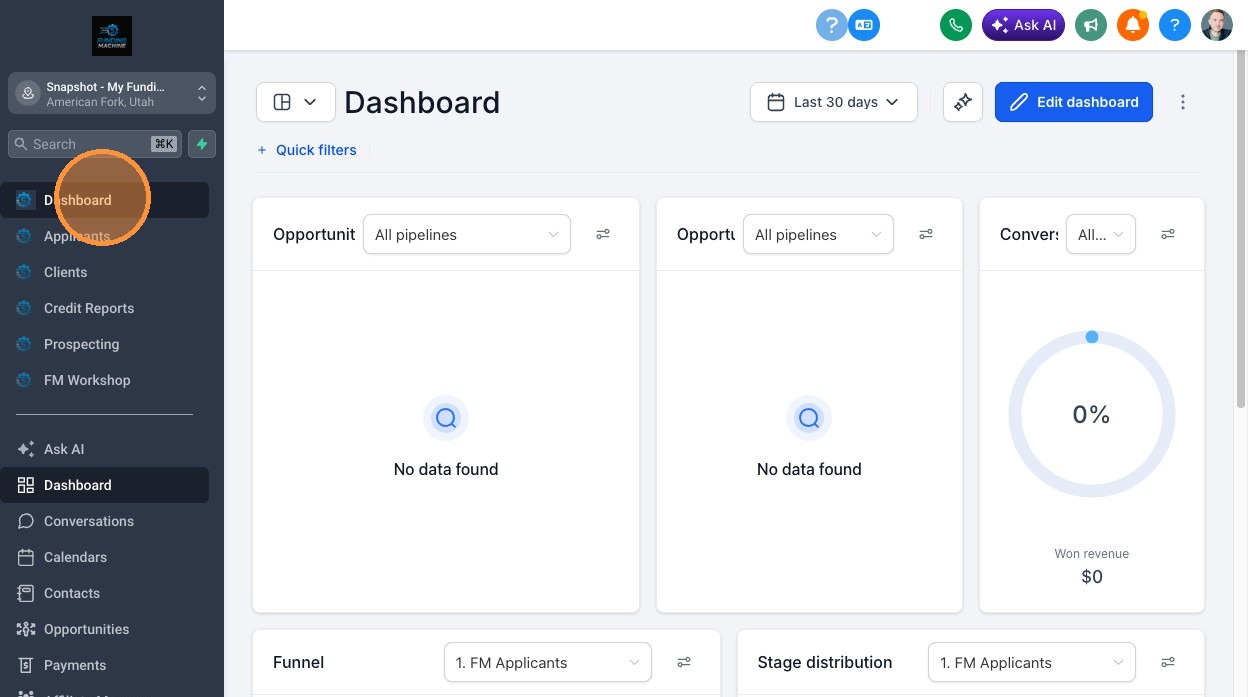
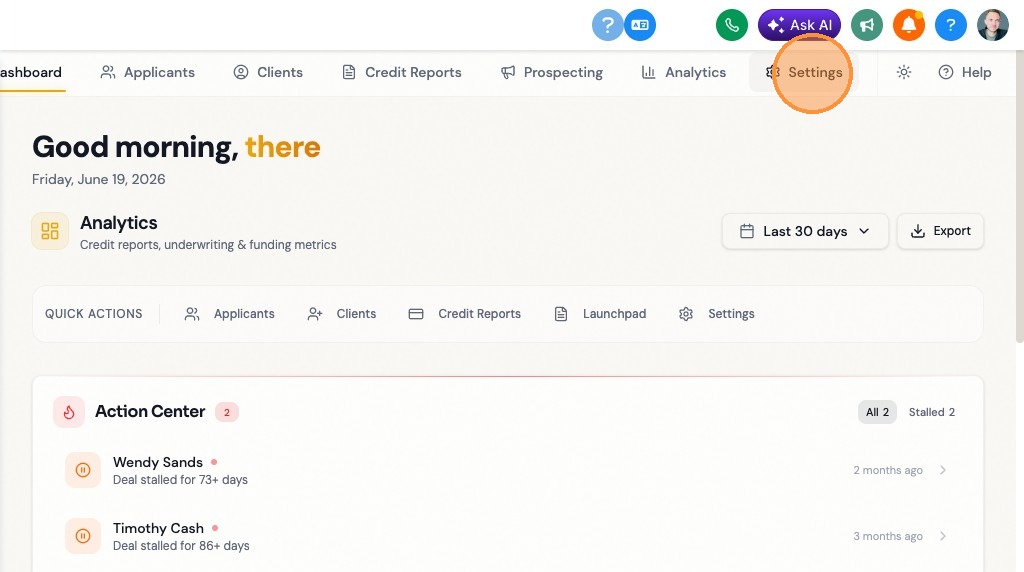
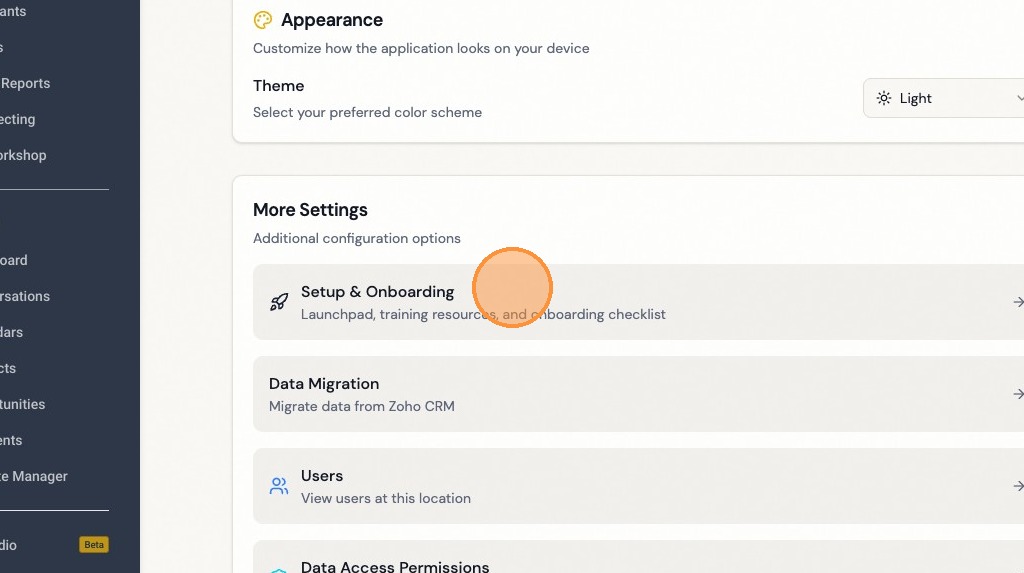
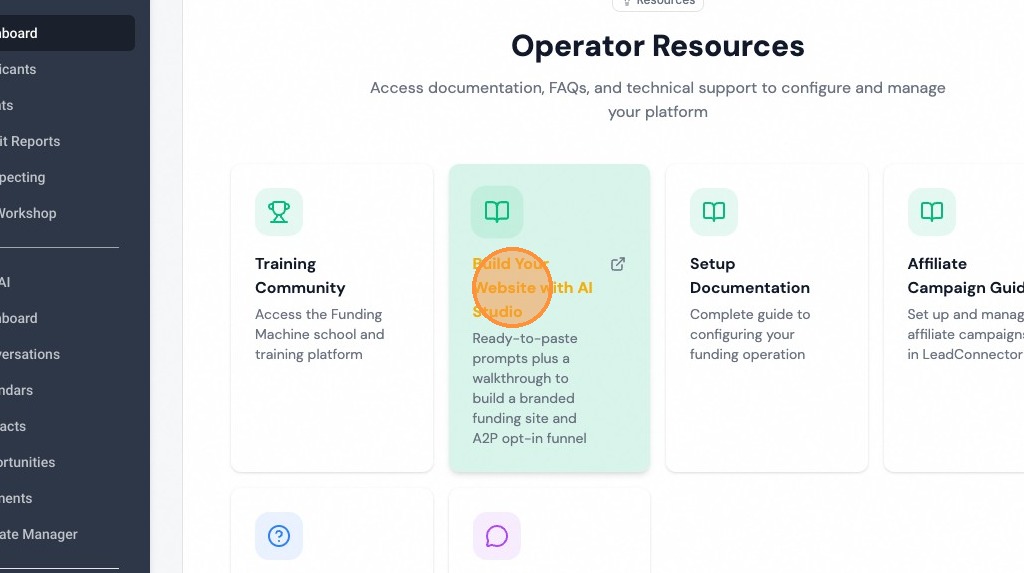
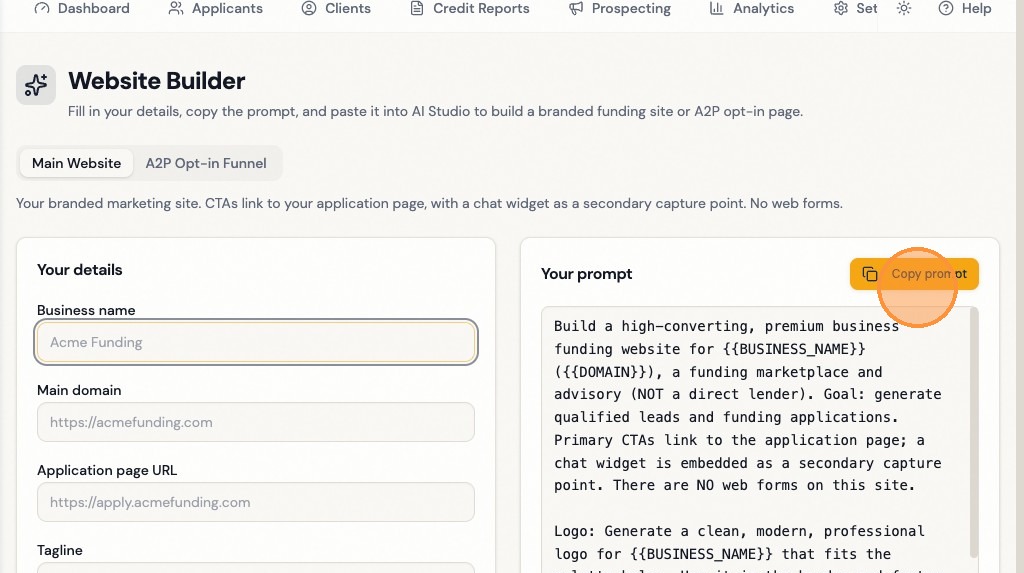
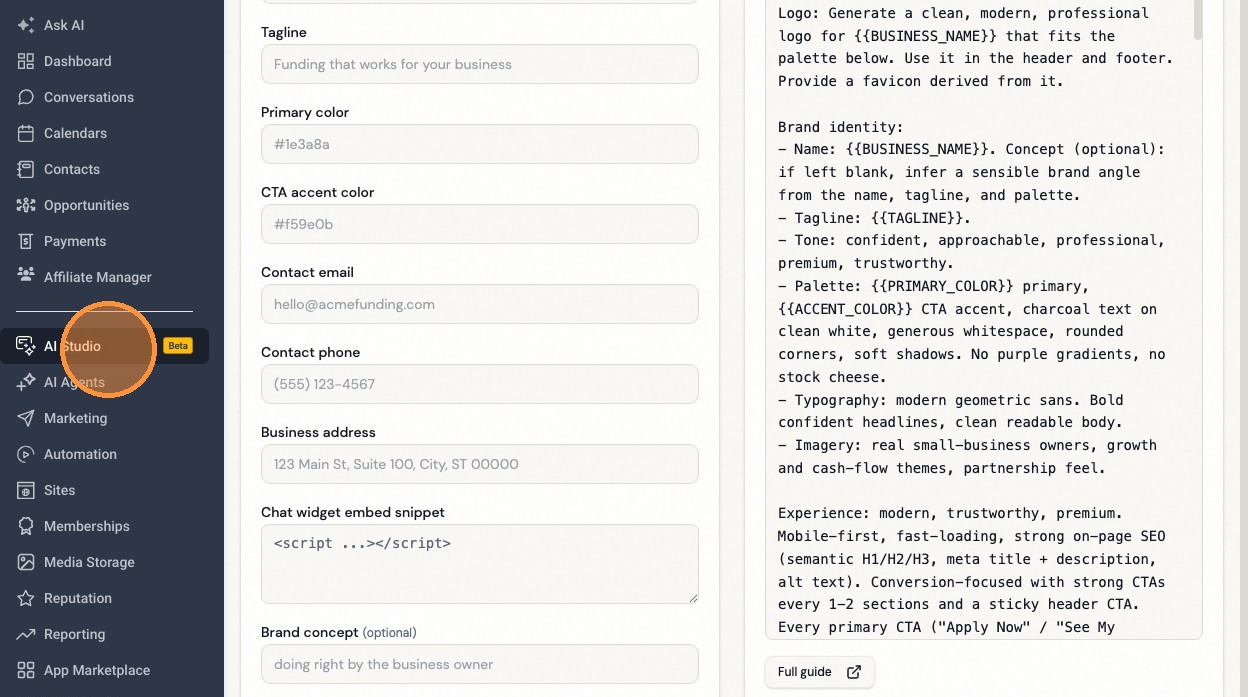
Fill in your business details to automatically update the prompt.
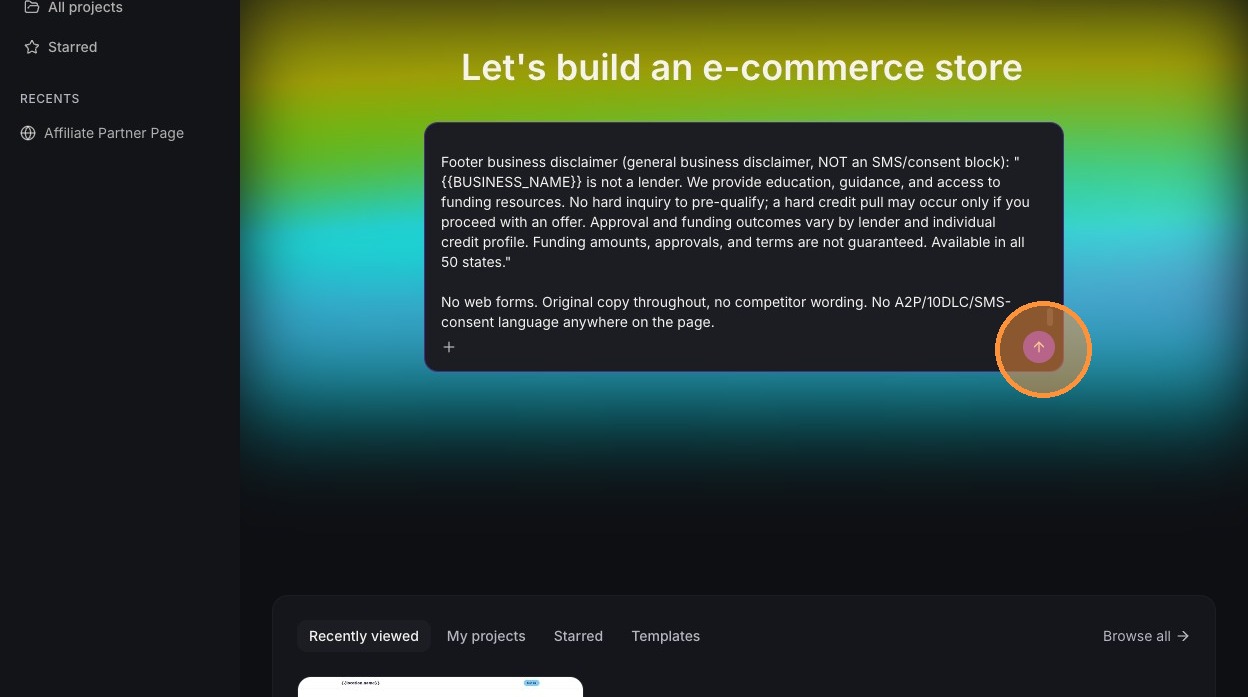
### AI Studio Generation
## How to Use the Prompts
1. Pick the prompt you need (main site or A2P funnel page).
2. Replace every `{{PLACEHOLDER}}` with your business details (the prompt also asks you for them up front).
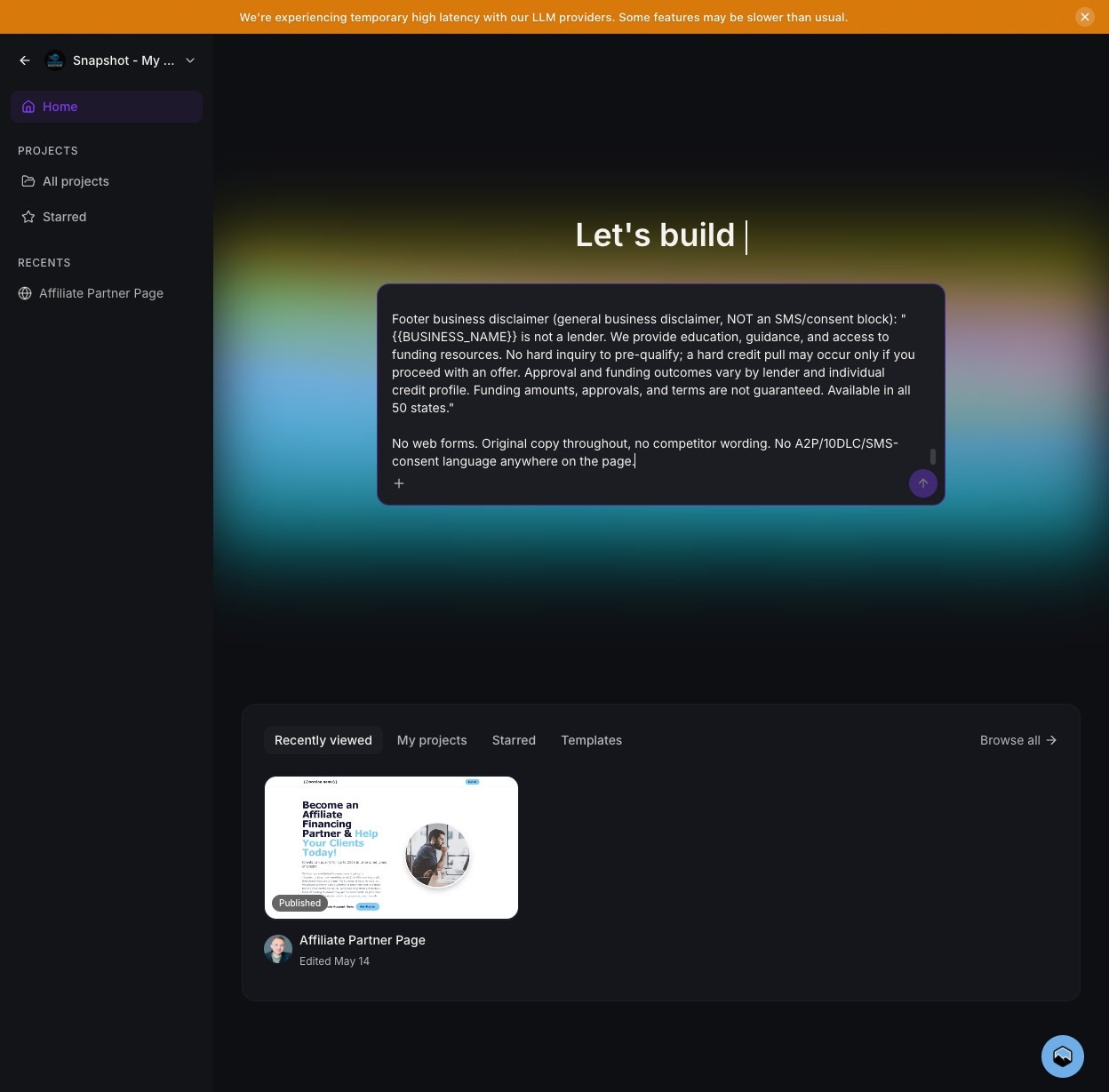
3. Paste the full prompt into AI Studio's build field and press Enter.
4. Refine the result with follow-up prompts until it's right, then publish.
Two values are **fixed for every site** and you do not need to change them: Privacy Policy `https://www.leadconnectorhq.com/privacy-policy` and Terms `https://www.leadconnectorhq.com/terms2`.
## Prompt 1 — Main Website
Paste this into AI Studio to build your main branded marketing site. CTAs link to your application page, with a chat widget as a secondary capture point. No web forms.
```text theme={null}
BEFORE YOU BUILD ANYTHING, ASK ME FOR THESE DETAILS AND WAIT FOR MY ANSWERS:
1. Business name
2. Main domain (e.g. https://example.com)
3. Application page URL (where the CTAs link)
4. Tagline(s)
5. Primary color and CTA accent color
6. Chat widget embed snippet
7. Contact email, phone, and physical address
8. Any logo direction or existing logo to use
(Privacy Policy and Terms URLs are fixed, do not ask: https://www.leadconnectorhq.com/privacy-policy and https://www.leadconnectorhq.com/terms2)
Once I provide them, build the site below using those values. Do not assume or invent any of these; ask first.
---
Build a high-converting, premium business funding website for {{BUSINESS_NAME}} ({{DOMAIN}}), a funding marketplace and advisory (NOT a direct lender). Goal: generate qualified leads and funding applications. Primary CTAs link to the application page; a chat widget is embedded as a secondary capture point. There are NO web forms on this site.
Logo: Generate a clean, modern, professional logo for {{BUSINESS_NAME}} that fits the palette below. Use it in the header and footer. Provide a favicon derived from it.
Brand identity:
- Name: {{BUSINESS_NAME}}. Concept (optional): {{BRAND_CONCEPT}}. If left blank, infer a sensible brand angle from the name, tagline, and palette.
- Tagline: {{TAGLINE}}.
- Tone: confident, approachable, professional, premium, trustworthy.
- Palette: {{PRIMARY_COLOR}} primary, {{ACCENT_COLOR}} CTA accent, charcoal text on clean white, generous whitespace, rounded corners, soft shadows. No purple gradients, no stock cheese.
- Typography: modern geometric sans. Bold confident headlines, clean readable body.
- Imagery: real small-business owners, growth and cash-flow themes, partnership feel.
Experience: modern, trustworthy, premium. Mobile-first, fast-loading, strong on-page SEO (semantic H1/H2/H3, meta title + description, alt text). Conversion-focused with strong CTAs every 1-2 sections and a sticky header CTA. Every primary CTA ("Apply Now" / "See My Options") links to {{APPLICATION_URL}}.
Page sections:
1. Hero — write a strong, conversion-focused H1 yourself based on the business name, tagline, and brand angle, then a subhead, primary CTA "Apply Now" linking to {{APPLICATION_URL}}. Trust line: "Soft credit check only. No hard inquiry to pre-qualify. All 50 states."
2. How It Works (3 steps) — Start your application, speak with a funding advisor and review options, some options fund in as little as 48 hours.
3. Funding Solutions — Business Line of Credit, 0% Intro APR Business & Personal Credit Cards, Business-Purpose Term Loan, Business Term Loan, SBA Loans. One benefit line each.
4. Why Choose {{BUSINESS_NAME}} (6 cards) — Marketplace of lenders, No hard inquiry to pre-qualify, Education & guidance, Cash-flow & savings strategies, Dedicated account management, All 50 states.
5. Social Proof — testimonials + editable stat band (clients served, funding facilitated, jobs supported).
6. FAQ accordion — Is this a hard credit pull? How fast can I get funded? Do you lend directly? What do I need to qualify? Is my info secure?
7. Footer — contact details, address, navigation, links to Privacy Policy and Terms, compliance disclaimer.
Chat widget (secondary capture) — embed this exact snippet on every page:
{{CHAT_WIDGET_SNIPPET}}
- Persistent launcher on every page, prominent on mobile.
- Near the launcher / on first open show: "By chatting with us you agree to receive SMS text messages and calls from {{BUSINESS_NAME}} at the number you provide regarding your funding inquiry. Message frequency varies. Msg & data rates may apply. Reply STOP to opt out, HELP for help. See our Privacy Policy and Terms."
Compliance page links (footer + chat disclaimer, do NOT generate new pages):
- Privacy Policy: https://www.leadconnectorhq.com/privacy-policy
- Terms: https://www.leadconnectorhq.com/terms2
Business details:
- Email: {{BUSINESS_EMAIL}}
- Phone: {{BUSINESS_PHONE}}
- Address: {{BUSINESS_ADDRESS}}
- Domain: {{DOMAIN}}
Footer compliance disclaimer: "{{BUSINESS_NAME}} is not a lender. We provide education, guidance, and access to funding resources. No hard inquiry to pre-qualify; a hard credit pull may occur only if you proceed with an offer. Approval and funding outcomes vary by lender and individual credit profile. Funding amounts, approvals, and terms are not guaranteed. Available in all 50 states."
No web forms. Original copy throughout, no competitor wording.
```
## Prompt 2 — A2P 10DLC Funnel Page
This page exists for one job: to be submitted as your **opt-in URL** during A2P 10DLC SMS campaign registration. No forms, chat widget only, with the consent language carriers look for.
The business name on this page must **exactly match** the legal/brand name you submit in the A2P 10DLC campaign, so the carrier can match your consent destination to the registration.
```text theme={null}
BEFORE YOU BUILD ANYTHING, ASK ME FOR THESE DETAILS AND WAIT FOR MY ANSWERS:
1. Business name
2. Funnel page URL (this is the opt-in URL submitted for A2P 10DLC registration)
3. Primary color and CTA accent color
4. Chat widget embed snippet
5. Contact email, phone, and physical address
6. Any logo direction or existing logo to use (match the main site if one exists)
(Privacy Policy and Terms URLs are fixed, do not ask: https://www.leadconnectorhq.com/privacy-policy and https://www.leadconnectorhq.com/terms2)
Once I provide them, build the page below using those values. Do not assume or invent any of these; ask first.
---
Build a dedicated A2P 10DLC consent/opt-in funnel page for {{BUSINESS_NAME}}, a funding marketplace and advisory (NOT a direct lender). PURPOSE: this single page is submitted as the opt-in URL during A2P 10DLC campaign registration, so carriers can verify how the business collects SMS consent. There are NO forms of any kind on this page. The ONLY interactive element is the chat widget (obtained from Settings > Phone Numbers > Trust Center). The page must clearly show what messages the business sends and how a user consents to receive them.
Logo: Generate a clean, modern, professional logo for {{BUSINESS_NAME}} that fits the palette below (match the main site's logo if one exists). Use it in the header. Provide a favicon derived from it.
Brand identity: {{PRIMARY_COLOR}} primary, {{ACCENT_COLOR}} accent, charcoal on white, modern geometric sans, premium and trustworthy.
Mobile-first (REQUIRED): Build this page mobile-first. It must render cleanly on a phone since carriers and reviewers often open the opt-in URL on mobile. Single-column layout, large tap-friendly CTA, readable body text (min 16px), no horizontal scroll, the chat widget launcher must be prominent and not obscured on small screens. Fast-loading, no heavy assets.
Page sections (lean, single-purpose, A2P-compliant):
1. Header — logo + business name.
2. Hero — H1 ("Chat With {{BUSINESS_NAME}} About Your Funding"), one-line reassurance ("Start a conversation with our team. No hard inquiry to pre-qualify."), prominent CTA "Start Chat" that opens the chat widget.
3. How messaging works (A2P consent disclosure, REQUIRED) — Clear plain-language block that satisfies 10DLC review:
- "When you start a chat with {{BUSINESS_NAME}}, you can opt in to receive SMS text messages and phone calls from us at the number you provide, regarding your funding inquiry and related updates."
- "Message frequency varies. Message and data rates may apply. Reply STOP to opt out at any time. Reply HELP for help."
- "Consent is not a condition of any purchase. We will not share your mobile opt-in information with third parties for marketing."
- Links to the Privacy Policy and Terms (URLs below).
4. What to expect (3 short steps) — Start a chat about your business, an advisor reviews your funding options, some options fund in as little as 48 hours.
5. Footer — business name, contact details, address, Privacy Policy + Terms links, compliance disclaimer.
Keep this page lean and single-purpose. No nav clutter, no marketing fluff, no forms. The page should read as a legitimate consent/opt-in destination a carrier can approve.
Chat widget (the ONLY interactive element) — embed this exact snippet:
{{CHAT_WIDGET_SNIPPET}}
- Persistent, prominent launcher; consider auto-opening on load.
- At/near first open, show the consent disclosure: "By chatting with us you agree to receive SMS text messages and calls from {{BUSINESS_NAME}} at the number you provide regarding your funding inquiry. Message frequency varies. Msg & data rates may apply. Reply STOP to opt out, HELP for help. See our Privacy Policy and Terms."
- The chat flow collects: name, business name, mobile phone, email, monthly revenue, funding amount needed.
- Before/at the point of collecting the phone number, the bot asks explicit consent: "Is it okay if we text and call you at this number about your funding options? (Yes/No)" and records the Yes as opt-in proof.
Compliance page links (footer + chat disclosure):
- Privacy Policy: https://www.leadconnectorhq.com/privacy-policy
- Terms: https://www.leadconnectorhq.com/terms2
Business details:
- Email: {{BUSINESS_EMAIL}}
- Phone: {{BUSINESS_PHONE}}
- Address: {{BUSINESS_ADDRESS}}
Footer compliance disclaimer: "{{BUSINESS_NAME}} is not a lender. We provide education, guidance, and access to funding resources. No hard inquiry to pre-qualify; a hard credit pull may occur only if you proceed with an offer. Approval and funding outcomes vary by lender and individual credit profile. Funding amounts, approvals, and terms are not guaranteed. Available in all 50 states."
Page metadata (helps carrier review): Set a clear page title and meta description that state this is the SMS consent/opt-in page for {{BUSINESS_NAME}}. Use a single H1. The business name on the page must exactly match the legal/brand name submitted in the A2P 10DLC campaign so the carrier can match the consent destination to the registration.
NO forms whatsoever. Chat widget only. This page is the A2P 10DLC opt-in URL. Original copy throughout, no competitor wording.
```
## Placeholder Reference
| Placeholder | What to enter |
| ------------------------- | ------------------------------------------------ |
| `{{BUSINESS_NAME}}` | Your company name |
| `{{DOMAIN}}` | Main domain incl. https |
| `{{APPLICATION_URL}}` | Application page URL the CTAs link to |
| `{{TAGLINE}}` | Your tagline(s) |
| `{{PRIMARY_COLOR}}` | Primary brand color |
| `{{ACCENT_COLOR}}` | CTA accent color |
| `{{CHAT_WIDGET_SNIPPET}}` | Your chat widget embed script |
| `{{BUSINESS_EMAIL}}` | Contact email |
| `{{BUSINESS_PHONE}}` | Contact phone |
| `{{BUSINESS_ADDRESS}}` | Physical address |
| `{{BRAND_CONCEPT}}` | Optional one-line brand idea (inferred if blank) |
## Related
Point a branded subdomain at your Apply for Funding form.
Already have a website? Embed the form into your existing pages.