> ## Documentation Index
> Fetch the complete documentation index at: https://docs.myfundingmachine.com/llms.txt
> Use this file to discover all available pages before exploring further.
# Read a Partner Record
> Understand a single partner: identity details, performance KPIs, their applicants and funded clients, the commission ledger, and CRM deep links.
# Read a Partner Record
A partner record answers three questions: who is this partner, what have they sent us, and what do we owe them. Everything here is read from your CRM — to edit names, statuses, rates, or payouts, use **Open in CRM** and change them at the source.
Click a partner in the directory: identity on the left, KPIs on top, tabs below.
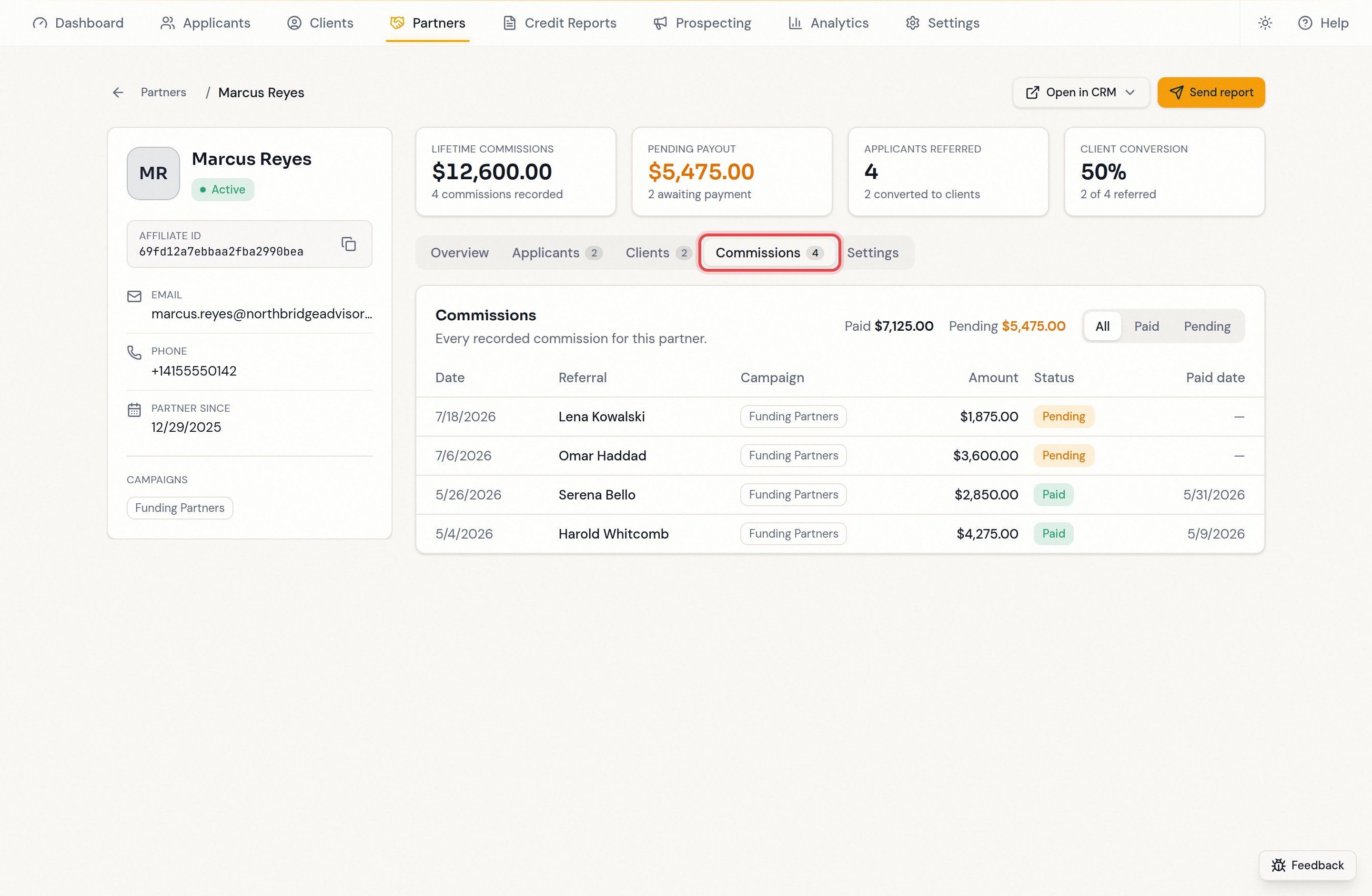
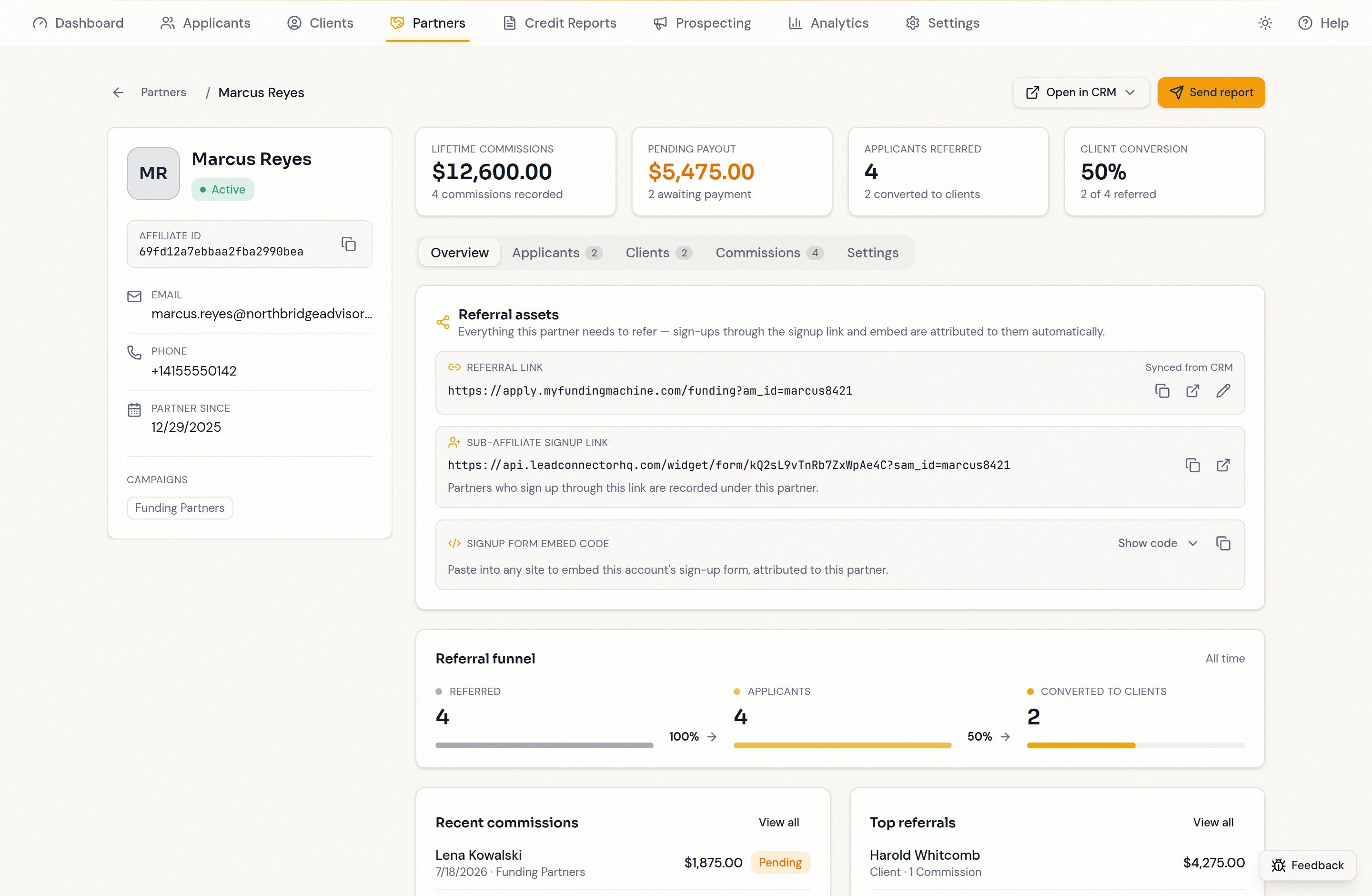 Name, status, affiliate ID (with copy button), email, phone, partner-since date, and campaigns. Copy the **affiliate ID** to find the partner in your CRM or reference them to support — it is an internal record ID, not their referral code.
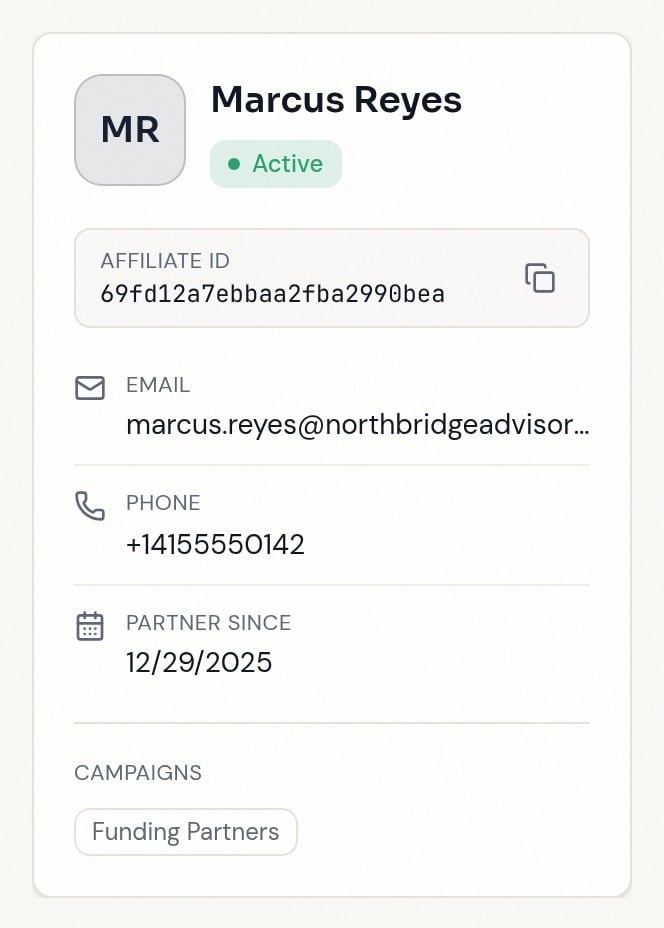
 * **Lifetime commissions** — everything recorded, with the commission count.
* **Pending payout** — owed but unpaid.
* **Applicants referred** — referred contacts, and how many became clients.
* **Client conversion** — referred contacts that funded, as a percentage.
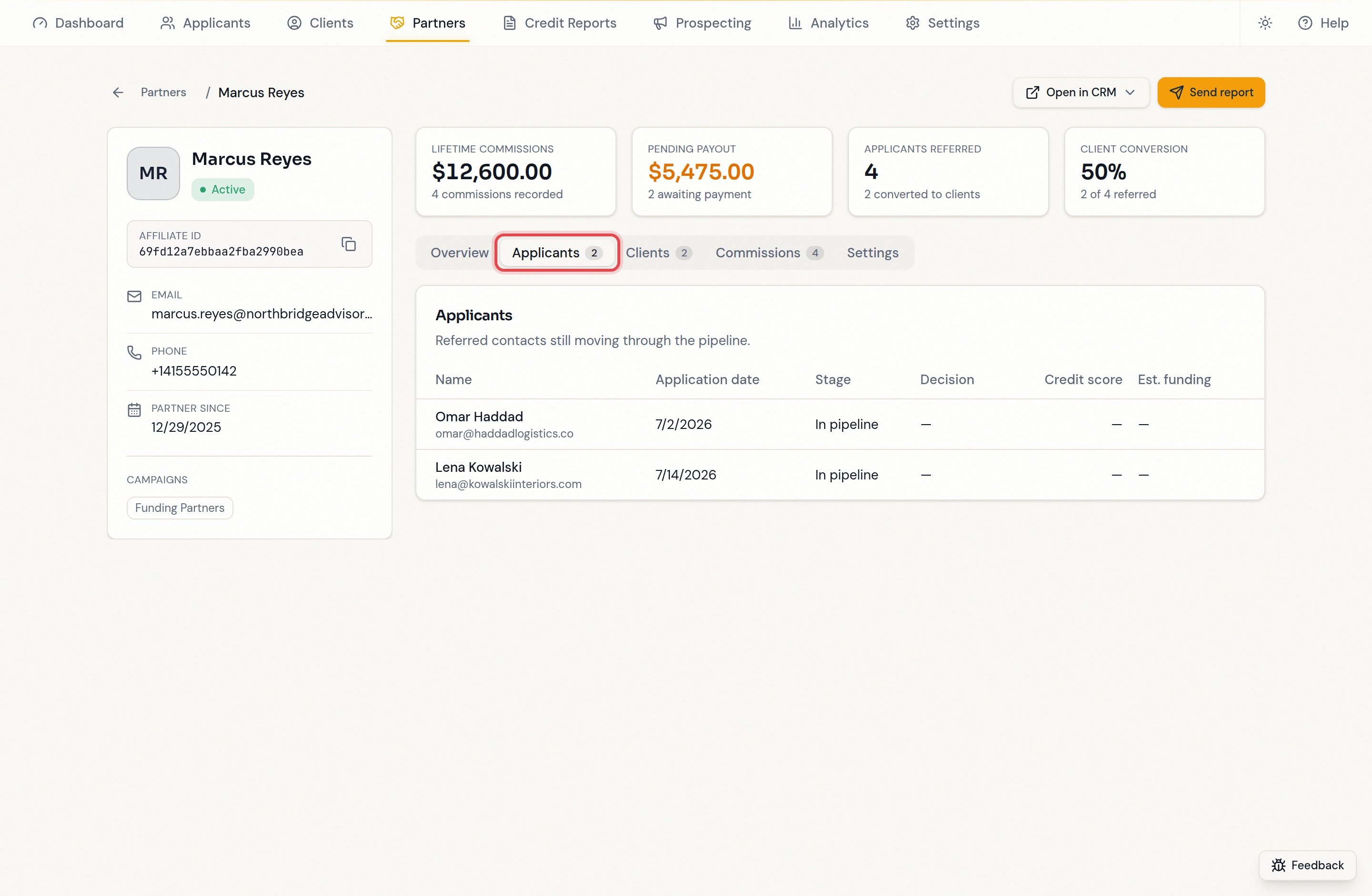
Referred contacts still in the pipeline, with stage, decision, credit score, and estimated funding.
* **Lifetime commissions** — everything recorded, with the commission count.
* **Pending payout** — owed but unpaid.
* **Applicants referred** — referred contacts, and how many became clients.
* **Client conversion** — referred contacts that funded, as a percentage.
Referred contacts still in the pipeline, with stage, decision, credit score, and estimated funding.
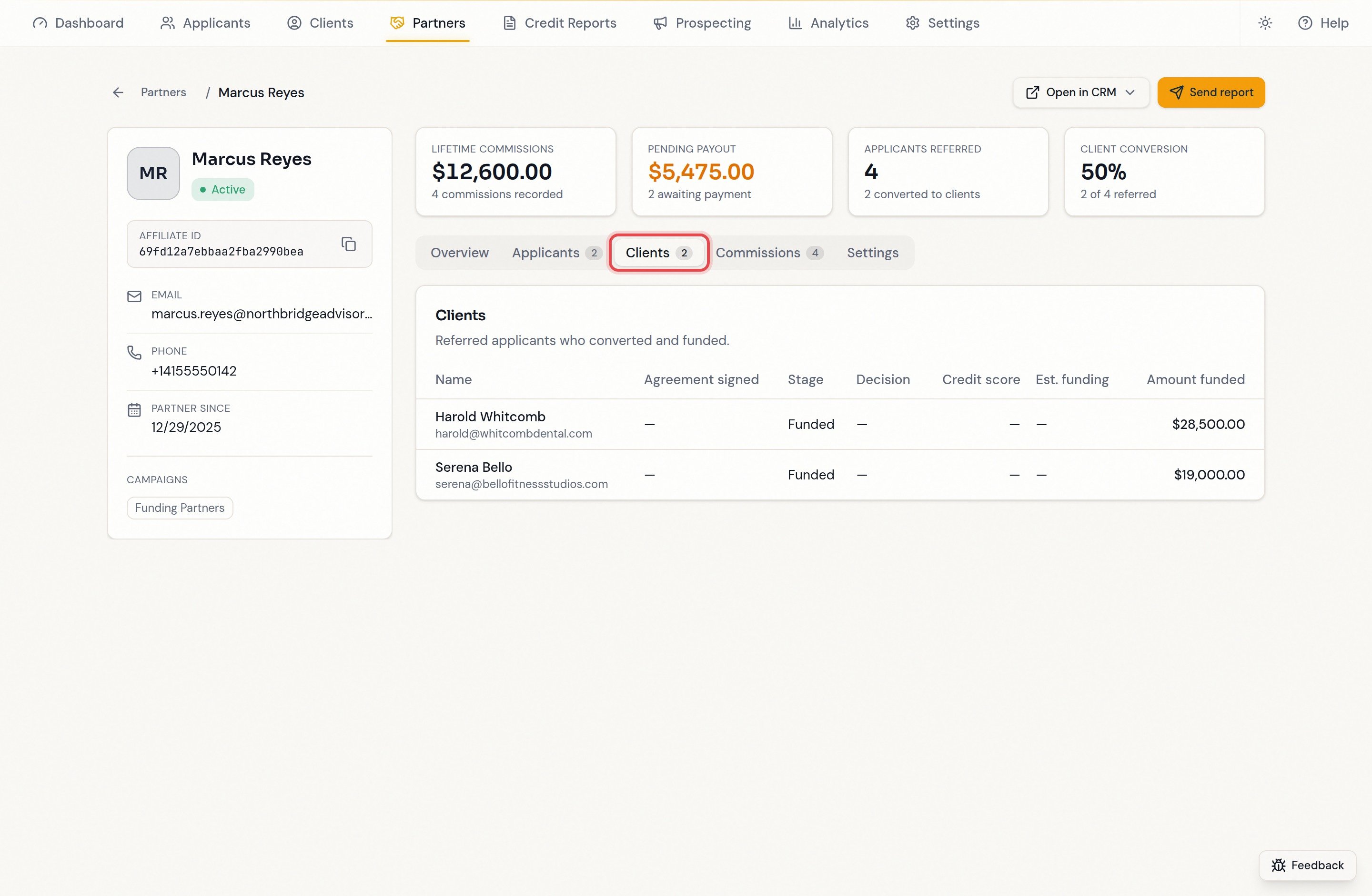
 Referrals that funded, with the agreement-signed date and amount. A dash means no value yet — not a broken referral.
 The full ledger — date, contact, campaign, amount, paid or pending — with totals on top and a paid/pending filter.
 Jumps to the partner's contact record or Affiliate Manager in a new tab — for editing the partner, changing rates, or recording payouts.
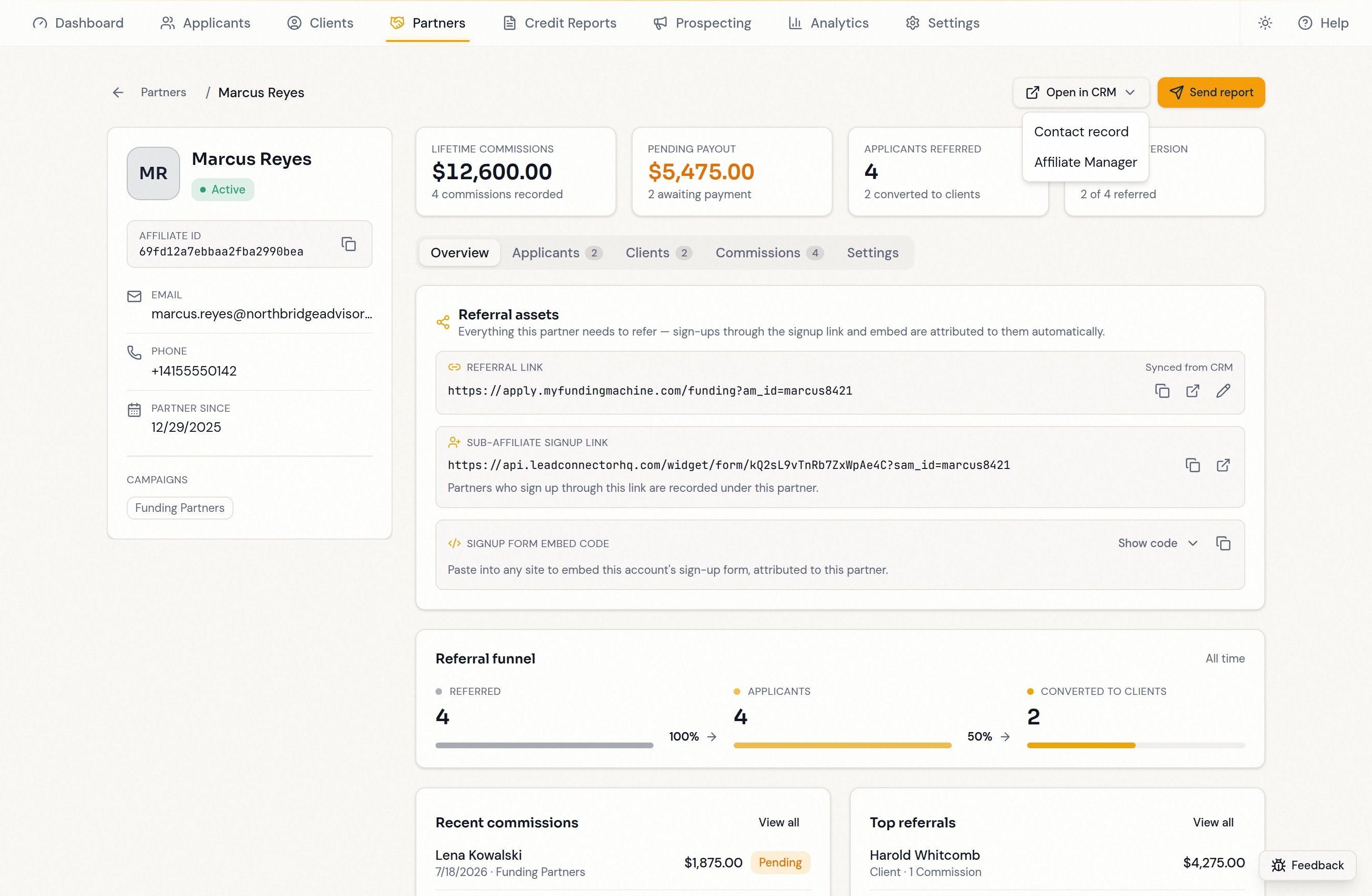 The **Overview** tab also shows the referral funnel — **Referred → Applicants → Converted to clients** with conversion percentages — and **View all** shortcuts into the matching tabs. Referred contact names link through to their full applicant or client record.
## FAQ
The commission is not linked to a contact Funding Machine can find — recorded against a contact that doesn't exist in this account, or missing the contact link on the CRM record. **Setup & health → Health → Lead linking** reports how widespread this is.
Any funding signal moves a referral to **Clients**: a client pipeline record, a funded plan, a completed funding agreement, or a processing submission.
No. The ledger is read-only; manage amounts, statuses, and payouts in your CRM's Affiliate Manager and the next sync brings the change over.
The record shows the first 100 linked contacts, so counts with a `+` are a floor, not an exact total.
The **Overview** tab also shows the referral funnel — **Referred → Applicants → Converted to clients** with conversion percentages — and **View all** shortcuts into the matching tabs. Referred contact names link through to their full applicant or client record.
## FAQ
The commission is not linked to a contact Funding Machine can find — recorded against a contact that doesn't exist in this account, or missing the contact link on the CRM record. **Setup & health → Health → Lead linking** reports how widespread this is.
Any funding signal moves a referral to **Clients**: a client pipeline record, a funded plan, a completed funding agreement, or a processing submission.
No. The ledger is read-only; manage amounts, statuses, and payouts in your CRM's Affiliate Manager and the next sync brings the change over.
The record shows the first 100 linked contacts, so counts with a `+` are a floor, not an exact total.