

Settings
Access your settings from the gear icon in the left sidebar. This is where you manage your team, your company profile, and how you receive updates.Account Settings
Company Info
Update your business name, contact details, and company address. This information appears on invoices and client-facing communications.Keep your company info up to date — it’s used on invoices sent to you and may appear in lender correspondence on behalf of your clients.
Users
Manage team members who can access your Funding Machine account. Add, remove, or change roles for anyone on your team.Assigned Data Visibility
The Respect CRM “Only Assigned Data” setting is off by default. While it is off, the Applicants and Clients pages show the full Location. When an admin turns it on, users with the CRM Only Assigned Data permission see contacts they own or follow in CRM on the Applicants and Clients pages. Admins continue to see the full Location. That scoped view takes two steps. The Funding Machine location toggle is off until an admin turns it on. The CRM Only Assigned Data permission is a CRM user permission, not a Funding Machine role.1
1. Turn on the Funding Machine location toggle
Go to Settings → Data Access Permissions. The Respect CRM “Only Assigned Data” toggle is off by default. When an admin turns it on, users with that CRM permission see contacts they own or follow on Applicants and Clients. Admins still see the full Location.
2
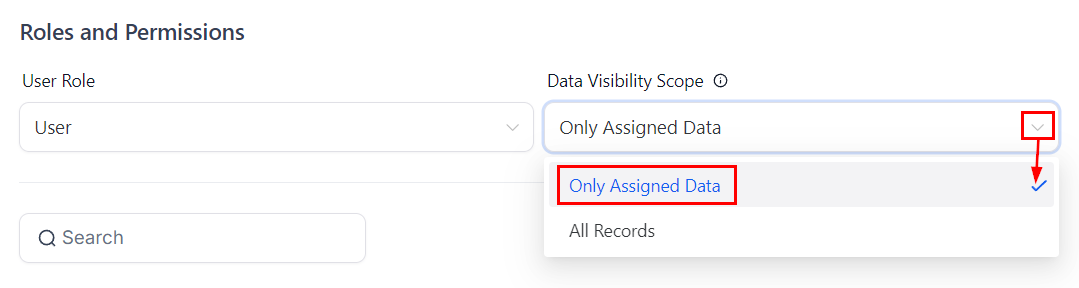
2. Give the user the CRM "Only Assigned Data" permission
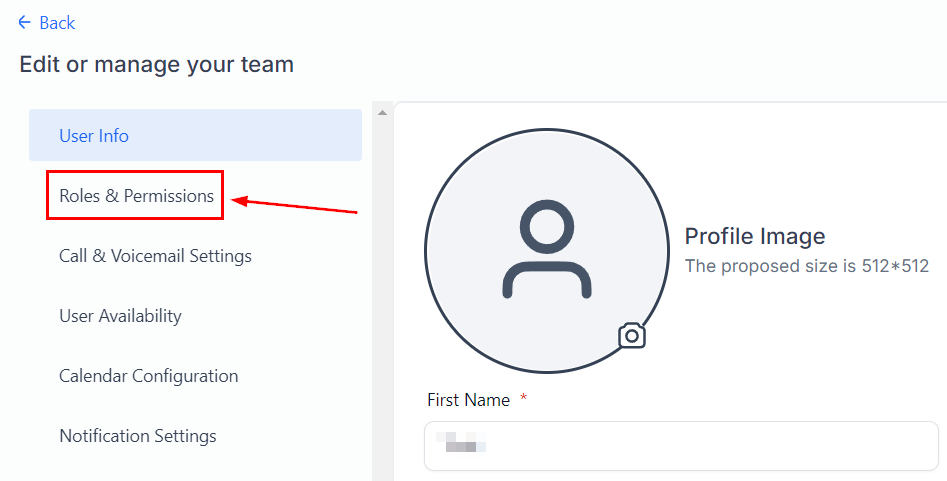
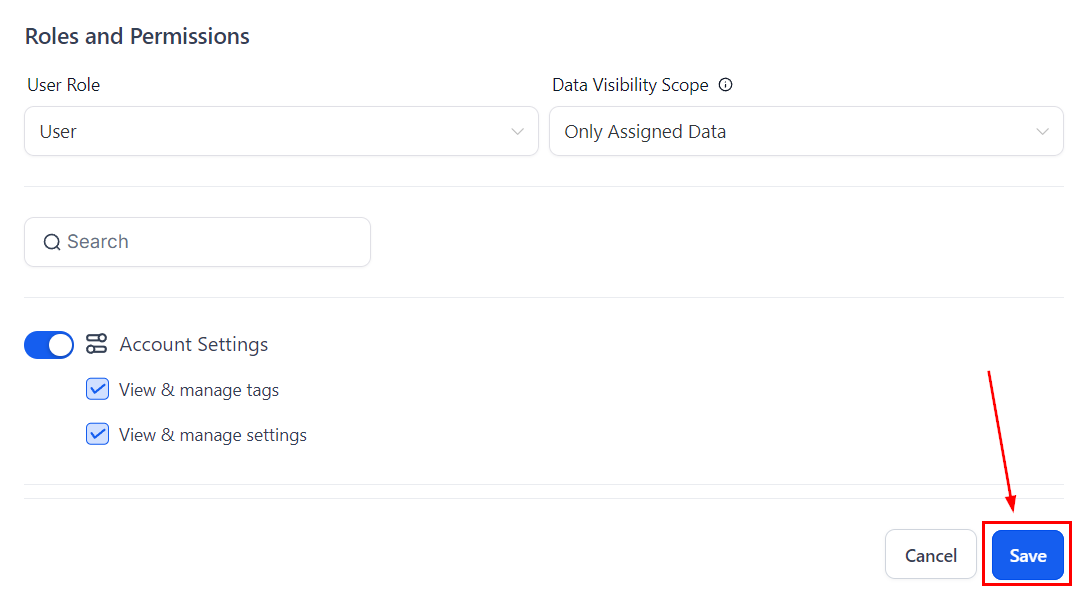
In CRM, open Settings → My Staff, click the pencil next to the user, open Roles and Permissions, set Data Visibility Scope to Only Assigned Data, and save.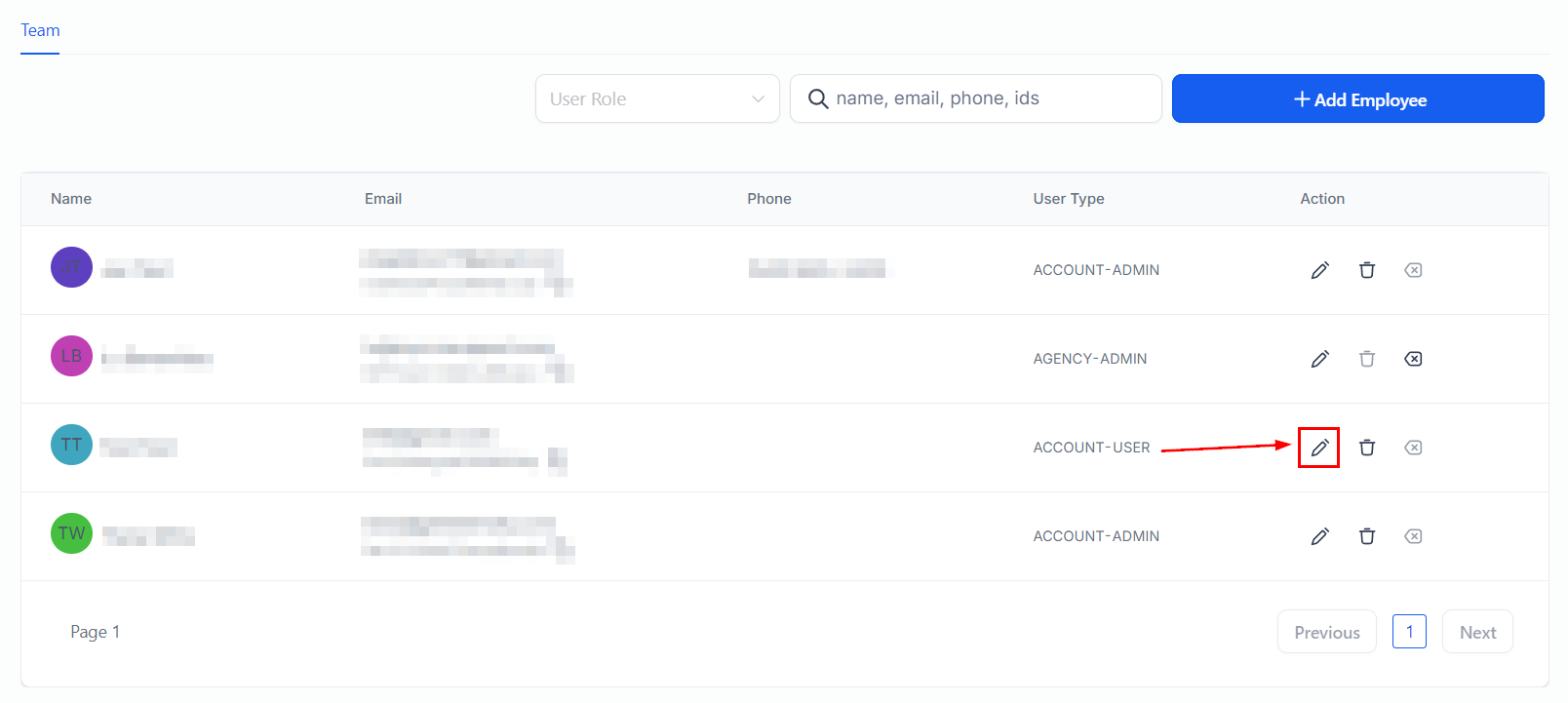
Notifications
Control exactly which events trigger email and in-app notifications. Fine-tune these so you stay informed without getting overwhelmed.User Management
Add a Team Member
- Go to Settings > Users
- Click “Invite User”
- Enter their email and select a role
- They’ll receive an invitation email with a link to set up their account
Roles
Remove or Change a Role
- Go to Settings > Users
- Click the user you want to modify
- Change their role or remove their access entirely
Notification Preferences
Configure which events trigger notifications and how you receive them:What You Can and Can’t Configure
You control:
- Company display name and contact info
- Team member access and roles
- Notification preferences (which events, email on/off)
Managed by your account manager:
- Agreement rate (your success fee percentage)
- Billing terms and payment methods
- Account-level permissions and limits
- Platform feature access
Frequently Asked Questions
Can I have multiple admins?
Can I have multiple admins?
Yes. You can assign the Admin role to as many team members as needed. Every admin has full access to settings, billing, and user management.
What happens when I remove a team member?
What happens when I remove a team member?
Their access is revoked immediately. They won’t be able to log in or view any data. Their past activity (submissions, notes) is preserved in the system.
Can I change my agreement rate in settings?
Can I change my agreement rate in settings?
No. Your agreement rate is managed by your account manager. Contact them to discuss any rate changes.
Related Pages
Invoices & Billing
View invoices and manage payments
Partner Program
Learn about your agreement rate and growth opportunities
Your Dashboard
See your metrics and recent activity