

Read a Partner Record
A partner record answers three questions: who is this partner, what have they sent us, and what do we owe them. Partner identity, referral, and commission details are read from your CRM — use Open in CRM to edit those source records. If your account has the Partner payouts (1099) Labs feature enabled and an Everee account connected, the record also shows 1099 payment setup. An account admin can choose:- Onboard here — confirm the partner’s basic contact details and home address, then let the partner complete Everee’s secure onboarding in the window that opens.
- Email invite — Everee emails the partner a secure hosted onboarding link.
1
1. Open the record
Click a partner in the directory: identity on the left, KPIs on top, tabs below.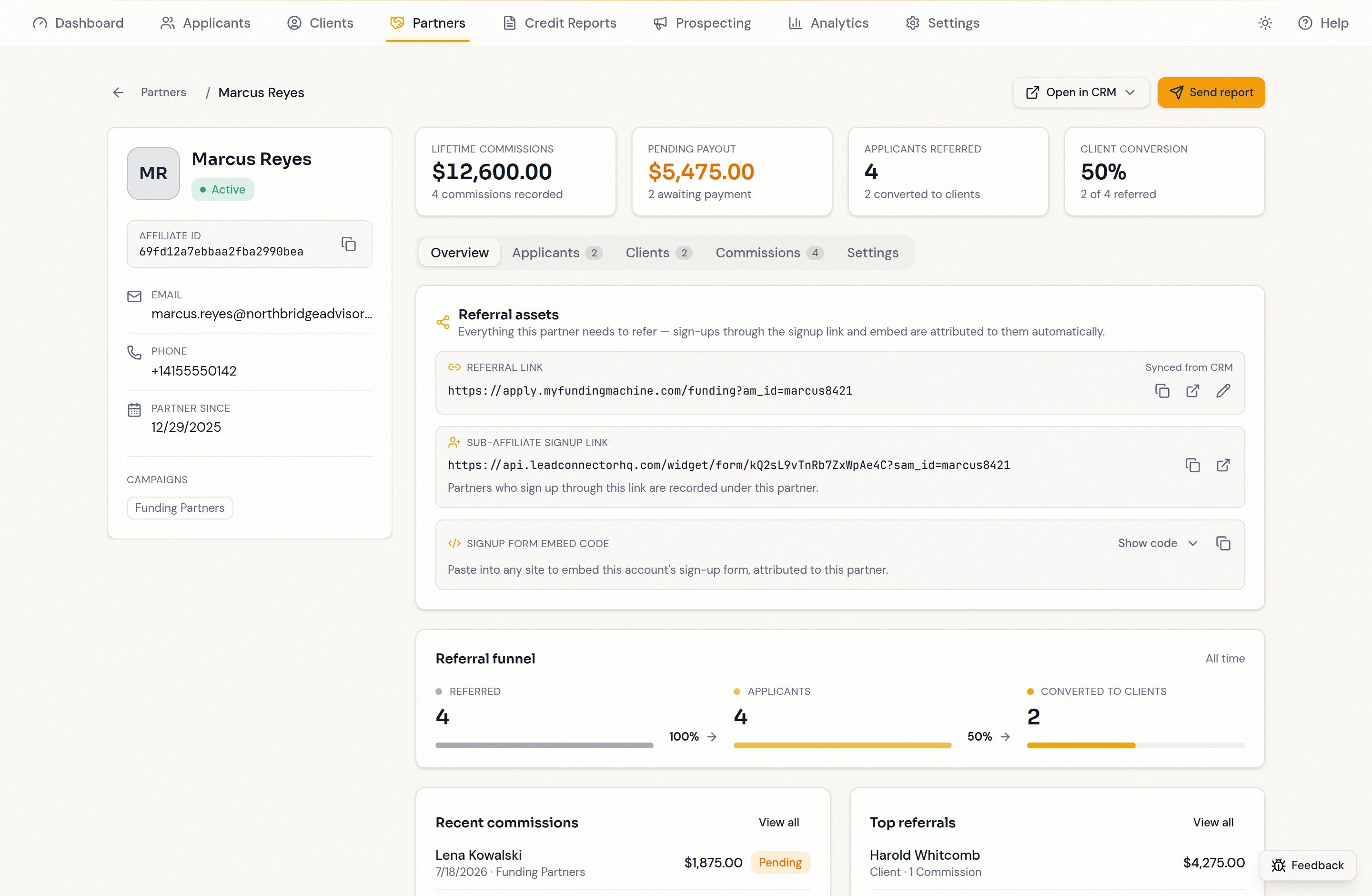
2
2. Check the identity panel
Name, status, affiliate ID (with copy button), email, phone, partner-since date, and campaigns. Copy the affiliate ID to find the partner in your CRM or reference them to support — it is an internal record ID, not their referral code.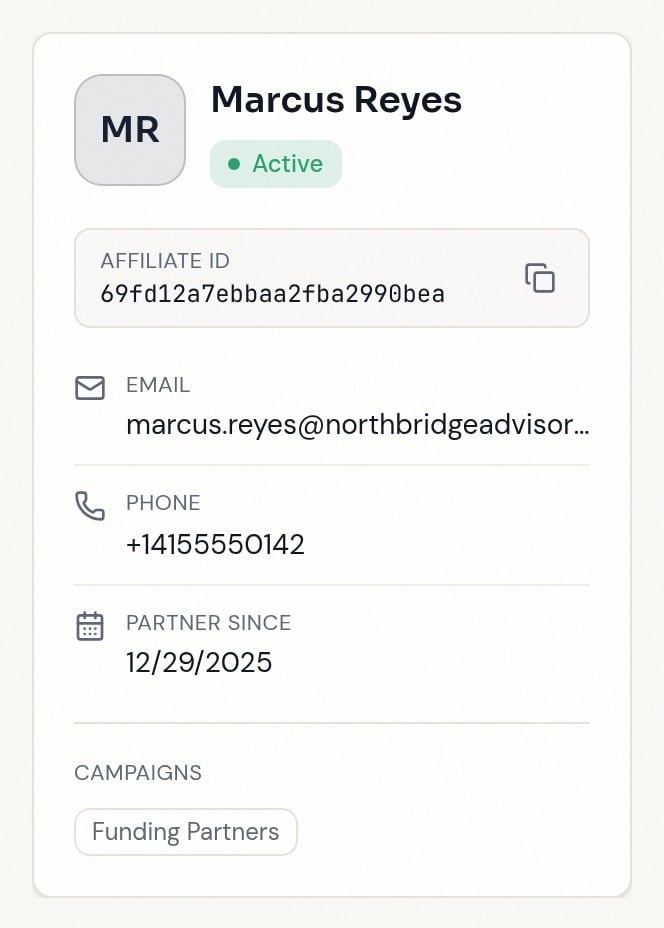
3
3. Read the KPIs

- Lifetime commissions — everything recorded, with the commission count.
- Pending payout — pending and approved commissions awaiting payment. Denied, canceled, and unknown statuses are excluded.
- Applicants & clients — referred contacts, and how many became clients. A
+is a lower bound: use Load more referrals to include additional contact pages. - Client conversion — clients divided by total referred, as a percentage. Funding is not required; client status can come from agreement, pipeline, processing, or eligible funding-plan records.
4
4. Open "Applicants"
Referred applicants who have not yet converted to clients, with stage, decision, credit score, and estimated funding. A missing pipeline marker does not exclude an applicant from this count.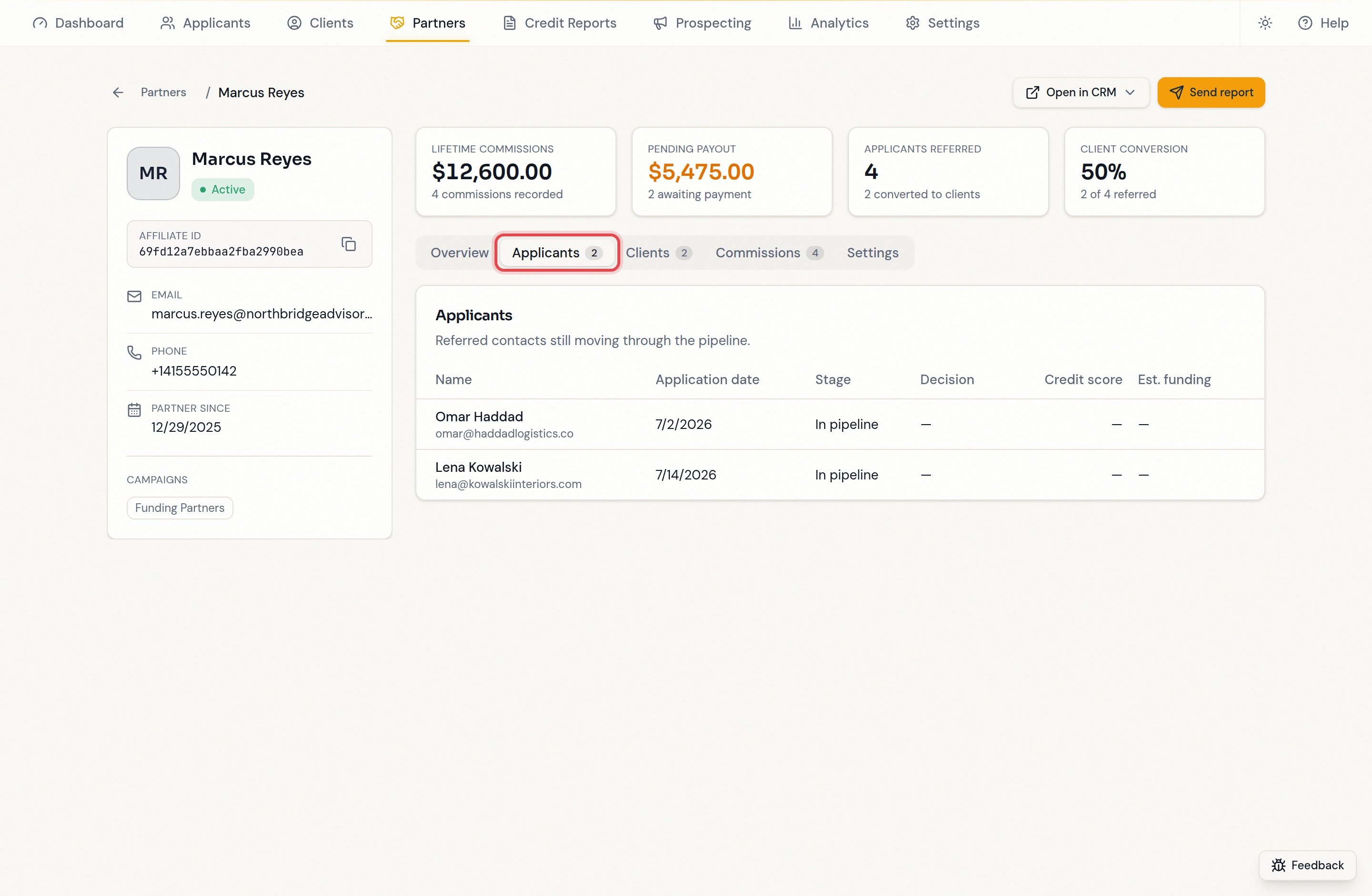
CRM affiliate lead assignments appear after synchronization, without waiting for a commission or requiring a referral code on the contact. Changing a partner’s referral code does not disconnect their CRM-confirmed leads. See Referral tracking.
5
5. Open "Clients"
Referrals in the client stage, with the agreement-signed date and any funded amount when available. Clients can still be awaiting funding. A dash in the agreement date means no completed agreement date is recorded; client status alone does not verify a signature.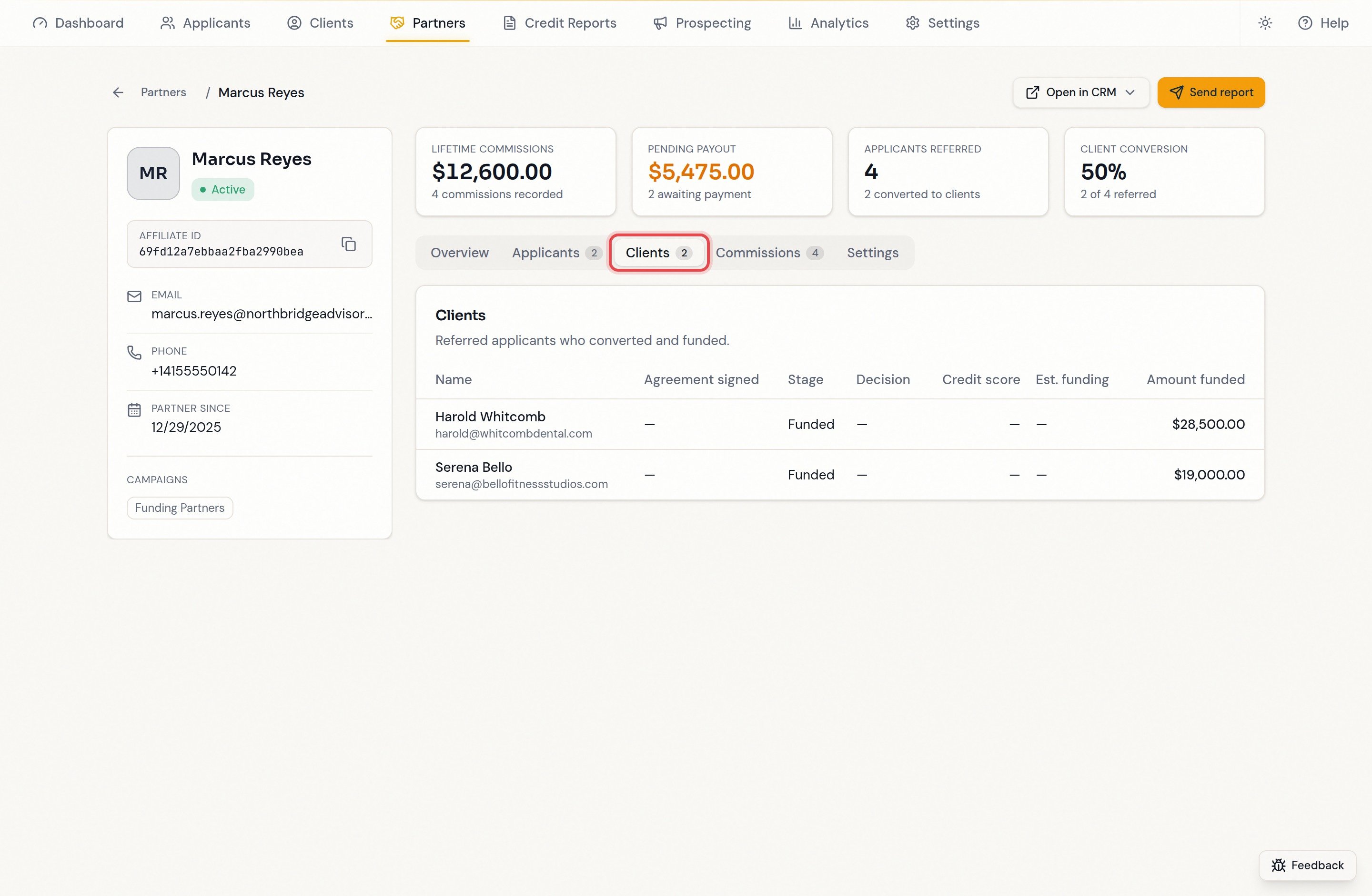
6
6. Open "Commissions"
The full ledger shows date, contact, campaign, amount, and the CRM status: Pending, Approved, Paid, Denied, Canceled, or Unknown. Filter by any status. Unpaid includes pending and approved commissions only; the lifetime total keeps all recorded commissions, including denied and canceled entries.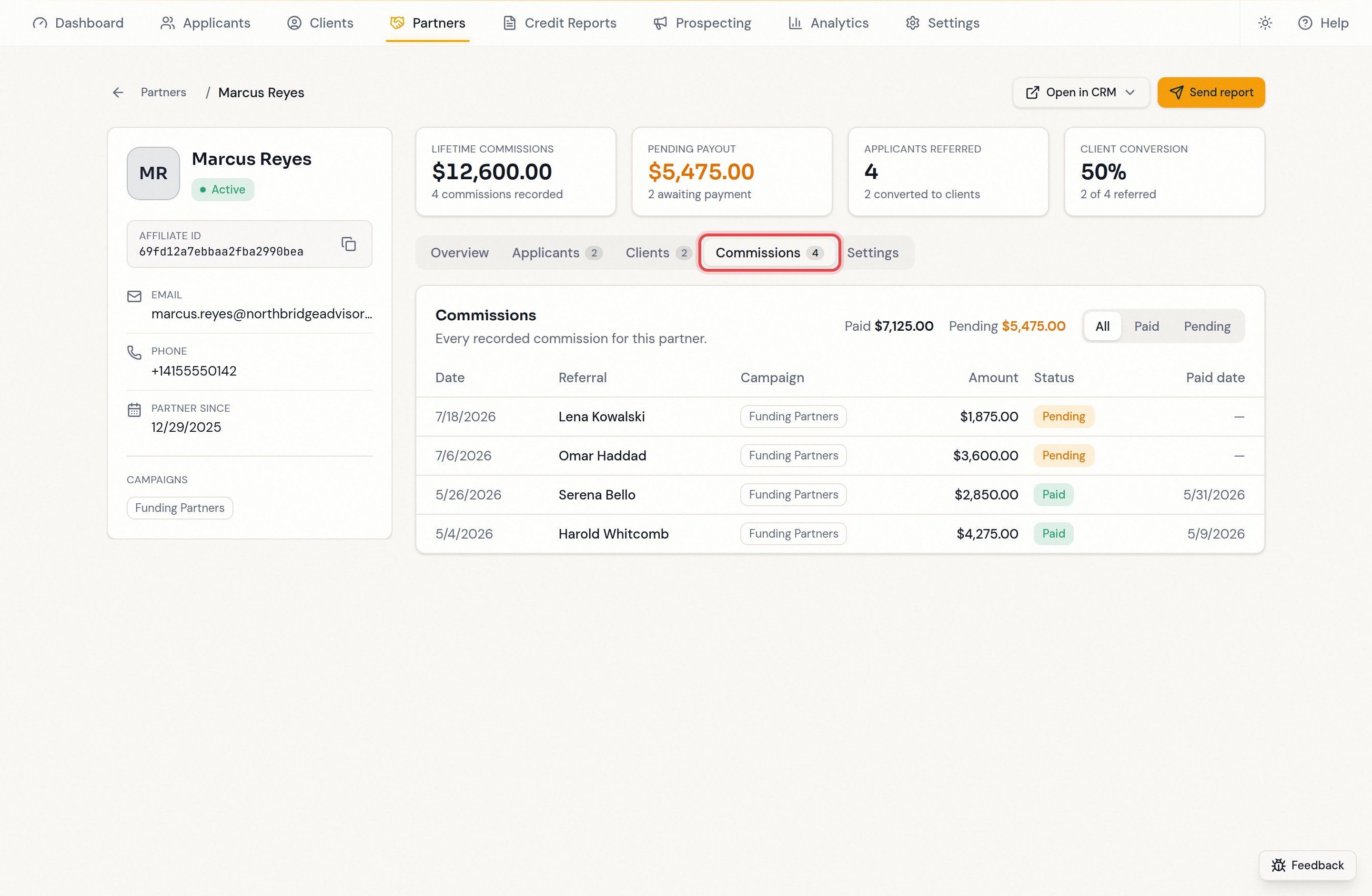
7
7. Use "Open in CRM" when you need the source
Jumps to the partner’s contact record or Affiliate Manager in a new tab — for editing the partner, changing rates, or recording payouts.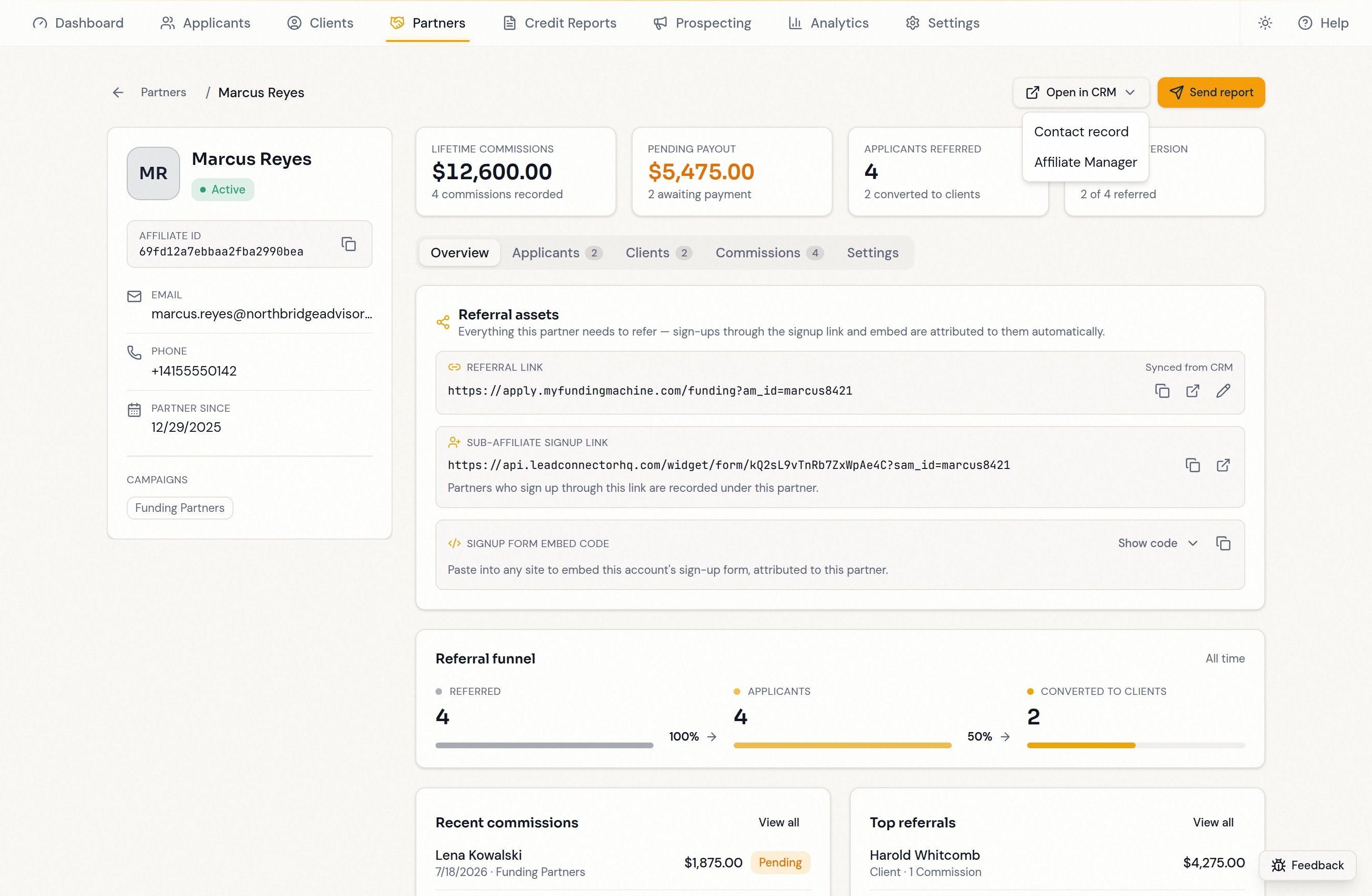
FAQ
Why does a partner show commissions but no applicants or clients?
Why does a partner show commissions but no applicants or clients?
The commission is not linked to a contact Funding Machine can find — recorded against a contact that doesn’t exist in this account, or missing the contact link on the CRM record. Verify the commission’s referred contact in your CRM, refresh, then contact support if it is still missing.
Why is a referred contact in Clients when I expected Applicants?
Why is a referred contact in Clients when I expected Applicants?
Signing is the normal business transition. Funding Machine recognizes a completed agreement, a client pipeline record, an eligible funding plan, or a processing submission as client evidence. A referral can therefore be in Clients even without a stored completed agreement. Receiving funding is not a prerequisite for appearing here; check their documents to verify a signature.
Can I change a commission amount or mark one paid here?
Can I change a commission amount or mark one paid here?
No. The commission ledger is read-only; manage commission amounts and statuses in your CRM’s Affiliate Manager. The Partner payouts (1099) Labs feature can onboard a partner with Everee, but payment actions are not available yet.
What does a “+” on a count mean?
What does a “+” on a count mean?
The record shows the first 100 linked contacts, so counts with a
+ are a floor, not an exact total. Hovering or keyboard-focusing the number says the same thing in the app.