

Send Partner Reports
Partner reports email each partner their own referred leads, commissions, and payouts. Three controls resolve in a fixed order: a partner’s custom schedule wins, otherwise the account default applies, otherwise nothing sends. Everything on this page is admin-only.1
1. Open "Partner reporting defaults"
On the Partners page, click the Settings icon in the header to open the Partner program setup dialog, then find Partner reporting defaults at the bottom. Its badge summarizes the current setting — off by default, e.g. 
On · Weekly · PDF once you turn it on. Close the dialog to return to the partners page.Screenshots on this page may predate the current layout; the written steps and labels are current.
2
2. Set the account default
Set Reporting active, choose Default frequency (daily, weekly, monthly) and Default format (PDF attachment or CSV download link), then Save settings.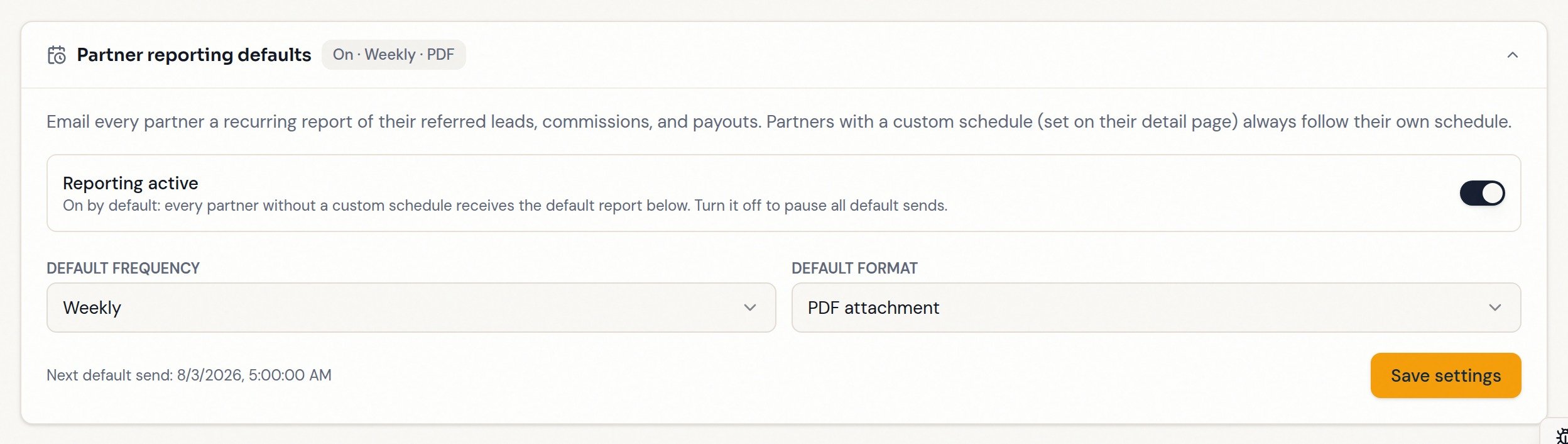
3
3. Open a partner and click "Settings"
Recurring report shows whether they follow the account default or have their own schedule.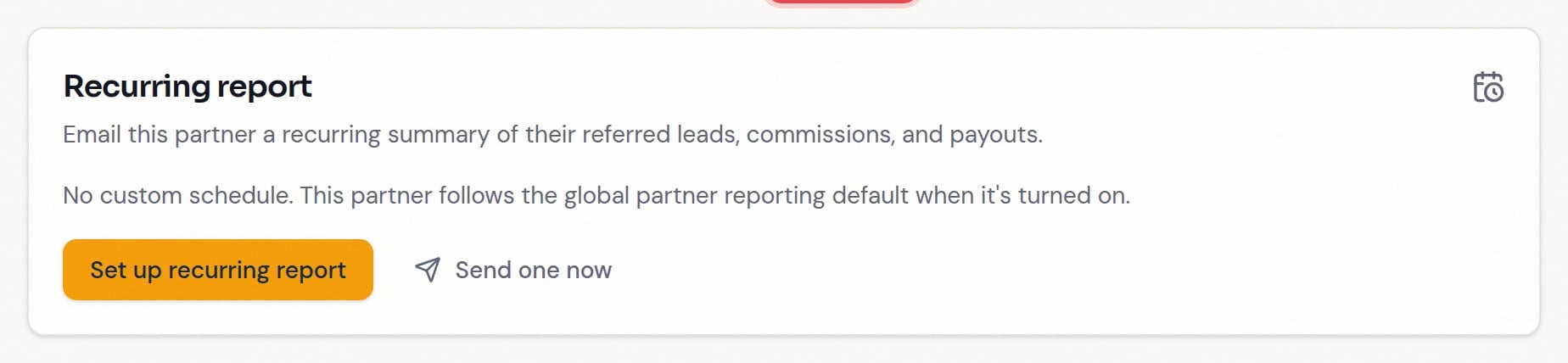
4
4. Click "Set up recurring report"
Choose frequency, format, day, time, and timezone, and confirm recipients (prefilled with the partner’s email; up to 20, comma-separated). Click Create schedule — or Save changes when editing an existing one. A custom schedule fires on its own settings whether or not the account default is on; Remove (use global default) puts the partner back on the default.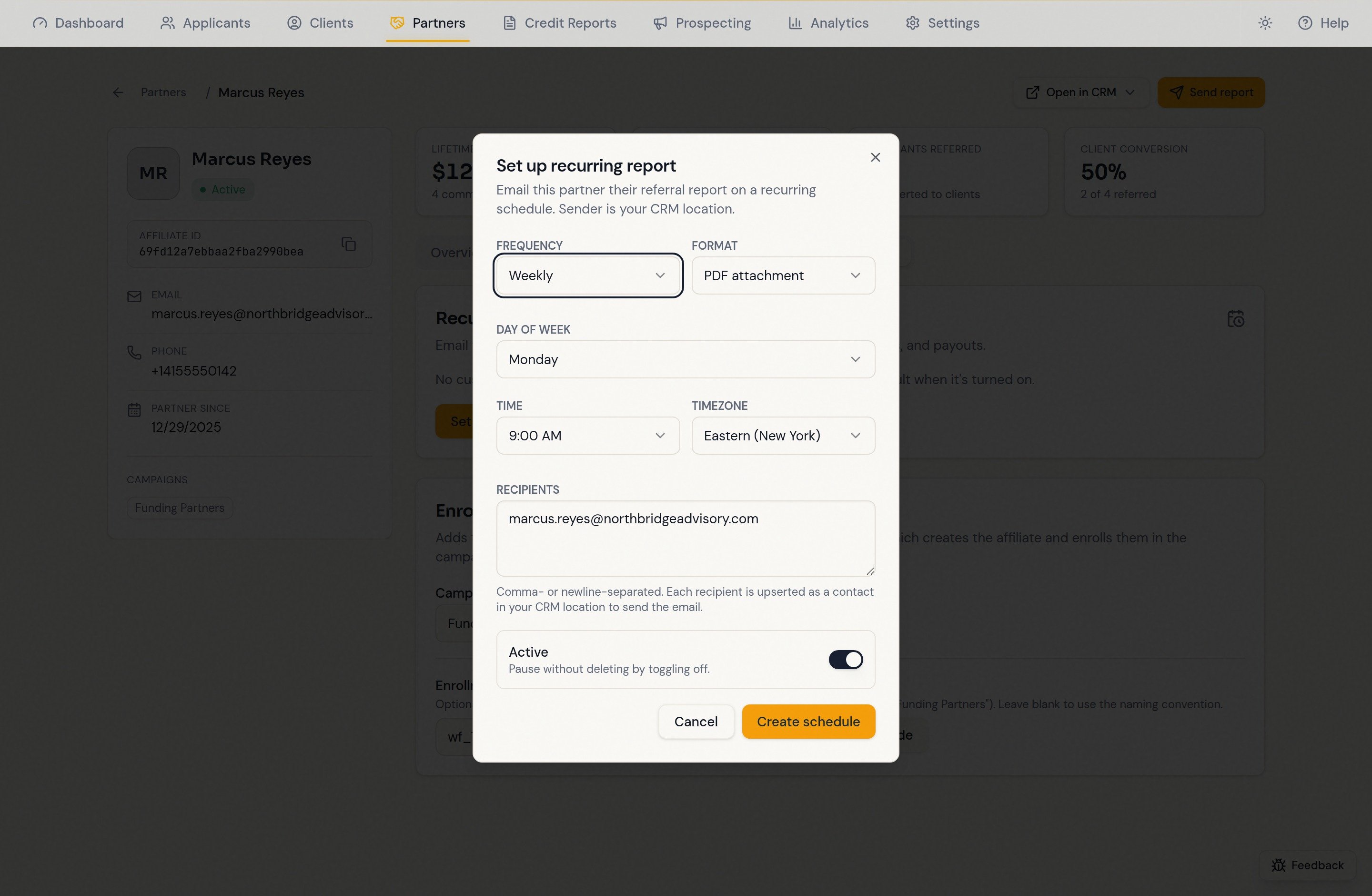
5
5. Click "Send report" for a one-time send
Click Send report in the record header — for a partner call or after a big month — then check the recipients and format and send. Does not change any schedule.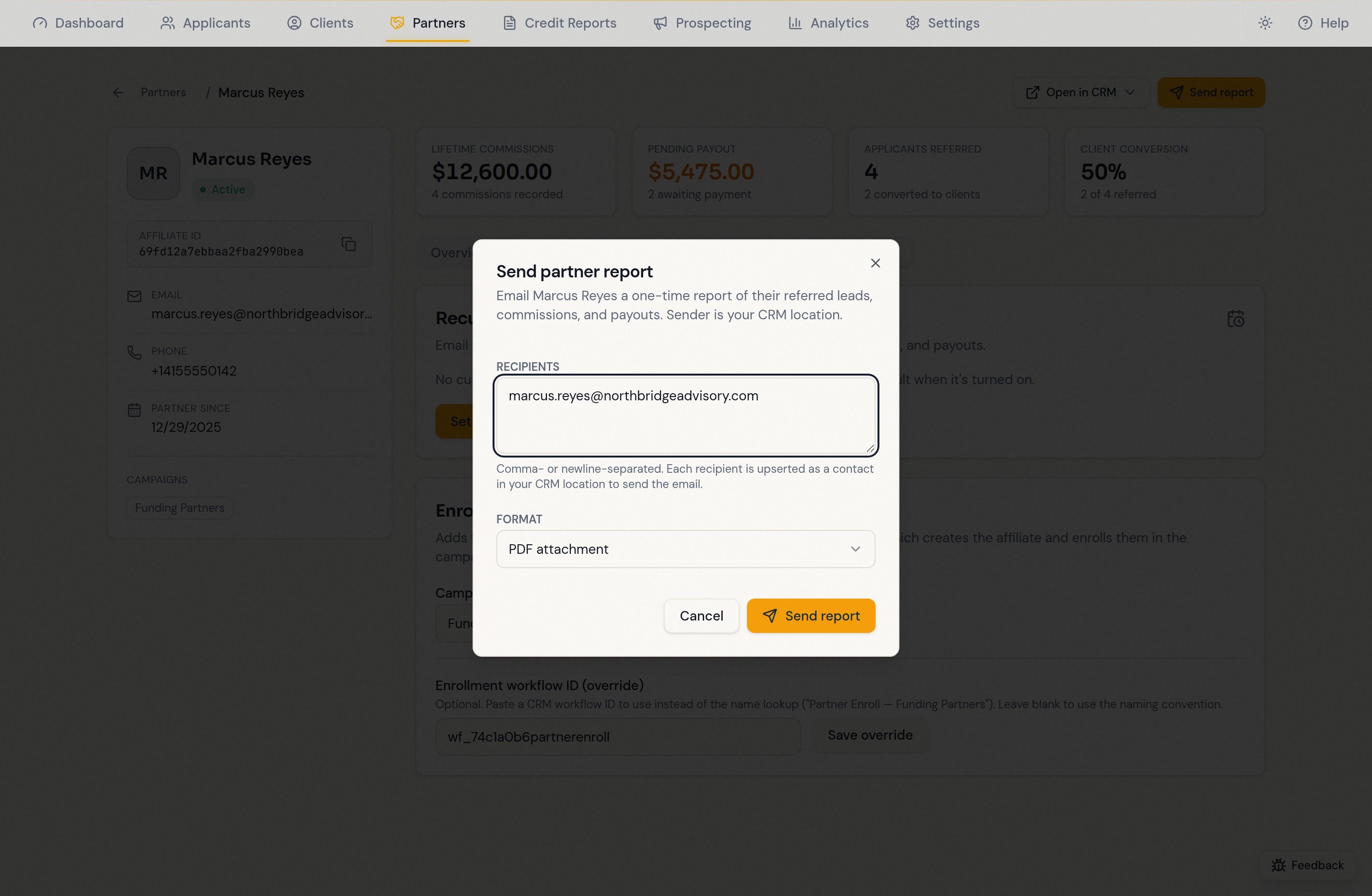
What the partner receives
Reports include CRM-confirmed referrals even when no commission exists. They use the same referral population as the partner record and automatically read additional contact pages. See Referral tracking for synchronization, conflicts, and report limits. Their own referred contacts and funnel positions, commission totals, and recorded payouts — as a branded PDF attachment or a CSV download link. The email sends from your CRM location, so recipients are created or updated as contacts there. Custom report columns include Paid Commissions and Unpaid Commissions for each referred contact. Unpaid includes pending and approved commissions; denied, canceled, and unknown statuses do not count as unpaid. Commission Total retains all recorded amounts and is not a balance owed. Payout rows retain their CRM status.Tips
- Weekly PDF is the safe default; reserve custom schedules for exceptions.
- A delivery problem is recorded as a Last send issue line on the schedule card.
- Pause the account default while the email sender or reporting data is under maintenance.
FAQ
A partner says they never got their report.
A partner says they never got their report.
On their Settings tab check, in order: a custom schedule exists and isn’t paused; the account default is on if there’s no custom schedule; the recipient address is right. Then test with Send report instead of waiting for the next run.
Some recipients got the report and some didn't.
Some recipients got the report and some didn't.
The dialog reports exactly that and rewrites the recipient field to the failed addresses only — sending again retries just those.
Does turning the account default off stop all partner emails?
Does turning the account default off stop all partner emails?
It stops default sends. Partners with a custom schedule keep receiving theirs, by design.