How to Pay Your Partners
Payouts are generated automatically from your campaign commissions; you choose how to pay them. You can use any provider as long as you mark payouts as completed, but two built-in paths cover most programs:- Auto payouts via PayPal (fastest) — pay partners in bulk directly from the Affiliate Manager through the PayPal Payouts API, with no manual marking.
- Bank payments — process transfers through your bank, then mark the payouts as paid.
Control which payout methods partners see under Affiliate Manager → Settings → Affiliate Portal Settings. Partners only see the methods you enable.
Auto payouts via PayPal
After a one-time setup, the PayPal Payouts API pays multiple partners at once without leaving the platform — no logging into PayPal, no manual “paid” marking.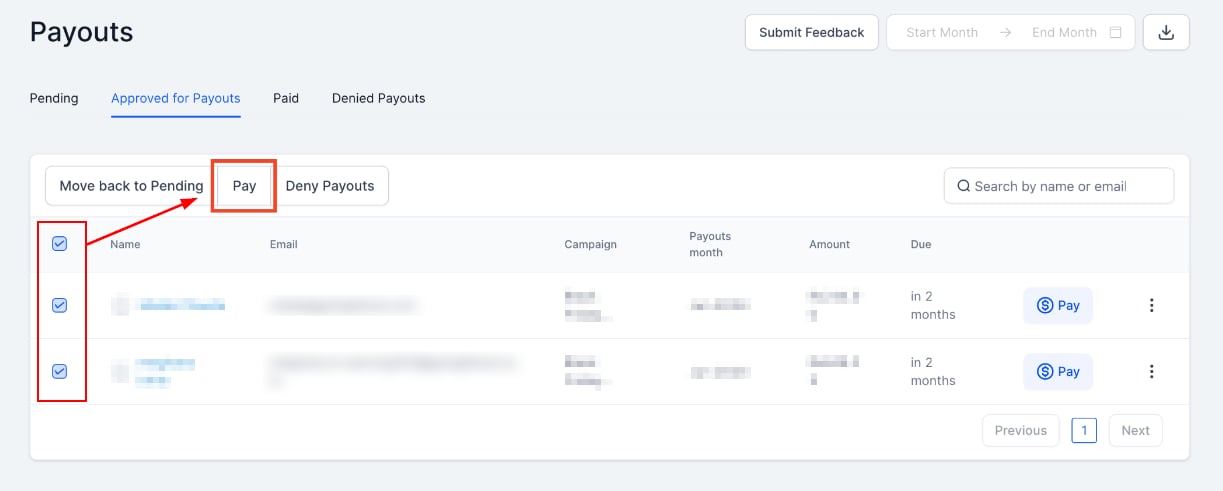
Manual payments via bank transfer
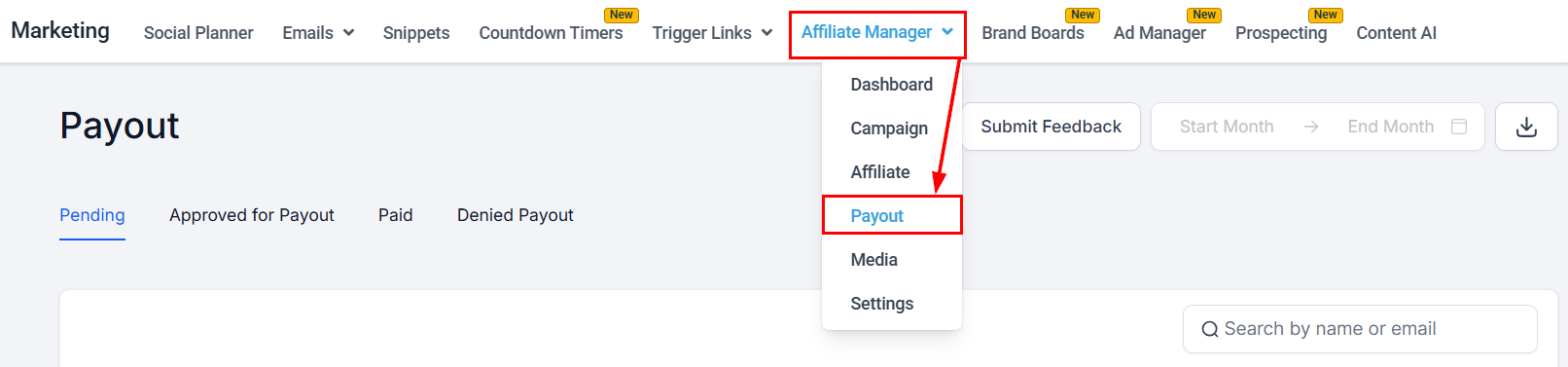
- Open the Affiliate payouts section.
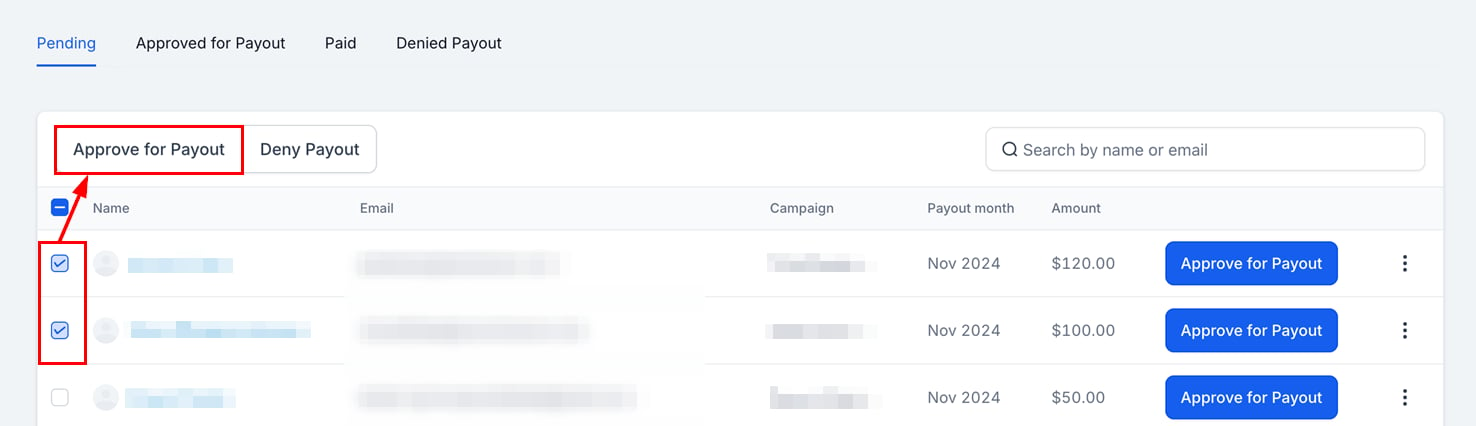
- In the Pending tab, approve the payouts you want to process.
- In the Approved for Payout tab, select the payouts to process.
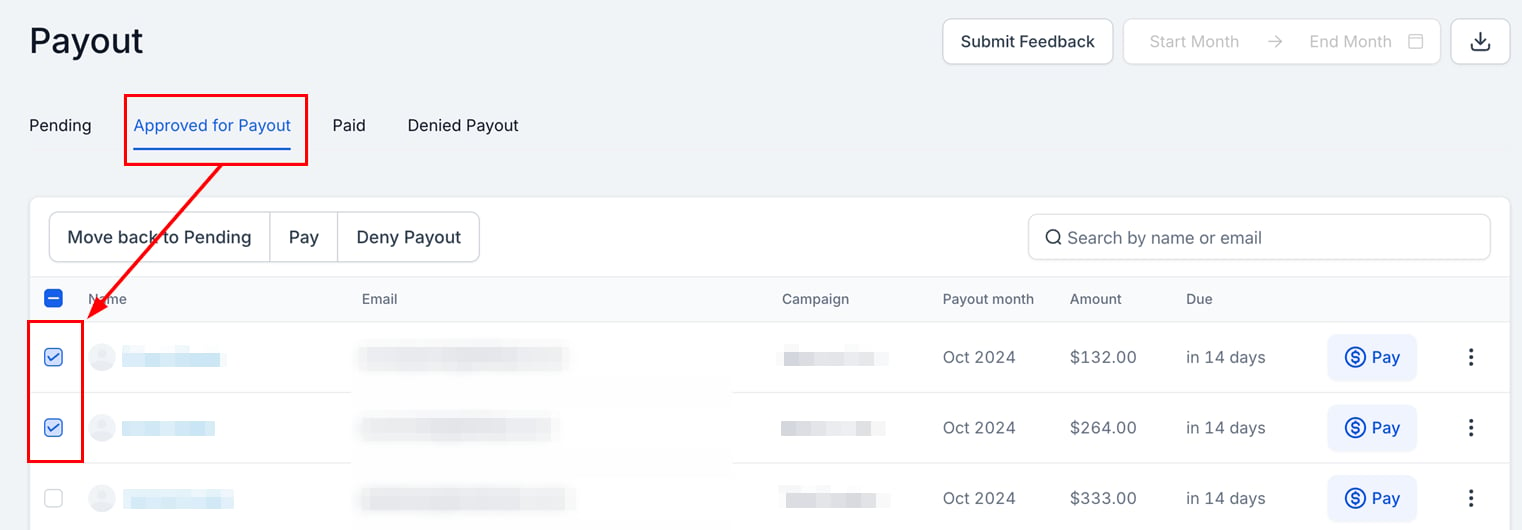
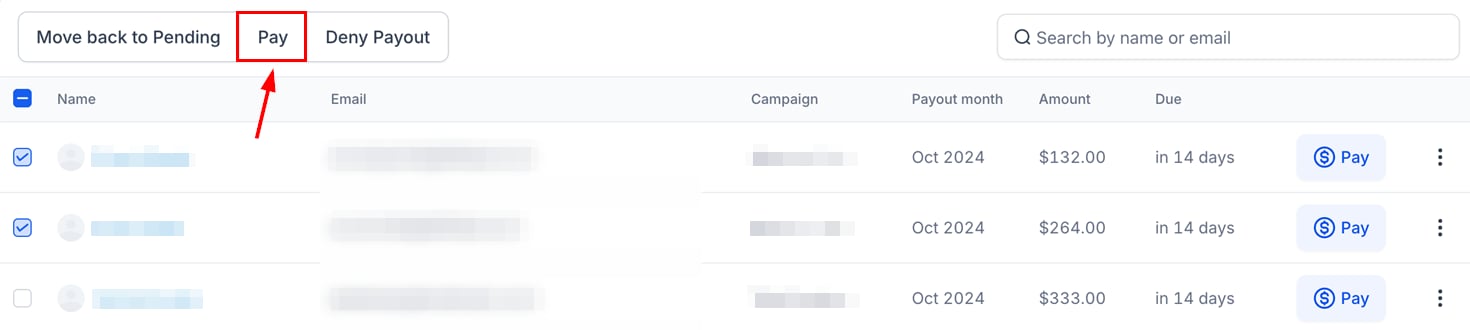
- Click Pay.
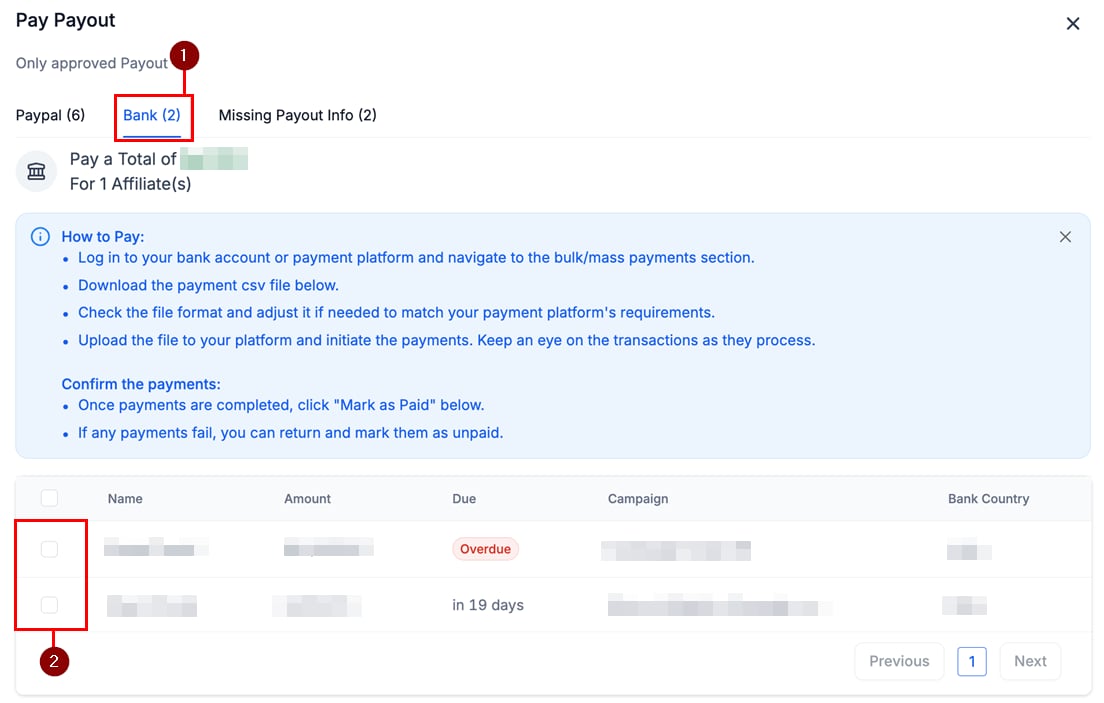
- In the payment method window, open the Bank tab and verify the partners to pay.
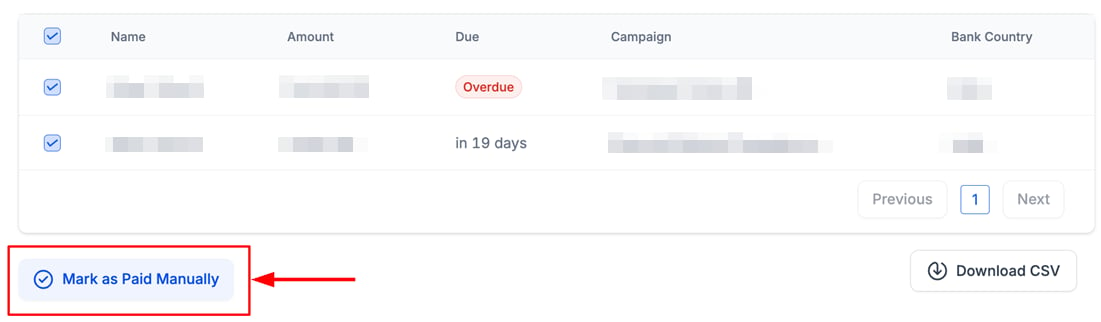
- Download the CSV and complete the payment through your banking platform.
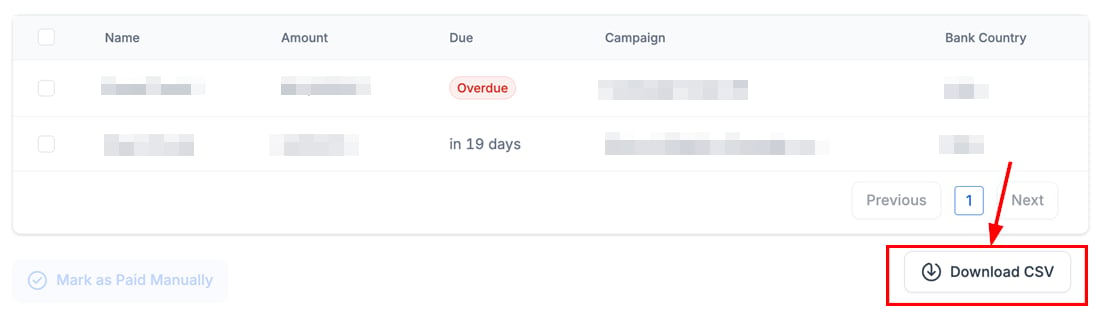
- Once paid, click Mark as Paid to update the status.