How to Enable Sub-Affiliate Sign-Ups for Partners

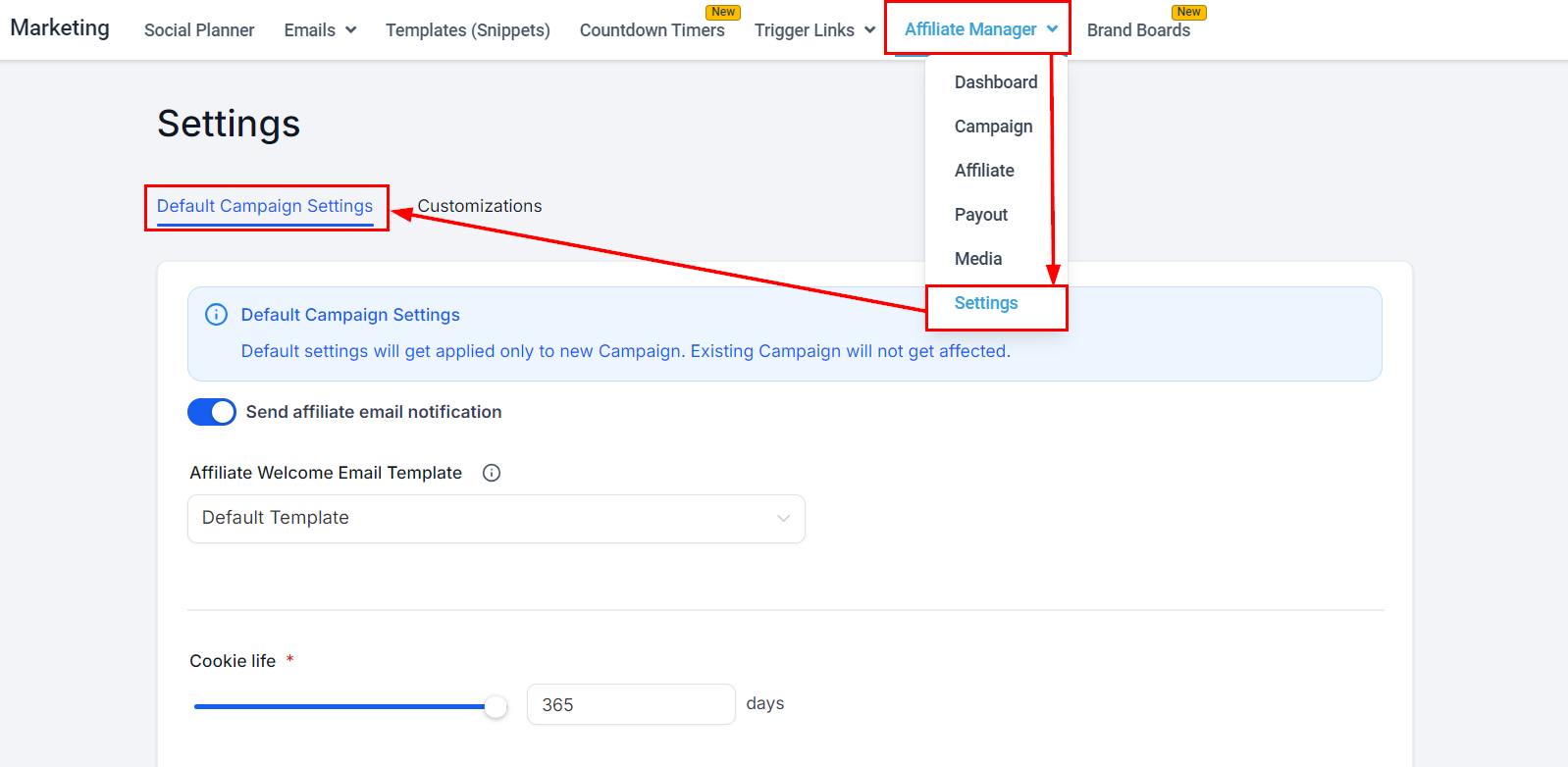
If you’re running affiliate campaigns you might want to consider setting sub-affiliates. Sub-affiliates allow you to get the most out of your referral program by having your partner network grow your audience even more. You can enable this option from the get-go or if you have an active affiliate campaign you can add it at any point. To start go to your Affiliate Manager inside the Marketing section and access your Settings. Inside Settings, you should see Default Campaign settings pop up.

How to Enable Sub-Affiliate Sign-Ups for Affiliates in the Affiliate Manager
Toggle “Sub-Affiliate signup page”, this will show a drop-down menu for you to select a form, please keep in mind that first name, last name, and email have to be marked as required fields or the form can not be chosen. After the form is selected press Save, you can come back to modify this later as well.
How to Enable Sub-Affiliate Sign-Ups for Affiliates in the Affiliate Manager (2)
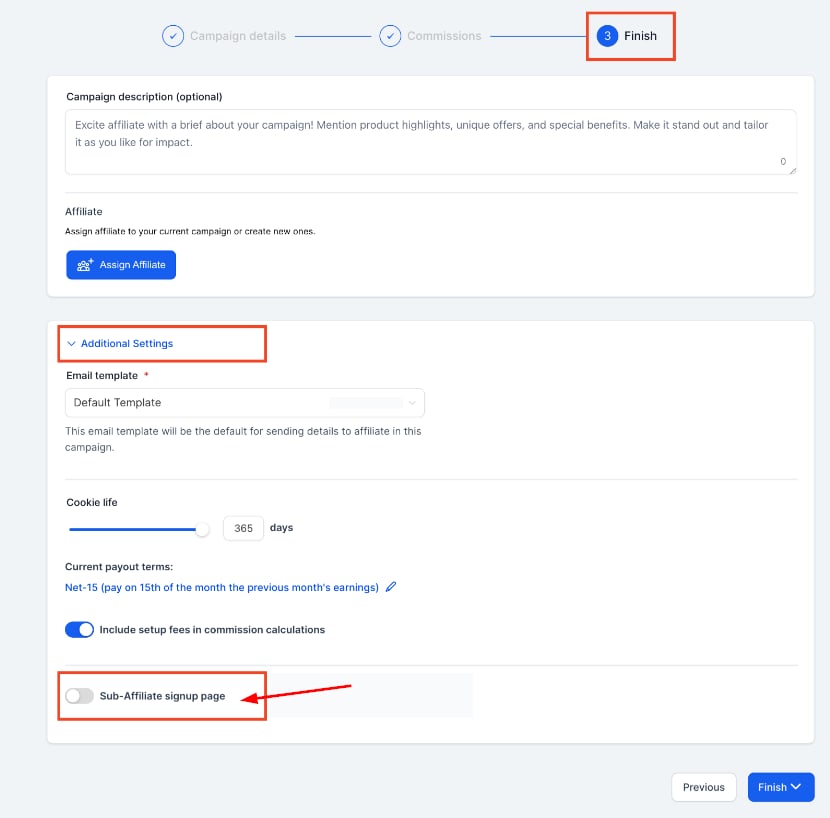
You can also enable this option when creating a new campaign on the Finish step, by opening Additional Settings and toggling the option.
How to Enable Sub-Affiliate Sign-Ups for Affiliates in the Affiliate Manager (3)
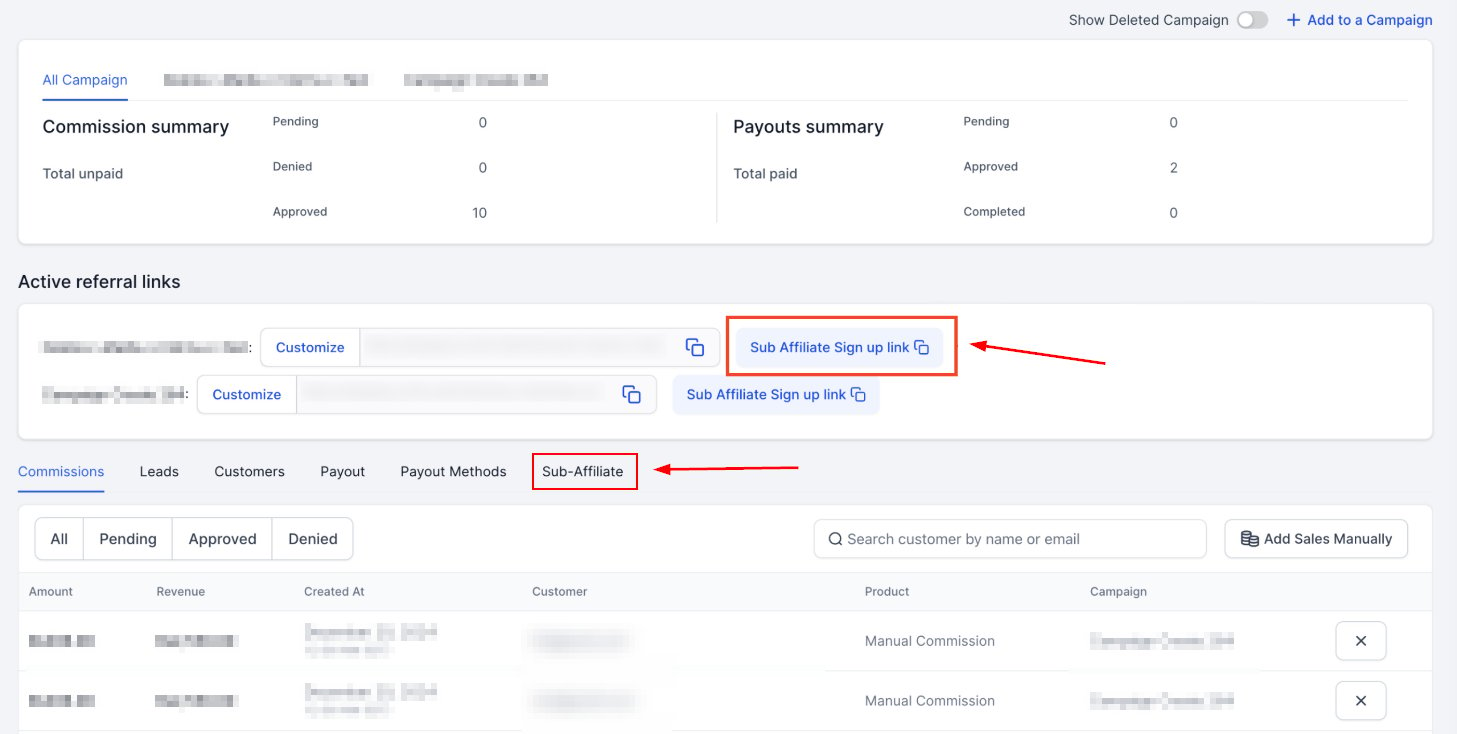
When you enable this option for a campaign each partner will get a Sub Affiliate sign-up link and the sub-affiliates will be under their profile.
How to Enable Sub-Affiliate Sign-Ups for Affiliates in the Affiliate Manager (4)
By following the steps outlined above, you can seamlessly integrate sub-affiliates into your marketing strategy, boosting growth and engagement with minimal effort. Don’t hesitate to revisit and adjust your settings as your campaign evolves for continued success.