

Affiliate Level Commission Settings
Set a custom commission rate for one partner within a campaign — for example, to reward a top performer. Partner-specific settings override the campaign-level rates.Steps
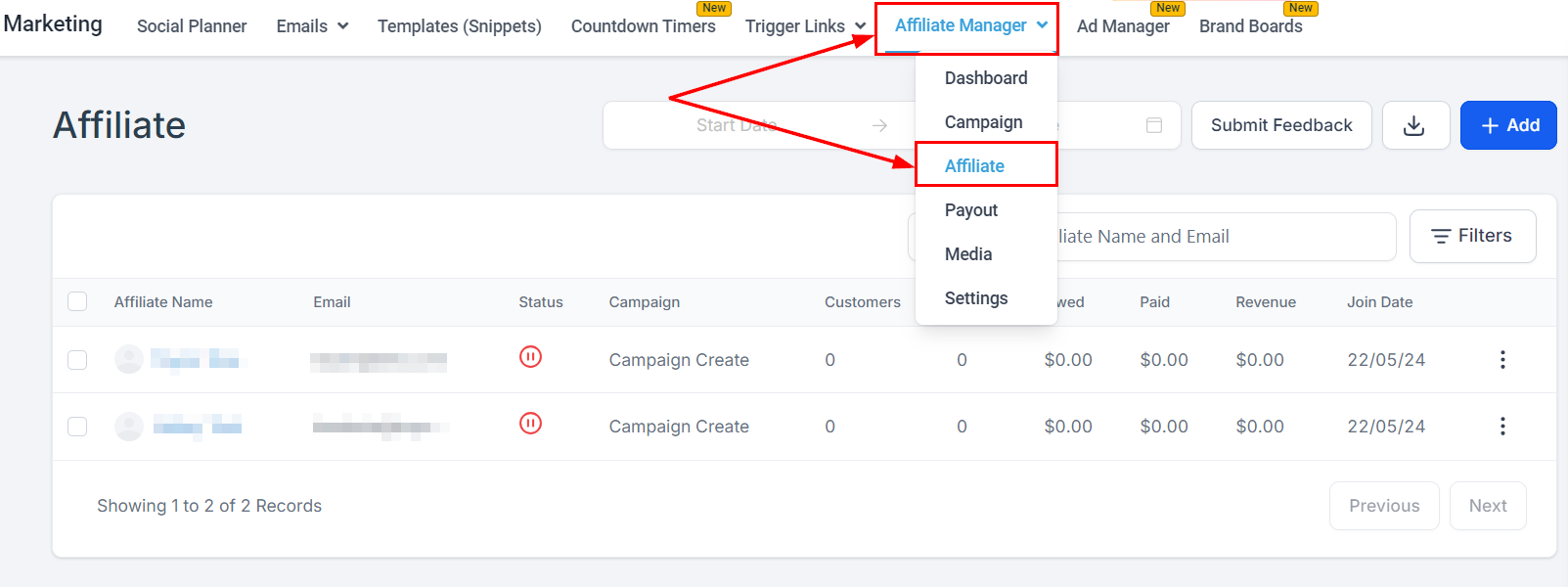
- Open the Affiliate Manager, go to the Affiliate page, and select the partner.
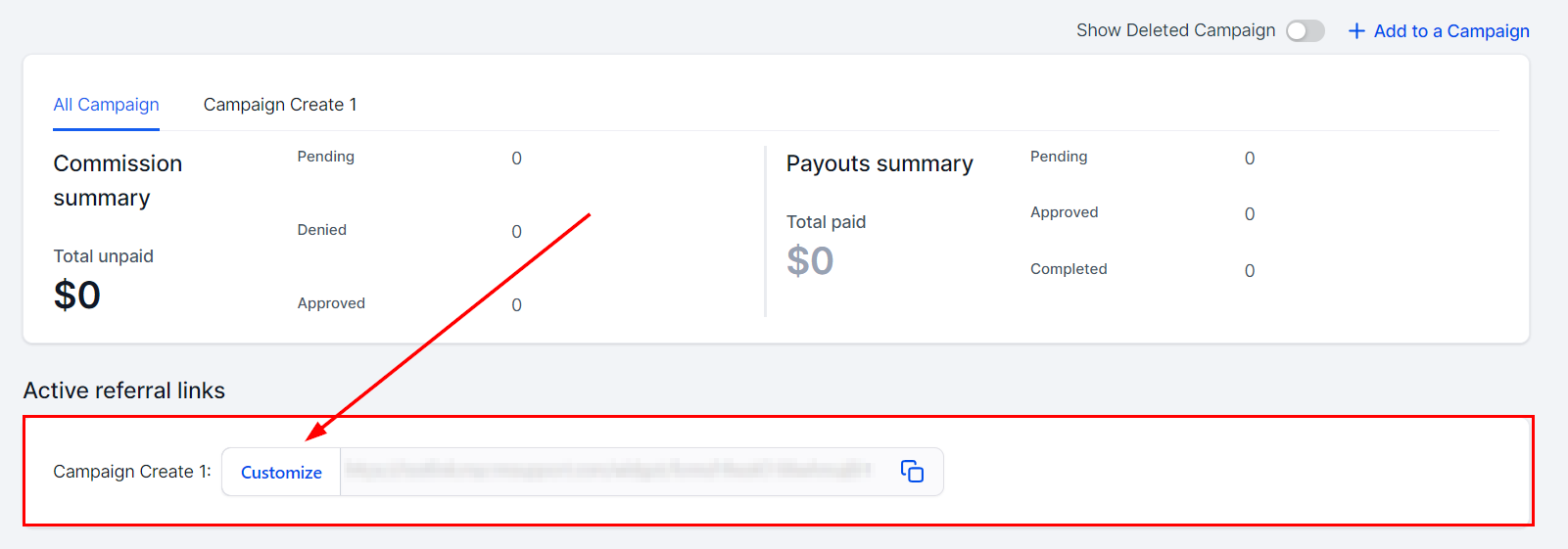
- Scroll to the Active Referral Link section and click Customize next to the campaign to override.
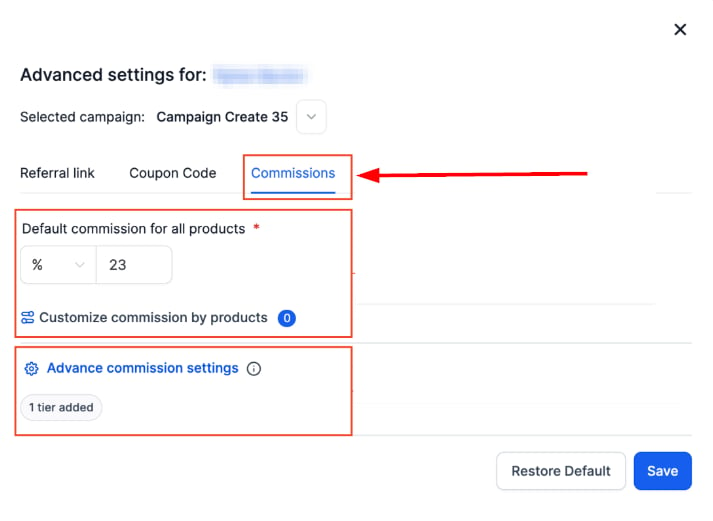
- In the Commissions tab, enter the custom rate. You can configure Default Commissions and Product-Based Commissions, and set per-tier rates on multi-tier campaigns. Save to apply.
Important notes
- Precedence: affiliate-level settings always win over campaign-level settings for commission calculation.
- Tier management: the tier dropdown is disabled in the partner’s profile — change tiers in the campaign settings instead.
- Support: only campaigns whose source is a funnel or website support this feature.