How to Set Up Multi-Tier Commissions for Your Affiliate Campaigns
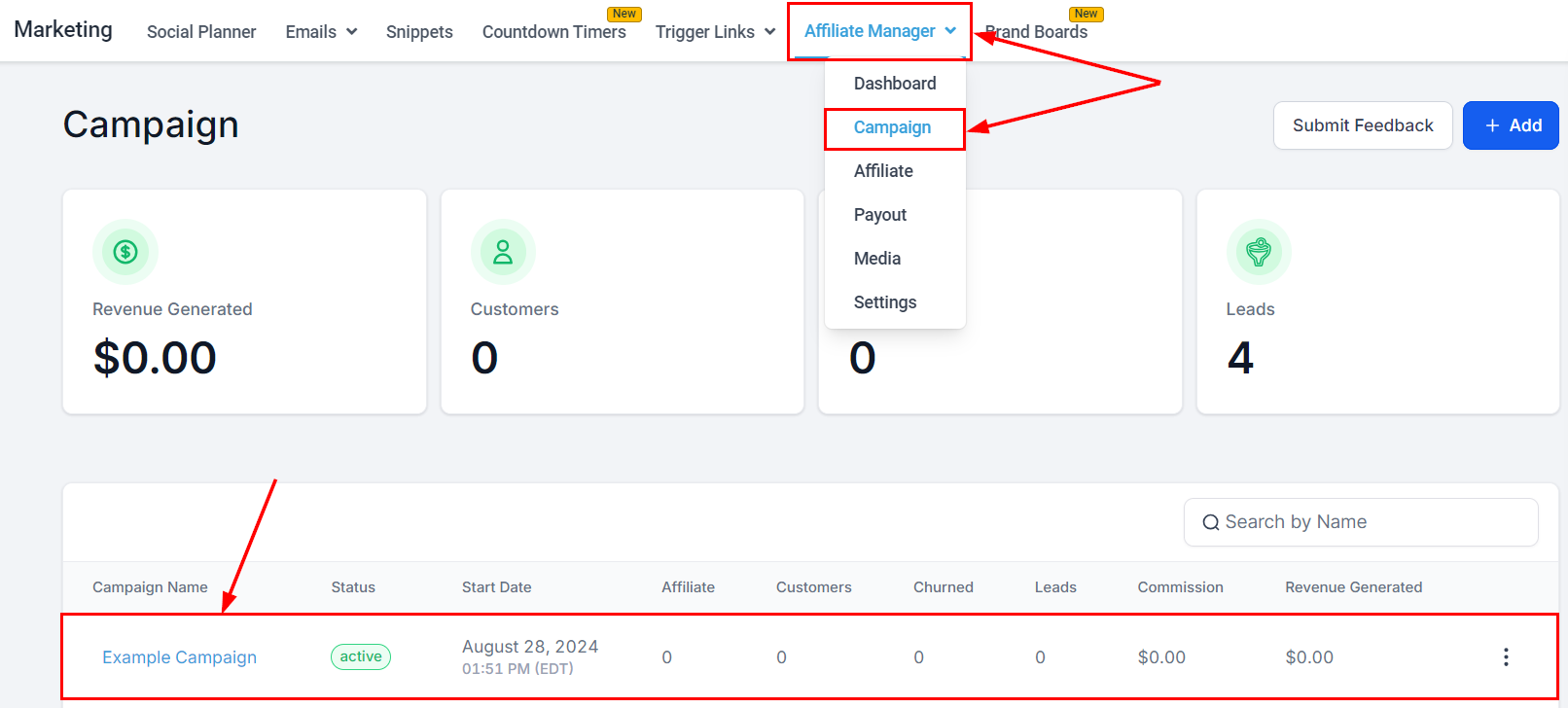
Multi-tier commissions pay partners on their own sales and on the sales of their sub-affiliates, with fixed rates or percentages per tier. The platform supports up to seven tiers, so parent partners earn from their whole network — a strong incentive to recruit.- Open an existing campaign, or click Add in the Affiliate Campaign view to create one.
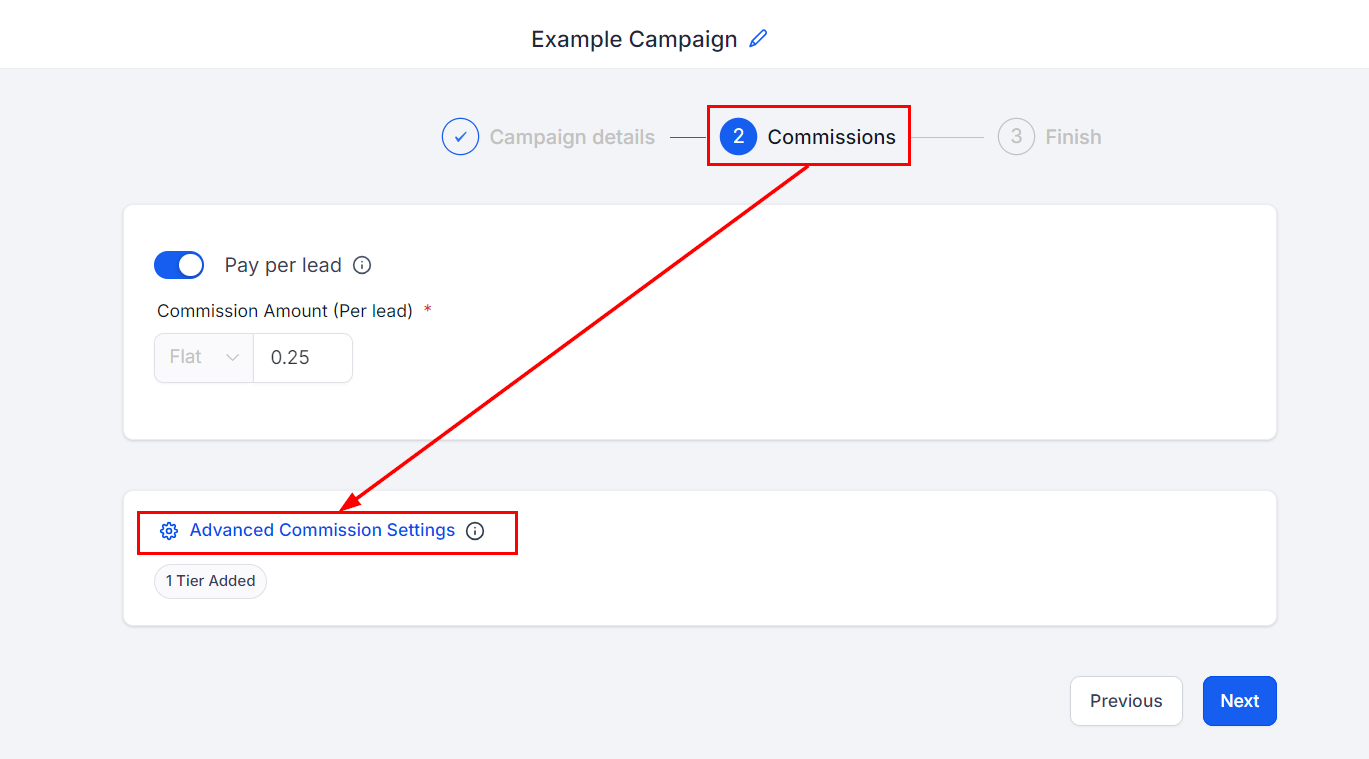
- In Step 2, activate Pay Per Lead (for Forms, Surveys, or Calendar sources) or set a Default Commission (for Funnel, Website, or Store sources), then click Advanced Commissions.
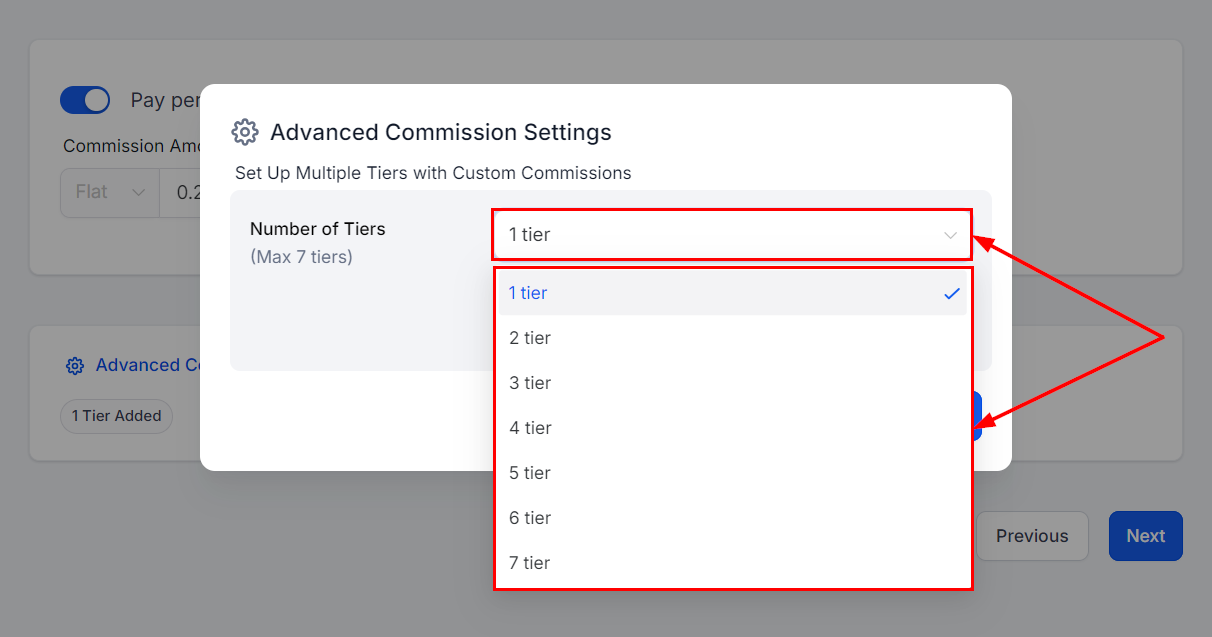
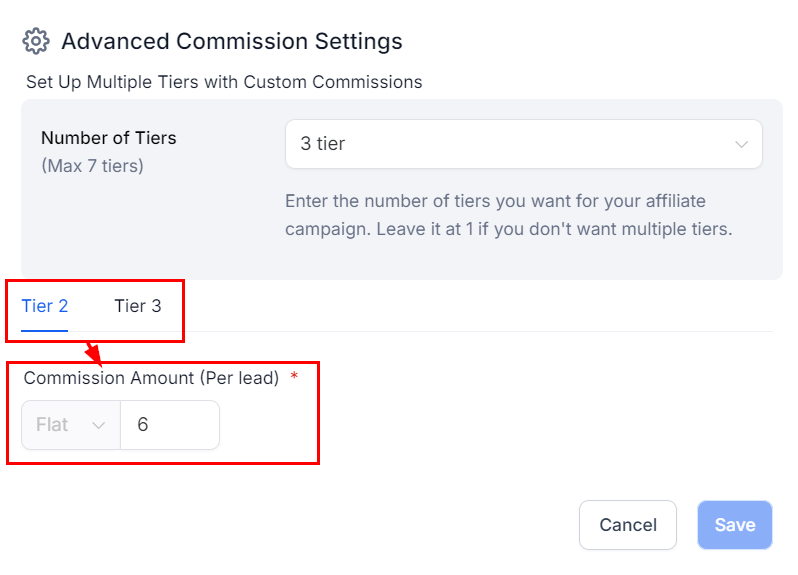
- Choose the number of tiers from the dropdown.
- Set default, per-lead, or product-based commissions for each tier. The options shown depend on the source type.
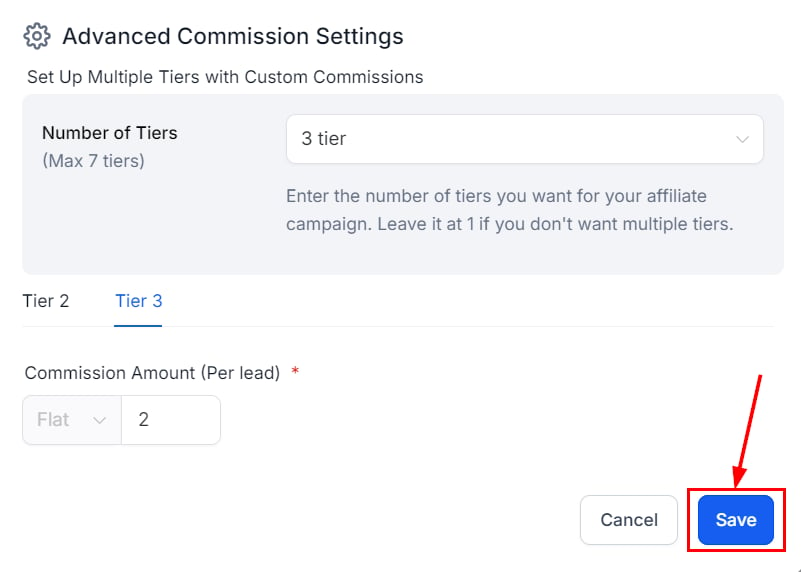
- Save the Advanced Commission settings, then complete the final step’s fields.
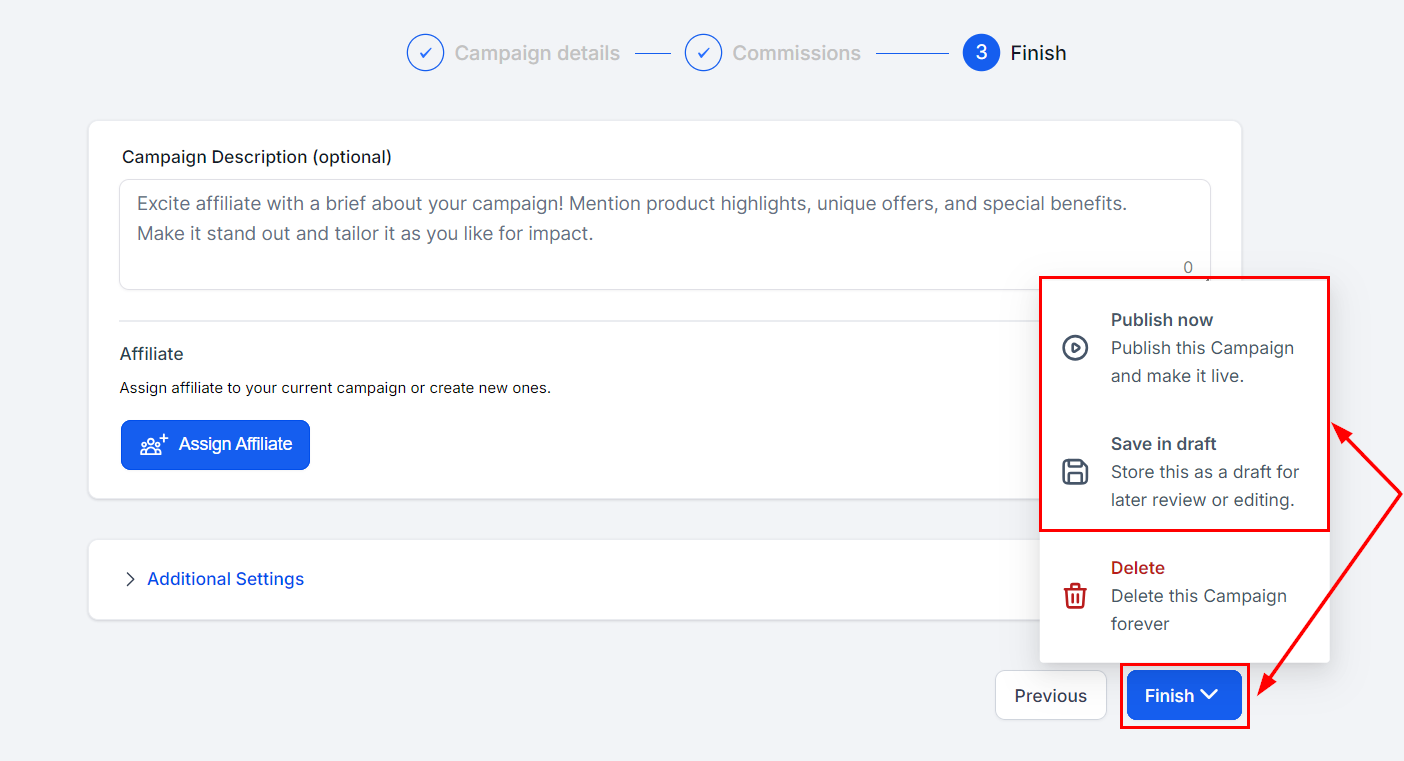
- Click Finish, then Publish Now or Save as draft.