

How to Manage Customers Under Partners
Disable, re-enable, move, or remove a customer attributed to a partner, and delete commissions that need correcting. Start in the Affiliates section of the Affiliate Manager.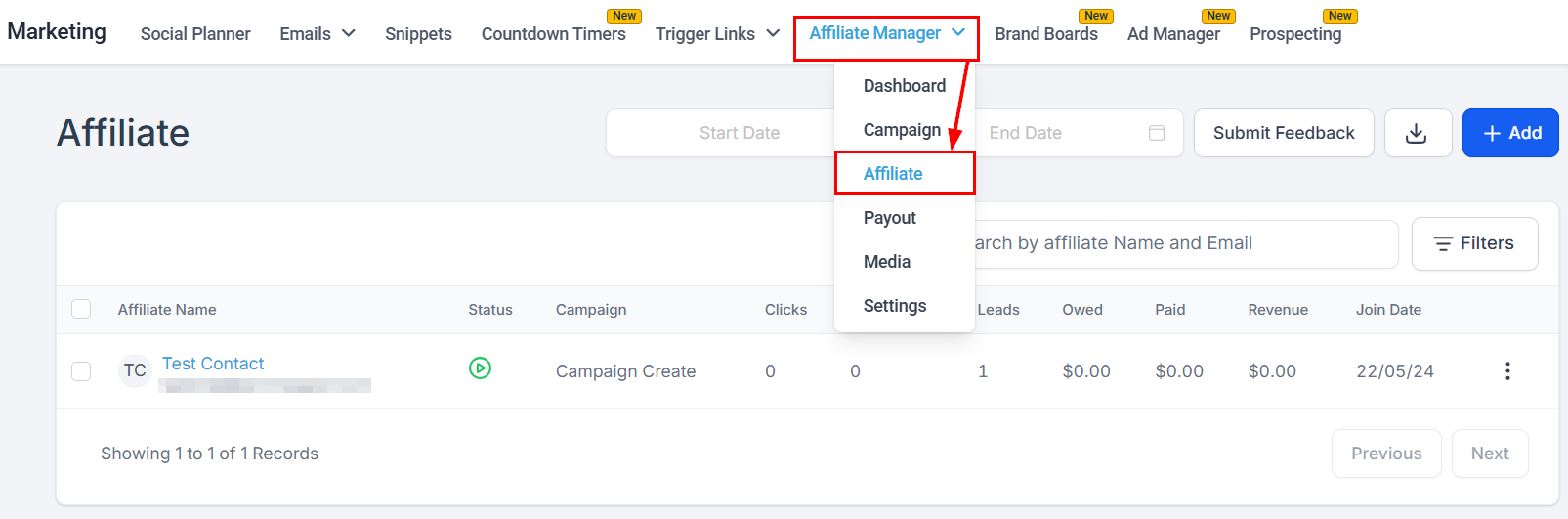
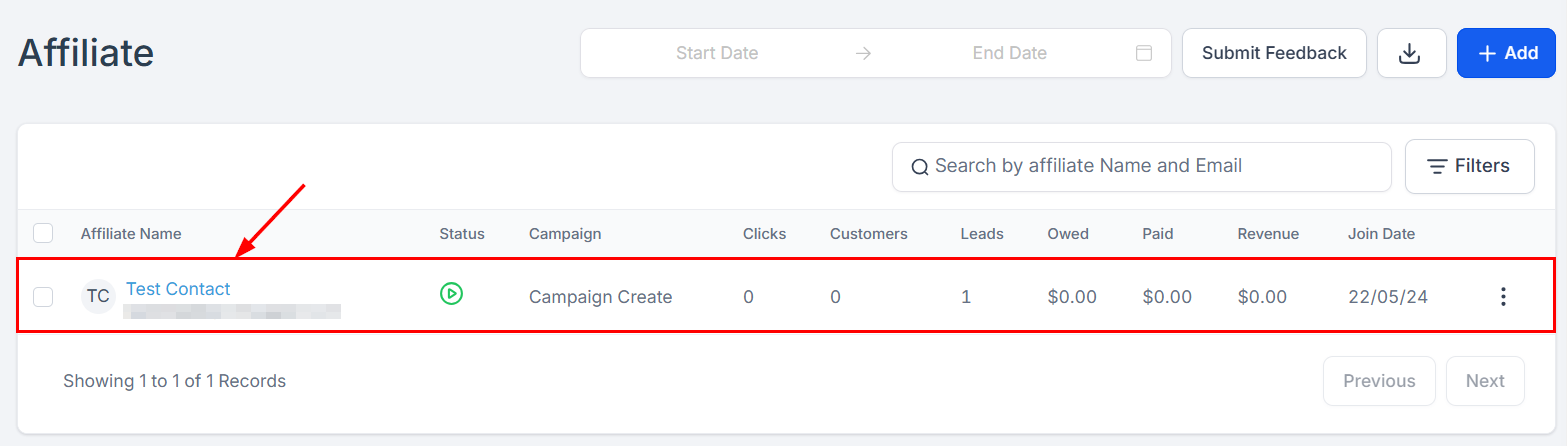
Disable or enable a customer
In the Customers tab, find the customer (search or filter), click the three dots next to their name, select Disable Customer or Enable Customer, and confirm.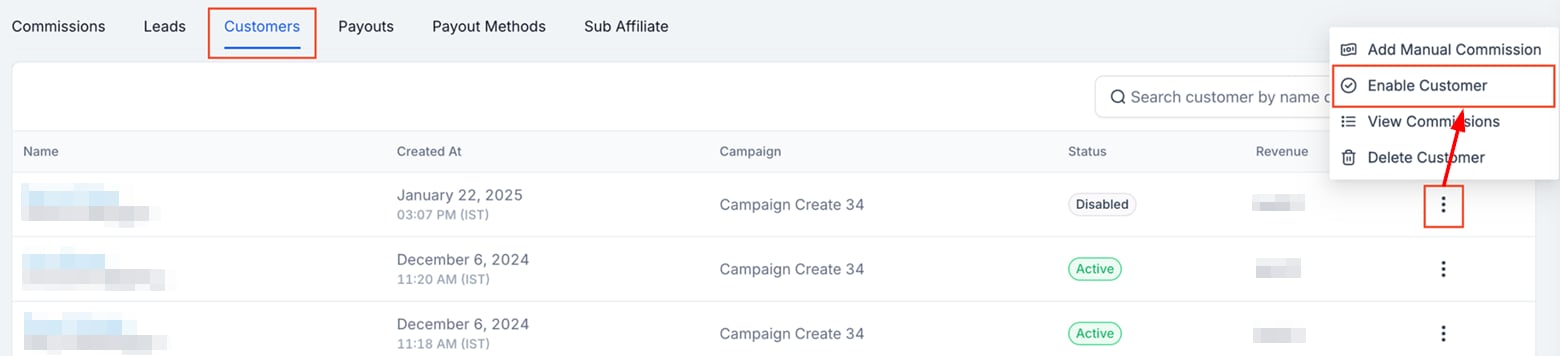
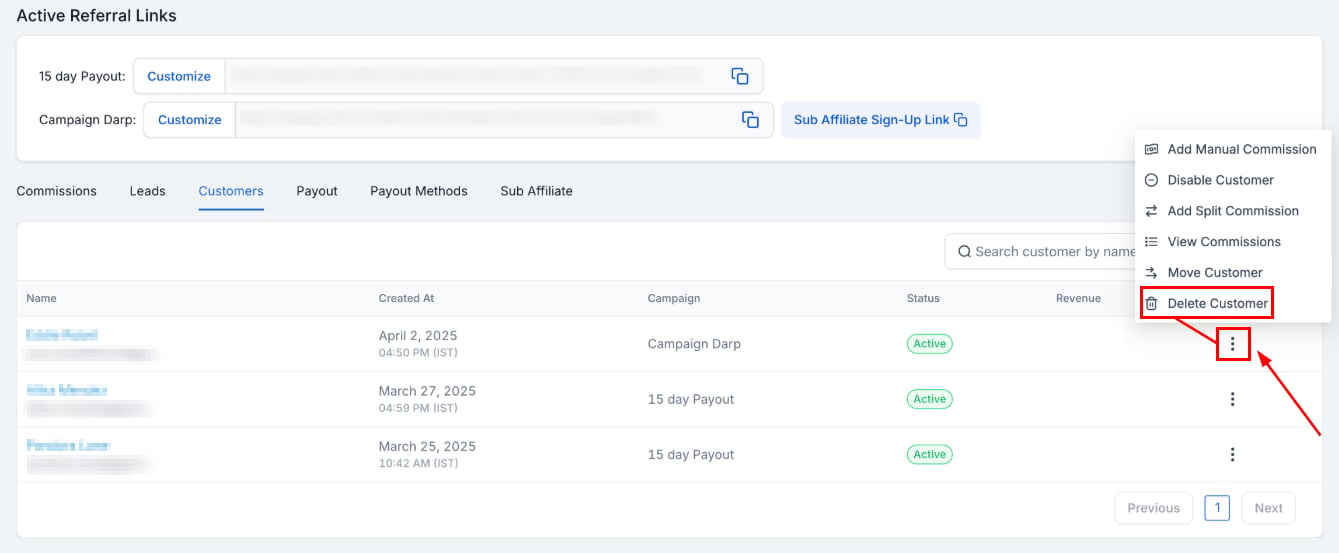
Move or remove a customer
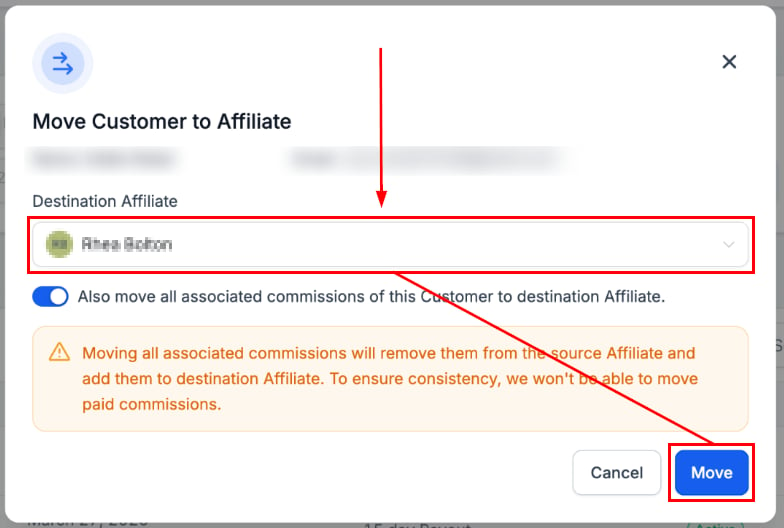
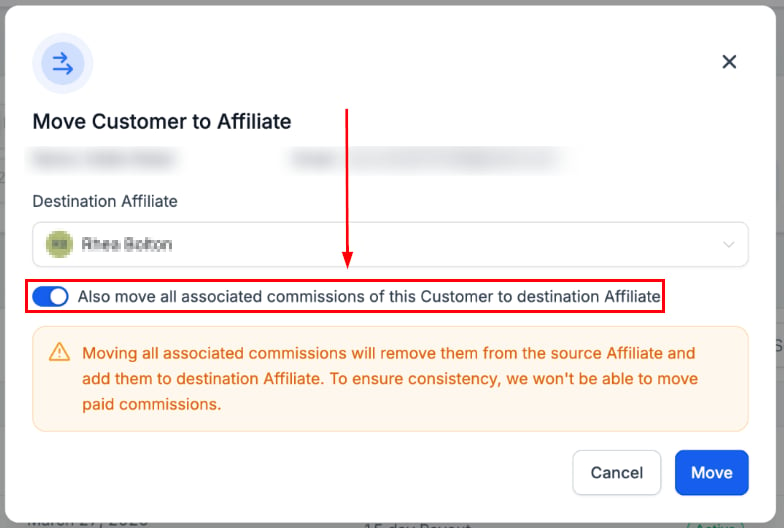
To re-assign a customer to a different partner, click Move Customer.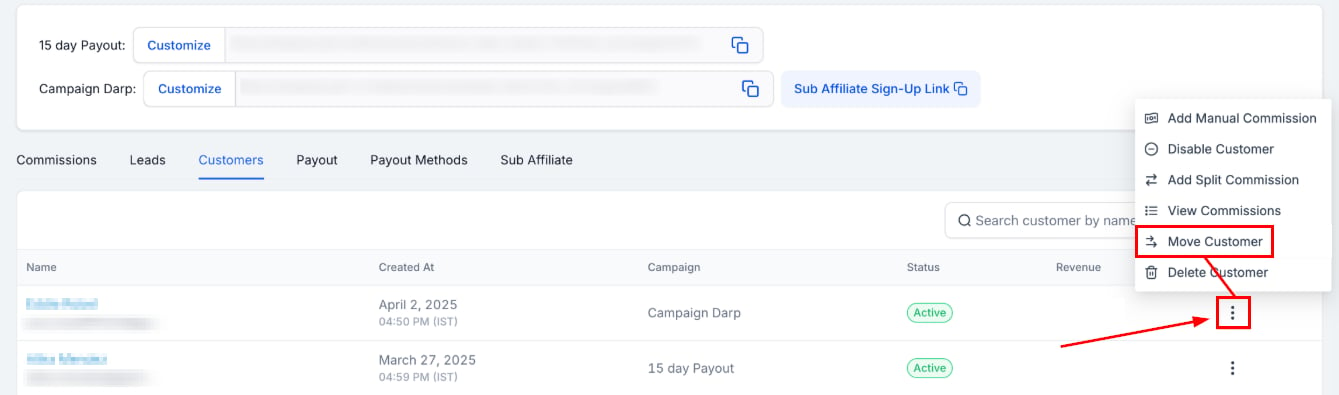
Delete a commission
To correct a commission, first view the commissions associated with the customer.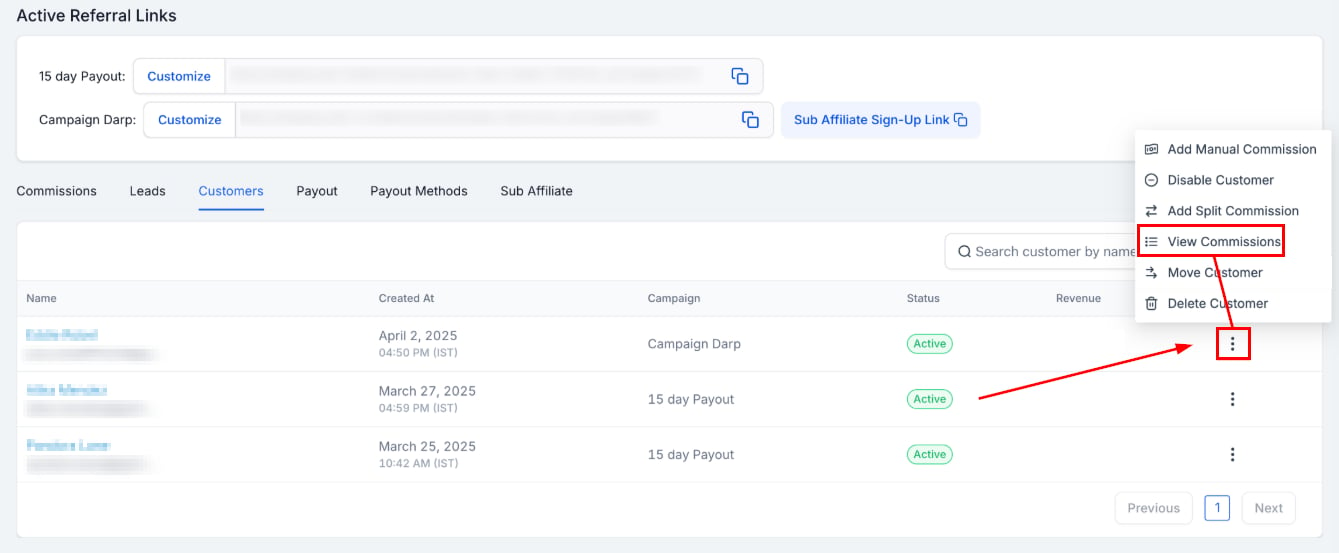
Only denied commissions can be deleted — deny the commission first if needed.

