

How to Import Affiliate Manager Campaigns

The Import feature brings campaigns built in FirstPromoter into the Affiliate Manager.
  1. Open the Affiliate Campaigns section under Marketing and click Import.
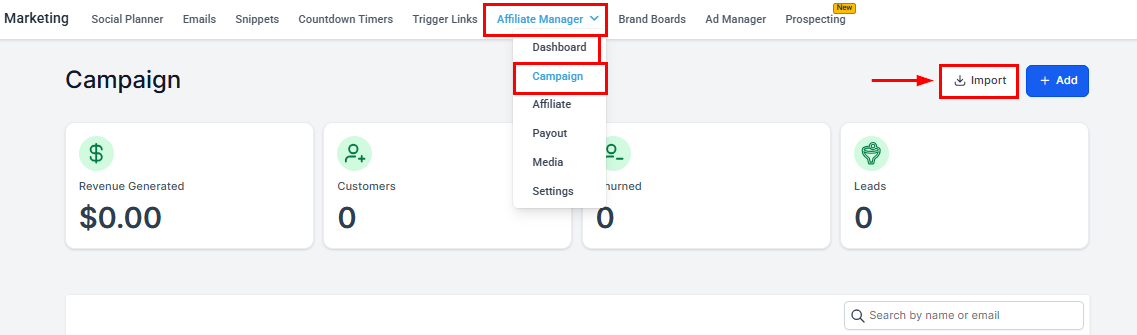
Importing Affiliate Manager Campaigns in the Affiliate Manager
  1. Enter your FirstPromoter Account ID and API Key (instructions for retrieving them appear below the fields), then click connect and fetch.
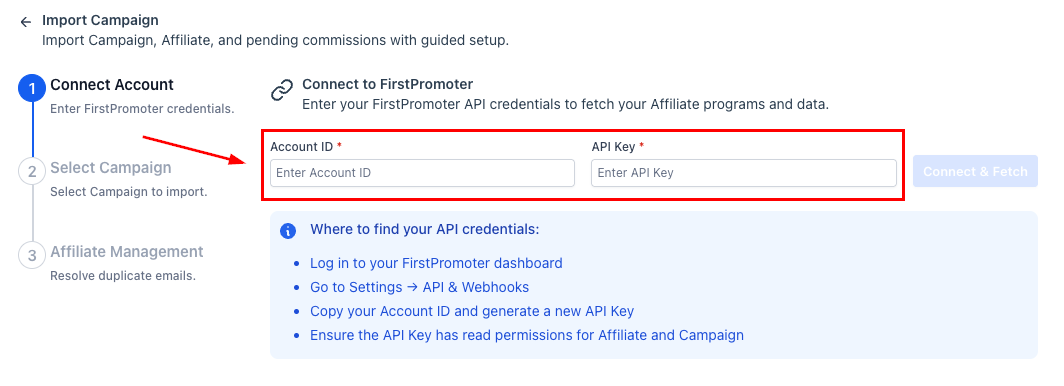
Importing Affiliate Manager Campaigns in the Affiliate Manager (2)
  1. Check the programs to import. You can review each campaign’s status, commission structure, partner count, and cookie duration, include pending commissions, and update the payout terms.
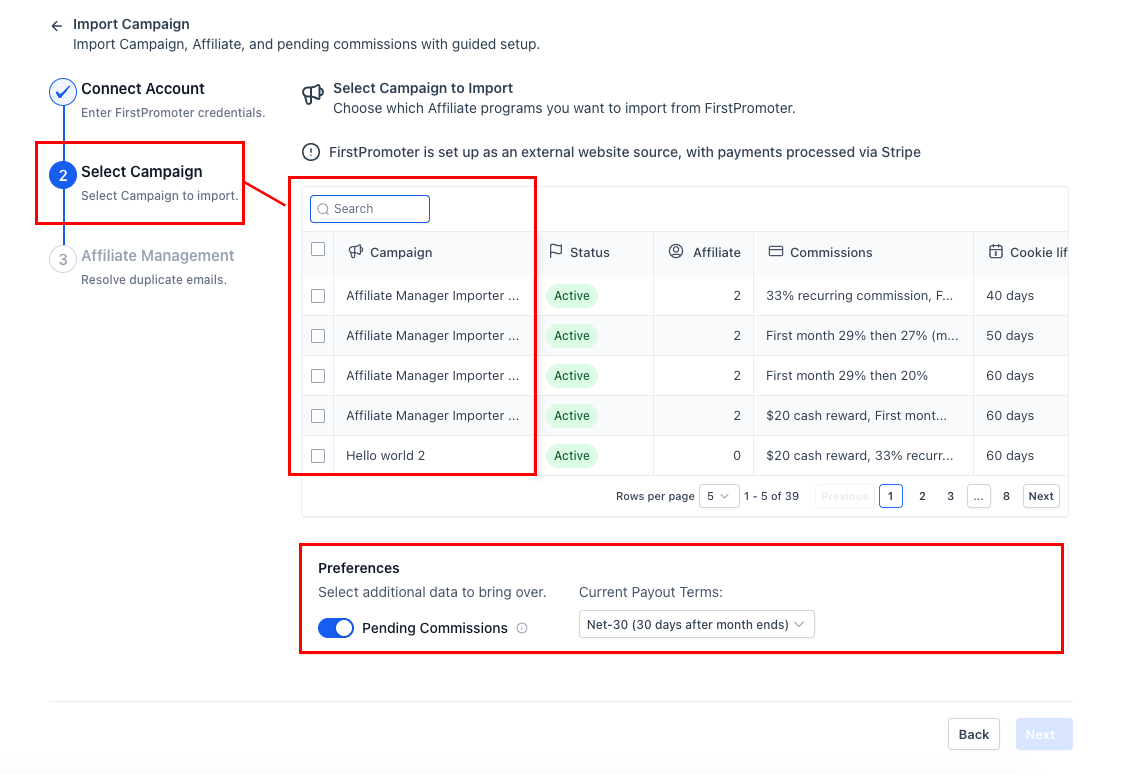
Importing Affiliate Manager Campaigns in the Affiliate Manager (3)
  1. Resolve contact conflicts — merge, skip, or decide per contact with side-by-side comparisons.
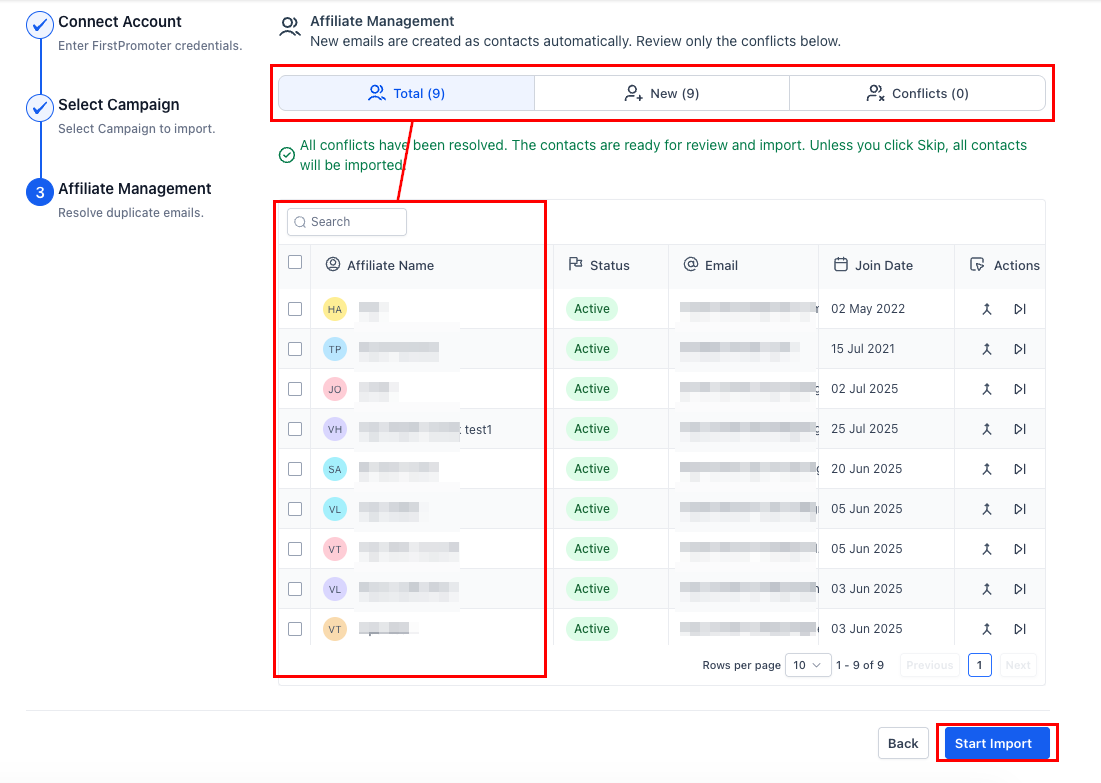
Importing Affiliate Manager Campaigns in the Affiliate Manager (4)
  1. Start the import. A summary shows what was queued and the next steps to start tracking.
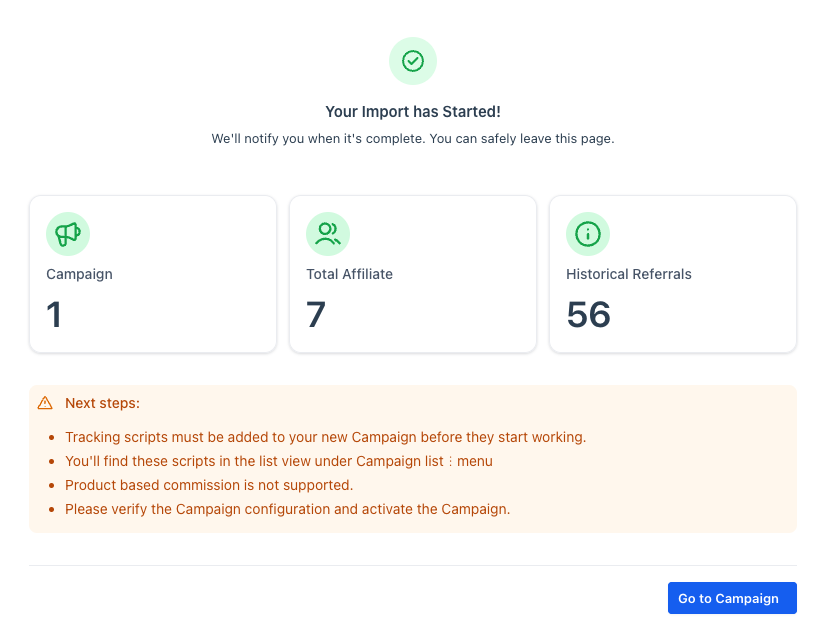
Importing Affiliate Manager Campaigns in the Affiliate Manager (5)

FAQ

What happens to commission statuses during import? Each keeps its original status (Pending, Approved, etc.); payout timing follows your Payout Terms in Preferences. Can I include unpaid earnings? Yes — enable Pending Commissions so unpaid items land in the payout workflow. Are product-based commissions supported? Not during the import. Configure product-based rules in Affiliate Manager afterwards.