Setting Up an Affiliate Campaign

Click +Add in the upper right of the Campaign view to start.
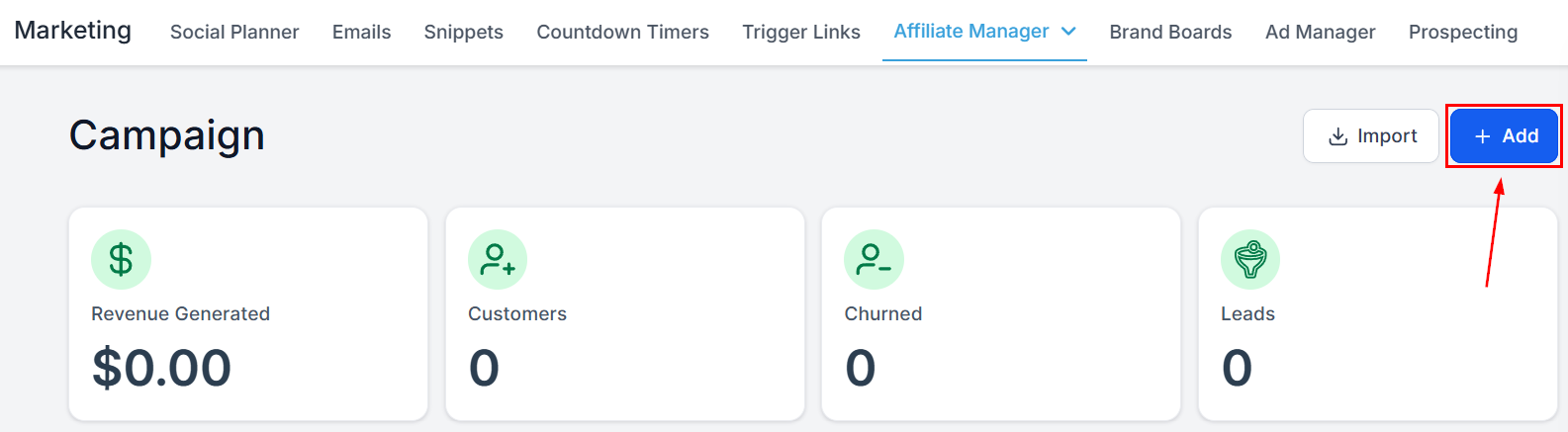
Setting Up an Affiliate Campaign in the Affiliate Manager

Campaign Details

Campaign Name

Enter a distinctive name — it is the campaign’s identifier.
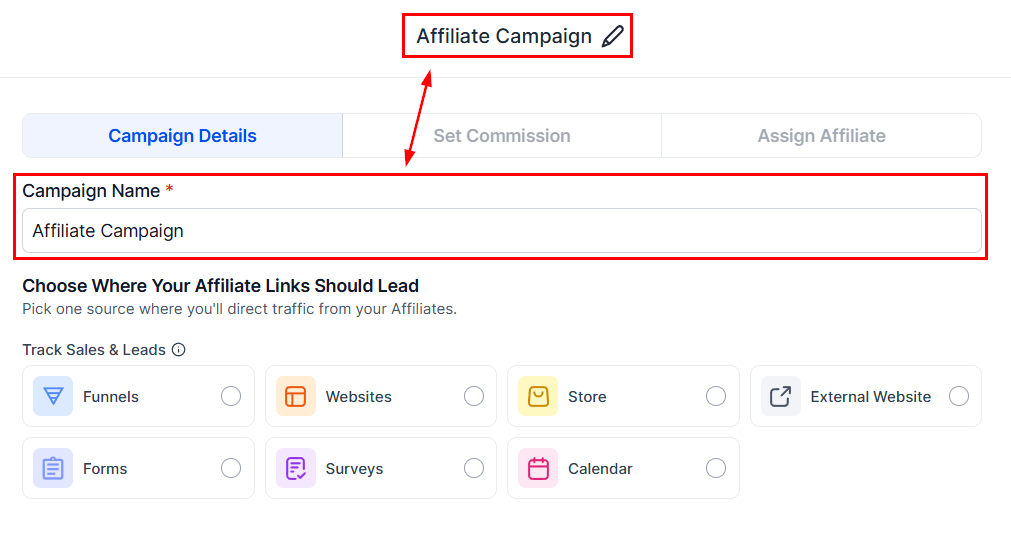
Campaign Name in the Affiliate Manager

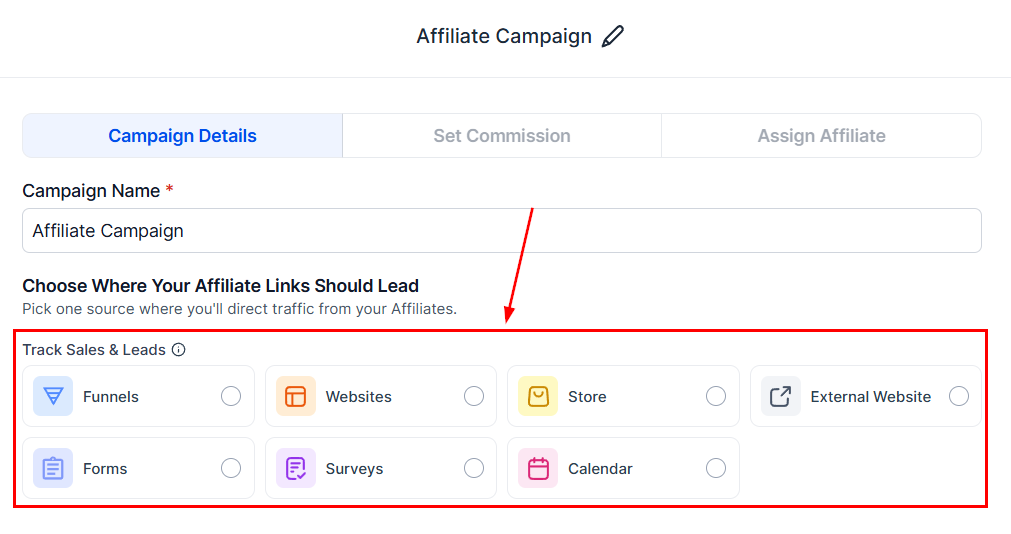
Source

Select where the partner’s leads will originate.
Source in the Affiliate Manager
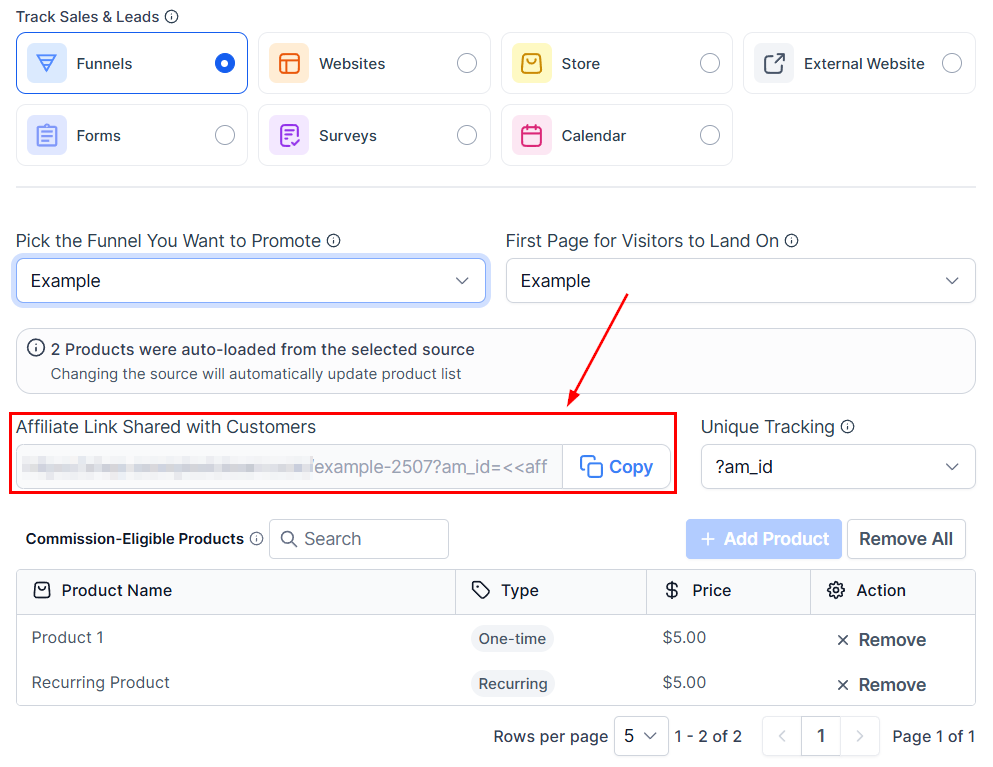
Funnels, websites, and stores must be linked to a domain. A preview of the campaign URL appears here.
Source in the Affiliate Manager (2)

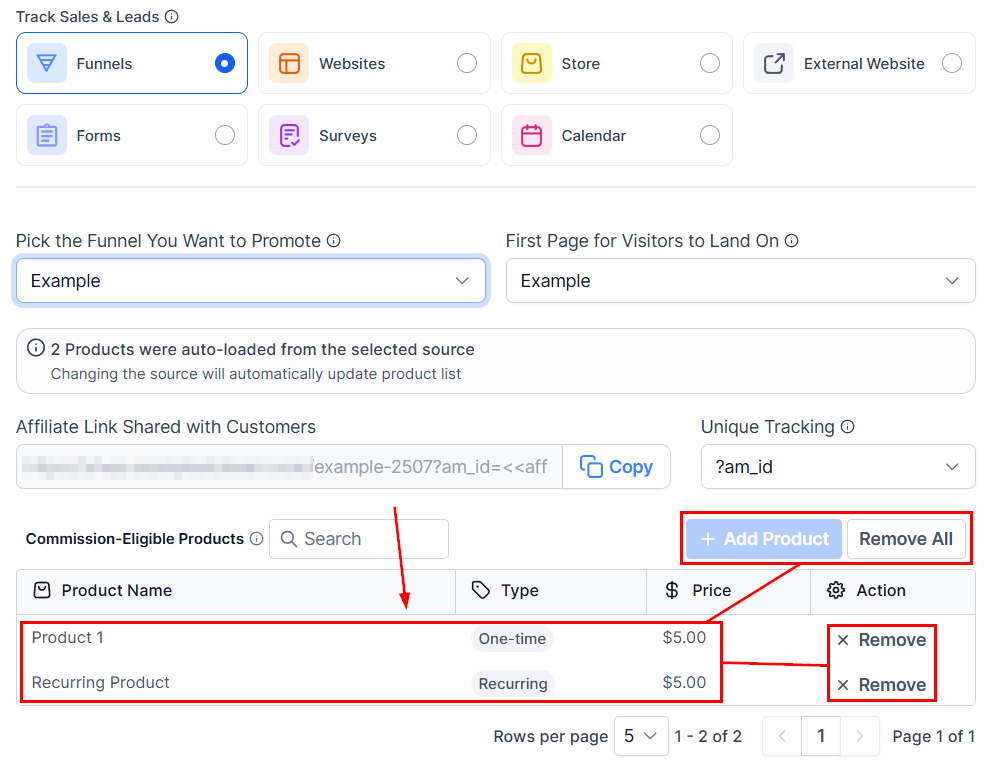
Products

Choose the products commissions apply to. You can save the campaign at any point and return later.
A campaign cannot be published until products and partners are selected.
Products in the Affiliate Manager
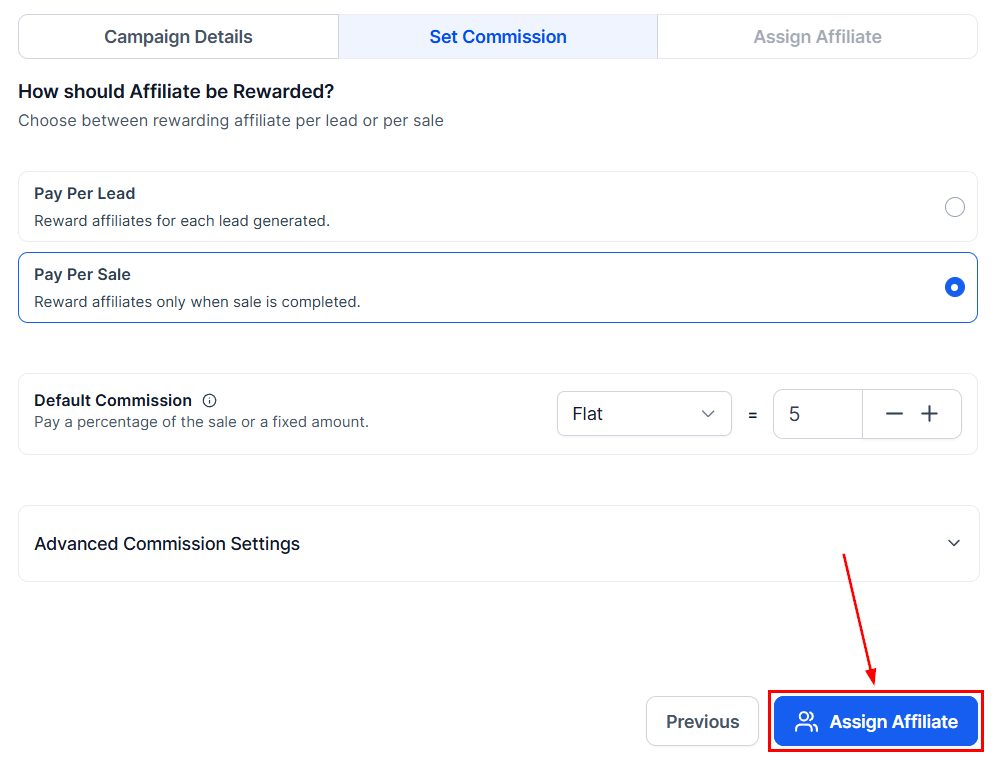
Click Next for the Commissions section. Commission settings apply only to funnel, website, and store sources — the section is skipped for forms, surveys, and calendars, which use Pay Per Lead or Pay Per Sale instead.

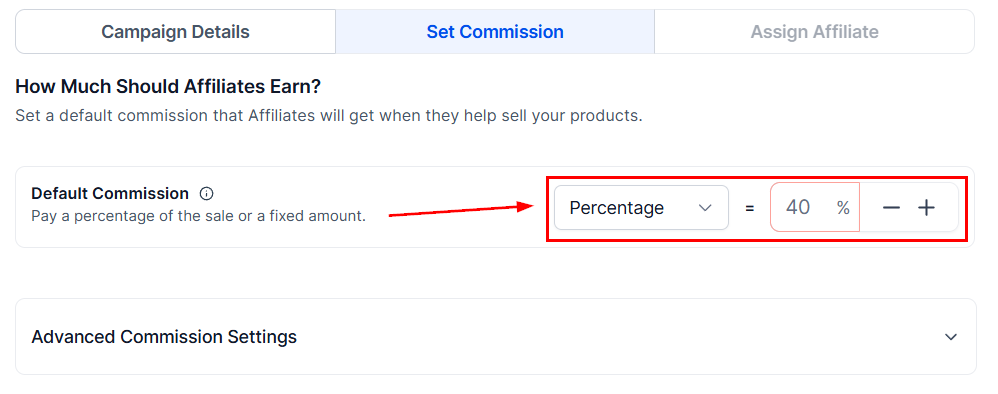
Commissions

Set the percentage of each sale paid to partners.
Commissions in the Affiliate Manager

Advanced Commission Settings

For per-product commissions, click the two-toggle icon.
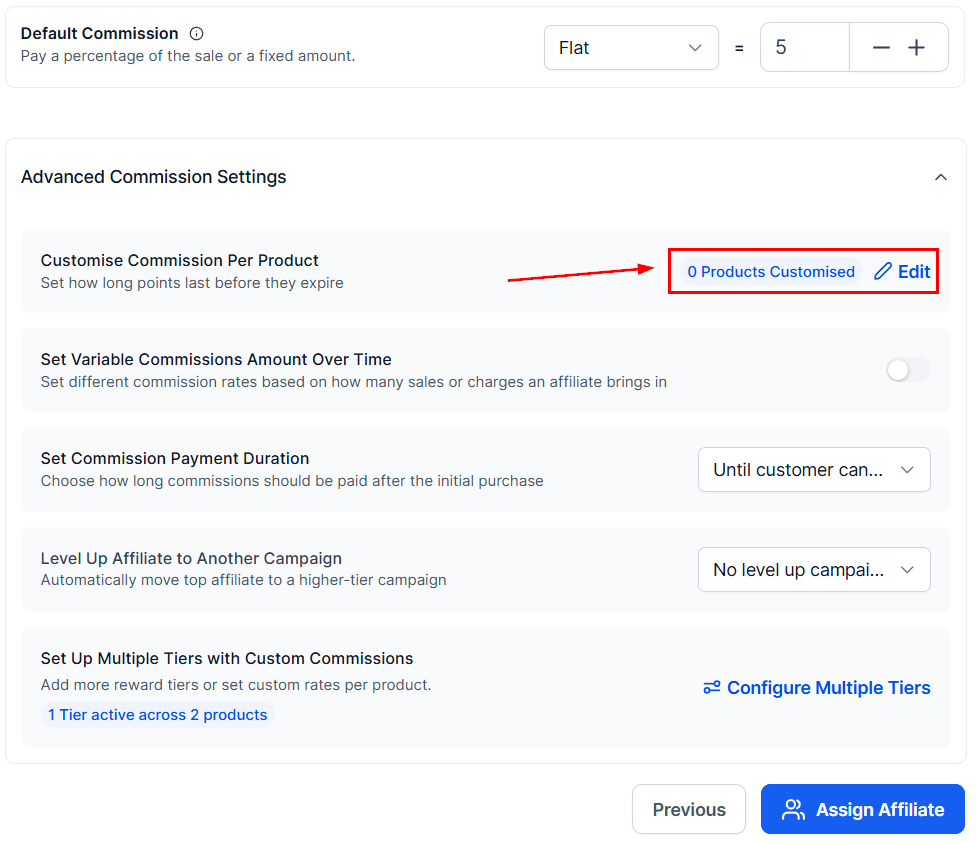
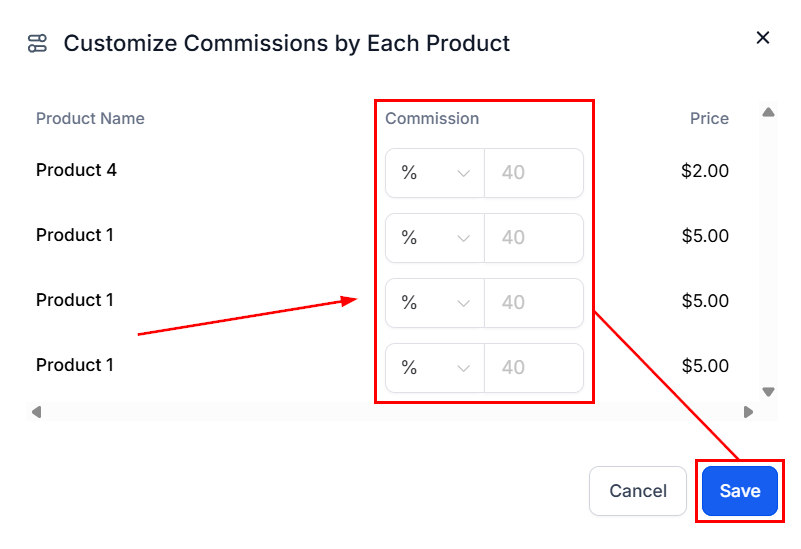
Advanced Commission Settings in the Affiliate Manager
Enter the commission value, then save.
Advanced Commission Settings in the Affiliate Manager (2)
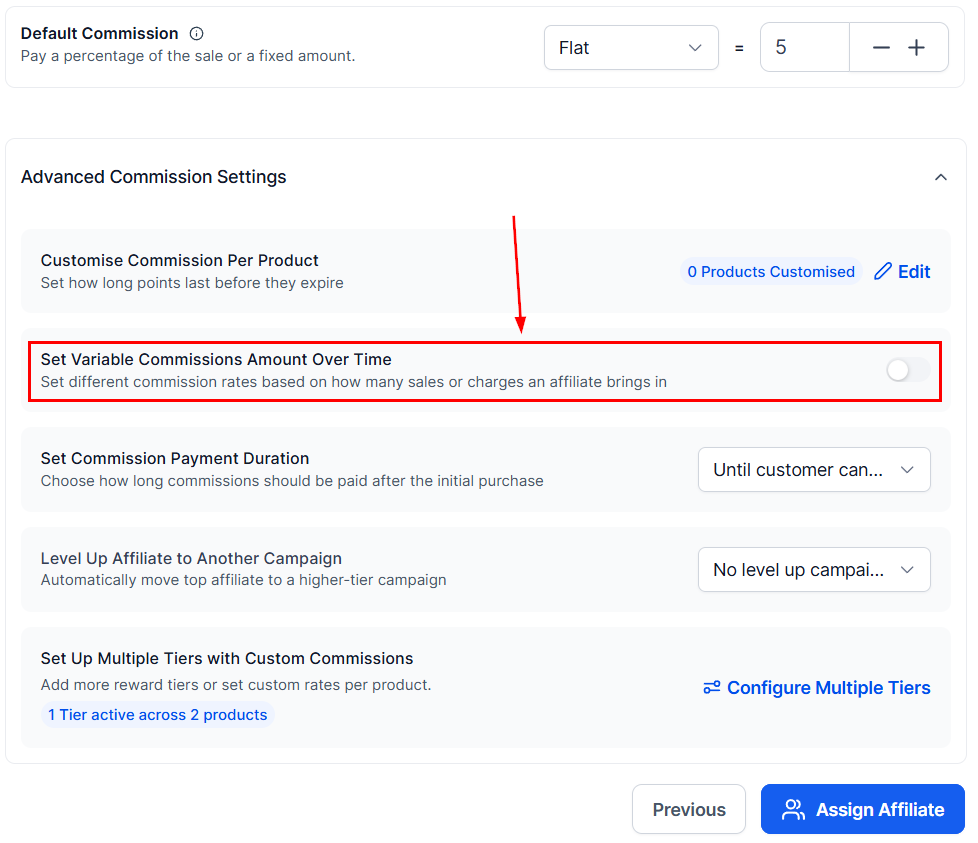
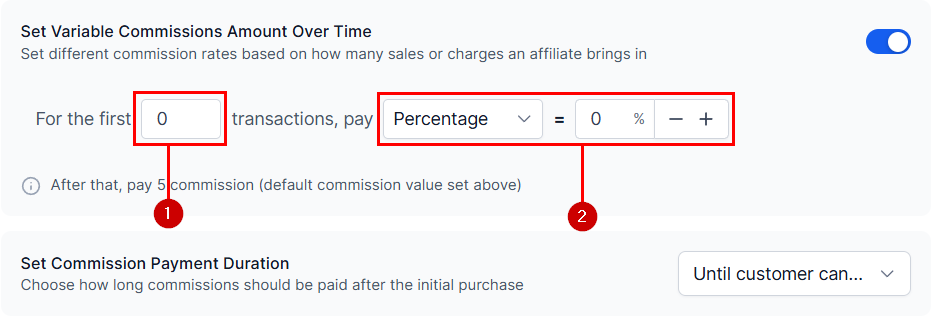
To pay a bonus on early commissions, enable variable commission over time.
Advanced Commission Settings in the Affiliate Manager (3)
Set the number of transactions (1) and the commission value (2) for the starting bonus.
Advanced Commission Settings in the Affiliate Manager (4)
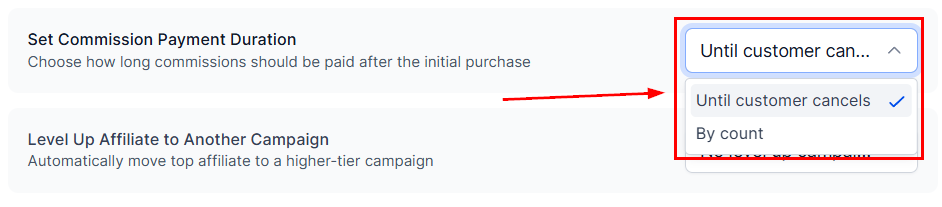
Set Commission Length caps how long commissions are paid — see Commission length.
Advanced Commission Settings in the Affiliate Manager (5)
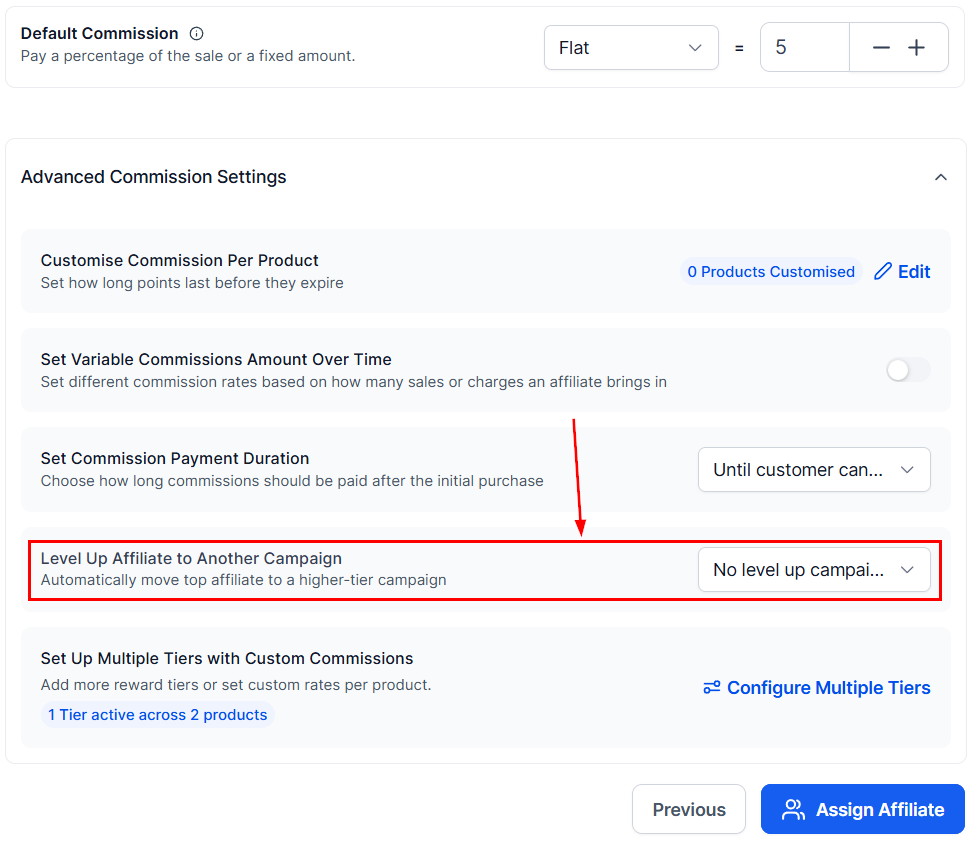
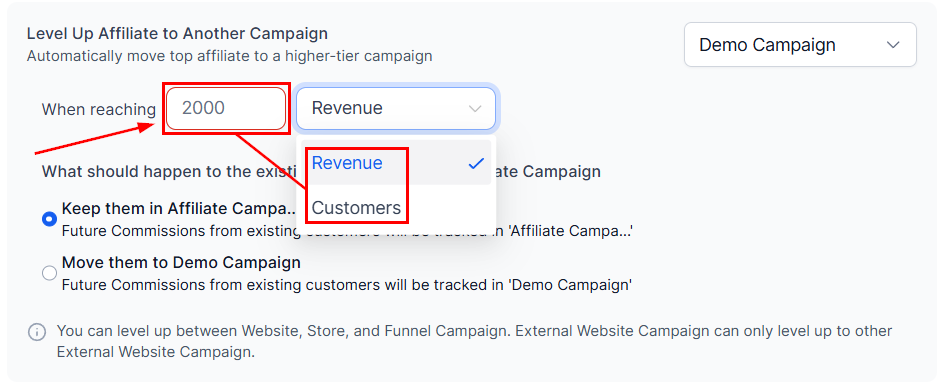
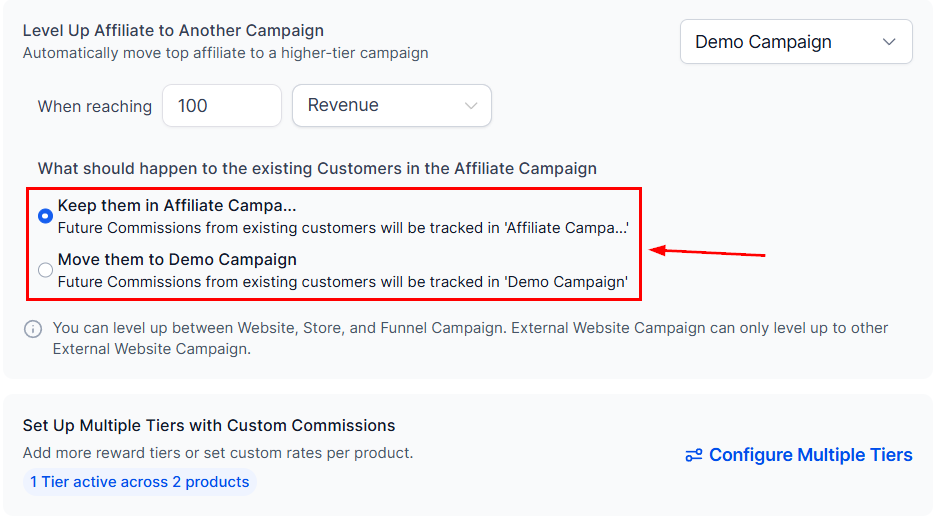
Level Up to another Campaign promotes partners to a receiver campaign when they hit a milestone.
Advanced Commission Settings in the Affiliate Manager (6)
Enter the goal the partner must meet.
Advanced Commission Settings in the Affiliate Manager (7)
Then pick what happens to their referral customers.
Advanced Commission Settings in the Affiliate Manager (8)
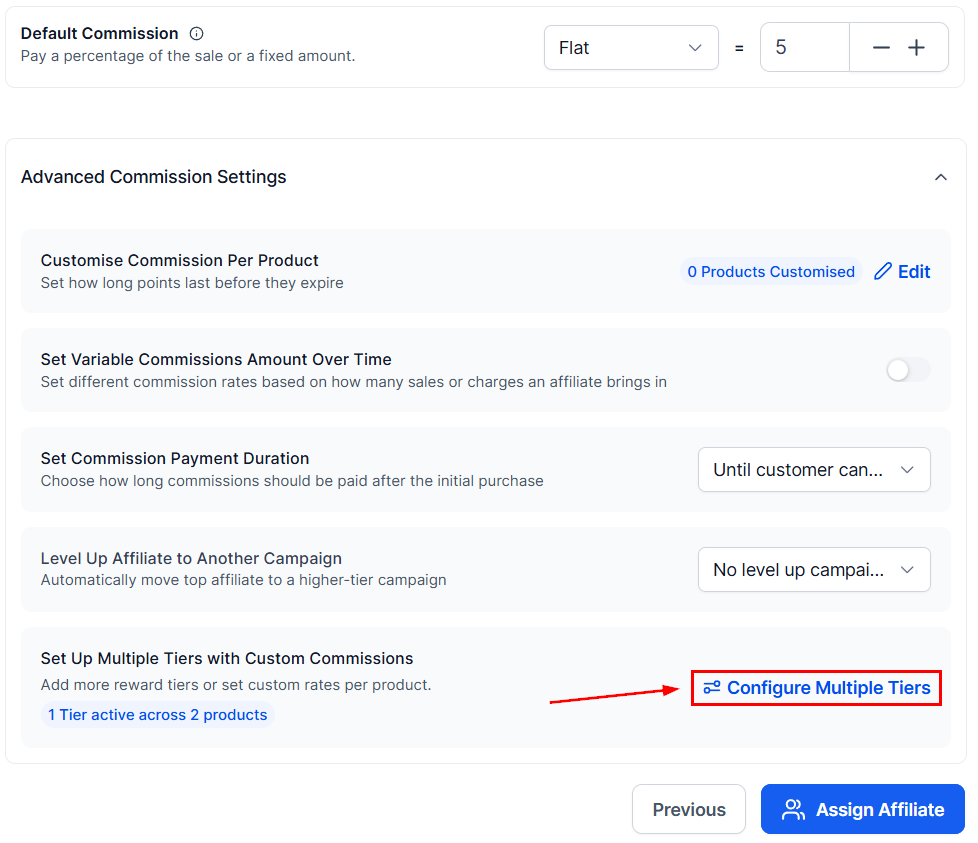
The dials icon sets up commission tiers for the same campaign.
Advanced Commission Settings in the Affiliate Manager (9)
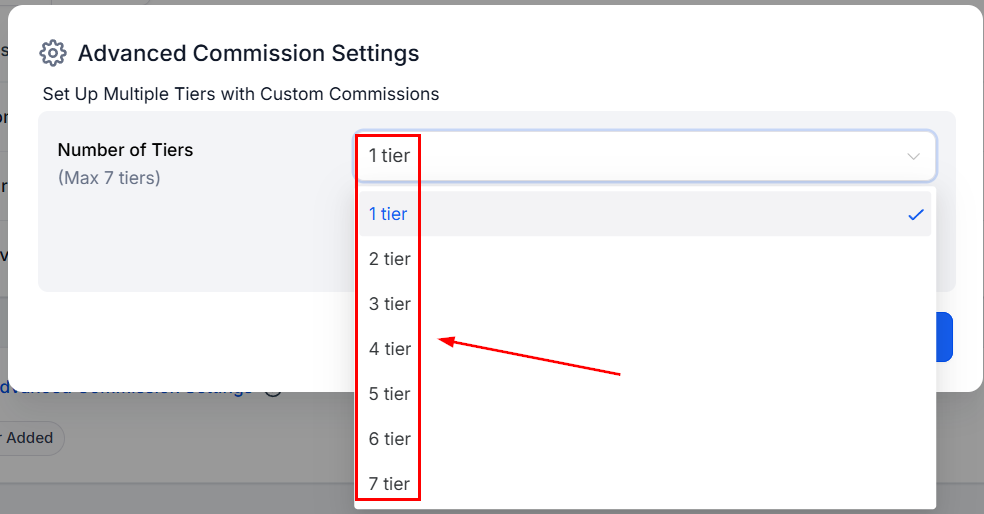
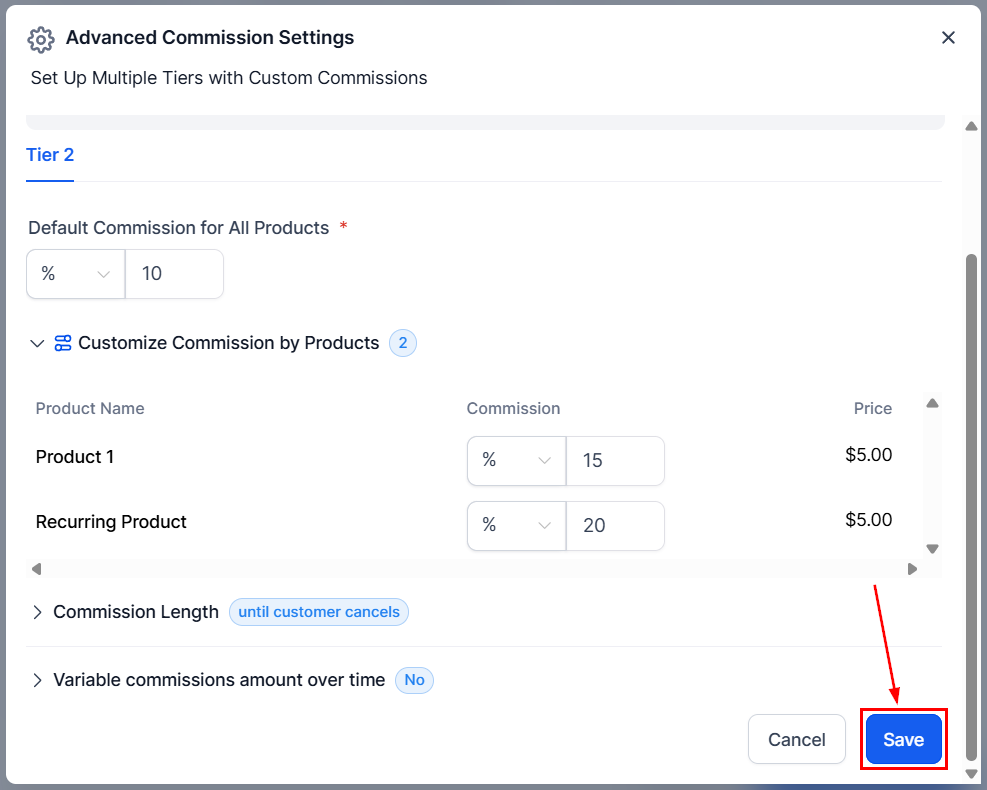
Tiers divide partners into different earning levels — see Multi-tier commissions.
Advanced Commission Settings in the Affiliate Manager (10)
Click Save once the tiers are set.
Advanced Commission Settings in the Affiliate Manager (11)

Additional Commission Options

Campaigns sourced from Forms, Surveys, or Calendars choose between Pay Per Lead and Pay Per Sale.
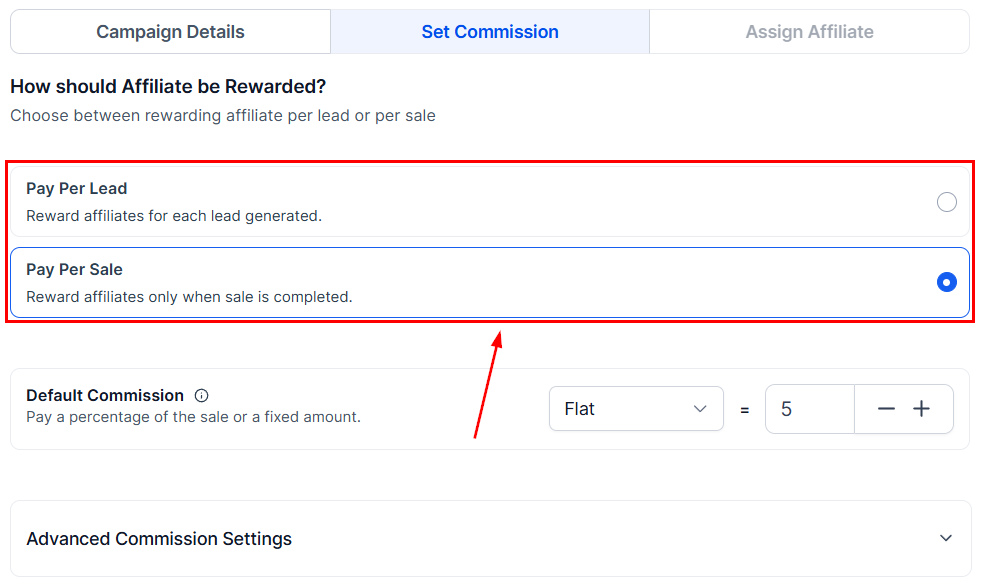
Additional Commission Options in the Affiliate Manager

Finish

Campaign Description

A short overview of the campaign’s purpose, shown to partners.
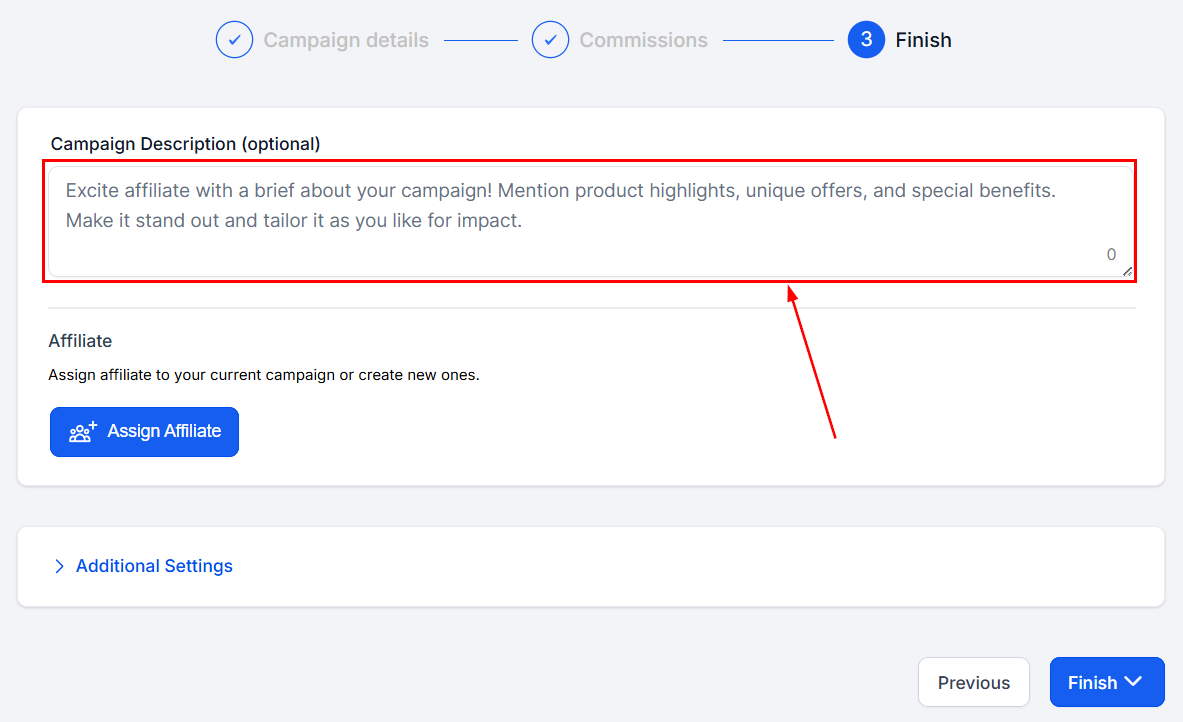
Campaign Description in the Affiliate Manager

Add Affiliate

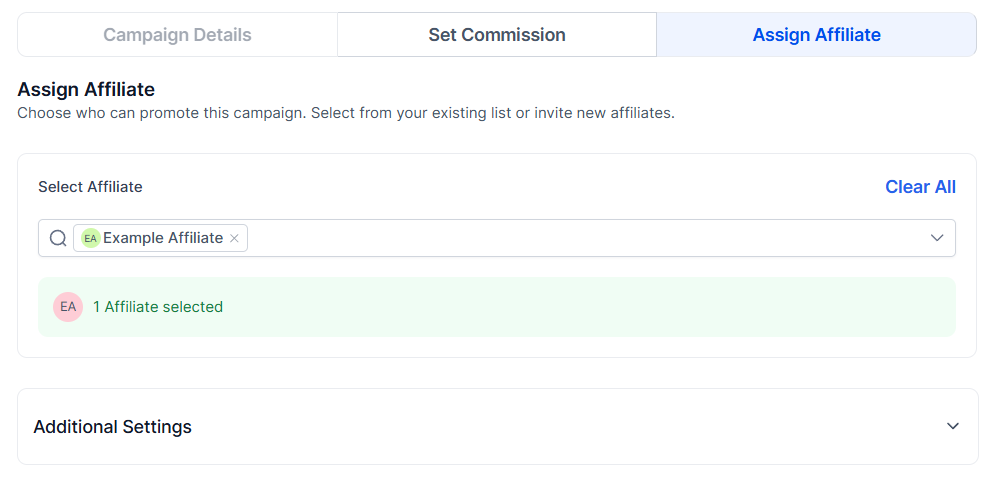
Pick the partners for the campaign. Each gets a unique referral link per campaign, so a partner can be in several campaigns with accurate attribution.
Add Affiliate in the Affiliate Manager
Each campaign a partner joins issues its own referral link.
Add Affiliate in the Affiliate Manager (2)
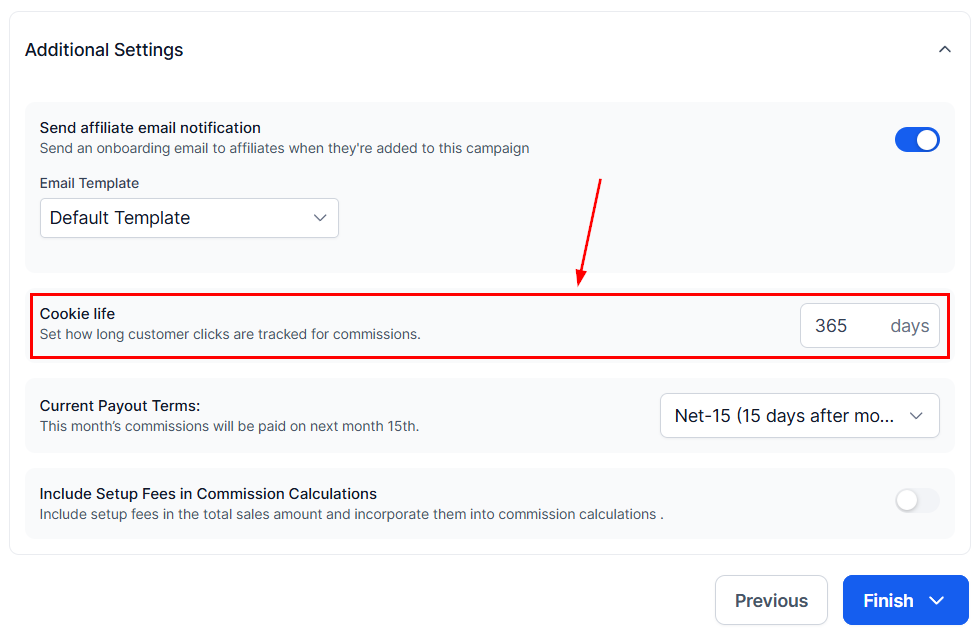
How many days the tracking cookie stays active in a lead’s browser — the window in which their actions attribute to the partner.
Cookie Life in the Affiliate Manager

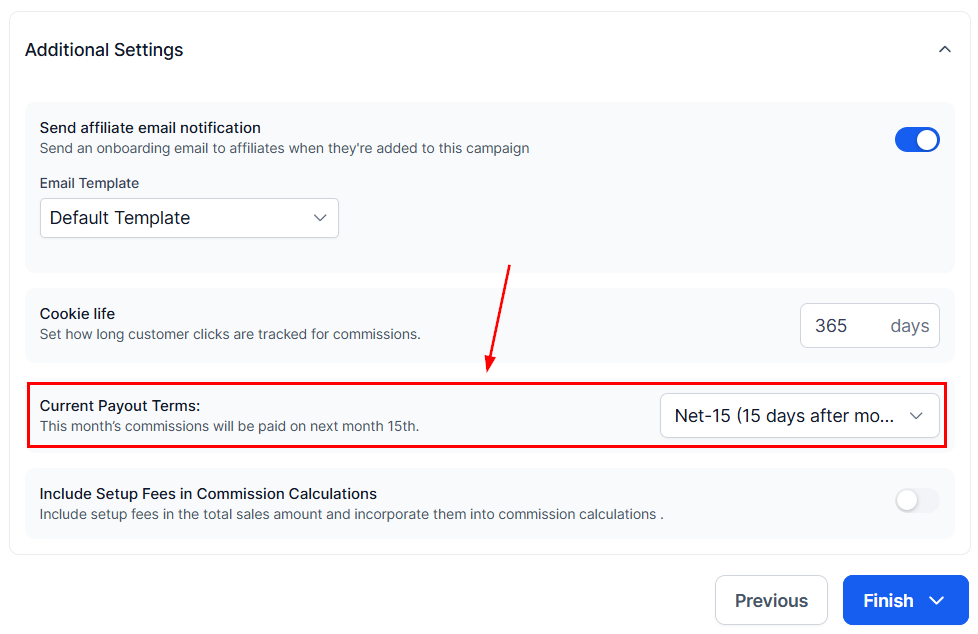
Payout frequency

The intervals at which partners are paid for their sales.
Payout frequency in the Affiliate Manager

Set up Fee Additions

Toggle on to include product set-up fees in partner commissions.
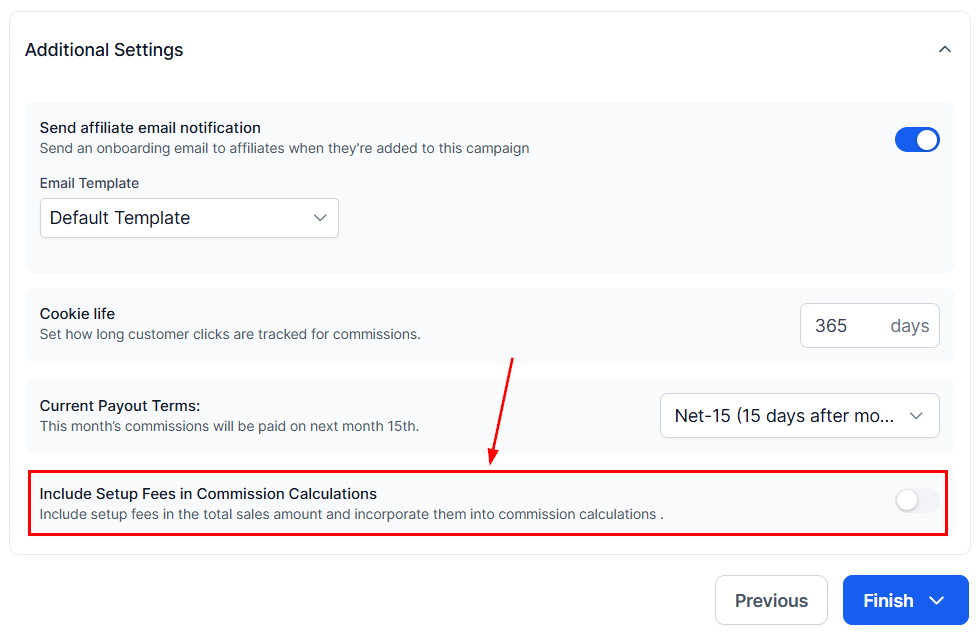
Set up Fee Additions in the Affiliate Manager

Sub Affiliate Options

For multi-tier campaigns:
  1. Sub Affiliate signup page — select a form partners can share to recruit sub-affiliates on their own.
  2. Auto Enroll New Customers as Sub Affiliate — new customers are automatically enrolled as sub-affiliates under the partner who brought them in.
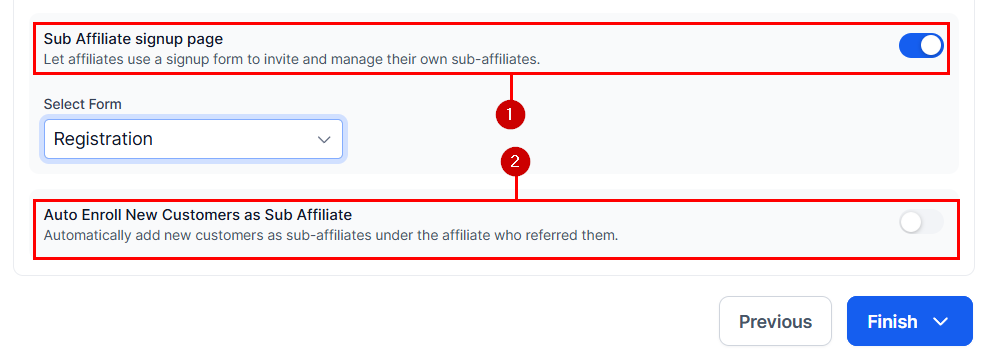
Sub Affiliate Options in the Affiliate Manager
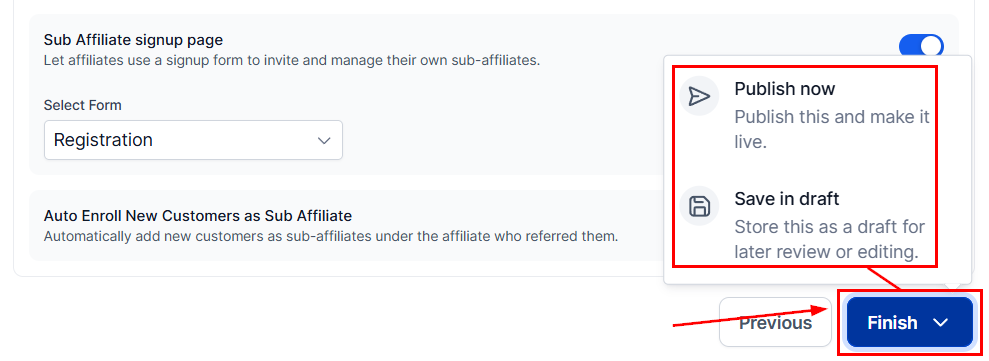
Click Finish, then Publish Now to go live — or Save in Draft to keep the campaign paused.
Sub Affiliate Options in the Affiliate Manager (2)