

How to Use Commission Length and Variable Commissions
For recurring products, two settings control how commissions play out over time:- Commission Length — cap the number of charges that earn commission, instead of paying indefinitely.
- Variable Commissions — pay different rates at different charge counts for a tiered structure.
Configure the settings
- In Marketing → Affiliate Manager, click Campaign.
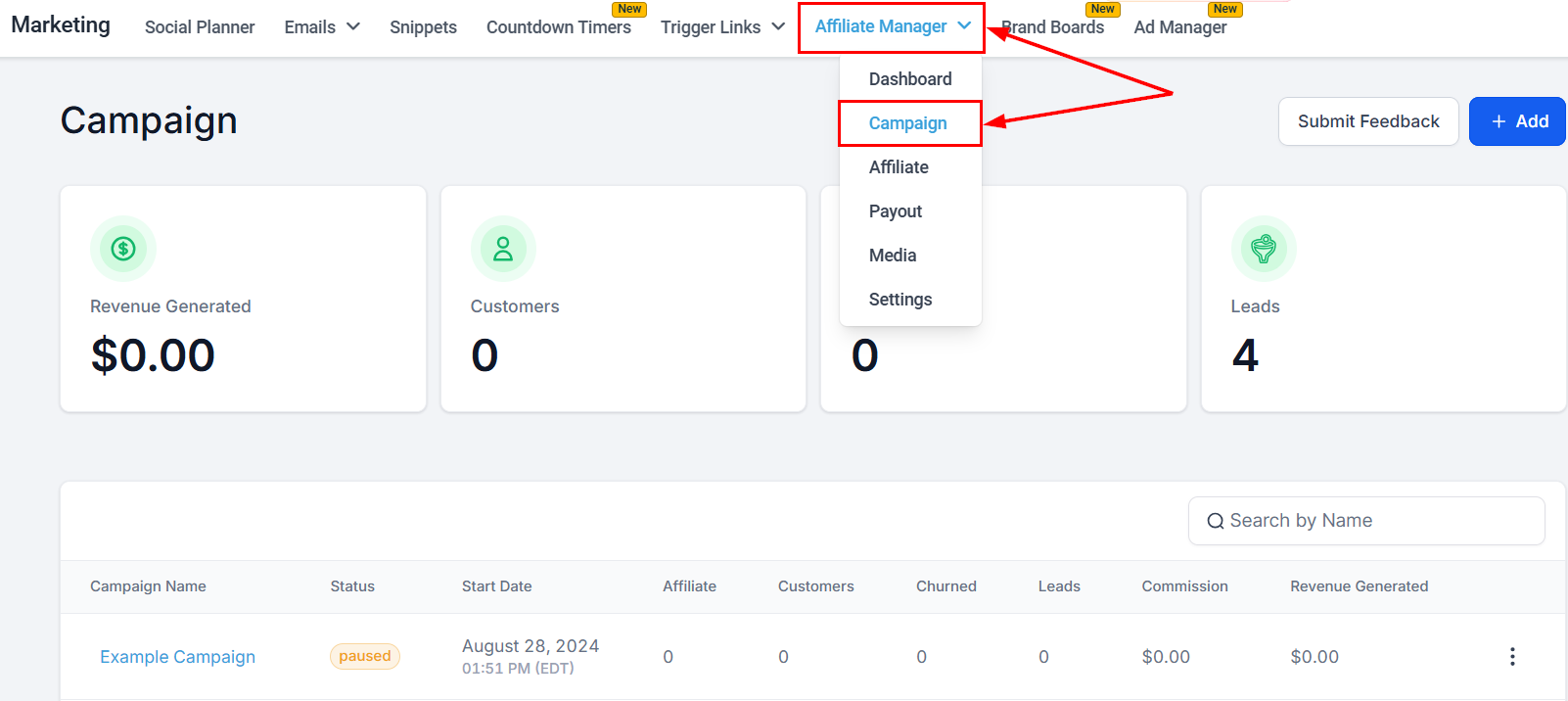
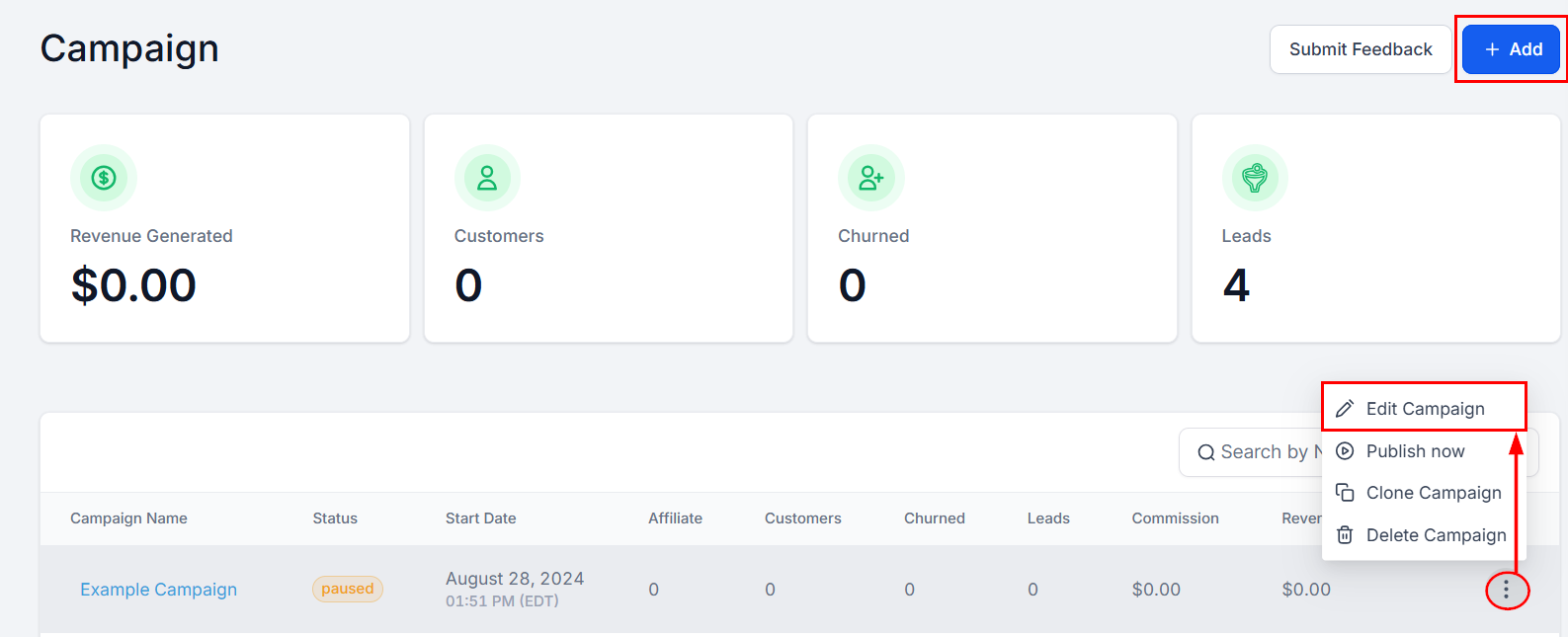
- Create a new campaign or edit an existing one. New to campaigns? See Set up a campaign.
The campaign must be connected to a funnel, website, or store with at least one product attached.
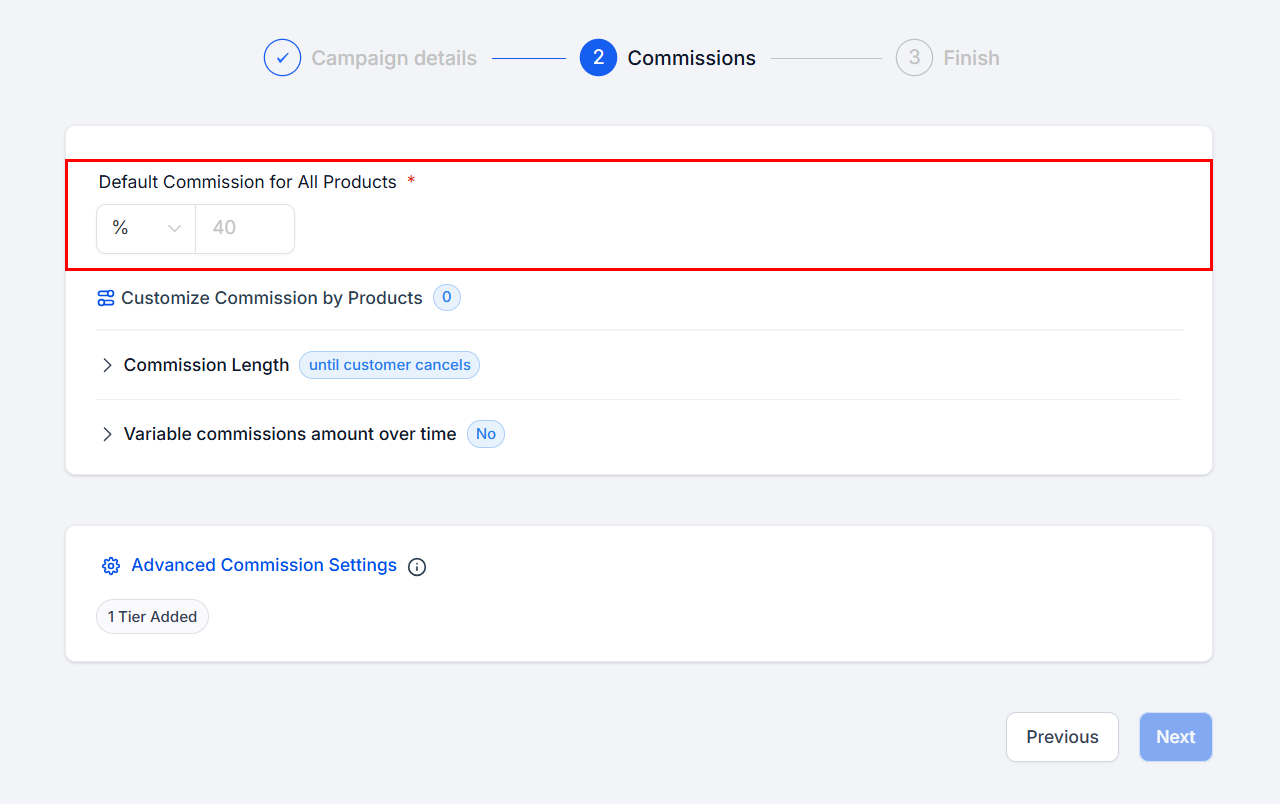
- In Step 2 of the campaign setup, set the default commission rate.
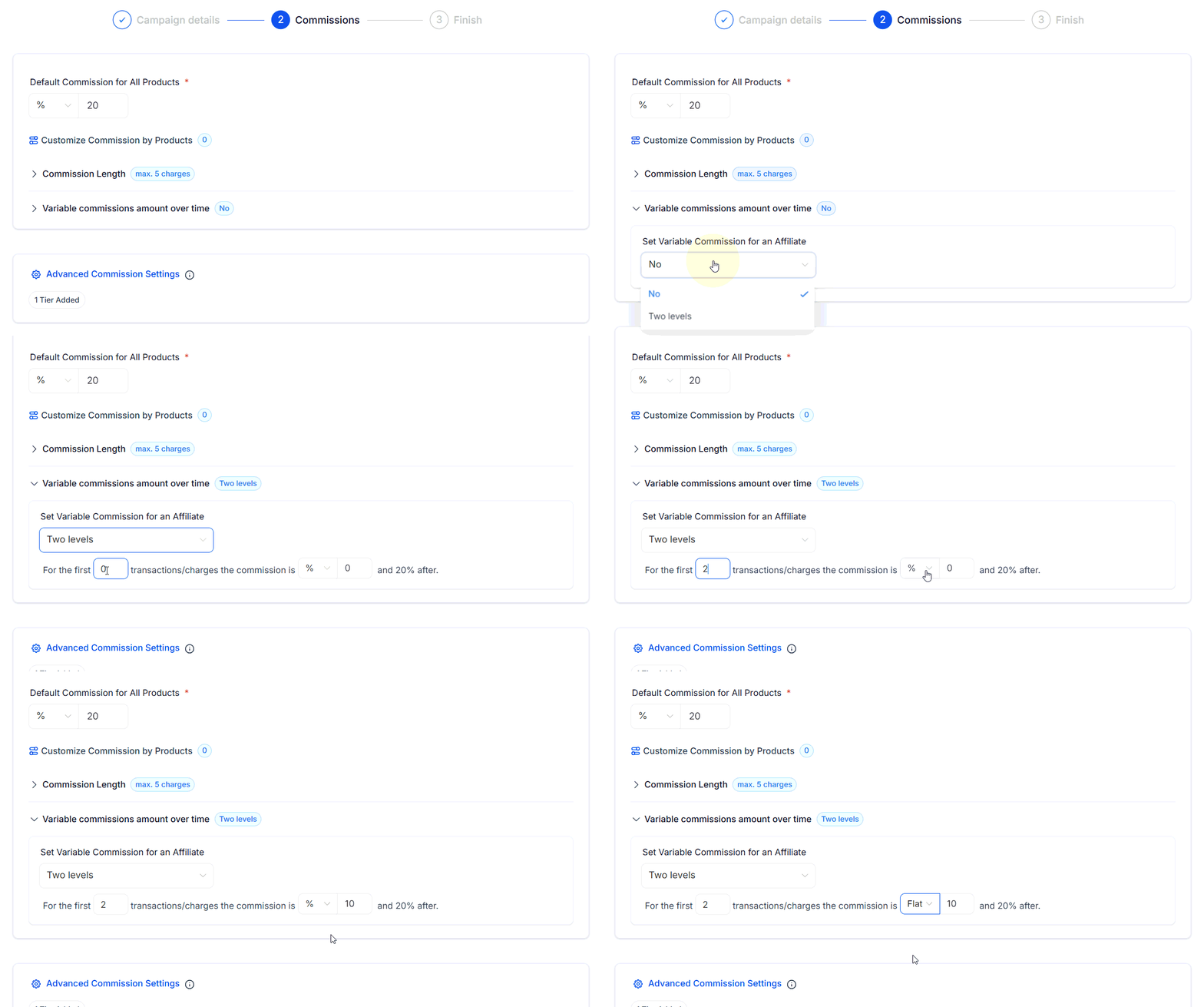
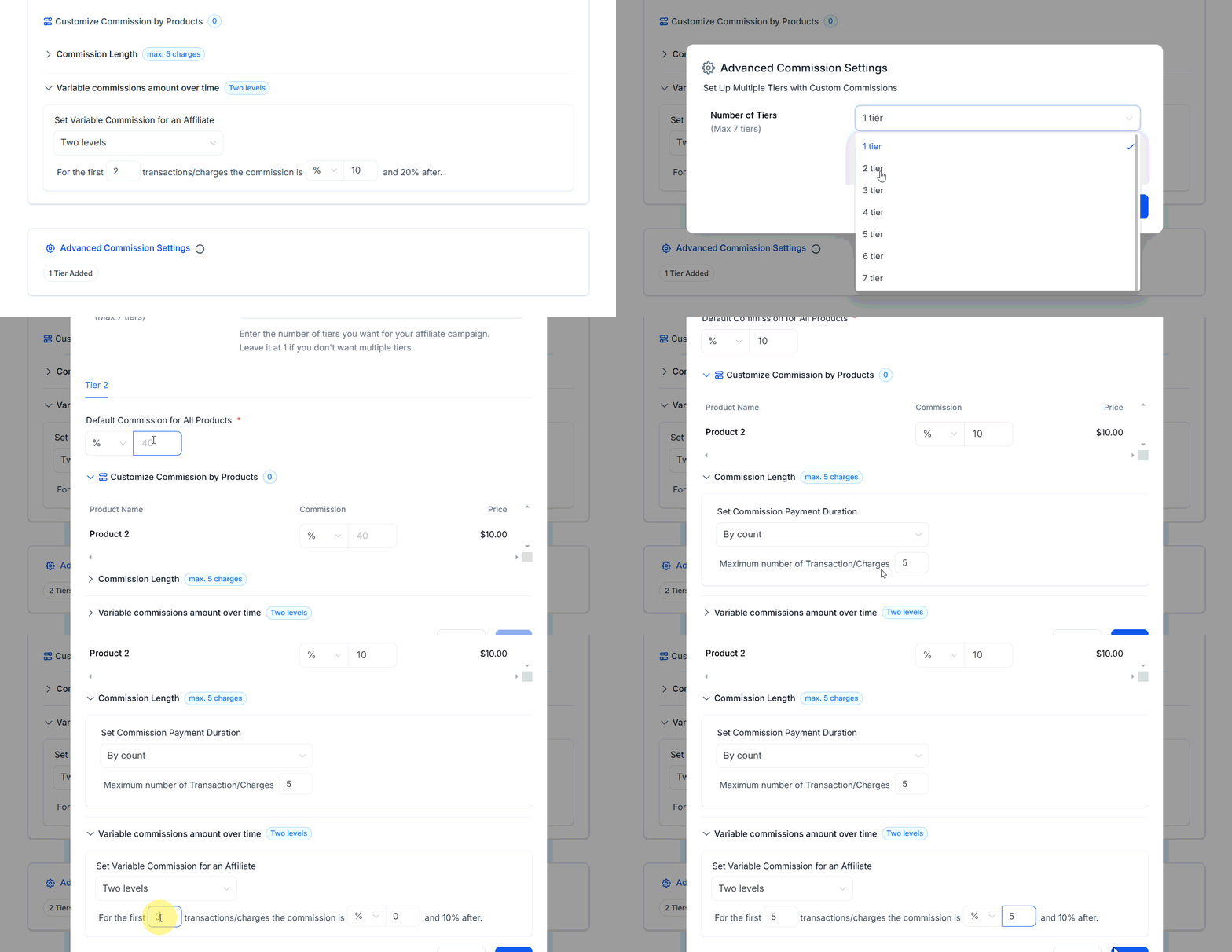
- Click Commission Length. By default, commissions run until the customer cancels. To cap them, select By Count and set the maximum eligible charges — a limit of 5 pays commission on the first 5 charges only, whether the subscription is monthly or yearly.
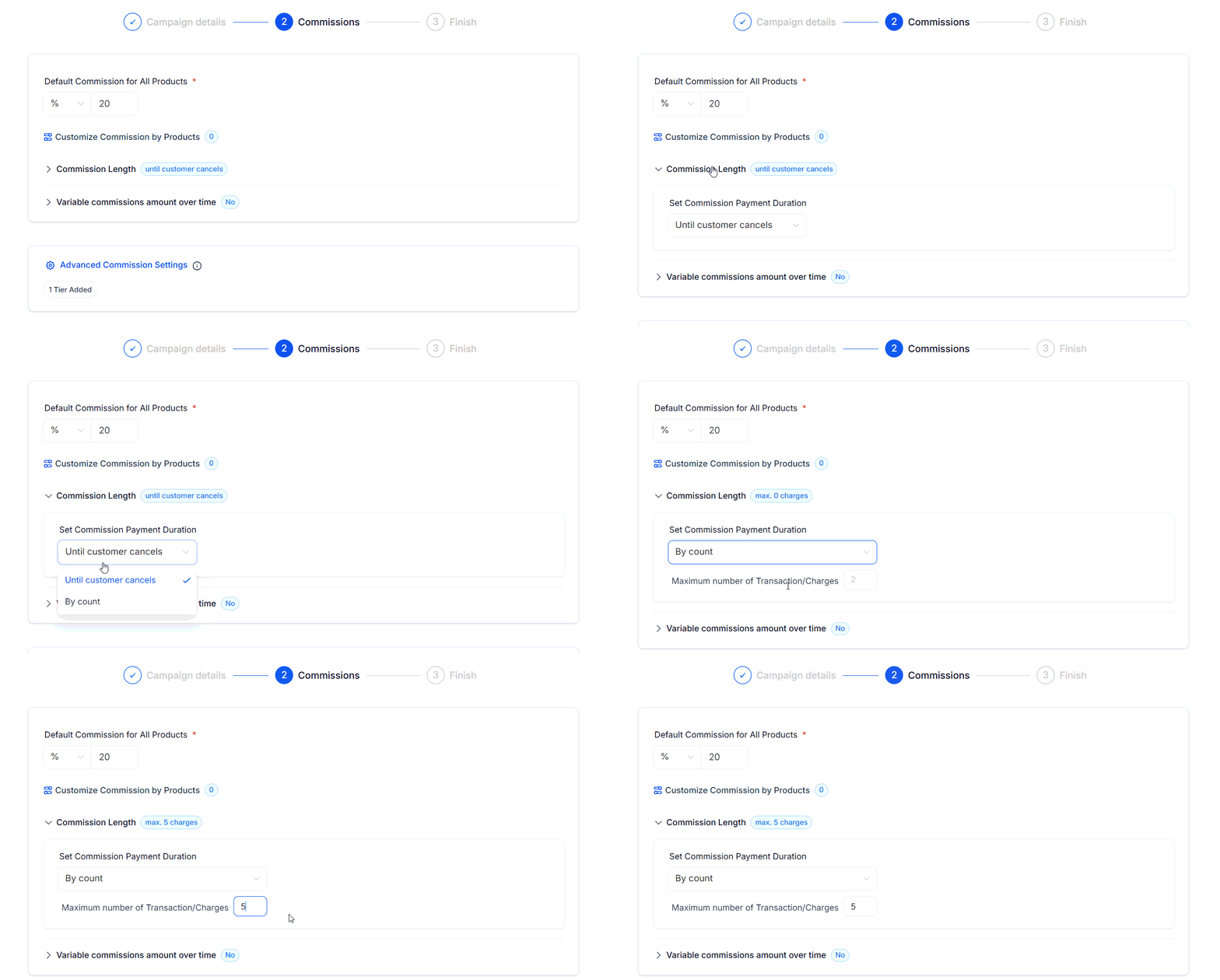
The limit counts successful charges, not time intervals.
- Toggle Variable Commissions and select Two Levels to set rates by charge count — for example, 10% on the first 2 charges, then 20% after.
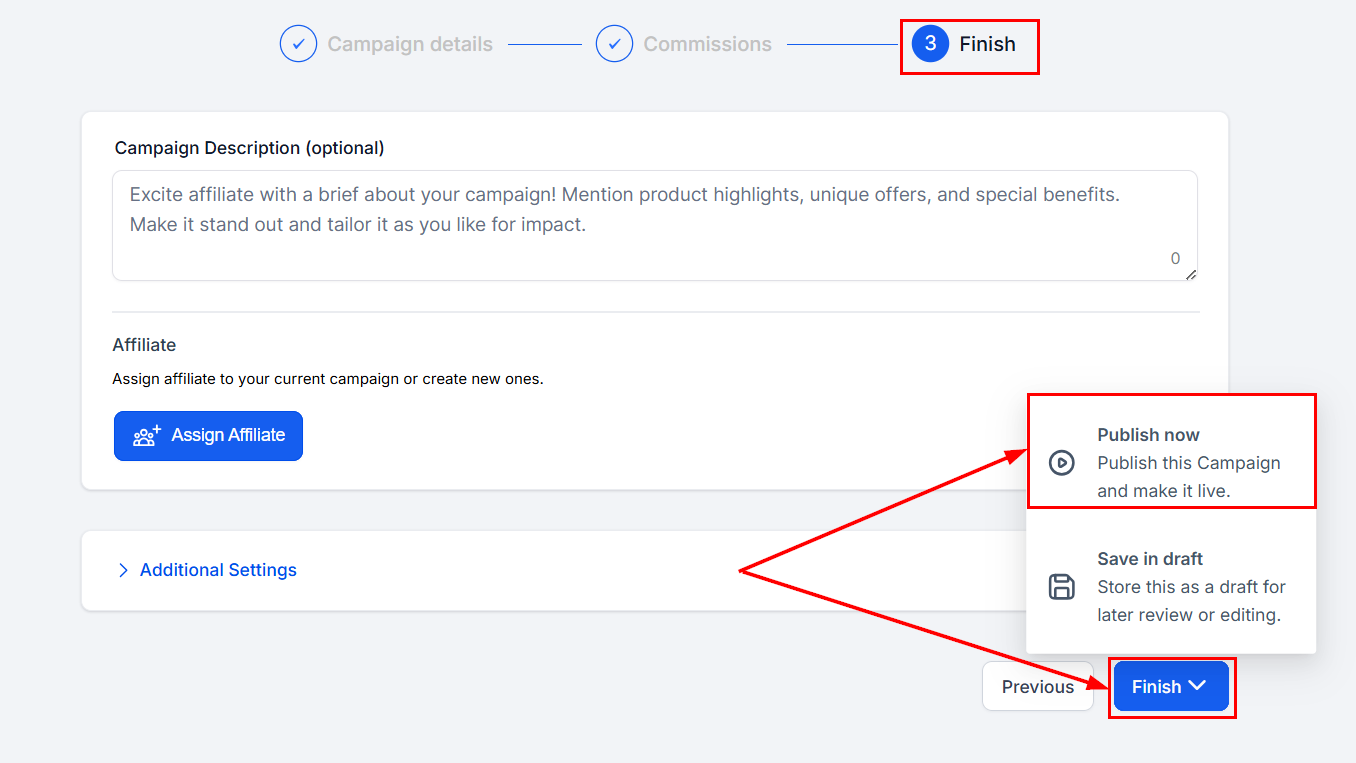
- Save as a draft or publish to apply the settings.
Commission priority order
When multiple rules exist, the most specific wins:- Product-based commissions — applied first for specific products.
- Variable commissions — override the default rate when configured.
- Default commissions — apply when no other rules match.