How to Pay Partners for Lead Generation Using Pay-Per-Lead
Pay-Per-Lead (PPL) pays partners for each lead they refer — a form submission, calendar booking, or survey submission — instead of only on closed sales. Per-lead commissions are usually small (as little as $0.01), and partners tend to generate far more leads than sales, so watch total cost when the bar for a “lead” is low. For the sale-based alternative, see Pay-per-sale.Set up a Pay-Per-Lead campaign
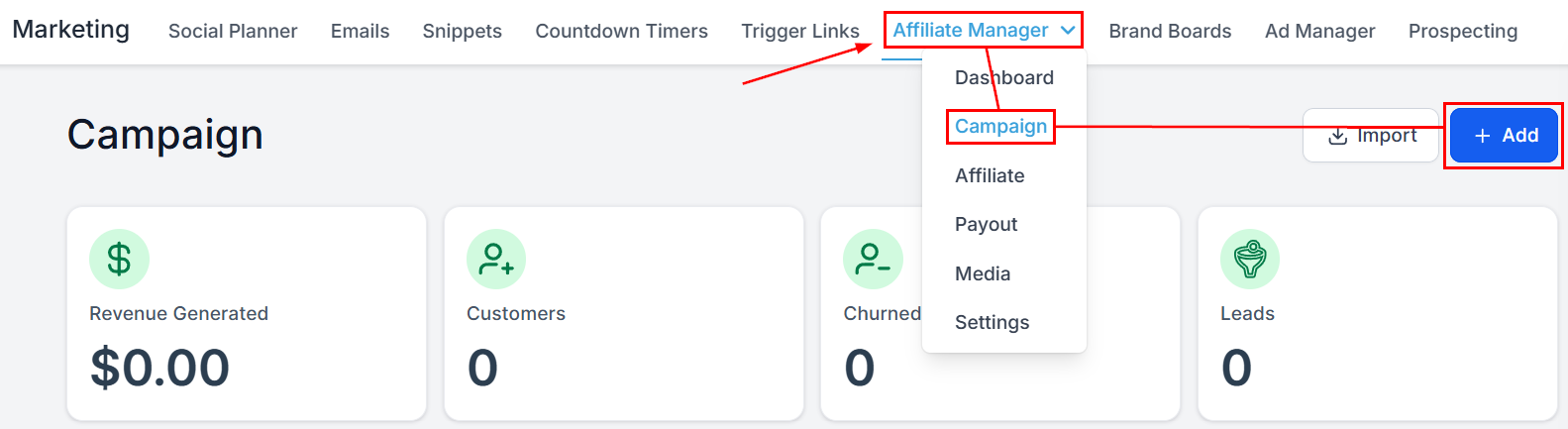
- Create a new affiliate campaign.
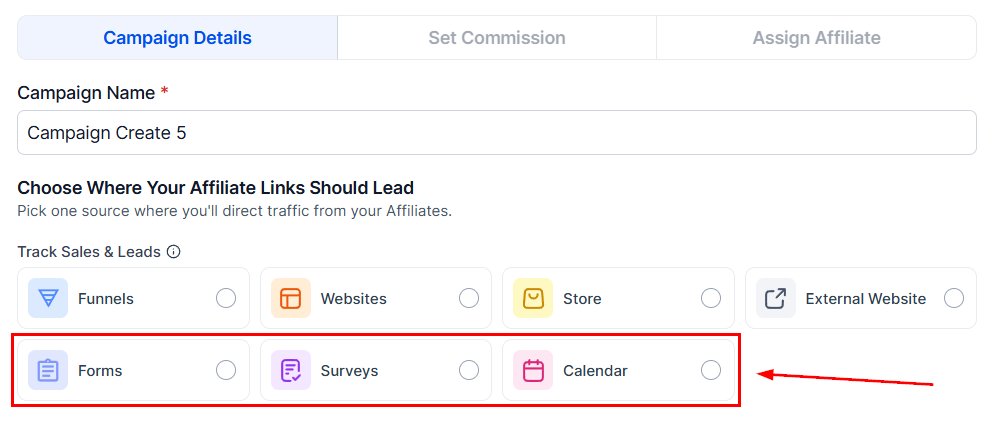
- Choose the source — Forms, Surveys, or Calendars (the three sources PPL supports) — and configure the source details.
- In the Commissions tab, select the Pay-Per-Lead option.
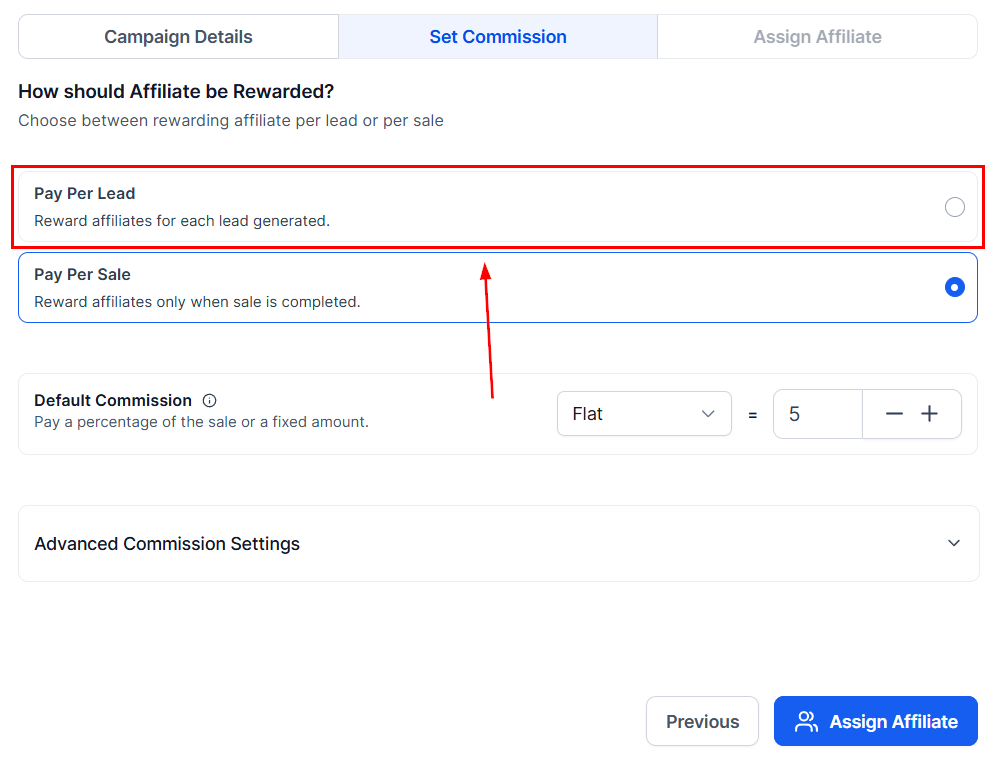
- Toggle on Pay-Per-Lead and set the commission amount per lead.
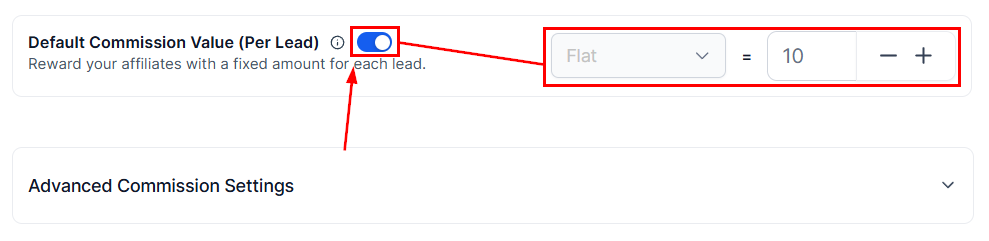
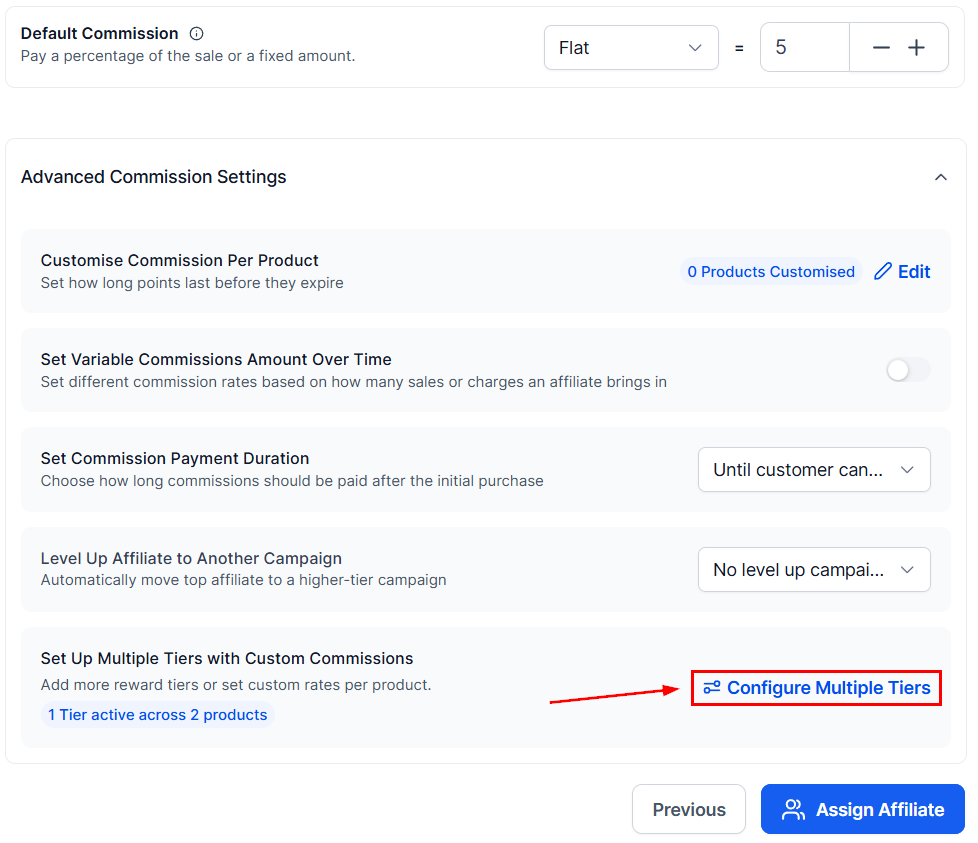
- Optionally set up multiple tiers under advanced commission settings.
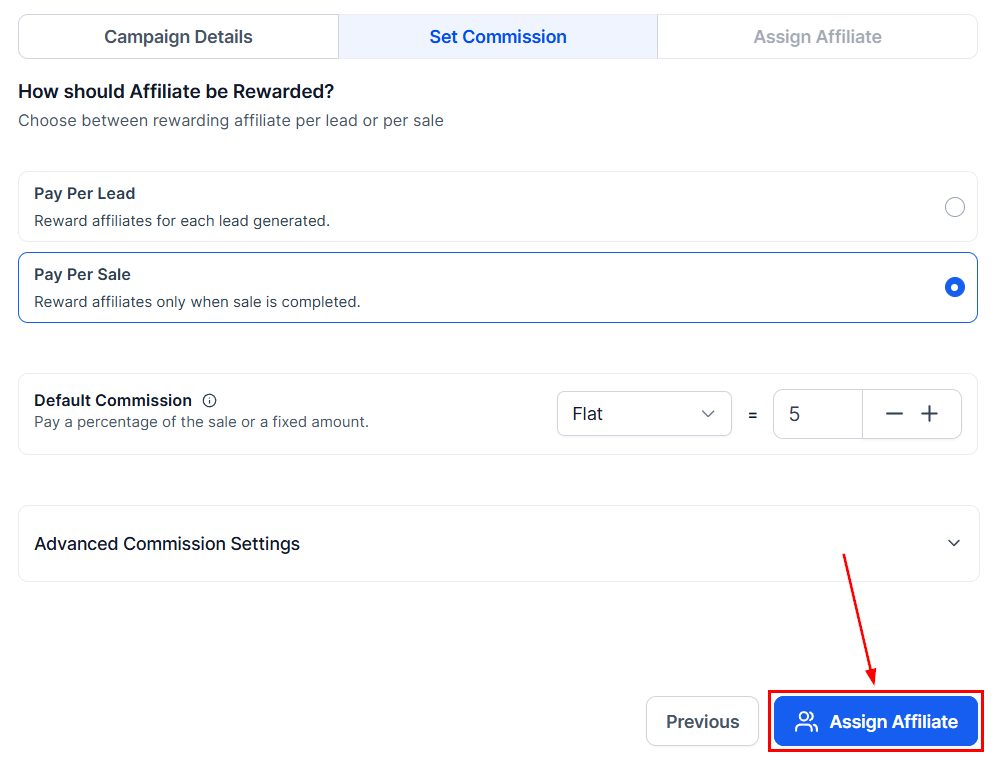
- Add the campaign description and assign the participating partners.
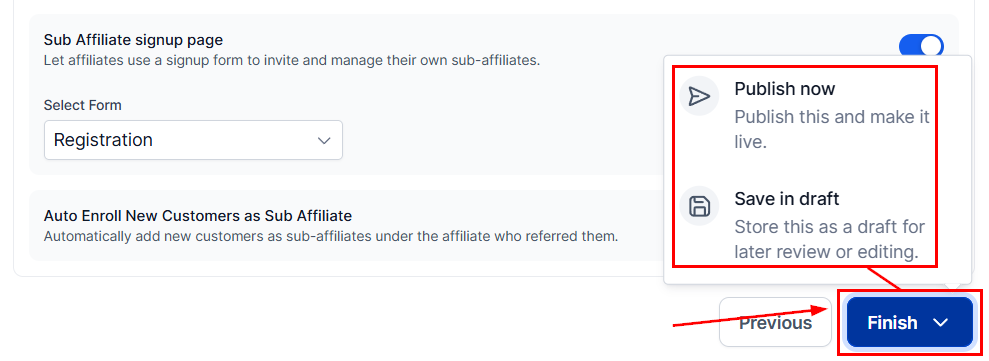
- Review the remaining settings and publish.
Tracking leads and commissions
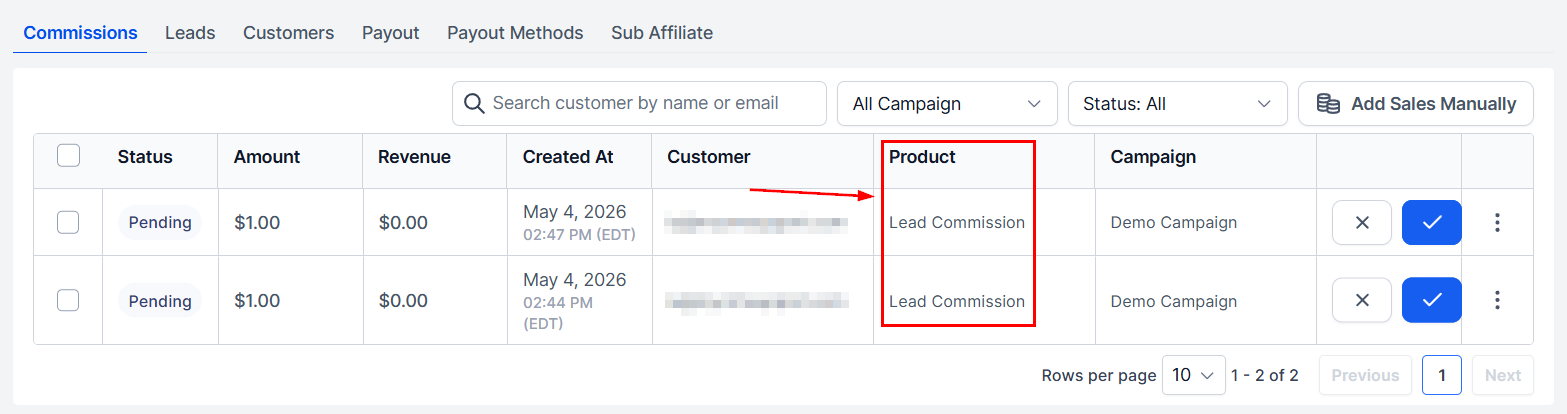
Once live, commissions generate automatically as partners produce leads. Track them in the Commissions tab on the partner’s profile — the Product column shows “Lead Commission” for these.