

How to Create Partner Coupon Codes
Assign a partner a unique coupon code so their referrals get an exclusive discount and every redemption is attributed to that partner. You can create a coupon from the Affiliate list or from the partner’s profile.From the Affiliate List
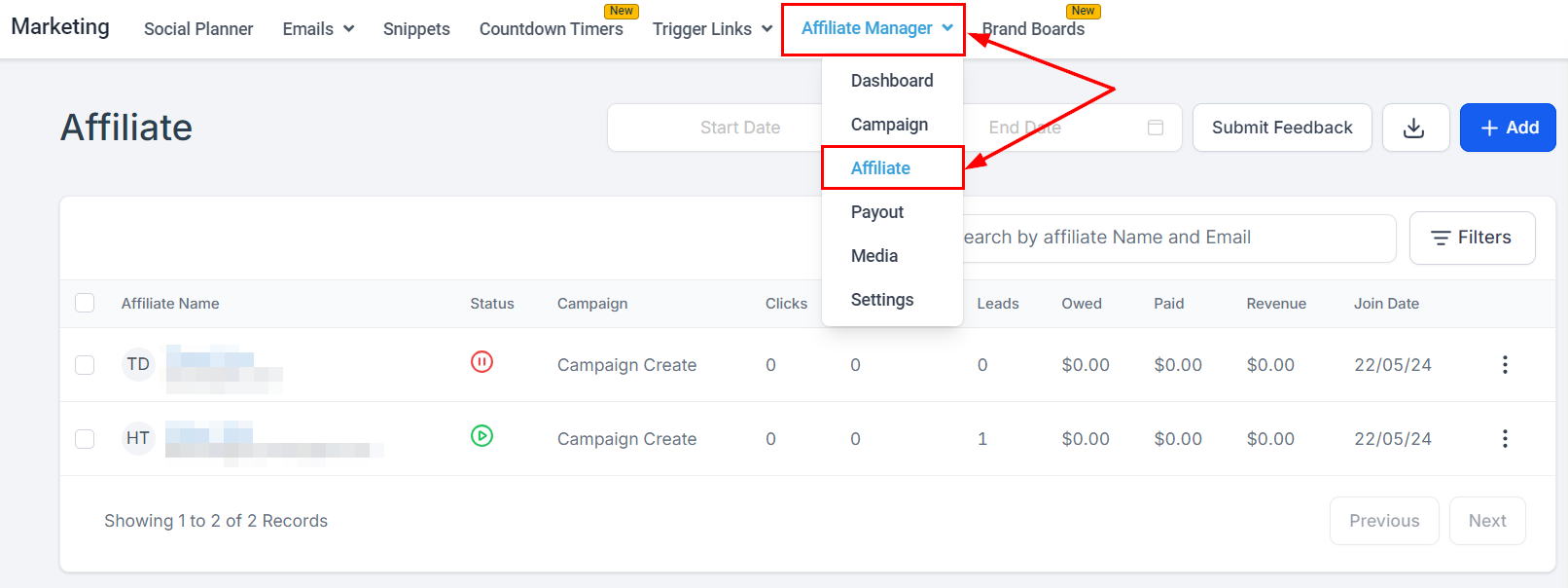
- In Marketing → Affiliate Manager, select Affiliate from the dropdown.
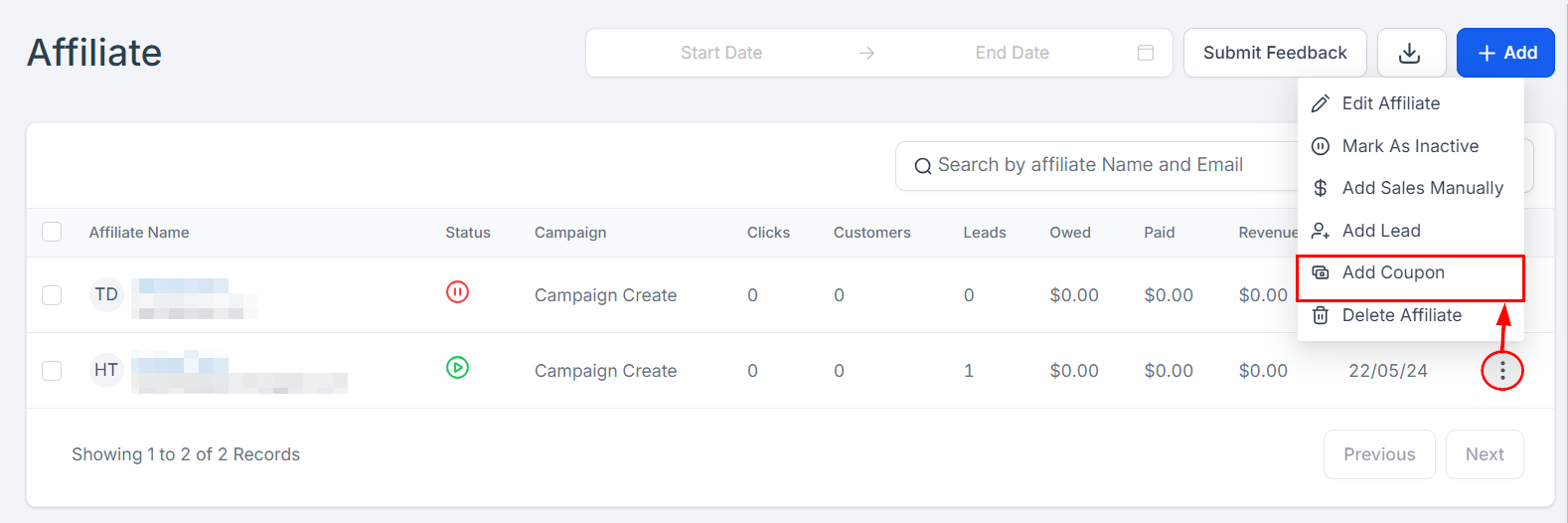
- Find the partner’s row, open the action dropdown on the far right, and select Add Coupon.
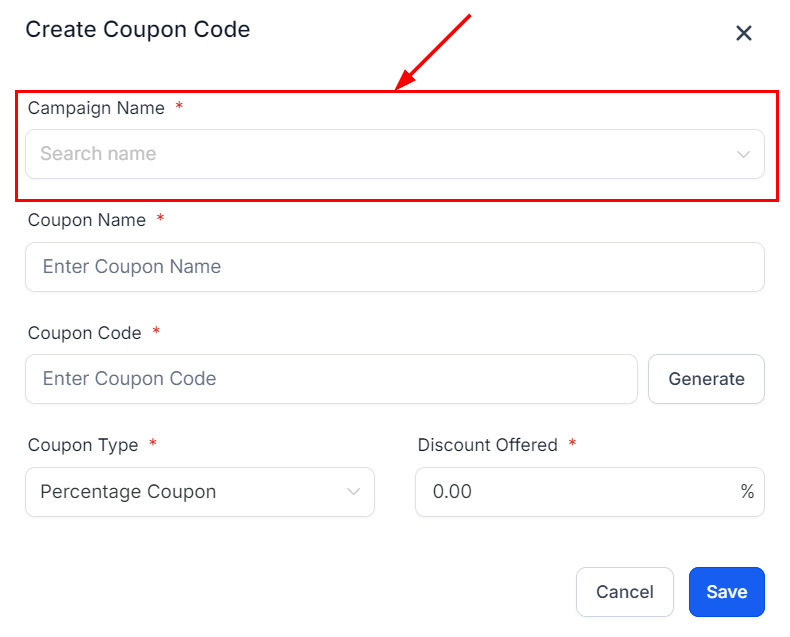
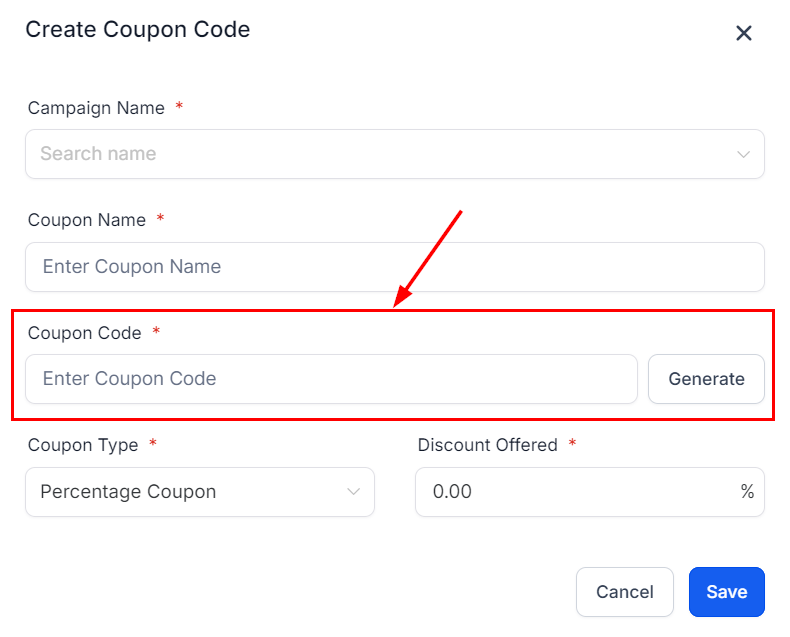
- From the Campaign Name dropdown, pick the campaign the partner is in. The coupon is linked to that campaign so sales are tracked and attributed correctly.
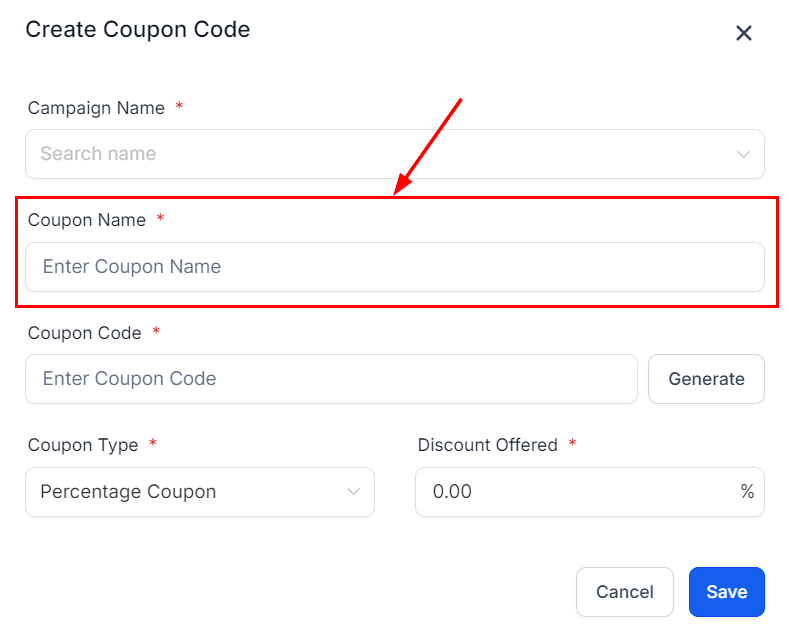
- In the Coupon Name field, give the coupon a descriptive name — it identifies the coupon for you and the partner.
- Type a custom coupon code, or click Generate for a random unique one.
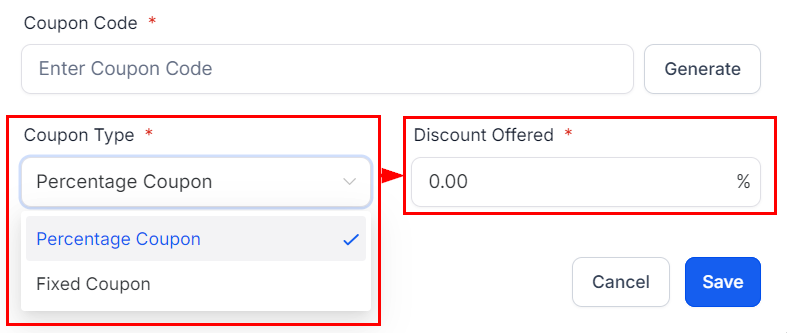
- In the Coupon Type dropdown, choose a percentage discount (e.g., 10% off) or a fixed amount (e.g., $20 off).
- Click Save.
From the Partner Profile
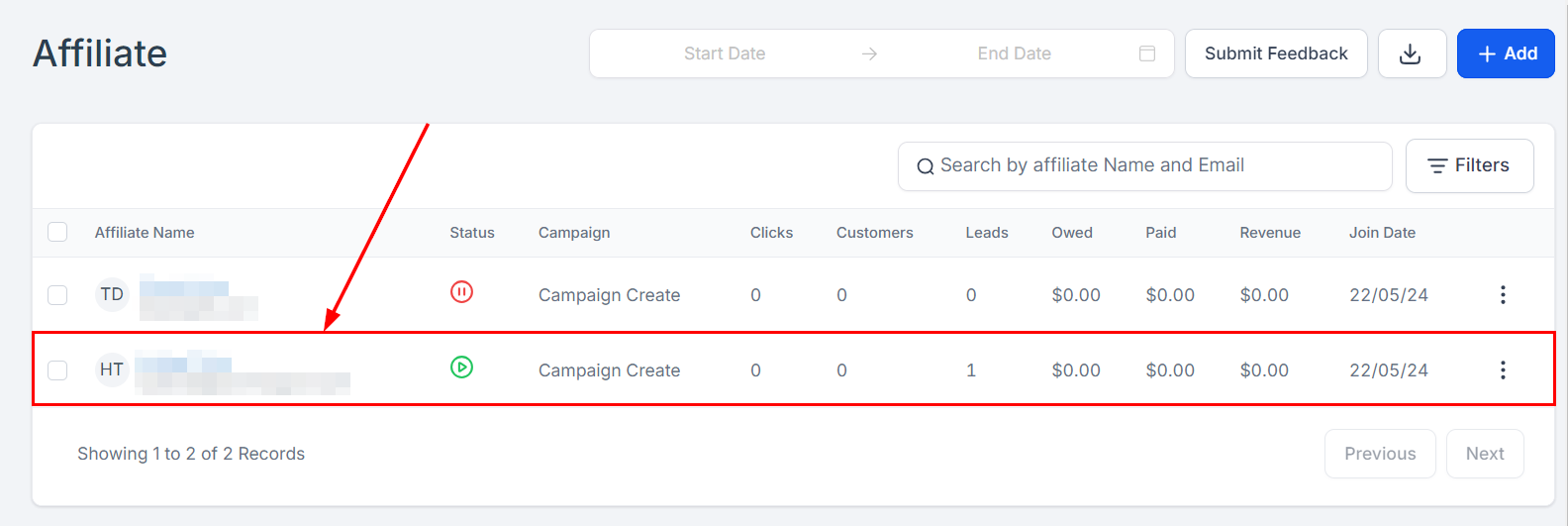
- On the Affiliate page, select the partner’s name.
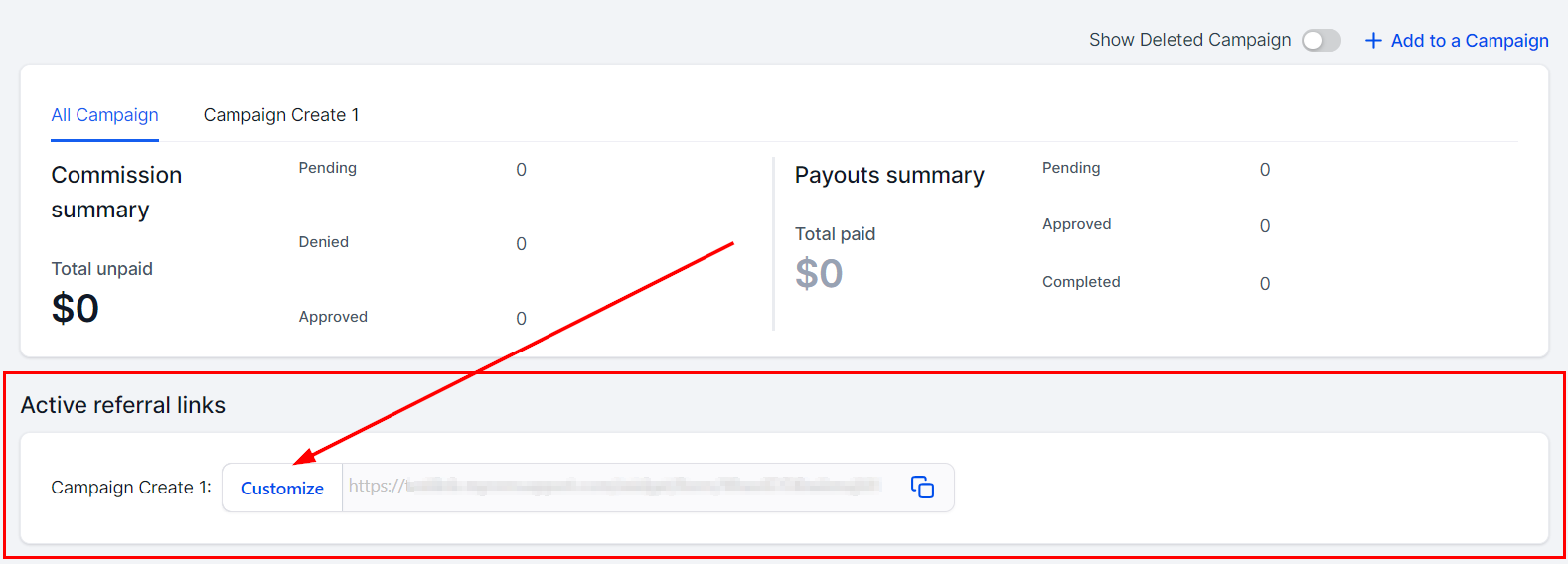
- Scroll to the active referral links section and click Customize beside the campaign you want the coupon on.
- In the Coupon Code section, name the coupon, enter or generate a code, and set the discount. If the product has recurring payments, you can enable the coupon for recurring charges.
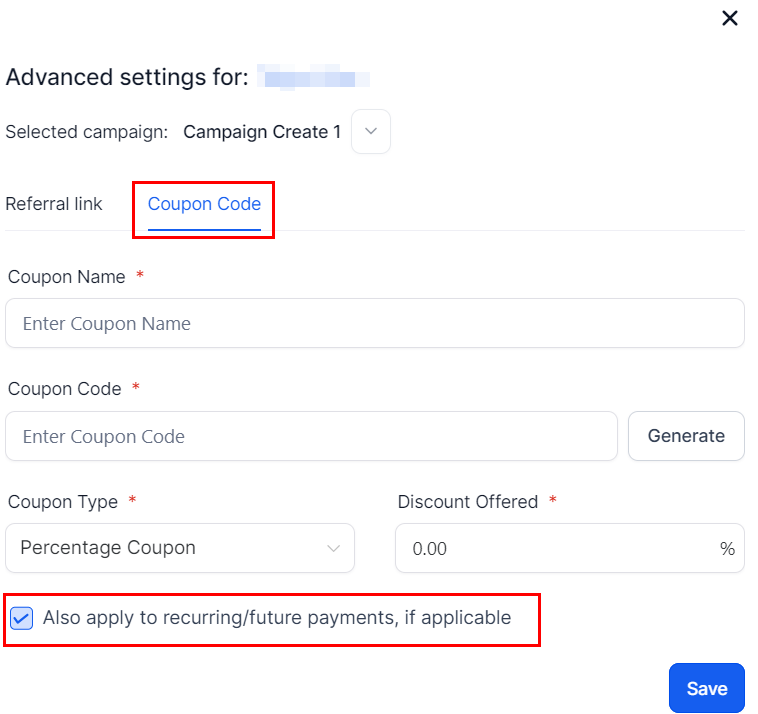
- Save to activate. You can manage or edit the coupon here later — and share the code with the partner so they can promote it.