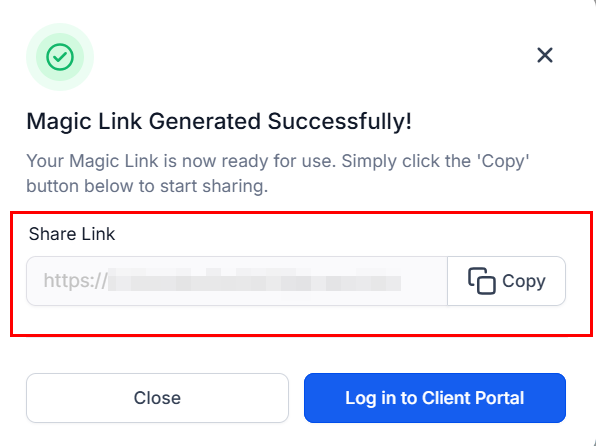
How to Generate Partner Magic Links
Magic links offer partners a convenient and efficient way to access their dedicated portal. These specialized links streamline the login process by eliminating the need for manual credentials entry, allowing partners to navigate to their dashboard quickly. Once inside, partners can track performance metrics, access their referral links and coupon codes, and monitor their earnings—all in a user-friendly environment. By providing this easy access, magic links not only improve usability but also encourage greater engagement with the partner program.Navigating to Affiliates
To access this feature, select “Affiliate” from the Affiliate Manager dropdown list within the Marketing section.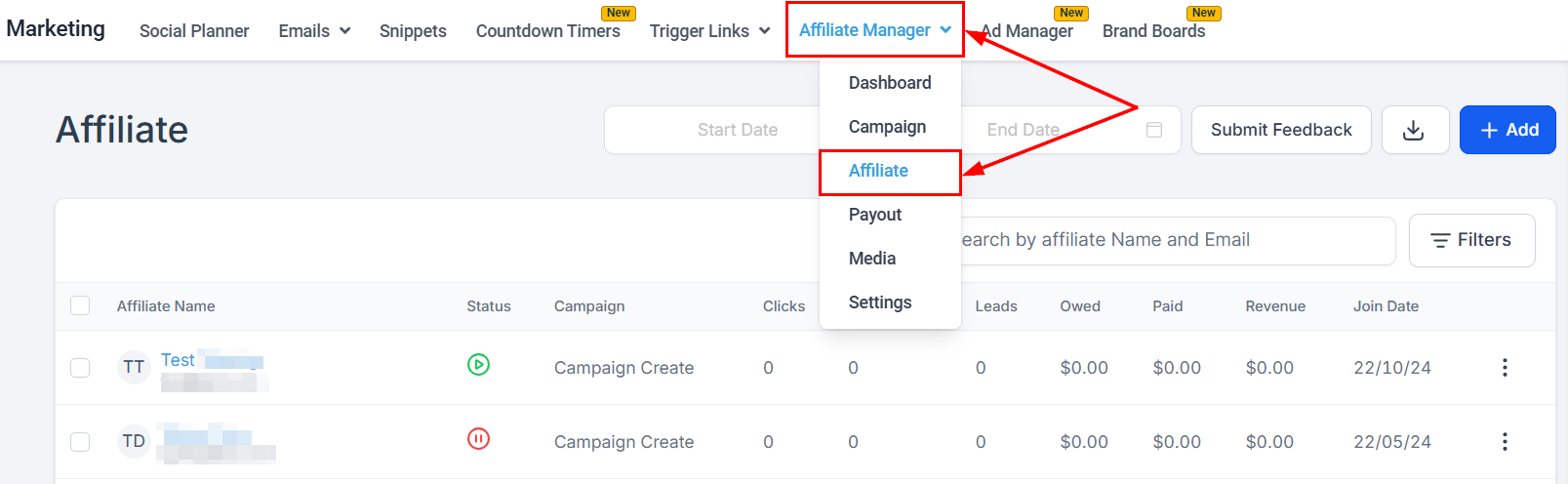
Accessing Affiliate Details
Next, click the partner’s name to open their profile.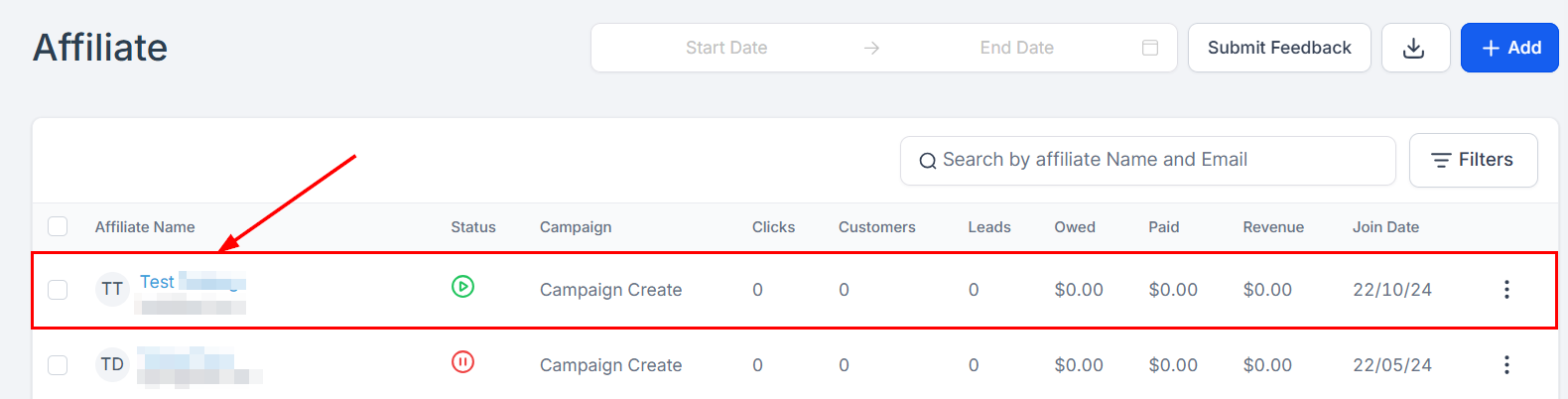
Generating Magic Links
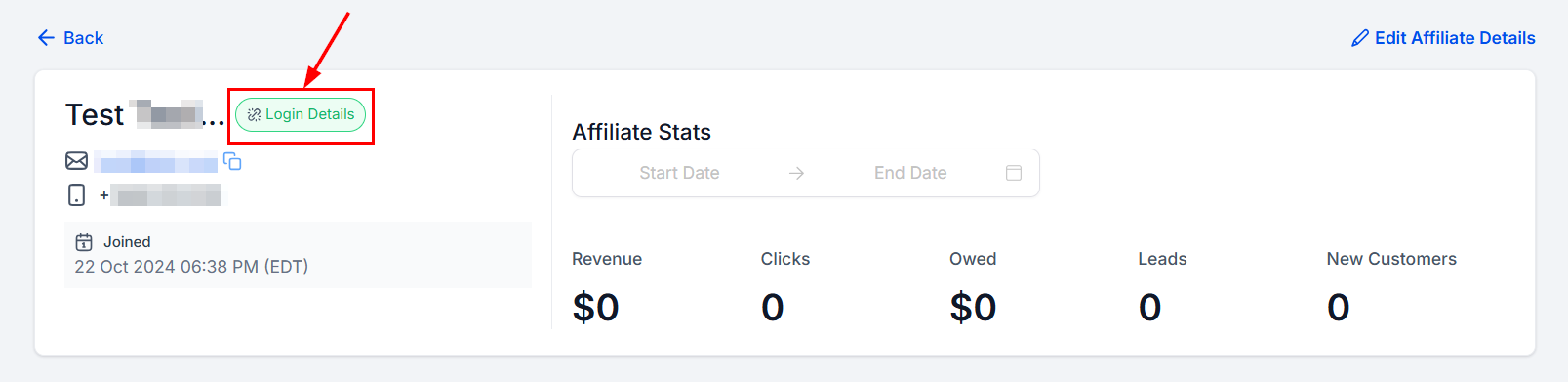
Within their profile page, you will see the “Login Details” option in the Affiliate Details section.