Managing Partners with Quick Campaign Actions
Quick Campaign Actions add, remove, or move a partner between campaigns directly from the Affiliate List Page, without opening each record.Add a partner to a campaign
- In the Affiliate Manager, open the Affiliate List Page.
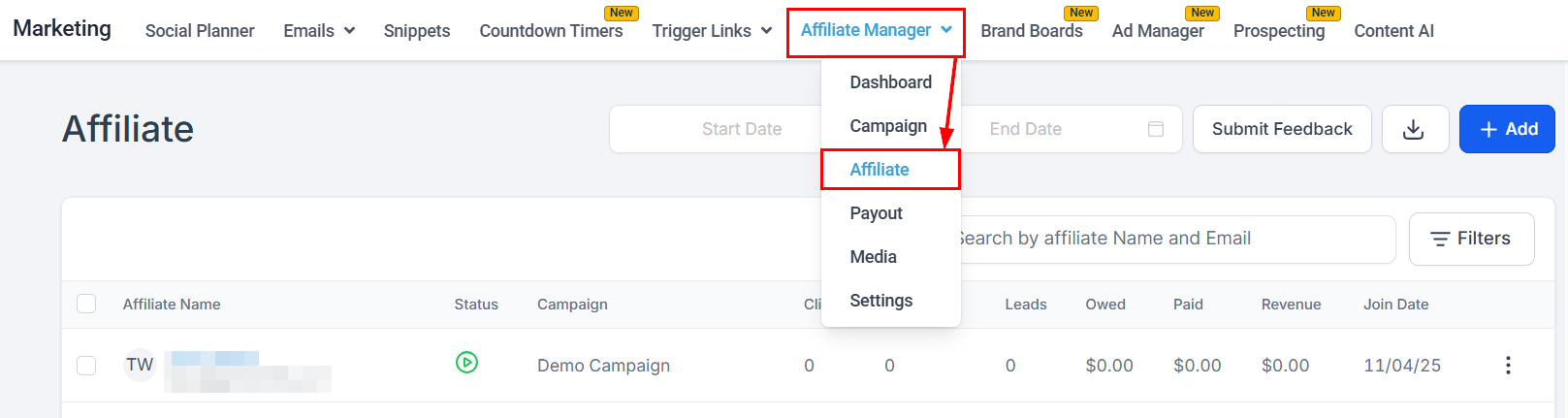
- Click the three-dot menu next to the partner and select Campaign Actions.
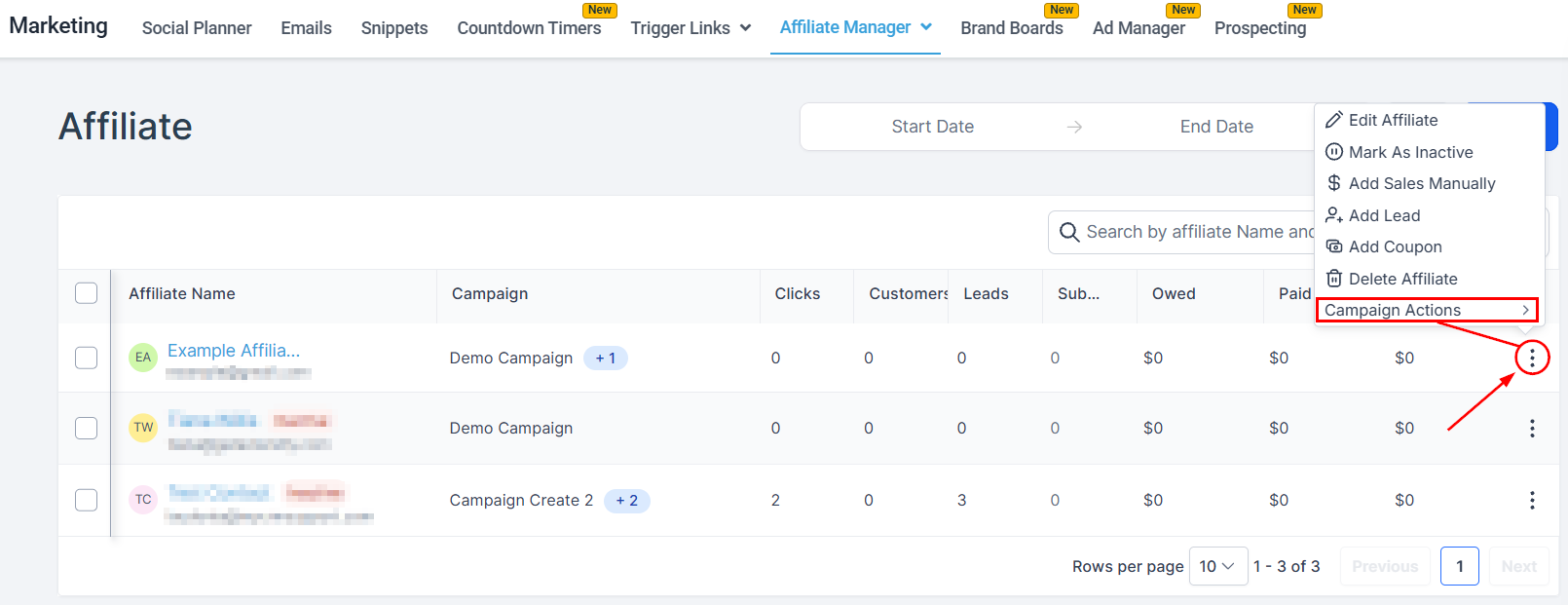
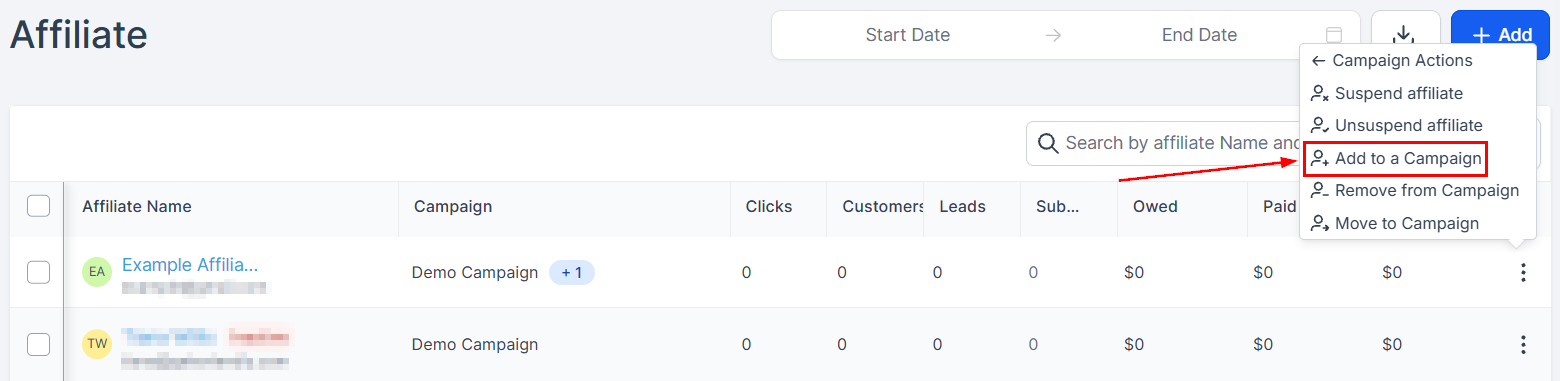
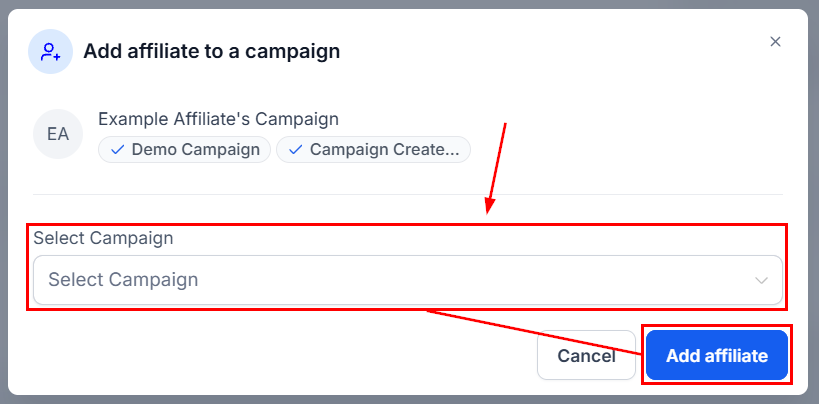
- Click Add to Campaign.
- Choose the campaign in the pop-up and click Add Affiliate.
Remove a partner from a campaign
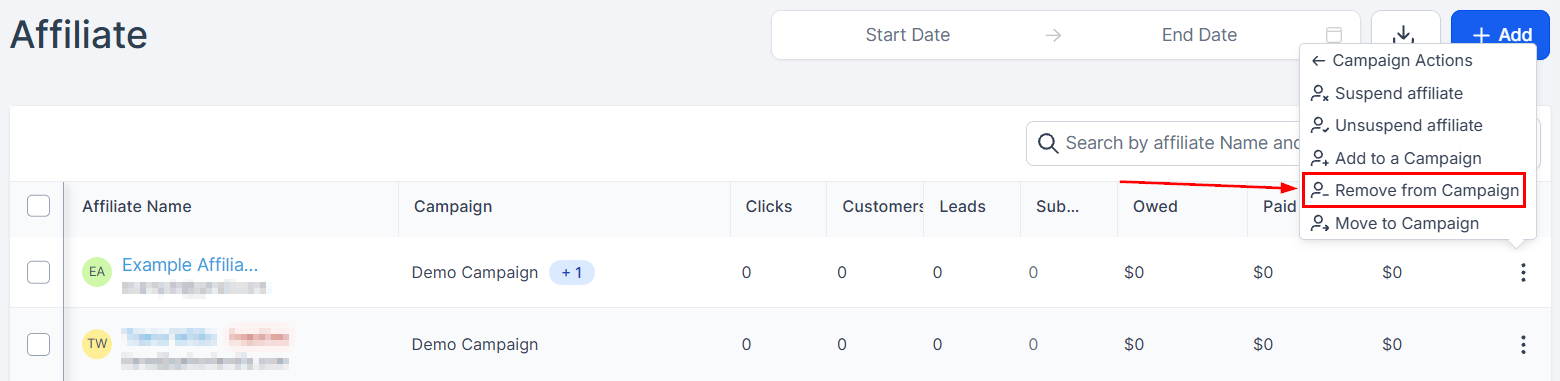
- On the Affiliate List Page, click the three-dot menu next to the partner.
- Select Remove from Campaign.
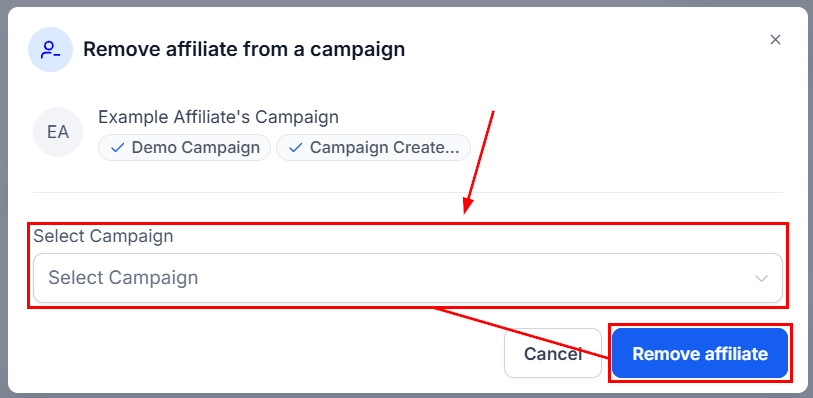
- Choose the campaign and click Remove Affiliate.
Move a partner between campaigns
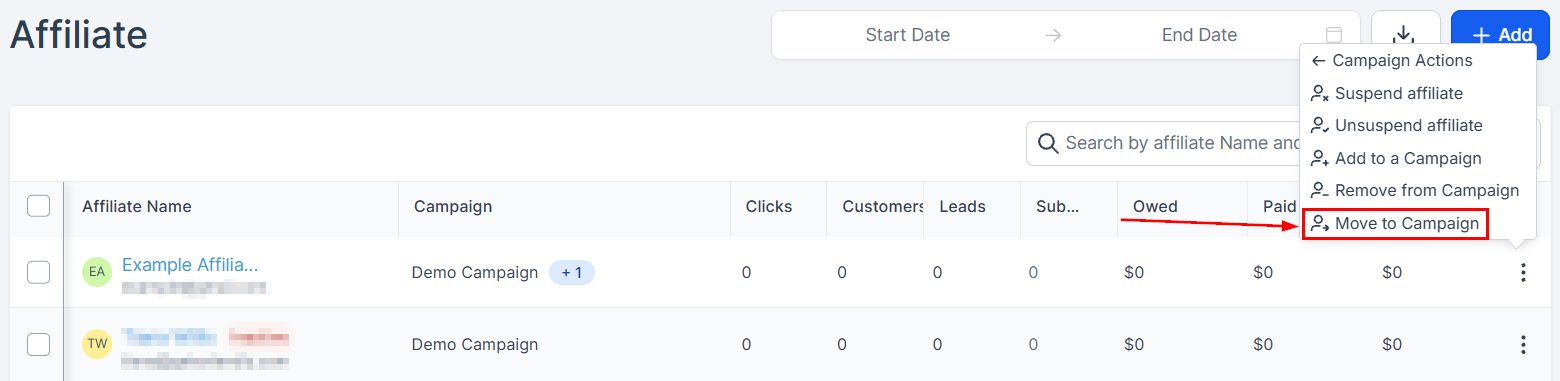
- Click the three-dot menu next to the partner and select Campaign Actions.
- Select Move to Campaign.
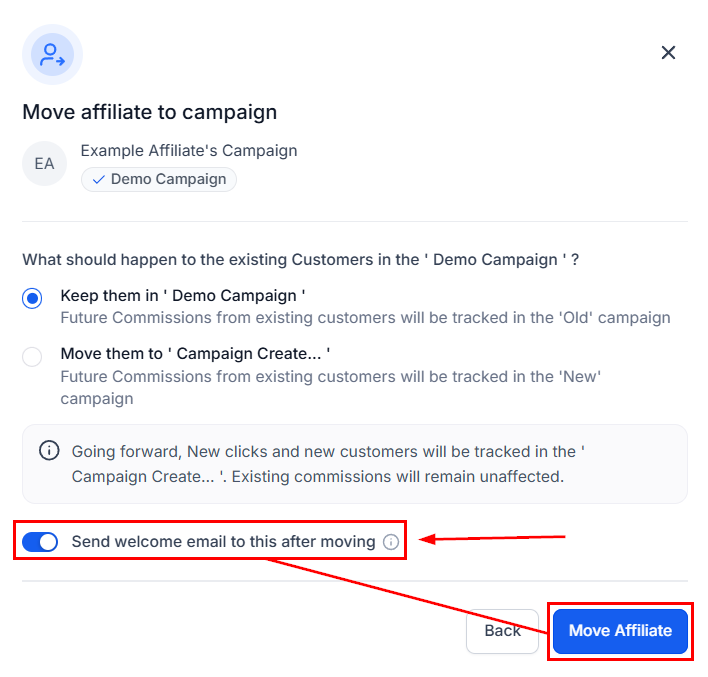
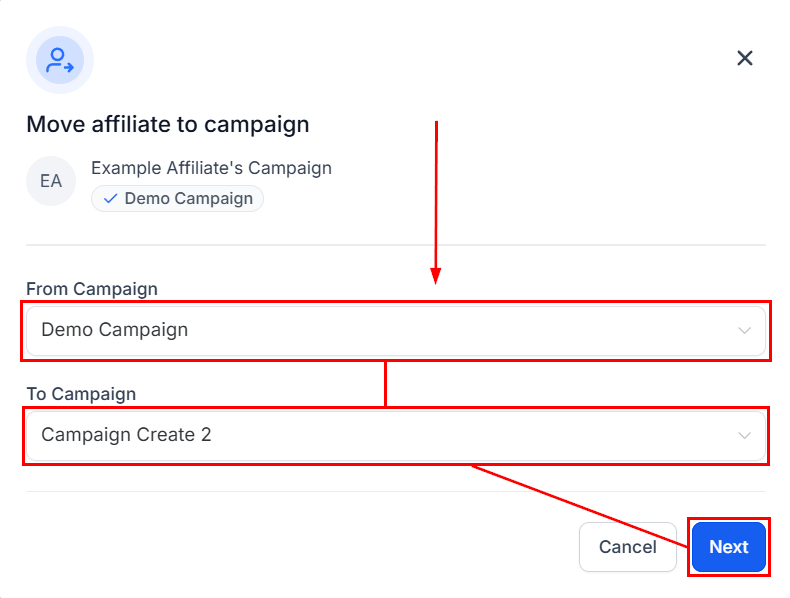
- Select the campaign the partner is currently in, then the destination campaign, and click Next.
- Choose whether future commissions from referred customers stay attributed to the original campaign or follow the partner to the new one.
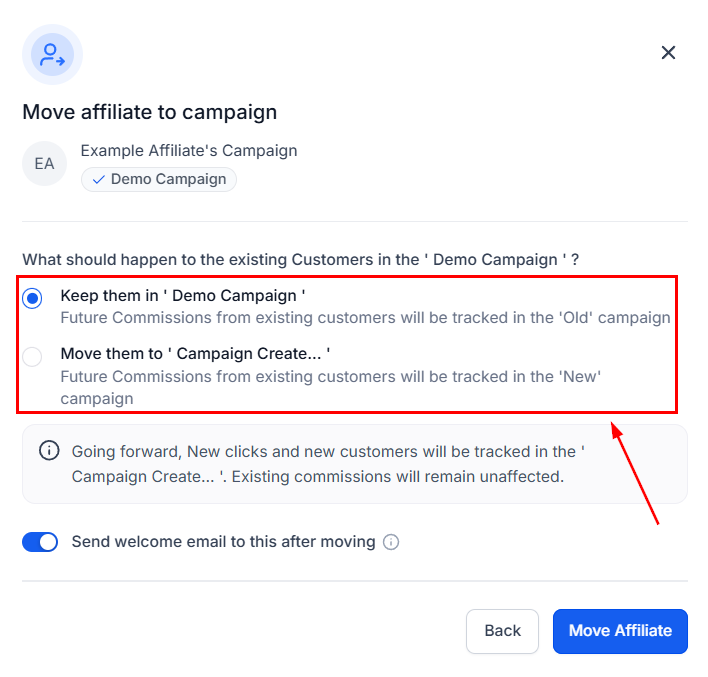
- Toggle the welcome email as preferred, then click Move Affiliate.